What is Typeform?
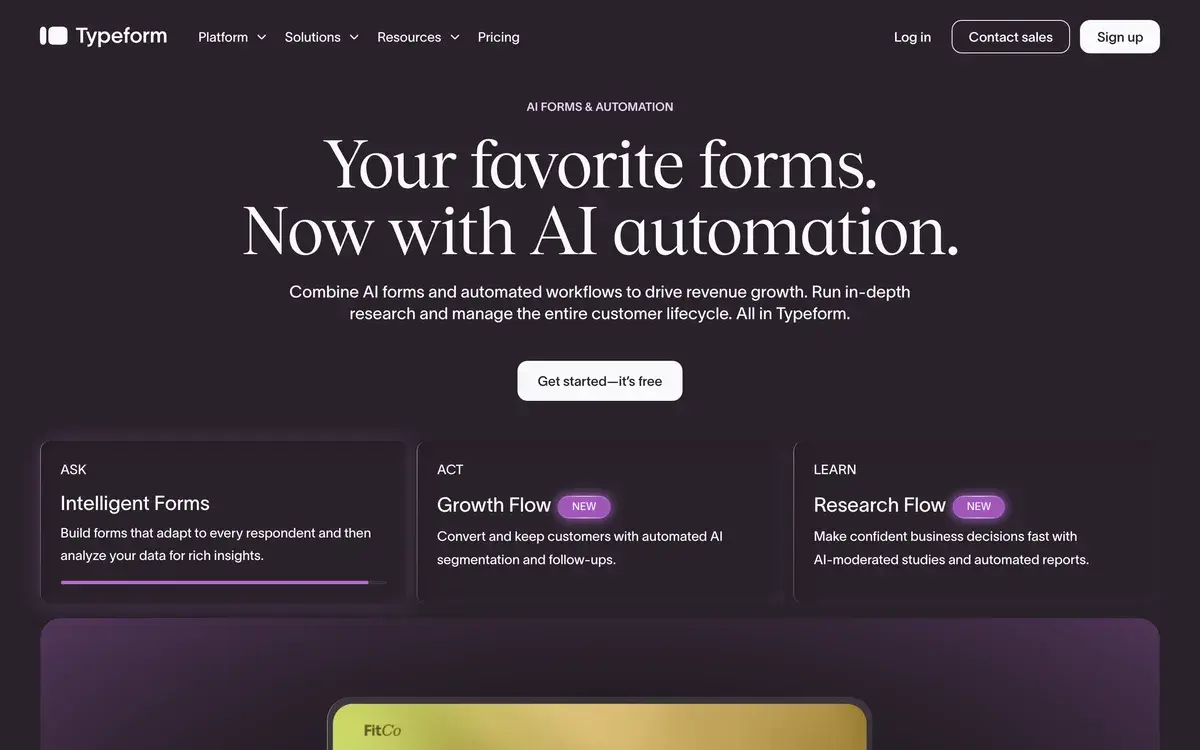
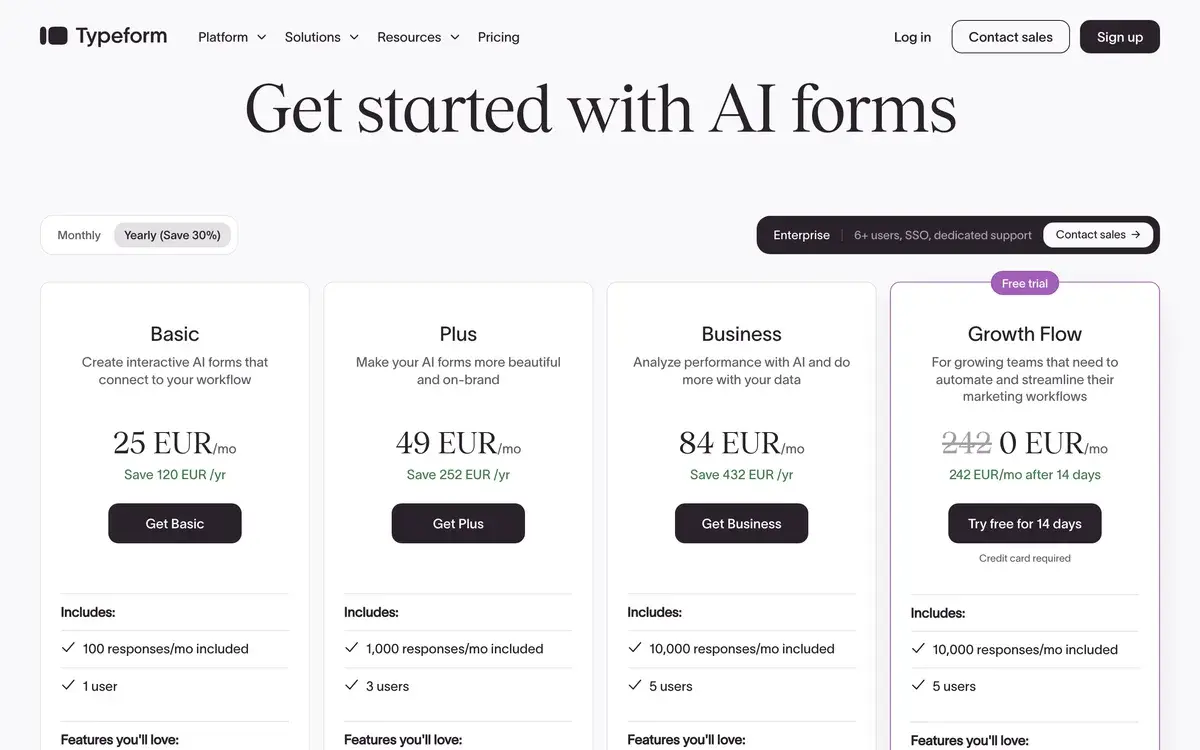
Typeform creates one-question-at-a-time conversational forms and surveys with logic jumps, integrations, and AI generation. Free tier allows 10 questions and 10 monthly responses; paid plans start at $25/month for 100 responses. Used by marketers collecting leads, researchers running surveys, product teams gathering feedback, and businesses where form completion rates affect revenue. Typeform pioneered the conversational form UX in the mid-2010s and remains the brand-name option in the category.
This review opens with a deliberately contrarian framing because the standard Typeform review is unhelpful. The standard review says: "Typeform makes beautiful forms, completion rates are higher, integrations are strong, here are the pricing tiers." All true. None of it answers the question that actually matters in 2026: should you pick Typeform when Tally, Paperform, and other alternatives have caught up on UX while charging meaningfully less?
The honest answer is "it depends, and more often than people assume, the answer is no." Typeform is excellent. It is also overpriced relative to current alternatives for many use cases. Both of these things are true.
The completion-rate question
Typeform's primary value proposition is higher form completion rates. The published research supports this claim — conversational one-question-at-a-time forms genuinely outperform traditional multi-question forms for most form types and audiences. Completion rate improvements of 20-40% are common in real comparison data.
The catch in 2026 is that "conversational form UX" is no longer unique to Typeform. Tally, Paperform, Jotform (with conditional flow), Fillout, and several others all support conversational form patterns. If the completion rate advantage comes from the conversational UX pattern itself rather than from something Typeform-specific, then any modern conversational form tool produces similar advantages, and Typeform's price premium captures brand value rather than feature value.
Our practical experience: completion rate differences between Typeform and modern alternatives like Tally are within noise on most forms. The user-perceived quality is similar. The brand recognition is different — respondents recognize Typeform's distinctive look and feel, which may carry some signal of "professional brand" — but for most use cases this perception advantage is small.
This does not mean Typeform is wrong. It means the buying decision should be informed by current alternatives rather than the dated assumption that Typeform is uniquely capable in this category.
Who is it for?
Marketing teams running lead generation forms where each completion has measurable revenue value. The integrations with HubSpot, Salesforce, and major CRMs are mature, the brand polish supports professional positioning, and the completion rate advantage compounds over time. For B2B lead gen specifically, Typeform often justifies its price.
Established companies with brand standards that include the Typeform aesthetic. The recognizable look reads as "this company invests in customer experience" — a perception that may matter for organizations where every customer touchpoint is a brand opportunity.
User research teams running structured surveys where completion quality affects research validity. The conditional logic, video questions, and analytics support qualitative-quantitative hybrid research that simpler form tools cannot handle as cleanly.
Product teams gathering customer feedback at scale. The combination of completion rate advantage and integration depth (feedback flowing into HubSpot, Notion, Slack) supports systematic customer voice programs.
Existing Typeform users with established workflows. The cost of switching from Typeform to Tally or similar is real (rebuilding forms, re-training teams, reconfiguring integrations). For teams already on Typeform with working setups, the migration math may not justify changing tools even if Tally would be cheaper for new builds.
Typeform is harder to recommend for: small businesses with low form volume, casual survey use cases, internal forms where Google Forms is adequate, or new buyers without existing brand commitment to Typeform specifically.
Key Features
- Conversational form UX — one-question-at-a-time presentation with smooth transitions
- AI form generation — describe a form and Typeform AI generates the questions and structure
- Logic jumps — conditional question flow based on previous answers
- Question types — short text, long text, multiple choice, rating, file upload, video questions, payment fields, signature, calendly integration
- Real-time analytics — drop-off rates and completion analytics per question
- 500+ integrations — HubSpot, Salesforce, Slack, Mailchimp, Notion, Zapier, Make, and most major SaaS tools
- Custom branding — fonts, colors, logo, and theme customization (Plus and higher tiers)
- White-label option — remove Typeform branding entirely (Plus and higher)
- Embedded forms — embed in websites, apps, or share via direct link
- Payment collection — accept payments through Stripe integration within forms
- Mobile apps — manage forms and review responses on iOS and Android
- Hidden fields — pre-populate data from URLs and integrations for personalization
Typeform vs Competitors 2026
| Tool | Conversational UX | AI generation | Integrations | Free tier | Price/mo |
|---|
| Typeform | ✅ Originator | ✅ Good | ✅ 500+ | ✅ Restrictive | $25 |
| Tally | ✅ Strong | ✅ Good | ✅ Strong | ✅ Generous (unlimited responses) | $29 |
| Paperform | ✅ Strong | ✅ Good | ✅ Good | ❌ Trial | $24 |
| Jotform | ⚠️ Optional | ✅ Good | ✅ Strong | ✅ Limited | $34 |
| Fillout | ✅ Strong | ✅ Good | ✅ Good | ✅ Generous | $25 |
| Google Forms | ❌ Traditional | ⚠️ Gemini-assisted | ⚠️ Workspace | ✅ Free | Bundled |
| Survey Monkey | ❌ Traditional | ✅ Decent | ✅ Strong | ✅ Limited | $39 |
| Microsoft Forms | ❌ Traditional | ⚠️ Copilot integration | ⚠️ Microsoft | ✅ Free with M365 | Bundled |
Data verified April 2026 from each provider's pricing pages.
The most important comparison is Typeform vs Tally. Tally has emerged as the credible alternative with a generous free tier (unlimited responses on free!), competitive UX quality, and a "Notion-like" simplicity that some users prefer. The price gap at paid tiers is small but Tally's free tier value is substantially better. For new buyers in 2026, Tally deserves serious evaluation before defaulting to Typeform.
Paperform and Fillout are close direct competitors with comparable quality at slightly different positionings. Jotform is more traditional in form structure but can do conversational with configuration. Survey Monkey serves the more enterprise-oriented survey market with stronger statistical analysis features that Typeform does not match. Google Forms is free, basic, and adequate for many use cases that pay for Typeform unnecessarily.
The honest competitive picture: Typeform's UX moat has narrowed. Modern alternatives offer similar completion-rate advantages at lower prices. The remaining Typeform advantages are brand recognition, integration depth, and accumulated polish — real but smaller than they were three years ago.
Pricing 2026
| Plan | Price | Responses/mo | Best for |
|---|
| Free | $0 | 10 (with 10-question limit) | Casual evaluation only |
| Basic | $25/mo | 100 | Solo users, small teams |
| Plus | $50/mo | 1,000 + remove branding | Growing teams |
| Business | $83/mo | Unlimited | Established teams with high volume |
| Enterprise | Custom | Custom | Large organizations with security needs |
Prices verified April 2026 from typeform.com/pricing. Annual billing offers ~16-20% off across paid tiers.
The pricing critique that defines Typeform's market position in 2026: the free tier is restrictive in ways that feel deliberately designed to push users to paid tiers quickly, and the paid tiers are positioned at premium prices that worked when Typeform had less competition. The Basic tier at $25/month for only 100 monthly responses is genuinely expensive on a per-response basis. The Business tier at $83/month is a defensible price for high-volume use but eyebrow-raising for casual buyers.
Tally's pricing model — free for unlimited responses, $29/month for paid features — creates uncomfortable comparison math for Typeform's positioning. Whether Typeform's brand and integration advantages justify the price premium is increasingly a judgment call rather than an obvious yes.
Hands-on Notes
The Typeform UX is genuinely well-designed and consistently produces forms that look more polished than equivalent alternatives. The one-question-at-a-time pattern, smooth animations, and brand polish create the "Typeform feel" that respondents recognize. For brands where this aesthetic matters, the premium may be justified by perception alone.
Building forms in Typeform's editor is fast and pleasant. The drag-and-drop logic builder handles reasonably complex conditional flows without becoming confusing. AI form generation produces decent starting drafts that need customization but compress the from-scratch phase meaningfully.
The integrations are mature and reliable. HubSpot and Salesforce syncs work without issues. The Zapier and Make ecosystems handle edge cases the native integrations do not cover. For organizations integrating forms into broader marketing or customer success workflows, the integration depth is one of Typeform's stronger advantages over cheaper alternatives.
Where Typeform feels its age: the analytics are functional but not differentiated. Drop-off rates per question, basic completion stats, integration metrics — useful but available in any modern form tool. The reporting could be deeper given the price tier; tools like SurveyMonkey offer more sophisticated statistical analysis that Typeform does not match for serious research use cases.
The free tier limitations are aggressively restrictive in ways that affect product perception. Ten questions and ten monthly responses is essentially "evaluation only." Tally's "unlimited responses on free" comparison creates an uncomfortable framing that Typeform's free tier exists primarily to force paid conversion rather than to serve casual users.
Pricing has crept upward over the last several years. Typeform was a $25/month tool for years; current pricing has moved up while maintaining the same response caps. Whether the product has improved enough to justify the price increase relative to alternatives is the open question.
Use Cases
A B2B SaaS marketing team uses Typeform for lead capture and content gating across the marketing site. Higher completion rates compared to traditional forms produce measurable lead volume increases; the HubSpot integration syncs leads directly into the CRM with proper attribution. The Business tier handles the response volume; the brand polish supports the company's positioning as a customer-experience-focused organization.
A user research team running customer development interviews uses Typeform for pre-interview screening surveys. The conversational UX produces higher completion rates from busy customers; the conditional logic skips irrelevant questions; the integration with Notion captures responses in the research database. The Plus tier removes Typeform branding for forms sent in customer email.
A product team gathering NPS and CSAT feedback uses Typeform for in-product feedback collection. The mobile-friendly forms work well for in-app embedded use; the analytics track completion patterns across product surfaces. Volume justifies the Business tier; integrations push feedback to Slack channels for product team visibility.
A small business uses Typeform for customer intake forms — bookings, service inquiries, support requests. The Basic tier handles their volume (~80 monthly forms), and Typeform's polish supports professional positioning despite the small business scale. This use case is where the pricing premium is hardest to justify against Tally or Google Forms; the buying decision often reflects existing brand investment.
A consultant uses Typeform for client discovery surveys at the start of engagements. The brand association reads as "this consultant invests in tooling" — perception value that may justify the price for client-facing consulting work even at modest form volume.
Our Verdict
Typeform is excellent. It also asks for premium pricing in a category where the alternatives have caught up on the features that historically justified that premium. The buying decision is more nuanced in 2026 than it was three years ago, and the standard "Typeform is the best form tool" recommendation deserves more critical evaluation than it usually gets.
For organizations where form completion rates affect revenue and the integrations into CRM and marketing tools matter, Typeform earns its price. For brand-conscious organizations where the Typeform aesthetic carries perception value, the premium is defensible. For users with established Typeform workflows, switching costs may exceed the savings from moving to Tally or Paperform.
For new buyers in 2026 evaluating form tools fresh, the honest recommendation is to seriously evaluate Tally before defaulting to Typeform. Tally's UX has caught up enough that the price gap matters more than the feature gap. For casual or low-volume use, Google Forms remains the rational free alternative.
Note: Typeform does not currently have an active affiliate program with AIVario. AIVario earns no commission from sign-ups. Our rating reflects ongoing use of the paid Plus tier and direct comparison against modern alternatives.
Best for: B2B lead generation, established brands with Typeform aesthetic investment, organizations where form completion rates affect revenue, existing Typeform users with working workflows
Not ideal for: Casual or low-volume form use (Google Forms is free), new buyers without brand commitment (evaluate Tally first), users where price-per-response matters
Bottom line: Excellent product, premium pricing in a category where the moat has narrowed. Worth the price for some buyers; overpriced for others. Evaluate honestly rather than defaulting.
Related Tools
- Tally — most credible alternative with generous free tier and competitive UX
- HubSpot AI — common CRM destination for Typeform leads via native integration
- Notion — common destination for Typeform survey responses
- Zapier — extends Typeform's integration coverage to nearly any tool
- Calendly — complementary tool for booking-driven workflows that pair with Typeform forms
Frequently Asked Questions about Typeform
How much does Typeform cost?
Typeform's free tier allows 10 questions and 10 responses per month — restrictive enough that most users need to upgrade quickly. Paid plans start at $25/month for Basic (100 responses), $50/month for Plus (1,000 responses, no Typeform branding), and $83/month for Business (unlimited responses, priority support). Pricing scales further at the Enterprise tier.
Is Typeform actually worth the price?
Depends on your context. If form completion rates directly affect business outcomes (lead generation forms, customer onboarding, expensive research surveys), Typeform's UX advantage often justifies the price through higher completion rates. If you collect occasional responses where Google Forms would also work, the price premium is hard to justify. The honest answer: Typeform is overpriced for casual users and reasonably priced for serious form-driven workflows.
Is Typeform better than Tally or Google Forms?
Typeform has the strongest brand and the most polished conversational form UX, but Tally has caught up meaningfully on UX while remaining significantly cheaper (and free for unlimited responses). Google Forms is free and adequate for basic surveys without UX expectations. The honest competitive picture: Typeform's design moat has narrowed considerably since 2022. For new buyers in 2026, Tally deserves serious evaluation before defaulting to Typeform.
Does Typeform have AI form generation?
Yes, Typeform AI generates complete forms from text descriptions, suggests question types and ordering, and offers AI-assisted analysis of response data. The features are competent and useful as starting points, though most professional users still customize generated forms substantially. AI form generation is now table stakes in this category — every major competitor offers similar features.
Can Typeform integrate with my CRM?
Yes, Typeform has 500+ integrations including HubSpot, Salesforce, Pipedrive, Zoho, Mailchimp, ConvertKit, Slack, Notion, and most major SaaS tools. Native integrations handle data sync, Zapier and Make extend the integration coverage to nearly anything. The integration depth is genuinely strong and is one of the better reasons to pick Typeform over cheaper alternatives.
Are Typeform's completion rates actually higher?
Yes, the published research and Typeform's own data show meaningful completion rate advantages over traditional multi-question forms — often 20-40% higher depending on form length and audience. The one-question-at-a-time pattern reduces perceived friction. Whether this advantage is unique to Typeform or available in any modern conversational form tool (Tally, Paperform, Jotform with conditional logic) is the question that informs whether the price premium is justified.