Notion AI is the AI built into Notion: Notion Agent, which can create and edit pages and databases, Enterprise Search across connected apps such as Slack and Google Drive, AI Meeting Notes, Research Mode and image generation. It is no longer sold as an add-on. Full Notion AI comes with the Business plan at $20 per member a month billed yearly or $24 monthly, and with Enterprise; Free and Plus ($10 yearly, $12 monthly) get a limited number of complimentary AI responses. Custom Agents cost $10 per 1,000 Notion credits after a free trial, and premium models also spend credits at the providers' rates.
✓Best for: Teams that already keep their docs, wikis and projects in Notion and want an agent and search that work across that content and their connected apps
✗Skip if: You only want an AI chatbot and not the workspace, since $20 a member buys mostly Notion itself, or you need AI on a Free or Plus plan beyond a short trial
This analysis is based on documentation, public user reports, and vendor materials — not yet on our own hands-on testing. How we rate
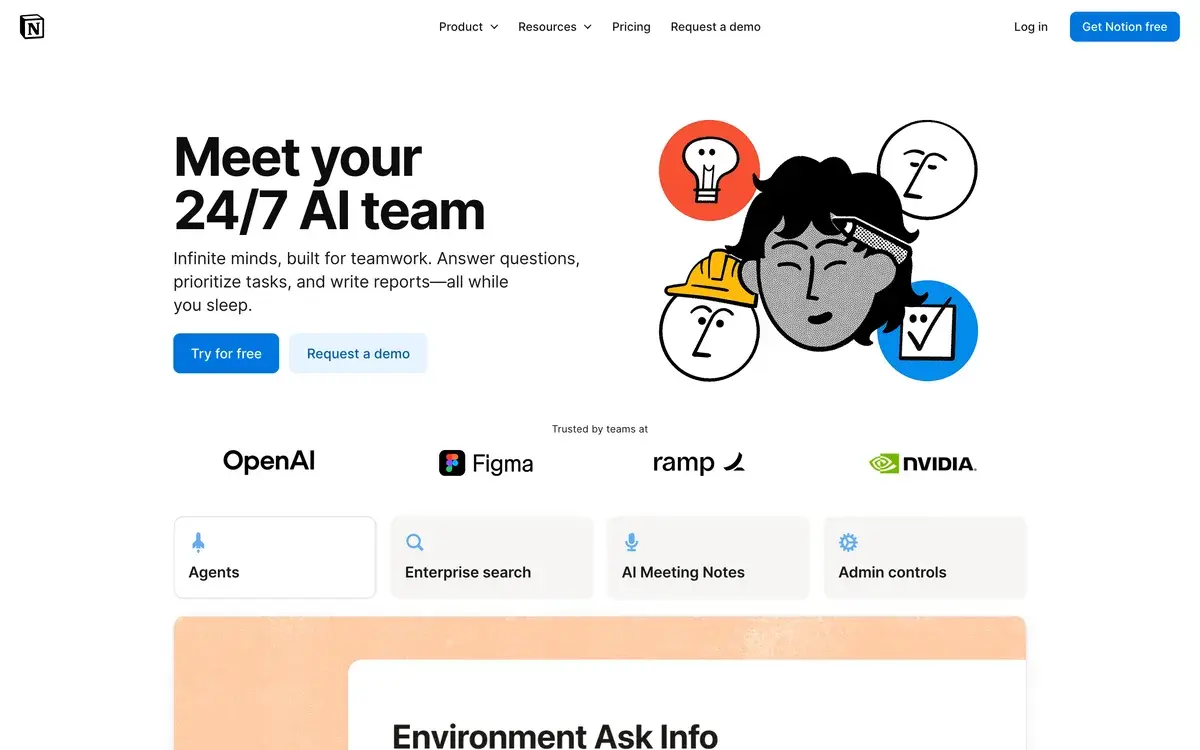
Notion AI homepage, captured Oct 1, 2026.
AI now comes with the Business plan, not as an add-on
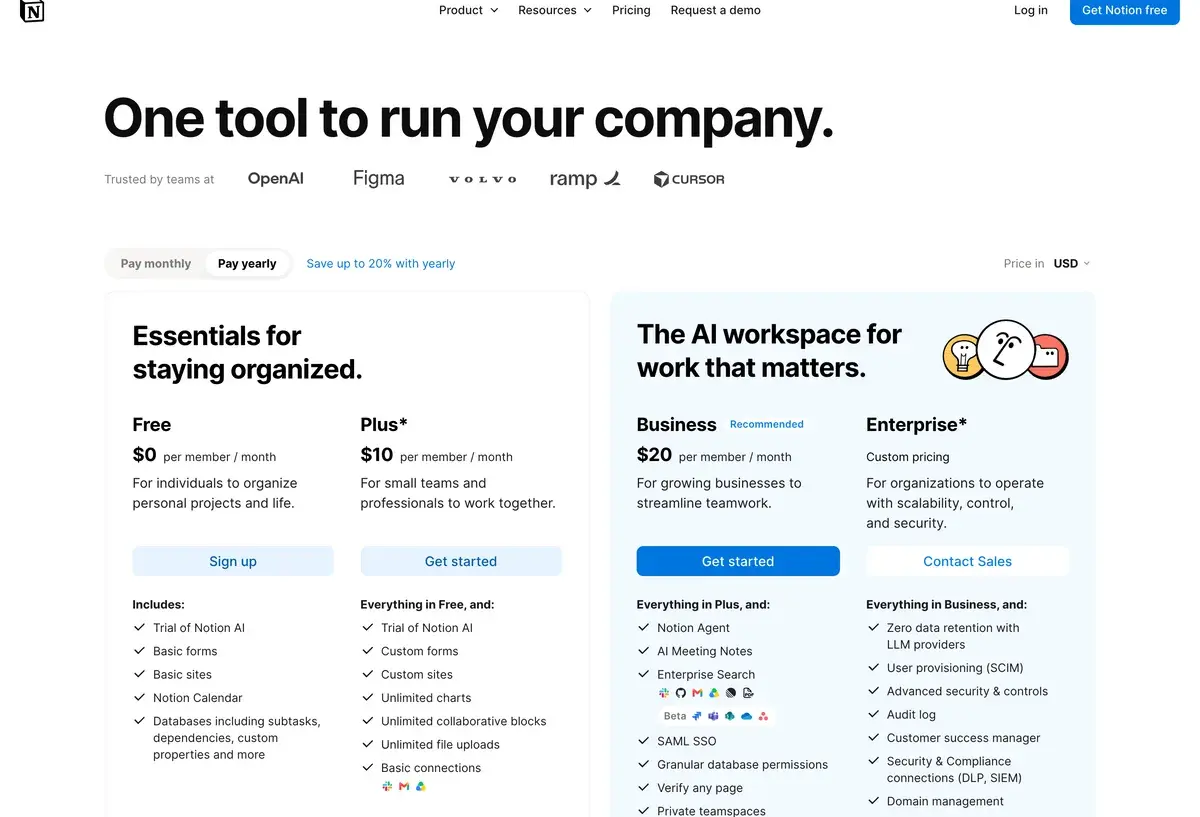
For years Notion sold AI as an add-on you could attach to any plan. That route is closed. Notion's help center now says Notion AI is available on the Business and Enterprise plans, and the pricing page lists the agent, AI meeting notes and enterprise search as part of Business. Free and Plus workspaces get a trial: a limited number of complimentary AI responses.
So the real question is no longer "is the AI worth $10 more", but whether Business is the right Notion plan for your team. Business costs $20 per member a month billed yearly or $24 monthly, double the price of Plus, and also adds SAML single sign-on, granular database permissions, verified pages and private teamspaces. For a team that would have bought Business anyway, the AI comes along; for a small team happy on Plus, AI now costs an extra $10 a member.
Free, Plus, Business and Enterprise compared
Notion's pricing page in US dollars on yearly billing, screenshot taken October 1, 2026.
Plan
Billed yearly
Billed monthly
Notion AI
Free
$0
$0
Complimentary trial responses
Plus
$10 per member
$12
Complimentary trial responses
Business
$20 per member
$24
Notion Agent, AI Meeting Notes, Enterprise Search, Research Mode, image generation
Enterprise
Custom
Custom
Everything in Business plus zero data retention with LLM providers, SCIM, audit log, HIPAA
Custom Agents
Free to try, then $10 per 1,000 Notion credits a month
Agents that run repetitive work on their own
Notion shows prices in local currency, so Europeans see euros (€9.50 and €19.50 on yearly billing); the figures above are the US prices selected on the same page.
What Business AI does: agent, meeting notes and search
Notion Agent is the center of it. It chats with you, but it also does the work: drawing on your workspace and connected apps, it creates and edits pages, databases and charts, fills in database properties and translates pages. Research Mode handles longer, open-ended questions by building a report from your workspace and the web, and image generation makes diagrams, flowcharts and visual notes on Business and Enterprise.
Enterprise Search answers questions from Notion plus connected tools such as Slack, Google Drive and GitHub, with more connectors in beta. AI Meeting Notes, still labeled beta, transcribes and summarizes meetings in any meeting app and files the notes in Notion, where they become searchable. On desktop, Shift + Cmd or Ctrl + J opens Notion AI even from another app.
The credit meter: Custom Agents and premium models
The flat seat price has two meters attached. Custom Agents, which take on repetitive work without anyone prompting them each time, are free to try and then cost $10 per 1,000 monthly Notion credits. Premium AI models also spend credits: Notion says they cost much more to run, so they stay off until an owner or admin enables them, and usage is charged at each provider's published token rates without markup.
There is also a soft ceiling on the included AI. Business and Enterprise come with a usage allowance for certain features, and a workspace that runs past it may see a temporary pause until access refreshes, unless an owner lets the team spend credits to continue. Admins can set how many credits each member may use and give heavier users a higher limit, and a dashboard tracks credit use across the workspace.
Is Notion AI safe for company data?
Notion says its contracts with AI subprocessors prohibit training on customer data, and that data is encrypted in transit. The difference between plans is retention: on Business and below, model providers may keep data for 30 days, while Enterprise has zero data retention with LLM providers and HIPAA compliance. Notion holds SOC 2 Type 2 and ISO 27001 certifications. For teams putting client or health information into Notion, that makes Enterprise the plan to discuss with Notion's sales team.
Notion AI against ChatGPT, ClickUp Brain and Copilot
ChatGPT is the better general assistant, with stronger open-ended writing and analysis, image generation and voice, but it cannot edit your Notion databases with your workspace as context. ClickUp Brain is the closest rival inside a work platform: a ClickUp Business seat with Brain AI costs $21 a month billed yearly, against $20 for Notion Business with AI included, though ClickUp bills Brain for every member. Microsoft Copilot makes more sense for companies whose documents live in Microsoft 365.
Notion AI is the best fit for teams whose wiki, docs and project databases already live in Notion. Our Notion vs ClickUp comparison covers the choice between the two platforms in more detail.
Related Tools
ClickUp Brain: AI add-on for the ClickUp work platform
No. Notion AI is available on the Business and Enterprise plans, and the separate AI add-on Notion used to sell is gone. Business costs $20 per member a month billed yearly or $24 monthly. Free and Plus workspaces get a limited number of complimentary AI responses to try the features.
What does Notion AI cost for a team of 10?
Ten members on Business cost $200 a month billed yearly, or $2,400 a year, and $240 a month on monthly billing. That covers Notion itself plus Notion Agent, AI Meeting Notes, Enterprise Search and SAML single sign-on. Custom Agents and premium models can add credit costs on top, which admins can cap per member.
Does Notion AI have a usage limit?
Yes. Business and Enterprise include a usage allowance for certain AI features, and a workspace that goes beyond it may see a temporary pause until access refreshes automatically. Workspace owners can let the team keep going by spending Notion credits. Free and Plus have a fixed number of complimentary responses instead.
Are Notion AI Meeting Notes free?
No. AI Meeting Notes, still labeled beta, is part of the Business and Enterprise plans. It transcribes and summarizes meetings in any meeting app, keeps the notes in Notion where Notion AI can search them, and admins can control audio storage and transcript deletion.
What are Notion credits?
The meter for heavier AI use. Custom Agents, which run repetitive work on their own, are free to try and then cost $10 per 1,000 monthly Notion credits. Premium AI models also spend credits, charged at each provider's published rates without markup, and they stay off until an owner or admin turns them on.
Does Notion use my data to train AI?
Notion says its contracts with AI subprocessors prohibit using customer data to train their models. On non-Enterprise plans, data can be retained by the model providers for 30 days; Enterprise has zero data retention with LLM providers and HIPAA compliance. Feedback you give with the thumbs buttons is not used for training either.
Is Notion AI better than ChatGPT?
For work inside Notion, yes: Notion Agent can create and edit pages and databases with your workspace as context, and Enterprise Search reaches connected apps. ChatGPT is the stronger general assistant for open-ended writing, analysis, images and voice, at $20 a month for one person. Many teams use both.
Can I use Notion AI outside Notion?
Partly. On desktop, the keyboard shortcut Shift + Cmd or Ctrl + J opens Notion AI even when you are working in another app, and Enterprise Search pulls answers from tools such as Slack, Google Drive and GitHub. The agent's ability to create and edit content applies to your Notion workspace.