What is Make?
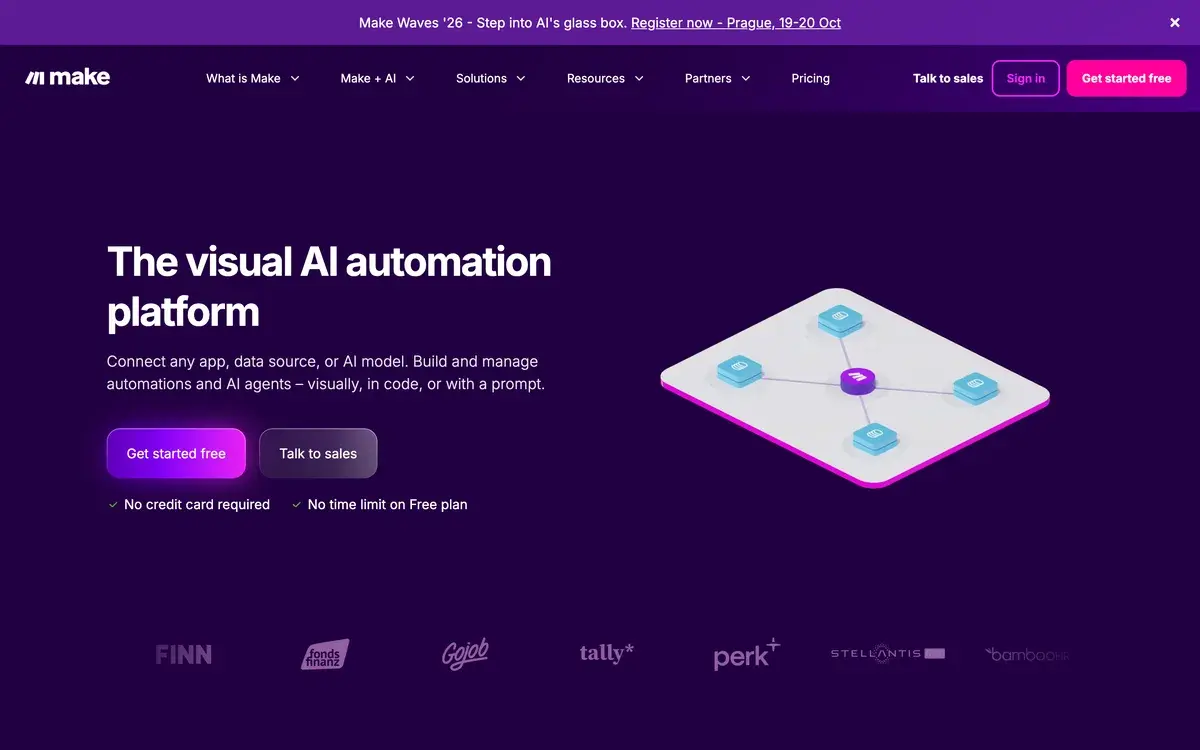
Make (formerly Integromat) is a visual workflow automation platform that connects 1,500+ apps through pre-built integrations. The platform's distinguishing characteristic is the visual workflow builder — users construct automations by connecting modules in flowchart-style interface that handles complex logic better than linear automation tools. Founded in 2012 in Czechia and rebranded to Make in 2022, the platform has grown into one of the leading automation tools alongside Zapier and n8n.
Make's positioning sits in the middle ground between simpler tools (Zapier) and more technical tools (n8n). Zapier optimizes for non-technical users with simple workflows; n8n optimizes for technical users with deep capabilities; Make optimizes for visual builders wanting complex workflows without requiring code. For users who hit Zapier's complexity ceiling but don't want to manage technical platforms like n8n, Make is the natural upgrade path.
The visual approach rewards users who think in flowcharts. Branching, merging, error handling, loops, and transformations all happen visually rather than as code. For users learning programming concepts through visual interface, Make accelerates that learning. For users who want capability without programming, Make provides essentially complete workflow control.
Who is it for?
Make fits visual builders wanting automation capability beyond Zapier's complexity ceiling without committing to technical platforms. The audience spans many professional contexts where workflow automation matters but coding isn't core skill. Specific user types where Make fits:
- Marketing operations teams building complex multi-step campaigns and lead workflows.
- Sales operations teams automating prospect data and outreach workflows.
- Customer success teams building automated onboarding and engagement sequences.
- Solo founders and indie hackers automating SaaS operations as part of running businesses.
- Agencies building client automations as part of service delivery.
- Consultants providing automation services to non-technical clients.
- Small businesses scaling operations without engineering hires.
- Creators and content businesses automating content distribution and analytics.
User types where Make may not fit:
- Absolute beginners with simplest workflows. Zapier's friendlier UX may fit better.
- Technical users wanting maximum capability. n8n's open-source flexibility and self-hosting may fit better.
- Cost-sensitive heavy users. Self-hosted n8n eliminates recurring costs entirely.
- Enterprise organizations needing iPaaS scale. Workato or Tray.io fit larger enterprise.
- Users primarily wanting AI agent orchestration. n8n's AI capabilities may be deeper.
- Privacy-sensitive contexts uncomfortable with cloud-based workflow processing.
Key Features
The Make feature set covers visual workflow automation with broad capability across complexity levels.
Visual workflow builder with flowchart-style interface for connecting modules. Each module represents an action (read data, transform, send notification, write to database). Connections show data flow between modules. Visual representation handles complex logic that linear tools (Zapier) struggle with.
1,500+ app integrations covering major SaaS platforms (Slack, Notion, Google Workspace, Microsoft 365), databases, AI providers, communication tools, productivity apps, ecommerce platforms, and developer services. Coverage is competitive with Zapier and broader in some categories.
Branching and merging logic with router modules splitting workflows based on conditions. Different paths for different data types or scenarios. Merge modules combine paths back together. Visual representation makes complex logic understandable at a glance.
Error handling with try/catch modules and retry logic. Production-grade reliability for critical automations. Better than simpler tools for workflows where failures need graceful handling rather than complete stoppage.
Loops and iterations for processing batch data. Iterate through arrays, repeat actions multiple times, accumulate results across iterations. Useful for data processing workflows that simpler tools can't handle.
Data transformation with built-in functions for parsing, formatting, calculating, and manipulating data between modules. Less powerful than custom code but covers most data transformation needs visually.
HTTP module for integrating with any API even without pre-built modules. Send custom requests, parse responses, use data in subsequent steps. Effectively makes any web service usable from Make.
Webhook triggers receive data from external services to trigger workflows. Combined with HTTP module, enables integrating any system that can send/receive HTTP.
AI integrations with OpenAI, Anthropic, Google AI, and other providers. Build AI-powered workflows for content generation, classification, decision-making. Make AI Agent (preview as of 2026) enables autonomous AI workflows.
Templates marketplace with pre-built workflow templates for common automation patterns. Accelerate setup for typical use cases rather than building from scratch.
Execution history and debugging with detailed logs of each workflow run. Inspect actual data at each step to diagnose issues. More transparent than some alternatives.
Team workspaces with shared workflows, role-based permissions, and team collaboration features. On Teams plan and above. Useful for organizations with multiple users building automations.
Mobile app for monitoring and basic workflow management. Less commonly used than desktop but available for users wanting on-the-go visibility.
Make vs Competitors 2026
| Tool | Strength | Pricing | Best For |
|---|
| Make | Visual workflows, mid-complexity | Free / $9-29/mo | Visual builders, complex automation |
| Zapier | Easy UX, simplest workflows | Free / $19.99+/mo | Non-technical users, simple flows |
| n8n | Open-source, technical depth | Free (self-host) / €24+ | Technical users, AI agents |
| Pipedream | Code-first developer focus | Free / $19+ | Developers wanting code-heavy |
| Workato | Enterprise iPaaS | Custom | Large enterprise integration |
| Tray.io | Enterprise general automation | Custom | Mid-market and enterprise iPaaS |
| Activepieces | Open-source simpler alternative | Free / $25+ | Simpler n8n alternative |
| Power Automate | Microsoft ecosystem | $15+/user/mo | Microsoft 365 organizations |
Pricing verified April 2026.
Make vs Zapier. The most common comparison for SMBs choosing automation. Zapier is easier for absolute beginners with simplest workflows; Make is dramatically more powerful and cheaper for complex workflows. Pricing crossover happens fast — Make's $9/mo plan rivals Zapier's $19.99/mo plan in capability. For any meaningful automation, Make wins on price-to-capability.
Make vs n8n. Different approaches in capable middle ground. n8n is open-source with self-hosting option and deeper technical capability. Make is cloud-only with friendlier visual interface. For technical users wanting maximum capability and cost optimization, n8n. For users wanting smoother visual UX with cloud convenience, Make. Both are dramatically more capable than Zapier.
Make vs Pipedream. Pipedream is more developer-focused with code-first workflow building. Make is more visual with code as escape hatch. For developers wanting fully code-based workflows, Pipedream. For visual builders, Make.
Make vs Workato. Different scales. Workato targets large enterprise (Fortune 500) with custom enterprise pricing typically $50k-500k+ annually. Make targets SMB through mid-market. For very large enterprises, Workato. For most other organizations, Make.
Make vs Power Automate. Power Automate is Microsoft's automation tightly integrated with M365. For Microsoft-standardized organizations, Power Automate fits naturally and often included with M365 licensing. For multi-platform automation outside Microsoft ecosystem, Make is more flexible.
Make vs Activepieces. Activepieces is open-source simpler alternative trying to fill gap between Make and n8n. Less mature than either with smaller integration library. For users wanting open-source simpler than n8n, Activepieces may fit. For most users, Make's maturity matters more.
Pricing 2026
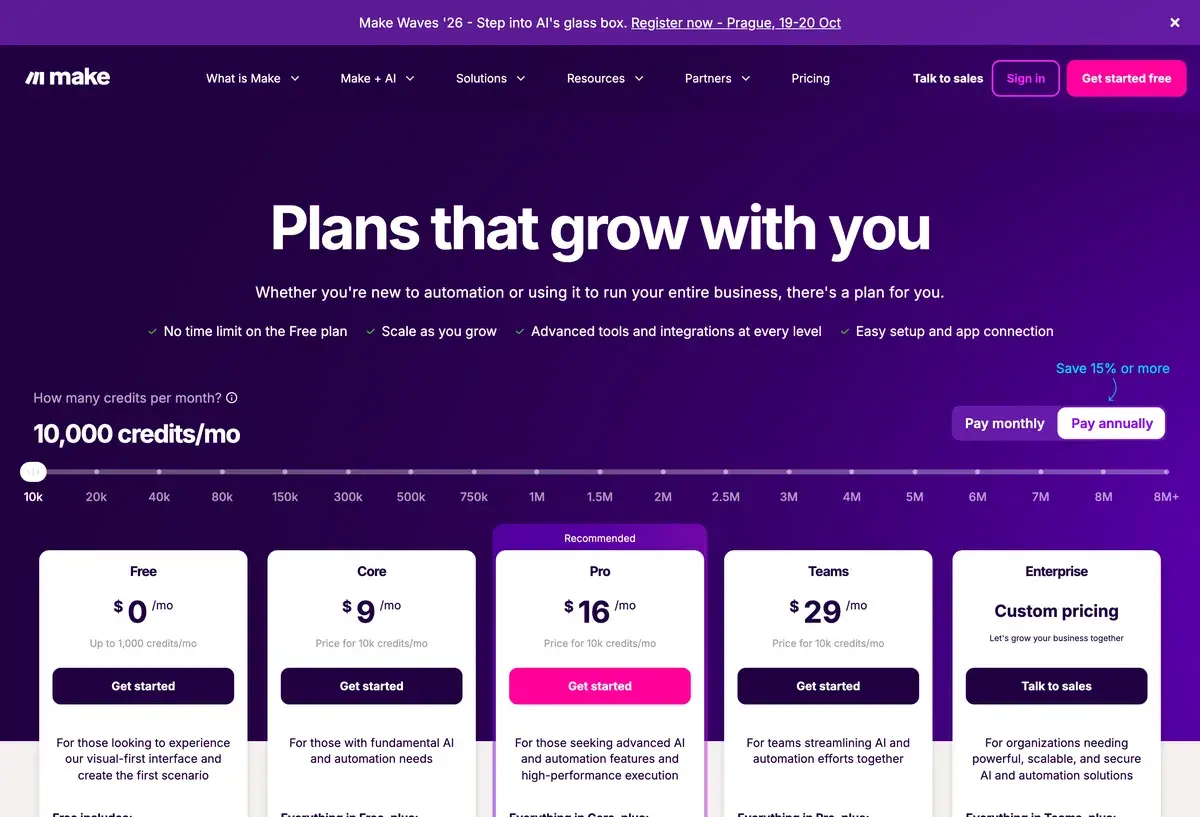
| Plan | Monthly Cost | Operations/Month | Key Features | Best For |
|---|
| Free | $0 | 1,000 operations | Basic features, 2 active scenarios | Casual personal use |
| Core | $9/mo | 10,000 operations | Unlimited scenarios, basic features | Solo professionals |
| Pro | $16/mo | Unlimited (with reasonable use) | Advanced features, priority support | Active automation users |
| Teams | $29/mo | Unlimited | Team collaboration, shared resources | Small teams, agencies |
| Enterprise | Custom | Custom | Enterprise features, dedicated support | Large organizations |
Pricing verified April 2026 from make.com/pricing. Annual billing offers ~20% discount.
The Free tier with 1,000 operations monthly is genuinely useful for casual personal automation. Most simple automations consume 1-10 operations per execution; 1,000 operations supports 100-1,000 executions monthly. For light personal use, free tier works indefinitely.
Core at $9/mo with 10,000 operations is the practical entry point for active users. Substantially more capacity than free tier; most active users settle here. Reasonable price relative to comparable Zapier tier ($19.99/mo for 750 tasks).
Pro at $16/mo with effectively unlimited operations (subject to fair use policy) handles serious automation workflows. Advanced features include error handling, scenario filters, and priority support. Most professional automation users find Pro tier appropriate.
Teams at $29/mo unlocks team collaboration with shared workflows, multiple seats, and team management features. Useful for small teams or agencies running automation collaboratively.
Enterprise pricing handles larger organizations needing SSO, advanced security, and custom features. Pricing typically starts $200+/mo and scales with usage.
The pricing structure is dramatically more favorable than Zapier for any meaningful automation usage. A workflow that costs $50/mo on Zapier may cost $9-16/mo on Make at equivalent capability. The cost difference is significant motivator for users moving from Zapier to Make.
What I think about Make
I evaluated Make for AIVario research and have used it for personal automation testing. AIVario doesn't currently use Make in operations — our workflow needs are minimal and existing tools cover them — but I understand the platform's value proposition.
What works well based on usage and research: the visual workflow builder is genuinely useful for understanding complex automations. Flowchart-style representation makes branching logic, error handling, and data flow visible in ways linear tools (Zapier) can't. For users who think visually, Make's interface accelerates workflow design.
The pricing relative to Zapier is dramatic. Same automation that would cost $50/mo on Zapier often costs $9-16/mo on Make. For users running meaningful automation regularly, the cost difference adds up to substantial savings annually. The free tier is also more genuinely useful than Zapier's free tier for evaluation.
The integration breadth (1,500+ apps) is competitive with Zapier and exceeds n8n. For users wanting broad pre-built integration support, Make matches major alternatives.
What I would honestly flag based on usage: Make is more complex than Zapier for absolute beginners. Users with no flowchart or programming concept exposure may find learning curve real. Most users adapt within 1-2 weeks but initial frustration is common. Worth learning for users running meaningful automation; not worth learning for users with simplest 1-2 step needs.
The cloud-only positioning may concern privacy-sensitive users. Workflows process data through Make's infrastructure. Most users accept this trade-off; specific privacy contexts may need alternatives like self-hosted n8n.
For users wanting AI agent orchestration specifically, n8n's AI features may be more sophisticated. Make has AI integration capability but n8n's AI Agent and broader AI orchestration are more mature for this specific use case.
For AIVario specifically, our automation needs are minimal currently. As content velocity grows and operations expand, Make would be reasonable choice for non-technical workflow automation alongside considerations of n8n self-hosted or Zapier for simplest cases.
For someone evaluating today: try Make free tier with real automation need. The visual workflow building either clicks for your style or doesn't. Most users find Make valuable as Zapier upgrade path; some users prefer Zapier's simplicity despite cost premium. For users who already hit Zapier's complexity ceiling, Make is natural next step.
Use Cases
Marketing operations team running multi-step lead workflows. Pro at $16/mo. Workflows triggered from form submissions enrich leads with data from multiple sources, score based on criteria, route to appropriate sales rep, send personalized follow-up sequences. Replaces custom code or fragmented tool stack with visual workflow.
Sales ops automating prospect data sync. Pro at $16/mo. Workflows sync data between CRM, outreach platform, prospecting tools, and analytics. Maintains data consistency across systems without manual reconciliation. Replaces 10+ hours weekly of manual data work.
Customer success automating onboarding. Core at $9/mo or Pro at $16/mo. Workflows trigger from new customer signup running multi-step onboarding sequence. Personalized emails, training resource delivery, milestone tracking, and support team notifications. Replaces "remember to manually onboard each customer" with automated process.
Solo founder automating SaaS operations. Core at $9/mo. Workflows handle customer onboarding, billing notifications, support ticket routing, basic CRM updates, and analytics tracking. Replaces "do everything manually" with automated background operations. Productivity improvement enables focusing on strategic work.
Agency building client automations. Teams at $29/mo for collaboration. Each client engagement includes Make workflow setup as part of service. Recurring revenue from automation maintenance and improvement. Replaces "client uses Zapier and pays more" with strategic automation service.
Content creator automating distribution. Free or Core at $9/mo. Workflows trigger from new content publication distributing across social platforms, email lists, and content management systems. Replaces "manually post to each platform" with automated distribution while maintaining platform-specific formatting.
My Verdict
Make is the right choice for visual builders wanting workflow automation beyond Zapier's complexity ceiling without committing to technical platforms like n8n. The combination of visual workflow building, 1,500+ integrations, and dramatically better pricing than Zapier makes it strong choice for the broad SMB through mid-market audience.
For absolute beginners with simplest needs, Zapier's friendlier UX may justify its pricing premium. For technical users wanting maximum capability, n8n's open-source flexibility and self-hosting may fit better. For very large enterprises, Workato or specialized iPaaS platforms fit better. Make specifically wins for visual workflow building at SMB through mid-market scale.
The free tier removes evaluation friction. Try Make with real automation need. The platform either accelerates your workflow building or doesn't fit your style. Most users find Make valuable for at least some automation work even if they don't migrate all workflows.
The competitive landscape is mature with clear category positioning. Each tool serves specific audiences and use cases — choosing based on actual workflow needs rather than searching for "the best automation tool" produces better outcomes. Match the tool to your team capability and workflow complexity.
For organizations evaluating Zapier alternatives specifically, Make is the strongest visual alternative. The cost savings at scale, capability advantages for complex workflows, and friendlier UX than n8n create compelling case for Zapier migration. Most teams that evaluate Make seriously end up adopting it.
For solo professionals and small teams: Make's pricing makes meaningful automation accessible. $9-16/mo for capability that previously cost $50-100/mo on alternatives is genuinely transformative for solo operations and small teams.
Note: Make has an affiliate program. AIVario application status pending. Our rating reflects evaluation based on platform research and competitive analysis, not affiliate considerations.
Best for: Marketing operations teams building complex workflows, sales operations automating prospect data, customer success automating onboarding, solo founders and indie hackers, agencies building client automations, consultants providing automation services, small businesses scaling without engineering, creators automating content distribution
Not ideal for: Absolute beginners with simplest workflows (use Zapier), technical users wanting maximum capability (use n8n), cost-sensitive heavy users (n8n self-hosted free), enterprise organizations needing iPaaS scale, users primarily wanting AI agent orchestration (n8n more capable), privacy-sensitive contexts uncomfortable with cloud workflows
Bottom line: The leading visual workflow automation platform for SMB through mid-market. Better capability than Zapier with dramatically lower pricing; friendlier UX than n8n without self-hosting requirements. Free tier supports evaluation; Core at $9/mo reasonable for active automation users.
Related Tools
- Zapier — alternative for non-technical users with simpler workflows
- n8n — alternative for technical users with self-hosting option
- Claude — AI provider integrating with Make AI workflows
- ChatGPT — AI provider for automation workflows
- Slack — common integration target for notification workflows
Frequently Asked Questions about Make
Is Make really free?
Yes, Make has a generous free tier with 1,000 operations per month. Sufficient for evaluation and light personal automation. Core at $9/mo provides 10,000 operations and basic features. Pro at $16/mo adds unlimited operations and advanced features. The free tier is genuinely useful — most casual personal automation fits within free tier indefinitely.
How does Make compare to Zapier?
Make is more powerful with visual workflow building and dramatically cheaper for complex automations. Zapier has friendlier UX for absolute beginners with simpler 1-2 step workflows. For users wanting visual workflow building with branching, transformations, and complex logic, Make wins. For users wanting fastest possible setup of simple automations, Zapier may fit better. Pricing favors Make significantly at any meaningful complexity.
How does Make compare to n8n?
Different approaches. n8n is open-source with self-hosting option (free) and deeper technical capabilities including custom JavaScript and AI agents. Make is cloud-only with friendlier visual interface for non-technical users. For technical users wanting maximum capability and cost optimization through self-hosting, n8n. For users wanting friendlier UX with cloud convenience, Make. Both are dramatically more powerful than Zapier for complex workflows.
What is an 'operation' in Make pricing?
An operation in Make is a single action performed by a module — making an API call, processing data, transforming a value. Complex workflows can use 5-50 operations per execution. The 1,000 operation free tier handles roughly 50-200 workflow executions monthly depending on complexity. Most casual automations fit comfortably; heavy workflows quickly exceed free tier.
Does Make have AI features?
Yes, Make includes AI integrations with OpenAI, Anthropic, Google, and other AI providers. Build workflows that use AI for content generation, decision-making, classification, or other AI-powered tasks. Make Make AI Agent (preview as of 2026) enables building autonomous AI workflows with goal-directed behavior. AI capability is competitive with n8n's AI features, more accessible than building from scratch.
How many integrations does Make have?
Make has 1,500+ pre-built integrations covering most major SaaS platforms, databases, AI providers, communication tools, productivity apps, and developer services. Coverage is competitive with Zapier (and broader for some categories). Custom integrations through HTTP module for any service with API. Webhook triggers receive data from any system.
Is Make harder than Zapier?
Slightly more complex but rewards the learning. Zapier's interface is linear and requires no flowchart understanding; Make's interface is visual with flowchart-like workflows. Most users adapt within 1-2 weeks. The additional complexity unlocks dramatically more capability — branching, error handling, loops, transformations that Zapier can't do at all or requires multiple Zaps for. Worth learning for users running meaningful automation.