What is Slack?
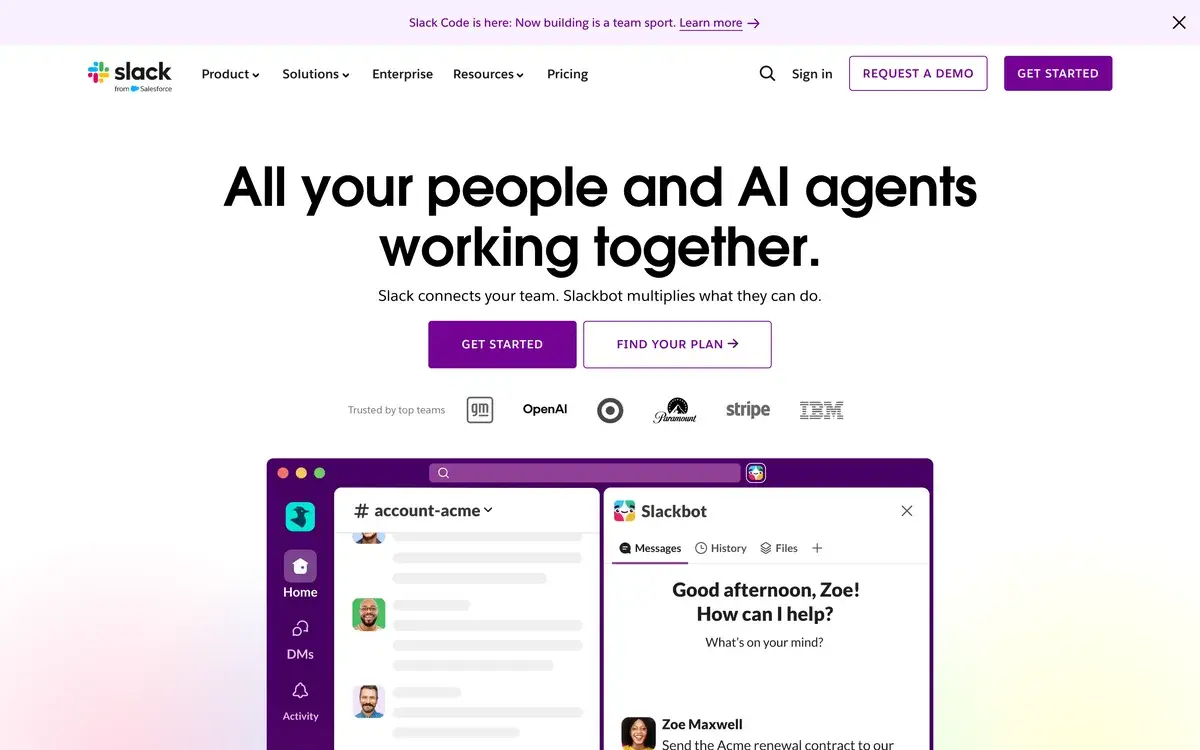
Slack has been the dominant business messaging tool in tech, startups, and design agencies since the mid-2010s. The product's core capability — channel-organized team messaging with strong search and integration support — became the default communication infrastructure for a generation of internet-era organizations. Through 2024-2025, Slack added AI features (thread summaries, channel recaps, natural language search) that were initially a paid add-on and are now included on Pro tier and above.
If you have used Slack for several years, the product feels familiar in a way that affects how you evaluate the AI additions. The AI features sit on top of the existing product rather than fundamentally changing how Slack works. Channels still organize conversations; threads still capture branching discussions; search still finds historical content. The AI improves these existing patterns rather than introducing new working models.
For active Slack users who spend meaningful time in the tool daily — most tech employees, startup teams, agency staff — the AI features produce real time savings for specific use cases. Thread summaries on long conversations save reading time. Channel recaps support catch-up after time away. AI search finds content traditional search would not surface. None of this is transformative compared to general AI tools that exist outside Slack, but the integration into the tool you already use makes the value practical rather than aspirational.
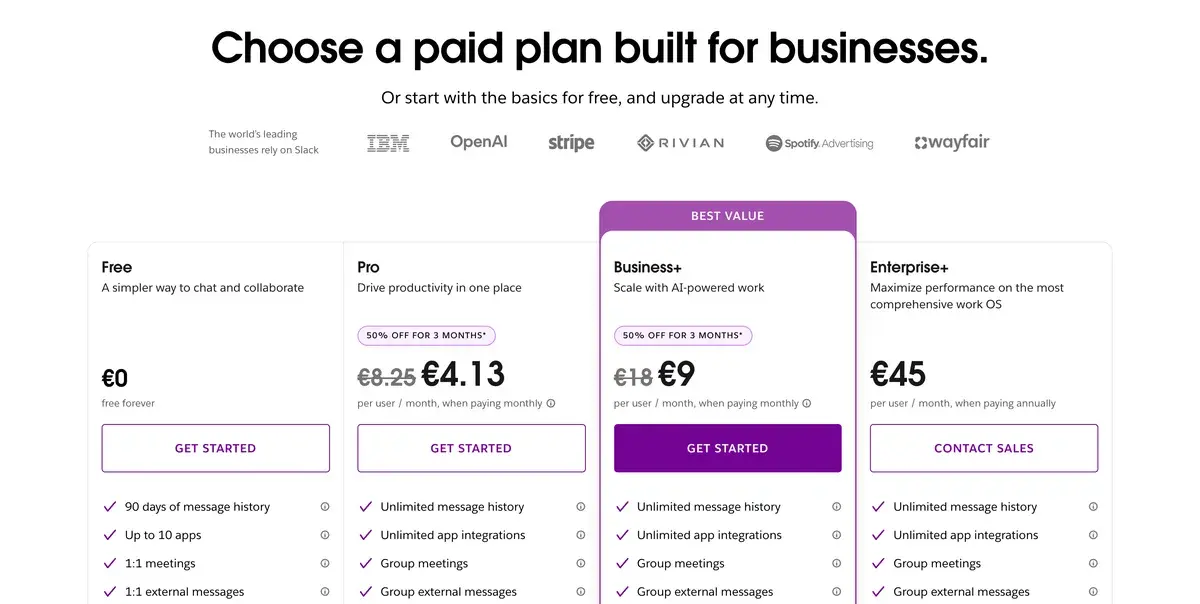
The pricing structure is unchanged in shape from earlier Slack: free tier with limitations, Pro tier at $8.75/user, Business+ at $15/user, Enterprise Grid for large organizations. Slack AI inclusion in Pro tier (rather than as separate add-on) is the meaningful 2024-2025 pricing change.
Slack pre-AI vs post-AI
The honest framing for users who have used Slack for years: the AI additions make Slack incrementally better at the things it already did. None of the AI features change Slack's fundamental positioning, replace its core capabilities, or address its existing limitations.
Pre-AI Slack was already the standard for tech-organization team communication. Channel structure, threading, integrations, search, and the broader ecosystem of bots and apps had mature implementations. Most organizational complaints about Slack were not about missing AI features — they were about notification overload, the synchronous-pull of the culture around Slack, the difficulty of finding specific content in busy workspaces, and the cost of the platform at organizational scale.
Post-AI Slack addresses some of these complaints partially. Search is meaningfully improved through AI semantic search, which helps find content based on meaning rather than exact keywords. Thread summaries reduce reading time for long discussions. Channel recaps help with notification-overload recovery. The AI does not solve the cultural patterns that produce notification overload in the first place, but it makes the consequences less painful.
For evaluation purposes, this framing matters. Users considering whether to start with Slack should evaluate Slack as a whole — the messaging platform, the integration ecosystem, the cultural patterns around how teams use it — rather than primarily as an AI product. Users already on Slack and considering whether the AI features justify continued investment should evaluate whether AI-improved versions of the things Slack already does are valuable enough to maintain (or upgrade to) paid tiers.
Where Slack AI genuinely helps
Catching up on missed conversations is the use case where AI most reliably produces value. Returning from vacation to 47 unread channels, joining a team mid-project, or recovering from a busy meeting day — channel recaps and thread summaries compress the catch-up work meaningfully. For active Slack users in busy organizations, this saves hours weekly.
Finding past content is the second category where AI helps. Traditional Slack search required remembering specific keywords used in the original conversation; AI search handles semantic queries ("when did we decide on the new pricing structure" rather than exact keyword matching). For organizations whose decisions and context live in Slack history, the search improvement is meaningful.
Drafting communications grounded in conversation context. The AI can draft responses, summaries, or status updates based on Slack content, which compresses common writing tasks. The output quality is comparable to general AI tools; the value is the in-tool integration rather than uniquely better AI.
Less reliably useful: AI features for synthesizing decisions across long discussions. The AI can produce summaries but synthesizing the actual decision (versus the discussion of options) requires human judgment that the AI does not yet handle reliably. Treating AI summaries as starting points rather than final decisions produces better outcomes than relying on them as authoritative.
Where Slack remains weaker
Notification overload is structurally not addressed by AI features. Active Slack users still receive constant notifications, still feel pulled to respond quickly, and still deal with the cognitive cost of constant interruption. The AI helps with catch-up but does not change the underlying patterns. Organizations seeking to reduce Slack-driven interruption need cultural and policy interventions, not AI features.
The pricing at scale becomes meaningful for larger organizations. At $8.75/user for Pro and $15/user for Business+, organizational deployments can reach substantial monthly costs. For 500-person organizations on Business+, monthly Slack spend approximates $7,500. These are not new criticisms; the pricing has been a consistent friction point for years.
The free tier's 90-day message history limit makes Slack unusable as the team's institutional memory unless paid tiers are deployed. This pushes most serious teams to paid tiers quickly; the free tier serves primarily as evaluation rather than as a real product.
Microsoft Teams remains a competitive consideration for organizations in the Microsoft 365 ecosystem. The Microsoft bundle math creates pricing pressure that Slack-only deployments cannot match; for Microsoft-aligned organizations, the Teams default often wins on economics regardless of feature comparison.
Who is it for?
Tech companies, startups, and SaaS organizations where Slack is essentially the standard. The combination of cultural fit, integration ecosystem, and developer-friendly UX makes Slack the default for these organizations. For these audiences, the question is not whether to use Slack but how to use it well.
Design agencies, consulting firms, and creative organizations valuing Slack's integration ecosystem and team UX. These organizations often prefer Slack's culture over Microsoft Teams' enterprise-feel even when on Microsoft 365 for productivity tools.
Distributed and remote-first teams using Slack for the always-available team presence that physical offices previously provided. The features that support remote work (huddles, video calls, async-friendly threading) matter most for this audience.
Project teams coordinating across multiple stakeholders where the channel structure helps separate concerns. Project channels, customer channels, vendor channels, and similar focused spaces work well in Slack's mental model.
Organizations with significant Slack history considering whether AI features justify staying or upgrading. The AI additions are useful enough to influence retention decisions but rarely strong enough to drive new acquisitions over Microsoft Teams in Microsoft-aligned environments.
Slack is not the right primary tool for: organizations deep in Microsoft 365 ecosystem (Teams economics dominate), small teams whose communication fits in email, organizations with regulatory requirements that Microsoft Teams handles more comprehensively, or teams seeking truly async-first communication culture (Slack's defaults pull against pure async).
Key Features
- Channels — organized conversation spaces with permission controls (public, private, shared)
- Threads — branching discussions within channels for focused conversation
- Slack AI Summaries — thread and channel summaries powered by AI
- Slack AI Search — natural language semantic search across conversation history
- AI Recaps — automatic catch-up summaries for missed conversations
- Huddles — lightweight voice and video calls within channels and DMs
- Video calls and screen sharing — full meeting capability beyond Huddles
- Workflow Builder — no-code automation for routine messages and approvals
- 3,000+ integrations — connections to most major SaaS tools (CRMs, dev tools, marketing platforms)
- Slack Connect — secure communication channels with external organizations (vendors, customers, partners)
- Apps and bots — extensible platform for custom integrations and workflows
- Mobile apps — full functionality across iOS and Android
- Compliance and security — Business+ adds advanced compliance, Enterprise Grid adds HIPAA and data residency
Slack vs Competitors 2026
| Tool | Tech-startup fit | Enterprise depth | AI integration | Microsoft alignment | Price entry |
|---|
| Slack | ✅ Best in class | ✅ Strong | ✅ Mature | ❌ Standalone | $8.75 |
| Microsoft Teams | ⚠️ Mid | ✅ Best in class | ✅ Strong (Copilot) | ✅ Native | Bundled with M365 |
| Discord | ⚠️ Community-focused | ❌ | ⚠️ Limited | ❌ | Free |
| Google Chat | ⚠️ Mid | ✅ Strong | ⚠️ Decent (Gemini) | ❌ | Bundled with Workspace |
| Mattermost | ⚠️ Self-hosted preference | ✅ Strong (regulated) | ⚠️ Limited | ⚠️ Variable | Free / paid |
| Twist | ✅ Async-first | ⚠️ Limited | ❌ | ❌ | $5 |
| Zulip | ⚠️ Threading-focused | ⚠️ Mid | ⚠️ Limited | ⚠️ Variable | Free / paid |
| Rocket.Chat | ⚠️ Self-hosted preference | ✅ Strong | ⚠️ Limited | ⚠️ Variable | Free / paid |
Data verified April 2026 from each provider's pricing pages.
The clearest competitive picture: Slack vs Microsoft Teams is the dominant battle in business messaging, with the choice usually following organizational ecosystem alignment rather than feature comparison. For Microsoft-aligned enterprises, Teams economics and Microsoft 365 integration dominate. For everyone else (especially tech startups), Slack remains the cultural default.
Discord serves a different audience entirely — community spaces, gaming, and increasingly creator communities — rather than business team communication. Some organizations use Discord for community management while using Slack for internal team communication.
Google Chat is bundled with Google Workspace and serves Workspace-aligned organizations. The product has improved through Gemini integration but remains less feature-rich than Slack or Teams for most use cases. For Workspace-only organizations, Chat is the default; many Workspace organizations still pay separately for Slack.
Mattermost and Rocket.Chat are self-hosted alternatives serving organizations with data residency, security, or compliance requirements that cloud-hosted alternatives do not satisfy. For regulated industries with strict requirements, these tools serve a real need; for typical tech organizations, the self-hosted overhead is rarely worth the trade-offs.
Twist is the closest async-first alternative for teams seeking different cultural patterns than Slack's synchronous defaults. The product is less feature-rich but enforces async-friendly patterns that Slack's design does not.
Pricing 2026
| Plan | Price | Message history | AI features | Best for |
|---|
| Free | $0 | 90 days | ⚠️ Limited | Evaluation, very small teams |
| Pro | $8.75/user/mo | Unlimited | ✅ Full | Active teams, standard business use |
| Business+ | $15/user/mo | Unlimited | ✅ Full + advanced | Compliance and security needs |
| Enterprise Grid | Custom | Unlimited | ✅ Full + admin | Large organizations, regulated industries |
Prices verified April 2026 from slack.com/pricing. Annual billing offers ~20% off paid tiers. Slack AI features are now included on Pro tier and above (previously a separate add-on).
The pricing has been a consistent friction point for Slack at organizational scale. At $8.75/user for Pro, a 200-person organization spends approximately $1,750 monthly or $21,000 annually on Slack. At Business+ pricing for compliance-heavy organizations, the same 200-person organization approaches $3,000 monthly. For Microsoft-aligned organizations comparing this against bundled Teams pricing, the math creates real pressure.
The free tier's 90-day history limit is the practical constraint that pushes most serious teams to paid tiers within months. The historical context lost when messages roll off the 90-day window often produces the buying decision; teams that try to operate on free tier eventually accept that the decision history matters enough to justify Pro pricing.
Hands-on Notes
The first thing that stands out for users who have used Slack for years is how unchanged the core experience feels with AI features added. The product still works the way Slack has always worked; the AI sits on top rather than restructuring the interaction model. This continuity is genuine product wisdom — adding AI without breaking what already works — rather than disappointment.
Thread summaries genuinely save time on long discussions. Reading through a 60-message thread to understand a decision is meaningfully faster as a 4-paragraph AI summary; for users who routinely catch up on conversations they did not participate in real-time, this matters. The summary quality is generally good for factual content (what was discussed, what was decided) and weaker for nuanced content (which arguments resonated, what the underlying tensions were).
Channel recaps work well for catching up after time away. Returning from a week of vacation to 12 channels with hundreds of unread messages, the recap feature produces a structured catch-up summary that compresses what would otherwise be hours of reading. The recap quality varies based on channel content type — channels with clear topic focus produce better recaps than channels covering many disparate threads.
AI search is the feature that most reliably exceeds expectations for users who have struggled with traditional Slack search. Asking "when did we discuss the move to PostgreSQL" produces results based on conversation meaning rather than exact keyword matches; "what did the engineering team decide about the testing framework" surfaces relevant decisions even when the original conversation did not use those exact words. For organizations whose institutional memory lives in Slack, the search improvement is genuinely useful.
Where Slack AI gets weaker: synthesizing decisions across multiple conversations does not always work reliably. Asking "what is our policy on remote work" might surface relevant discussions but cannot replace authoritative documentation; the AI can find conversations but cannot determine which conversations represent current policy versus historical exploration. For institutional knowledge that needs authoritative answers, dedicated documentation tools (Notion, Confluence) remain necessary.
The other practical observation: the AI features depend on the quality of underlying Slack content. Organizations with active, well-organized Slack workspaces produce useful AI outputs. Organizations with chaotic Slack practices (everyone posts everywhere, channels lack focus, threading is inconsistent) get less value from AI features regardless of the AI's capability — the underlying signal is too noisy for AI to extract clean value from.
For users coming from Microsoft Teams to Slack or vice versa, the core capabilities feel similar enough that switching costs are mostly cultural rather than functional. Both tools handle messaging, threading, calls, and integrations adequately. The choice between them for new organizations is mostly about which tool fits the organizational culture and ecosystem rather than capability gaps.
Use Cases
A 200-person tech startup runs entirely on Slack Pro. Channels organize by team, project, and topic; threading captures focused conversations; integrations connect Slack to GitHub, Linear, HubSpot, and other team tools. Slack AI features support catch-up after vacations and help find historical decisions. Annual Slack spend approximately $21,000; the team treats this as essential infrastructure rather than discretionary expense.
A design agency with 40 designers and creative directors uses Slack Pro for team communication, client coordination through Slack Connect channels, and integration with project management tools. The cultural fit (creative-friendly UX, lightweight processes) supports the agency's working style; AI features help senior leadership catch up across multiple client engagements without requiring constant in-the-moment attention.
A regulated financial services firm uses Slack Enterprise Grid for internal team communication. The compliance features (HIPAA-ready, data residency, audit trails) support regulatory requirements; AI search helps compliance teams find historical communications relevant to investigations. Annual Slack spend is substantial but justifiable as compliance infrastructure.
A distributed remote team uses Slack as the primary always-available team presence. Huddles handle quick voice conversations; channels organize work; AI catch-up features help team members across time zones manage asynchronous work. The team explicitly invests in Slack culture (clear channel naming, threading discipline, async expectation setting) to make the tool work for distributed work patterns.
A small startup of 8 people debates whether Slack Pro at $8.75/user is justified versus Discord (free) or Microsoft Teams bundled with their existing M365 subscription. After evaluation, the team chooses Slack despite the cost based on integration ecosystem and team familiarity. As the team grows, the integration depth and search capabilities continue to justify the per-user cost.
Our Verdict
Slack remains the dominant team communication tool in tech, startups, and design organizations through 2026, with the AI features adding meaningful but not transformative value to active users. The product's core capabilities — channel organization, threading, integration ecosystem, search — earn its position; the AI features make these capabilities incrementally better.
The honest considerations: the pricing at scale remains a real friction point compared to Microsoft Teams' bundled economics. The notification-overload patterns that frustrate active users are not solved by AI features. The free tier's 90-day history limit makes paid tiers practically necessary for serious team use. None of these are new criticisms; the AI additions do not address them.
For tech-aligned organizations and teams where Slack culture fits, the tool earns its place and the AI features make active use slightly better. For Microsoft-aligned organizations evaluating whether to add Slack alongside Microsoft Teams, the bundle economics often win for Teams. For new organizations choosing primary communication tooling, the choice usually follows ecosystem alignment.
The product is mature and reliable. New evaluations are mostly about ecosystem fit rather than capability comparison; existing users are mostly about whether AI improvements justify continued investment. For active Slack users, the AI features make the tool better; for users questioning whether to use Slack at all, the AI does not change the fundamental decision.
Note: Slack does not currently have an active affiliate program with AIVario. AIVario earns no commission from sign-ups. Our rating reflects ongoing use of Slack Pro across team communication and parallel evaluation against Microsoft Teams.
Best for: Tech companies and startups, design agencies, distributed remote teams, organizations valuing developer-friendly UX and integration depth, organizations whose institutional memory lives in chat-based communication
Not ideal for: Microsoft 365 organizations where Teams bundling dominates economics, very small teams whose communication fits in email, async-first teams preferring tools that enforce async patterns (Twist), organizations seeking to reduce rather than improve chat-based communication
Bottom line: The dominant tech-organization team communication tool, with AI features that make the existing experience better rather than fundamentally different. Match the buying decision to ecosystem fit and cultural alignment rather than to AI features specifically.
Related Tools
- Notion — common knowledge tool that pairs with Slack for documentation versus discussion split
- Linear — engineering project management that integrates deeply with Slack for engineering teams
- Asana — project management alternative that integrates with Slack for cross-functional teams
- Loom — async video tool that complements Slack for visual communication where text falls short
- Zapier — automation tool that extends Slack workflows with cross-app integrations
Frequently Asked Questions about Slack AI
How much does Slack cost?
Slack has a free tier with 90-day message history and 10 integrations. Pro is $8.75/user per month with unlimited history and integrations. Business+ is $15/user per month with advanced compliance features. Enterprise Grid is custom pricing for large organizations. Slack AI features were initially a paid add-on but are now included on Pro tier and above as of 2025. Annual billing offers ~20% off.
Are Slack AI features worth using?
Useful for specific situations. Thread summaries genuinely save time on long conversations. Channel recaps help when you return from vacation or join a team mid-project. AI search is meaningfully better than traditional Slack search for finding old conversations. The features are not transformative compared to general AI tools, but they are well-integrated where you already work and produce real time savings for active Slack users.
How is Slack different from Microsoft Teams?
Different cultures and price points. Slack is the default in tech startups, design agencies, and organizations valuing developer-friendly UX. Microsoft Teams is bundled with Microsoft 365 and is the default in Microsoft-aligned enterprises. The features are increasingly comparable as both products mature. The choice usually follows organizational ecosystem alignment (Microsoft vs everyone else) rather than feature comparison.
Is the Slack free tier still usable?
It depends on what you actually need. The 90-day message history limit is the meaningful constraint — older messages become inaccessible after 90 days, which breaks the typical use case of searching for past decisions, links, or context. For evaluation, the free tier works. For ongoing team use of any seriousness, Pro tier ($8.75/user) is the realistic minimum.
Does Slack AI work across DMs and private channels?
Yes, Slack AI features (summaries, recaps, search) work across DMs, private channels, and public channels you have access to — based on your existing permissions. The AI does not access channels you cannot see; the privacy model follows existing Slack permission structures. For organizations with strict data classification or regulated content, the AI features respect existing access controls rather than introducing new permission concerns.
Is Slack good for async-first or remote teams?
Yes and no. Slack supports async use through threads, channel organization, and search; the AI features improve async catch-up specifically. But Slack's notification model and culture often pull teams toward synchronous expectation patterns ('reply quickly' culture). Truly async-first teams sometimes find Slack's defaults pull against the async culture they want; tools designed explicitly for async-first work (Twist, Threads-style products) sometimes fit better. For most teams, Slack is async-capable rather than async-optimized.