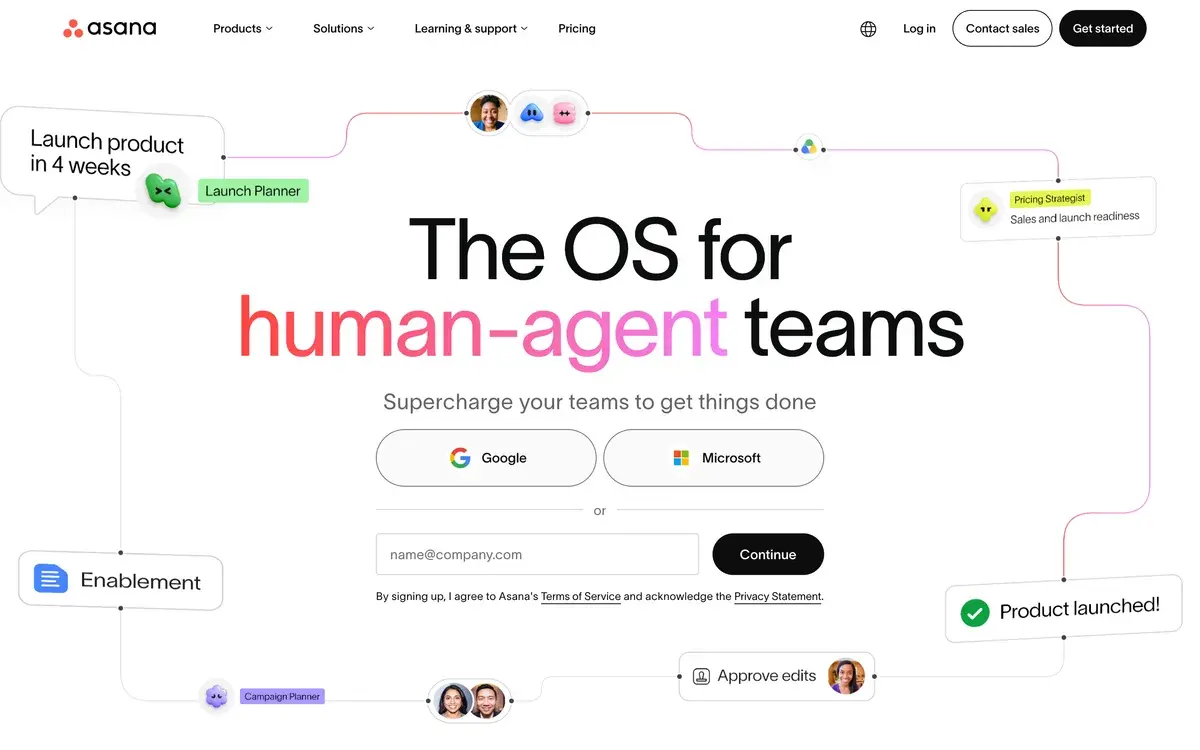
What is Asana?
After more than a decade of using project management tools across multiple roles and organizations — from startup founder to consulting partner to in-house operator — the honest assessment of Asana in 2026 is that it is a mature, well-built project management platform that added AI features through 2024-2025. The AI features are useful but secondary; Asana's value is fundamentally about how it manages tasks, projects, and team coordination, with AI as a productivity layer on top of that core capability.
This framing matters because Asana's recent marketing has emphasized AI heavily, and prospective buyers sometimes evaluate Asana primarily as an AI product. The reality is closer to: Asana is the same project management platform it has always been (with continued evolution), now with AI features that compress some common tasks. The reason to choose Asana is whether the platform fits your team's project work; the AI features are nice additions, not the deciding factor.
The category has crowded considerably since Asana launched in 2008. Monday.com, ClickUp, Notion, Linear, Coda, Smartsheet, and several others compete across overlapping spaces. Each has carved out a position: Asana for clean cross-functional project management, Monday for visual customization, ClickUp for feature density, Linear for engineering, Notion for documents-and-tasks. Asana's position is "the mature default for non-engineering teams" — a fine position to hold but not as differentiated as it was a decade ago.
Who is it for?
Marketing teams running campaign management, content production schedules, launch coordination, and cross-functional creative work. Asana's project structure (projects → sections → tasks → subtasks) maps naturally to how marketing teams organize work, and the integrations with marketing tools (HubSpot, Mailchimp, Salesforce) handle the cross-tool workflow.
Operations teams — internal operations, customer operations, business operations — managing recurring processes, project rollouts, vendor management, and operational improvements. The combination of project templates, recurring tasks, and workload visibility supports the rhythm of operations work.
Cross-functional project teams where engineering, marketing, design, and other functions need shared visibility on initiatives. Asana's flexibility accommodates the different work patterns of various functions while keeping leadership visibility consistent.
Consulting firms and agencies managing client engagements with multiple internal stakeholders. The portfolio view, time tracking integrations, and team workload features support the multi-engagement reality of consulting work.
Mid-market companies (50-500 employees) where Asana fits the gap between simple to-do tools (insufficient at scale) and enterprise PMO platforms (overkill). This is Asana's sweet spot — the tier where most active customers actually live.
PMO functions running multiple parallel projects, requiring visibility across portfolios, tracking strategic initiatives. The Advanced and Enterprise tiers are designed for this use case with portfolio management and strategic goals features.
Asana is not the right pick for: pure software development teams (Linear is better), individuals or small teams whose needs Notion or simpler tools satisfy, organizations needing deep custom workflow logic (ClickUp may fit better), or organizations whose work is genuinely document-driven rather than task-driven (Notion is better for that).
Key Features
- Tasks and projects — the core hierarchy with sections, subtasks, dependencies, and rich metadata
- Multiple views — list, board, timeline (Gantt), calendar, and portfolio views of the same data
- Goals — strategic goal tracking with progress rolled up from contributing projects
- Workload — team capacity visibility to prevent overload and optimize assignment
- Forms — request intake forms that create tasks automatically
- Templates — reusable project structures for common project types
- Asana AI — project brief generation, smart goals, risk identification, status updates, conversational queries
- AI Studio (Enterprise) — custom AI workflows and agents for specific organizational use cases
- Reporting and dashboards — visual reporting on project progress, team performance, goal completion
- Native integrations — 270+ integrations including Slack, Microsoft Teams, Google Workspace, Salesforce, HubSpot, Linear, GitHub, Figma
- Mobile and desktop apps — full functionality across platforms with reliable offline support
- Enterprise security — SOC 2, ISO 27001, GDPR compliance, SAML SSO, custom domain options
Asana vs Competitors 2026
| Tool | Best for | AI features | Customization | Free tier | Price/seat |
|---|
| Asana | Cross-functional, marketing, ops | ✅ Mature | ⚠️ Moderate | ✅ 10 users | $13.49 |
| Monday.com | Visual customization, sales ops | ✅ Decent | ✅ Strong | ⚠️ Limited | $14 |
| ClickUp | Feature density, tool consolidation | ✅ Strong | ✅ Strongest | ✅ Generous | $10 |
| Notion | Document-centric, knowledge work | ✅ Notion AI add-on | ✅ Strong | ✅ Generous | $10 |
| Linear | Engineering teams | ⚠️ Decent | ⚠️ Focused | ✅ Limited | $10 |
| Jira | Engineering teams (enterprise) | ⚠️ Decent | ✅ Strong | ✅ Limited | $7.75 |
| Smartsheet | Spreadsheet-style PM, enterprise | ✅ Decent | ✅ Strong | ❌ Trial | $19 |
| Trello | Lightweight visual PM | ⚠️ Limited | ⚠️ Card-focused | ✅ Generous | $5 |
Data verified April 2026 from each provider's pricing pages.
The clearest comparisons are Asana vs Monday.com vs ClickUp — three direct competitors targeting overlapping markets with different positioning. Monday wins on visual customization for users who want highly tailored workflows. ClickUp wins on feature density for users who want every PM capability in one tool. Asana wins on cleaner UX for users who want a focused project management experience without overwhelming complexity.
Against Linear, Asana serves a fundamentally different audience. Linear is purpose-built for software engineering with sprint planning, GitHub integration, and engineering-specific workflows that Asana does not match. Linear users picking Asana would lose meaningful capability. Asana users picking Linear would find it too narrow for non-engineering work. Many companies use both: Linear for engineering execution, Asana for cross-functional initiatives.
Notion has expanded into project management territory through database features and Notion AI, but its strength remains documents-and-knowledge rather than pure project execution. For document-driven work that includes some project tracking, Notion fits better. For project-driven work that includes some documentation, Asana fits better.
For Microsoft 365 organizations, Microsoft Project and Microsoft Planner are the bundled alternatives that capture the math advantage Microsoft's bundle creates. They are functional but generally regarded as less polished than Asana for the same use cases.
Pricing 2026
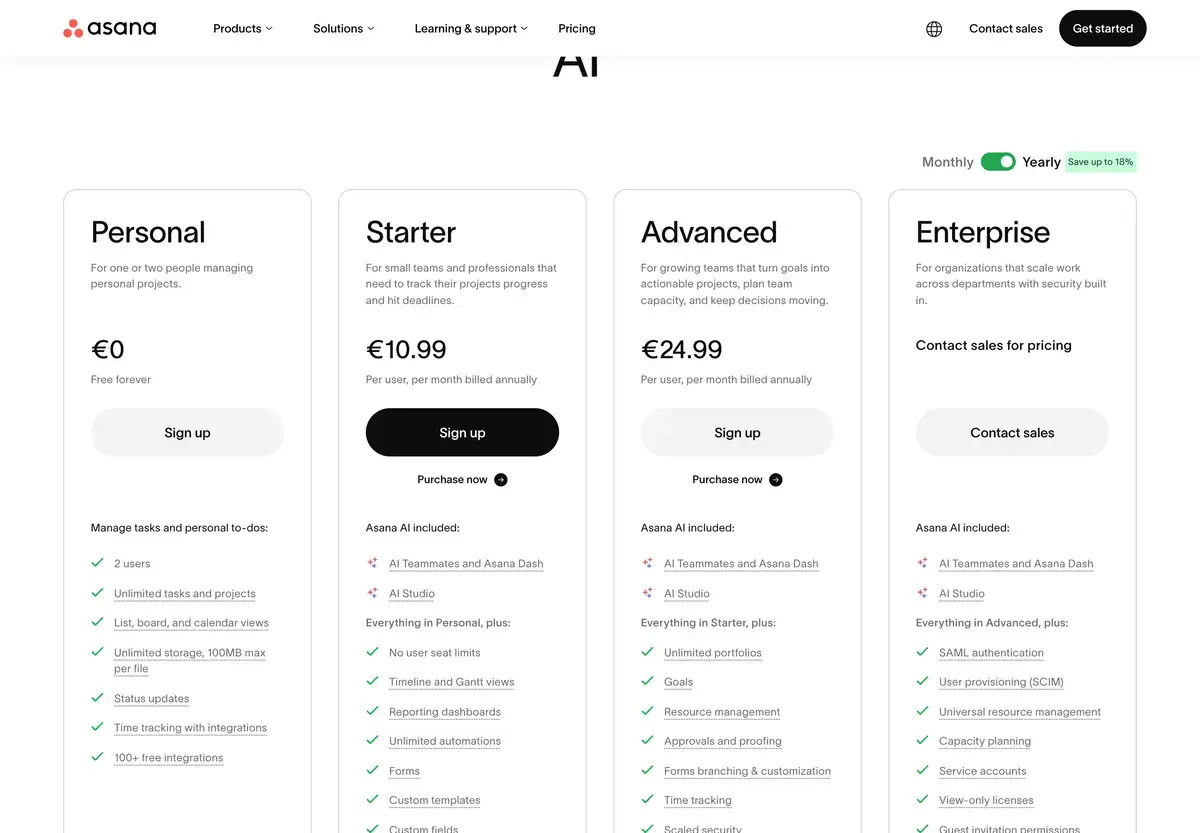
| Plan | Price (annual) | Users | Key features | Best for |
|---|
| Personal | Free | Up to 10 | Tasks, basic views | Small teams, evaluation |
| Starter | $13.49/seat/mo | Unlimited | Timeline, dashboards, basic AI | Small-to-mid teams |
| Advanced | $24.99/seat/mo | Unlimited | Goals, portfolio, full AI | Active PMO, mid-market |
| Enterprise | Custom | Unlimited | SSO, AI Studio, advanced security | Larger organizations |
Prices verified April 2026 from asana.com/pricing. Annual billing prices shown; monthly billing adds ~25%.
The pricing is positioned competitively against Monday.com and Smartsheet at the equivalent tiers, slightly more expensive than ClickUp's per-seat pricing but with more polished UX. The free Personal tier is genuinely usable for small teams (up to 10 users) and serves both as evaluation and as a real product for small operations. The Starter tier ($13.49/seat) is where most growing teams land; the Advanced tier ($24.99/seat) is justified for serious PMO operations and access to full AI features. Enterprise pricing is opaque and varies based on user count and AI Studio scope.
The AI features access varies by tier — basic AI is available at Starter, full AI at Advanced. For teams evaluating Asana primarily for AI capabilities, the Advanced tier is the realistic minimum. For teams whose value is in core project management with AI as nice-to-have, Starter is sufficient.
Hands-on Notes
Asana's UX has aged well over its history. The platform that launched in 2008 has continuously evolved without losing the clean focus that made it usable from the start. Compared to ClickUp's feature density or Monday's visual chaos, Asana feels calm and considered — the design choices reward the patience of users who prefer focused tools over kitchen-sink ones.
The core project management capability is genuinely strong. Tasks with subtasks, dependencies, custom fields, and rich metadata handle most project structures cleanly. Multiple views (list, board, timeline, calendar) of the same underlying data accommodate different team members' working preferences. The view-switching is fast and reliable, which sounds like a small thing but matters in daily use.
The integrations are mature and reliable. Slack, Microsoft Teams, Salesforce, HubSpot, Google Workspace — the common SaaS tools sync cleanly and bidirectionally where appropriate. The Asana-Linear integration handles the cross-functional engineering-and-PM workflow without friction; the Asana-Slack integration is one of the better implementations of "tasks in Slack channels" patterns.
AI features work as advertised but feel like adjacent productivity features rather than transformative capabilities. Project brief generation produces decent first drafts that need customization. Risk identification flags reasonably useful patterns (tasks with no recent activity approaching deadlines, blocked tasks owned by busy assignees). Status update generation drafts updates from project data that humans then refine. Each feature compresses common work; none changes how project management fundamentally works.
Conversational queries against project data — the chat-style interface — are the AI feature that most reliably produces value. Asking "what tasks am I blocked on across all my projects" or "show me overdue tasks for the marketing team" produces useful answers faster than building reports manually. For users with many parallel projects, this query interface is genuinely useful.
Where Asana gets weaker: deep workflow customization is harder than in ClickUp or Monday. The platform deliberately constrains customization to maintain UX simplicity, which is a feature for users who want focus and a limitation for users who want flexibility. For complex bespoke workflows, Asana sometimes pushes against limits that competitors handle more easily.
The other honest critique: AI Studio (the Enterprise feature) is more compelling on slides than in practice for most organizations. Building genuinely useful custom AI workflows requires technical capability and careful design that most operations teams do not have. For organizations with this capability, AI Studio is interesting; for most buyers, the Advanced tier's pre-built AI features are where the realistic value lives.
Use Cases
A B2B SaaS marketing team of 12 manages campaign launches, content production, and event coordination in Asana Advanced. The combination of timeline view (for launch coordination), workload view (for capacity management), and AI brief generation (for kickoff documentation) supports the rhythm of marketing work without bottlenecking on tooling overhead.
A business operations team manages annual planning, quarterly OKR rollouts, and ongoing operational improvements across functions in Asana Enterprise. The portfolio view tracks strategic initiatives; goals integration ties projects to OKRs; AI status updates keep stakeholders informed without manual reporting overhead. The Enterprise tier's security features matter for organization-wide deployment.
A consulting firm tracks 15-20 active client engagements simultaneously in Asana Advanced. Each client engagement is a project; portfolio view gives partners visibility across all engagements; time tracking integrations support billing and capacity planning. The platform scales with the firm without forcing tooling change as the firm grows.
A startup uses Asana free Personal tier for small-team coordination across product, marketing, and operations. With 8 employees and modest project complexity, the free tier covers genuine needs. As the team grows past 10, the Starter tier becomes necessary; this is the typical entry path into Asana's paid tiers.
A cross-functional product launch team coordinates engineering (working in Linear), marketing (working in Asana), customer success (working in Asana), and design (working in Figma) through Asana's integrations. The launch project lives in Asana with Linear-tracked engineering items syncing into it for visibility. This cross-functional coordination is one of the use cases where Asana's flexibility is most valuable.
Our Verdict
Asana is one of the better project management platforms for non-engineering teams in 2026, and the AI features added through 2024-2025 are useful additions that genuinely improve the product. For marketing teams, operations teams, cross-functional project work, and PMO functions, Asana belongs in the consideration set alongside Monday.com and ClickUp.
The honest framing: AI is not the reason to pick Asana. The platform's value is in mature project management capability, clean UX, reliable integrations, and continued product evolution. AI features compress common work but do not transform how project management functions. For buyers evaluating Asana primarily as an AI product, the framing is wrong; the right framing is "mature PM platform with AI features added," which leads to a more honest buying decision.
For engineering teams, Linear remains the better purpose-built choice. For users wanting maximum customization, Monday.com or ClickUp may fit better. For document-centric knowledge work that includes some project tracking, Notion fits better. For most non-engineering teams managing projects, Asana is a reasonable default that has earned its category position over more than 15 years of consistent product investment.
Note: Asana does not currently have an active affiliate program with AIVario. AIVario earns no commission from sign-ups. Our rating reflects ongoing use of Asana Advanced across cross-functional project work and evaluation against Linear, Monday.com, and ClickUp.
Best for: Marketing teams, operations teams, cross-functional project coordination, consulting firms, PMO functions at mid-market companies
Not ideal for: Pure software engineering teams (use Linear), users wanting maximum customization (use ClickUp or Monday), document-centric knowledge work (use Notion), individuals and very small teams where simpler tools suffice
Bottom line: A mature, well-built project management platform with AI features added thoughtfully. Choose Asana for the platform; treat AI as bonus value rather than the reason to subscribe.
Related Tools
- Linear — engineering-focused alternative for software development teams
- Notion — document-centric alternative for knowledge work that includes project tracking
- Monday.com — visually customizable competitor with stronger sales ops positioning
- ClickUp — feature-dense alternative for tool consolidation
- Slack — common collaboration hub that pairs with Asana via native integration
Frequently Asked Questions about Asana AI
How much does Asana cost?
Asana has a free Personal tier for up to 10 users. Paid plans start at $13.49/seat per month for Starter (annual billing) or $10.99/seat for Advanced annual. Enterprise tiers ($24.99/seat for Enterprise) add SSO, advanced security, and AI Studio with custom AI workflows. Annual billing offers ~25% off monthly. The pricing is competitive in the project management category.
What does Asana AI actually do?
Asana AI features include project brief generation from text descriptions, smart goals and milestone suggestions, risk identification flagging at-risk tasks, automated status update writing, and conversational queries about project data. The features are useful additions but not transformative — they compress common project management tasks rather than enable workflows that were previously impossible.
Is Asana better than Monday.com or ClickUp?
Different positioning across similar products. Asana is the more mature platform with cleaner UX for non-technical teams. Monday.com is more visually customizable and stronger for sales operations. ClickUp is more feature-dense and stronger for users who want everything in one tool. For most non-engineering teams, Asana is the cleaner default; for users wanting deeper customization, Monday or ClickUp may fit better.
Should engineering teams use Asana?
Generally not — Linear is purpose-built for software development with better engineering-specific features (sprint planning, GitHub integration, issue triage, technical priority frameworks). Asana works for engineering teams that need cross-functional project management with non-engineering stakeholders, but pure engineering teams typically prefer Linear's focus. Many companies use both: Linear for engineering execution, Asana for cross-functional projects.
How is Asana AI Studio different from regular Asana AI?
AI Studio (Enterprise tier) lets teams build custom AI workflows specific to their use cases — custom triggers, custom agents handling specific task types, integrations between Asana AI and external systems. Regular Asana AI features are pre-built capabilities available across paid tiers. AI Studio is for organizations that want to extend Asana AI rather than just consume the default features.
Does Asana integrate with engineering tools?
Yes, Asana has native integrations with GitHub, GitLab, Jira, Linear, Slack, Microsoft Teams, and most major SaaS tools. The integrations support cross-functional workflows where engineering tracks work in Linear and project visibility flows into Asana for non-engineering stakeholders. Bidirectional sync is solid for the major platforms.
Is the AI in Asana worth the upgrade?
Depends on your tier and needs. AI features at the Advanced tier ($24.99/seat) are useful for active project managers who run many parallel projects — the time savings on briefs and status updates compound. At the Starter tier, AI features are limited. For occasional project work, the AI value does not justify the tier upgrade alone; for serious PMO operations, the AI is worth the premium.