ClickUp Brain is the AI built into ClickUp, rebuilt as Brain² in June 2026 with memory, automatic routing between Claude, GPT and Gemini models, and agents. It is sold as an add-on to a ClickUp plan: Brain AI costs $9 per user a month billed yearly or $14 monthly with 1,500 AI Super Credits per user, and Everything AI costs $28 or $33 with 5,000 credits, the AI notetaker and image generation. ClickUp's help center says the fee applies to every member of the workspace, not only people who use AI. ClickUp plans themselves run from free to $12 per user on Business, billed yearly.
✓Best for: Teams that already run their projects, docs and chat in ClickUp and want AI that answers from that history and works across every member
✗Skip if: Only a few people in a large workspace would use AI, since Brain bills every member, or your team works mostly outside ClickUp
This analysis is based on documentation, public user reports, and vendor materials — not yet on our own hands-on testing. How we rate
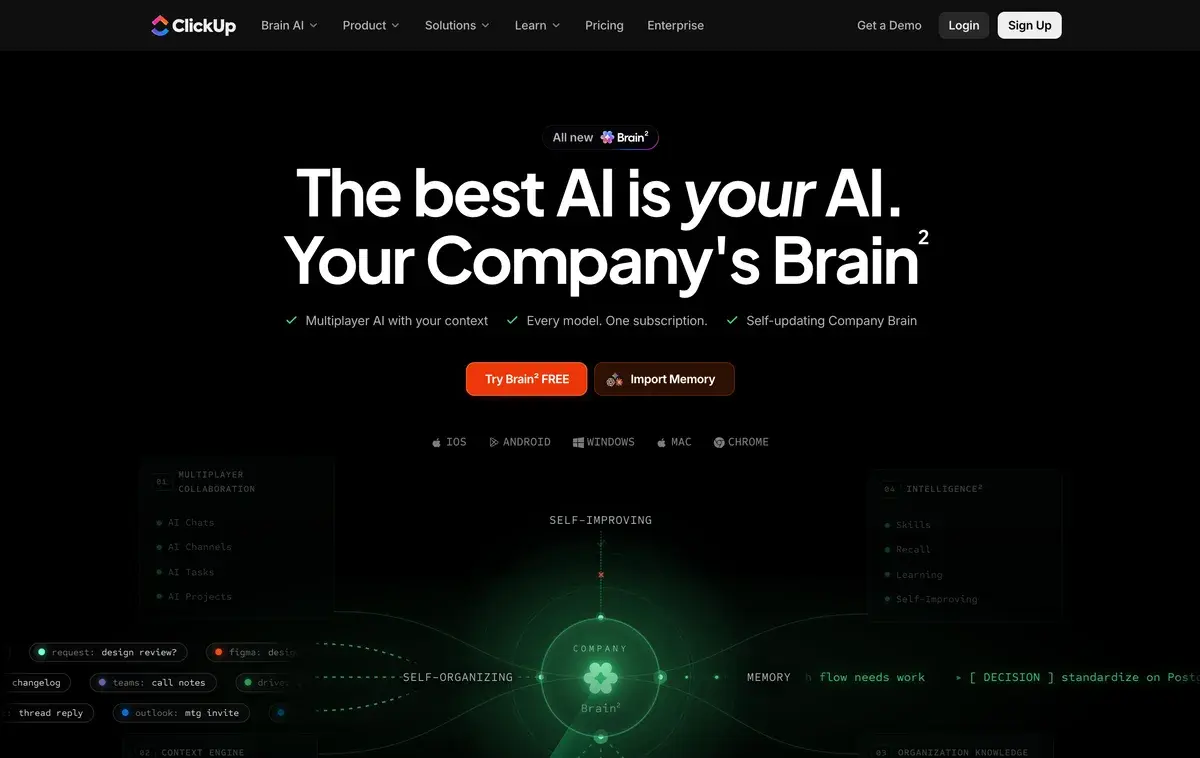
ClickUp Brain homepage, captured Oct 1, 2026.
Brain², the rebuild ClickUp shipped in June
ClickUp's AI has carried the Brain name since 2024, but the product behind it changed in June 2026. ClickUp announced Brain² on June 23 and rolled it out to every customer as a rebuilt company AI: it keeps a memory of how each person and team works, routes requests to models from OpenAI, Anthropic or Google, runs agents in the background, and turns a prompt into a slide deck, a dashboard or a working page.
Its advantage over a general chatbot is context. Brain² sees the tasks, docs, comments and chat in your ClickUp workspace and, through connections, sources such as Google Drive, GitHub and Salesforce, so a question like "what did we decide about the API migration" can be answered from your own history. The homepage pitch is "every model, one subscription", next to a button for importing an existing AI memory.
The same AI also runs in Brain MAX, a separate app for desktop and phones covered below.
Two AI tiers on top of the ClickUp plan
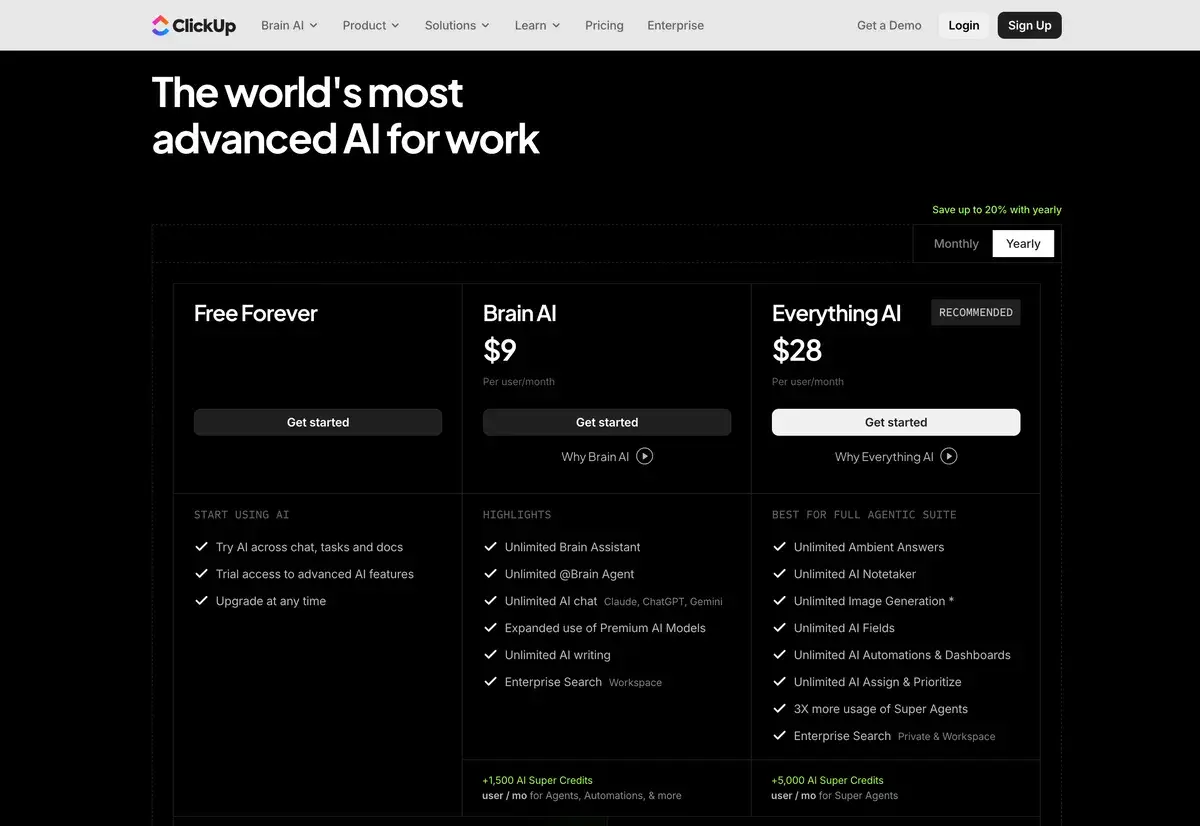
The AI section of ClickUp's pricing page on yearly billing, screenshot taken October 1, 2026.
Brain is bought on top of a ClickUp plan, so the real price is the sum of two lines:
Billed yearly
Billed monthly
What it covers
Free Forever plan
$0
$0
Unlimited tasks and members, 60 MB storage, docs, Kanban, calendar, AI trial
Unlimited plan
$7 per user
$10
Unlimited storage, integrations, Gantt charts, time tracking, guests, Chat
Business plan
$12 per user
$19
Unlimited dashboards and timelines, 5,000 automations a month, Google SSO
Brain AI add-on
$9 per user
$14
Brain assistant and agent, AI chat with Claude, ChatGPT and Gemini, AI writing, workspace search, 1,500 credits per user
Everything AI add-on
$28 per user
$33
Adds ambient answers, AI notetaker, image generation, AI fields and automations, more Super Agent use, 5,000 credits per user
Plans and add-ons from ClickUp's pricing page, screenshot taken October 1, 2026. Enterprise is priced on request.
A Business seat with Brain AI costs $21 a month billed yearly, and with Everything AI $40. ClickUp also says that upgrading means upgrading the whole workspace, and it offers a money-back guarantee on plans.
The billing rule: every member pays for Brain
This is the detail to settle before switching AI on. ClickUp's help center says Brain AI is purchased per workspace and that the fee applies to all members of the workspace. Seats left open after someone leaves during the billing cycle are charged too, because a new member could fill them.
The math gets large quickly. A 30-person workspace adding Brain AI pays $9 × 30 × 12, or $3,240 a year, whether five people use it or all thirty. Everything AI at $28 makes the same workspace $10,080 a year. For teams where only a few people would use AI, a separate assistant for those people can cost less than enabling Brain for everyone.
AI Super Credits and what uses them
The per-user price covers the everyday assistant, chat and writing. Heavier work draws on AI Super Credits: Super Agents, AI fields, automations and image generation. Brain AI adds 1,500 credits per user each month and Everything AI 5,000, pooled across the workspace, so a team's heavy users can draw on everyone's allowance. Extra credits cost $10 per 10,000, a tenth of a cent each, and usage depends on how complex a task is.
ClickUp frames this with a "super fair billing" promise: it says it passes savings on when its AI costs fall, absorbs sudden cost increases, and will change prices gradually if model providers raise theirs.
Brain MAX, the app outside the workspace
Brain MAX is ClickUp's standalone AI app for Windows, Mac, iOS, Android and Chrome, built on Brain². It adds Talk to Text dictation that works across your other apps, chat with premium models, search across connected tools and files, web answers with citations, and a browser companion that summarizes the page you are reading. ClickUp advertises it as free forever with no credit card.
For a ClickUp team it extends Brain beyond the browser tab. For someone who does not use ClickUp, it is a reasonable free assistant, but the context that makes Brain² useful comes from having your work in ClickUp.
When ClickUp Brain earns its cost
Brain pays off when three things hold: your team already keeps its projects, docs and conversations in ClickUp; most members will use AI every week; and you value answers drawn from that history over a general chatbot. A team with years of tasks and docs gets the most from workspace search and the @Brain agent.
It is a weaker buy when AI use is concentrated in a few people, since everyone pays, or when work lives mostly in other tools. Notion includes its agent, meeting notes and enterprise search in the $20 Business plan, monday AI uses an account-wide credit pool instead of per-seat AI fees, and Asana is the other big platform to compare. Our Notion vs ClickUp and monday.com vs ClickUp comparisons go through those trade-offs.
ClickUp says it forbids third-party AI providers from training on workspace data or storing it, which matters for teams putting client work into Brain.
Related Tools
Notion AI: docs-first workspace with AI included in Business
monday AI: work management with an account-wide AI credit pool
Asana: project management platform with its own AI features
For a while. ClickUp says Brain AI is activated in every workspace on a trial basis, and the free AI tier gives trial access to advanced features across chat, tasks and docs. The Brain MAX desktop and mobile app is also free to start. Ongoing use of the assistant, agents and AI search needs Brain AI at $9 per user a month billed yearly or Everything AI at $28.
What is the difference between Brain AI and Everything AI?
Brain AI, at $9 per user a month yearly or $14 monthly, covers the Brain assistant, the @Brain agent, unlimited AI chat with Claude, ChatGPT and Gemini models, AI writing and workspace search, plus 1,500 AI Super Credits per user. Everything AI, at $28 or $33, adds Ambient Answers, the AI notetaker, image generation, AI fields, AI automations and dashboards, three times the Super Agent usage and 5,000 credits per user.
Do I have to buy ClickUp Brain for every member?
Yes. ClickUp's help center says Brain AI is purchased per workspace and the fee applies to all members of that workspace, including open seats left by people removed during the billing cycle. A 20-person workspace on Brain AI pays for 20 seats even if five people use it, so count the people who will actually use AI before turning it on.
What is ClickUp Brain² (Brain 2)?
The rebuilt version of ClickUp's AI, announced on June 23, 2026 and rolled out to every customer. It keeps a memory of your preferences and corrections, routes each request to a suitable model from OpenAI, Anthropic or Google, runs background agents, and can produce slide decks, dashboards and small apps from a prompt.
What is ClickUp Brain MAX?
A standalone AI app for Windows, Mac, iOS, Android and Chrome built on Brain². It offers Talk to Text dictation across your apps, chat with premium AI models, search across connected tools and files, and web answers with citations. ClickUp advertises it as free forever with no credit card.
What are ClickUp AI Super Credits?
A shared allowance that pays for heavier AI work: Super Agents, AI fields, automations and image generation. Brain AI adds 1,500 credits per user a month and Everything AI 5,000, pooled across the workspace, and extra credits cost $10 per 10,000. How many credits a task uses depends on its complexity.
Does ClickUp let AI providers train on my data?
No, according to ClickUp. Its Brain page says it forbids third-party AI providers from training on your data and does not allow them to store it, and every model runs under the same workspace permissions and security controls.
Is ClickUp Brain cheaper than Notion AI?
Usually not. ClickUp Business at $12 plus Brain AI at $9 comes to $21 per user a month billed yearly, while Notion's Business plan includes Notion Agent, AI meeting notes and enterprise search for $20. ClickUp Unlimited at $7 plus Brain AI is $16, cheaper than Notion Business but without dashboards and higher automation limits.