Linear

Linear

★ Top rated
Project Management

The fastest issue tracker for engineering teams. Used by Vercel, Loom, Retool, and thousands of modern startups. Free up to 250 issues.

Free · $8/mo Standard · $14/mo Plus · $20/mo Business
📖 14 min read
Try Linear for free

Affiliate link — we may earn a commission

Ready to try it?
Linear
Free · $8/mo Standard · $14/mo Plus · $20/mo Business
Get started →
Affiliate link — we may earn a commission
Our rating
4.8/ 5
AIVario Editor's rating →

What is Linear?

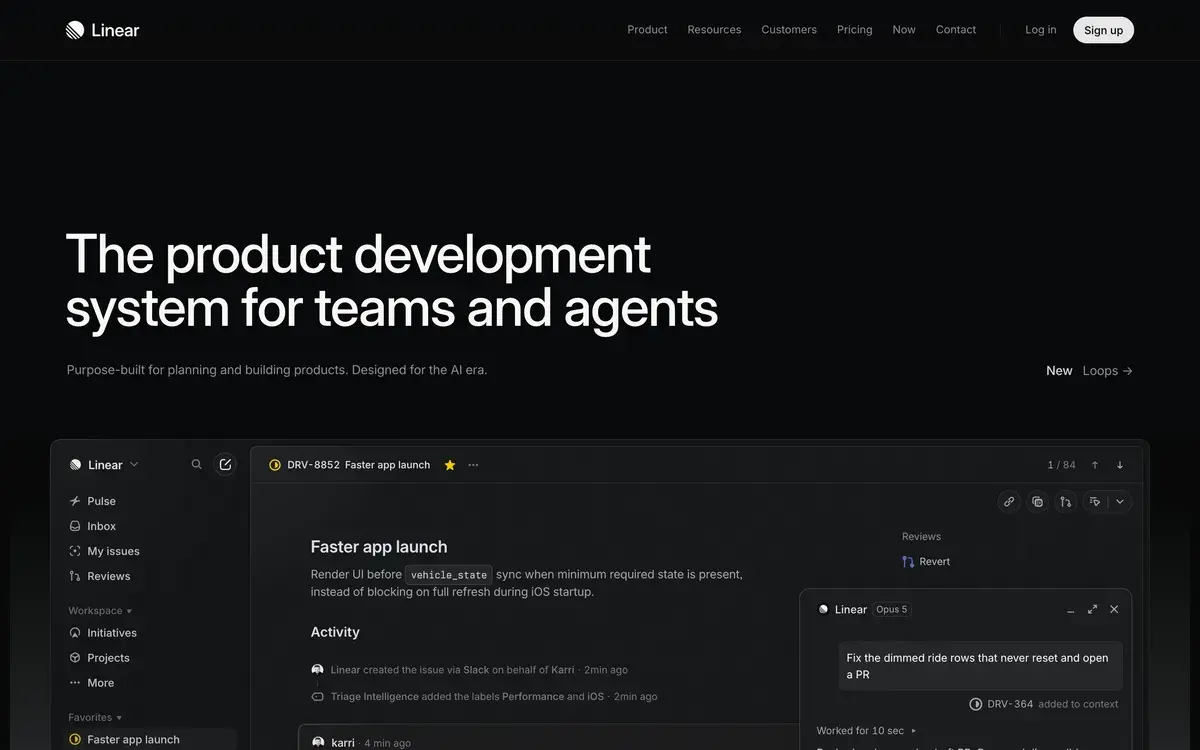
Linear is a project management and issue tracking tool built specifically for software engineering teams, distinguished by speed, polish, and developer-centric design. Founded in 2019 by ex-Airbnb and ex-Coinbase engineers frustrated with existing tools, Linear has become the dominant choice for modern engineering organizations including Vercel, Loom, Retool, OpenAI, Cash App, Ramp, and thousands of others. By 2026, Linear represents the modern alternative that Jira tried and failed to be.

The platform's distinguishing characteristic is its obsession with speed. Every interaction is keyboard-accessible. The interface loads instantly. Issue creation, navigation, search, and updates happen in milliseconds rather than seconds. For developers whose work involves dozens of small interactions per day, this speed compounds into meaningful productivity gains. The "Linear feels fast" experience is not marketing — it's measurable in benchmarks against alternatives.

Linear evolved through 2024-2026 with significant AI integration, expanded integrations, and additional team features. The platform now serves the broader needs of engineering organizations beyond just issue tracking — project management, planning cycles, release management, customer feedback intake. The expansion has been careful to preserve speed and polish rather than feature-bloat.

Who is it for?

Linear fits engineering teams at modern startups and tech companies who value speed, polish, and developer-centric design over enterprise feature breadth. The pricing is fair for the value delivered. Specific user types where Linear fits:

  • Software engineering teams (5-500 engineers) at modern startups and growth-stage companies.
  • Engineering managers and tech leads running planning cycles, sprints, and release management.
  • Product managers working with engineering teams on roadmap and feature delivery.
  • DevOps and platform teams managing infrastructure projects alongside feature work.
  • Engineering organizations standardizing on modern tooling rather than legacy enterprise stacks.
  • Startups outgrowing GitHub Issues but unwilling to commit to Jira complexity.
  • Open source projects wanting better issue management than GitHub Issues alone.
  • Indie hackers and solo developers managing personal projects with professional rigor.

User types where Linear may not fit:

  • Non-engineering teams as primary tool. Use Notion, Asana, or Monday.com instead.
  • Very large enterprises (1000+ engineers) with complex compliance and permission needs. Jira retains advantages here.
  • Organizations with strict regulatory compliance that requires extensive audit logs and approval workflows. Jira's enterprise tier fits better.
  • Companies committed to integrated suites (Atlassian, ServiceNow, Microsoft) where best-of-breed tooling creates integration complexity.
  • Cost-sensitive organizations willing to accept worse UX for cheaper alternatives. GitHub Issues or basic free tools suffice for many small teams.

Key Features

The Linear feature set focuses on engineering team workflow with precision and speed.

Issue tracking with rapid creation, intuitive properties (status, priority, labels, assignee, project), and powerful filtering. Issues live in workflows specific to engineering — not generic task management. Speed of interaction makes capturing and managing issues frictionless rather than chore.

Cycles (sprints) with smart auto-rollover, velocity tracking, and goal management. Cycles encode 1-2 week iterations standard in engineering teams. Linear handles cycle planning, monitoring, and retrospectives natively rather than requiring add-on tools.

Projects and milestones for grouping issues into larger initiatives with timelines, progress tracking, and shareable status. Replaces the typical "issues in a list" with structured project view useful for stakeholder communication.

Roadmap view aggregates projects across teams into organization-level roadmap. Useful for leadership communication, stakeholder updates, and cross-team coordination. More polished than equivalent features in alternatives.

GitHub/GitLab integration with deep two-way sync. Create branches from issues; PRs link automatically; status updates on merge. The integration is among Linear's strongest features — engineering teams using Git daily benefit substantially.

Slack integration for team communication. Update issues via Slack messages; receive notifications about issue progress; create issues from Slack conversations. Reduces context-switching between Slack and Linear.

AI-powered features including automatic issue summarization, smart duplicate detection, AI-suggested labels and assignments, AI-generated release notes from completed issues, and conversational AI assistant for issue management. The AI integration enhances workflow rather than feeling tacked on.

Customer requests (Linear Asks) for intake from non-engineering teams. Sales, support, marketing file structured requests that engineering can triage. Available on Plus and above. Reduces friction for engineering intake without giving everyone full Linear access.

Insights and analytics with dashboards for cycle velocity, project progress, team performance, and engineering KPIs. Less customizable than dedicated analytics tools but adequate for engineering operations needs.

Triage view for processing new issues into prioritized backlog. The dedicated triage workflow handles the "issues come in faster than we can plan them" problem common in engineering teams.

Templates and automations for repeating workflows — issue templates, automated assignments, status transitions. Reduces repetitive setup work for common patterns.

Mobile and desktop apps maintain Linear's speed across all platforms. The mobile app is genuinely useful for triage and status updates on the go.

Keyboard shortcuts everywhere make Linear fully usable without touching mouse. Power users navigate, create, edit, and search using only keyboard. The keyboard-first design is meaningful productivity advantage for users who internalize the shortcuts.

Linear vs Competitors 2026

ToolStrengthPricingBest For
LinearSpeed, polish, engineering-focusedFree / $8-20/userModern engineering teams
JiraEnterprise depth, compliance$7.75-15.25/userLarge enterprises (1000+)
AsanaGeneral-purpose project managementFree / $10-25Non-engineering teams
NotionKnowledge base + light PMFree / $10-15Notion-standardized teams
Monday.comVisual workflow management$9-19/userMarketing/ops teams
GitHub IssuesFree, integrated with codeFreeOpen source, GitHub-centric
ClickUp AIAll-in-one with AI featuresFree / $7+Cost-sensitive teams
ShortcutEngineering-focused alternativeFree / $8.50+Linear alternative for some teams

Pricing verified April 2026.

Linear vs Jira. The most important comparison and most consequential choice. Linear is dramatically faster, more polished, and easier to use. Jira has more features at enterprise scale (advanced permissions, audit logs, complex workflows). For modern engineering teams under 500-1000 engineers without strict compliance requirements, Linear wins clearly. For very large enterprises with mature compliance frameworks, Jira retains advantages. The trend in 2024-2026 has been engineering teams migrating from Jira to Linear.

Linear vs Asana. Different audiences. Asana targets general-purpose project management for any team type. Linear targets engineering specifically. Engineering teams on Asana typically miss Git integration and engineering-specific workflows. Non-engineering teams on Linear typically struggle with terminology and conventions. Right tool for right team type.

Linear vs Notion. Different scopes. Notion is knowledge base with light project management. Linear is dedicated project management with strong workflow features. Engineering teams typically use Notion for documentation and Linear for issue tracking. Some teams attempt to use only Notion; this works for very small teams but breaks down with scale.

Linear vs Monday.com. Different audiences again. Monday targets non-engineering teams (marketing, ops, sales). Linear targets engineering. Both excel at their respective audiences; choosing them outside their target audience produces friction.

Linear vs GitHub Issues. GitHub Issues is free and tightly integrated with code, but lacks project management features (cycles, roadmaps, advanced views). For solo developers and small teams, GitHub Issues works. For teams requiring sprint management, planning cycles, or cross-project coordination, Linear is upgrade. Many open source projects start with GitHub Issues and add Linear when complexity grows.

Linear vs ClickUp AI. ClickUp targets broader audience with cheaper pricing. Linear specifically targets engineering with premium UX. ClickUp's lower price point fits cost-sensitive teams; Linear's polish fits teams valuing developer experience.

Linear vs Shortcut (formerly Clubhouse). Shortcut is similar engineering-focused alternative with comparable feature set. Linear has more polish and faster pace of improvement; Shortcut is solid alternative for teams who specifically prefer it. Most teams choose Linear today for the broader ecosystem.

Pricing 2026

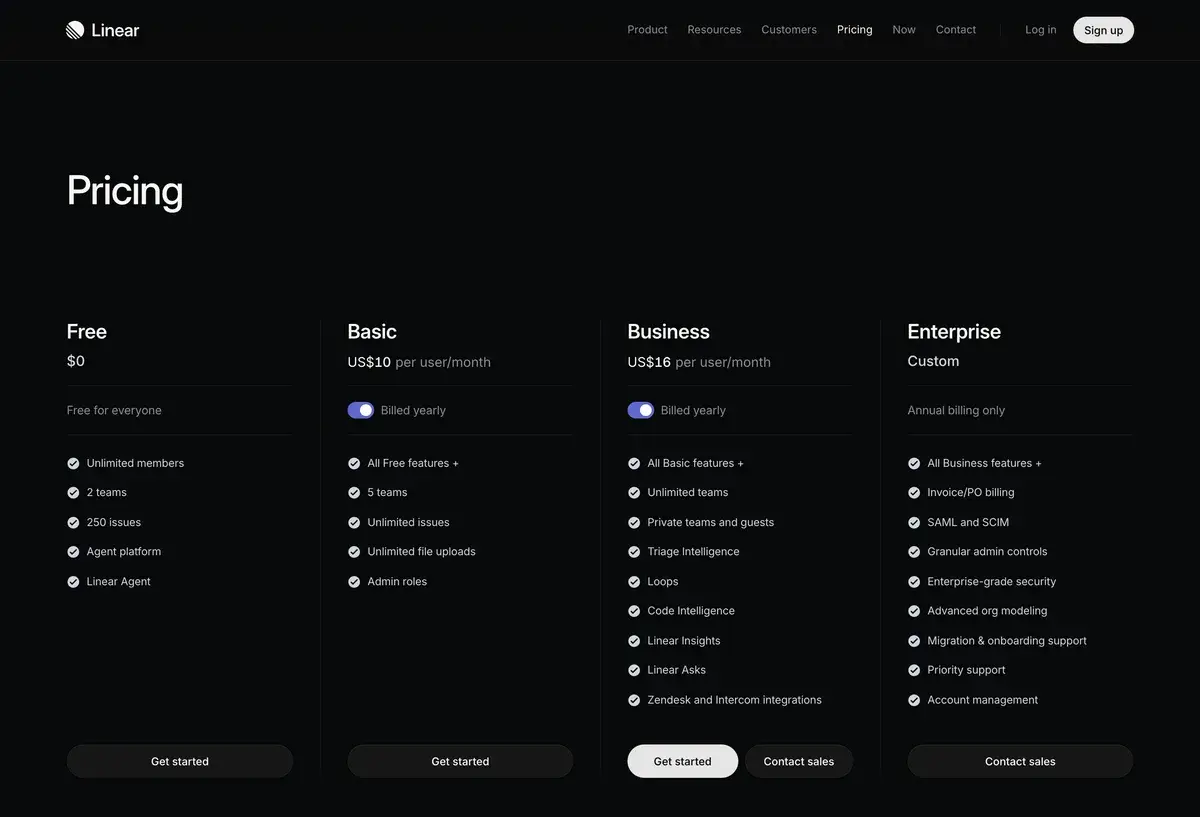
PlanMonthly CostIssue LimitKey FeaturesBest For
Free$0250 active issuesCore features, unlimited membersSolo, small teams, evaluation
Standard$8/user/moUnlimitedAll features, integrations, AIMost professional teams
Plus$14/user/moUnlimitedLinear Asks, advanced featuresLarger teams, customer intake
Business$20/user/moUnlimitedAdvanced security, SSO, adminMid-market and enterprise
EnterpriseCustomCustomCustom features, dedicated supportLarge organizations

Pricing verified April 2026 from linear.app/pricing. Annual billing offers ~20% discount.

The Free plan with 250 active issue limit is genuinely useful for evaluation, solo developers, and very small teams. The 250-issue threshold becomes meaningful within months of active team use; small teams typically upgrade to Standard within their first quarter of serious adoption.

Standard at $8/user/mo is Linear's primary tier and where most teams settle. Includes everything: unlimited issues, all integrations, all AI features, full project and roadmap support. Reasonable price for engineering productivity tool.

Plus at $14/user/mo adds Linear Asks for customer intake from non-engineering teams. For teams where engineering frequently receives requests from sales, support, or other functions, the Asks feature delivers value above Standard. For purely engineering-internal teams, Standard suffices.

Business at $20/user/mo adds enterprise-grade security and admin features. SSO, advanced security controls, audit logs. For mid-market teams approaching enterprise scale, Business tier delivers needed compliance features.

Enterprise pricing handles larger organizations needing custom features, dedicated support, and specialized requirements. Pricing typically starts $25+/user/mo and scales with organization size.

The pricing has remained stable through 2024-2026 despite competitive pressure. Linear's pricing reflects premium positioning rather than competing on cost with cheaper alternatives.

What I think about Linear

I evaluated Linear for AIVario's project management needs. AIVario currently uses simple GitHub Issues for our minimal task tracking, but Linear is the obvious upgrade choice when scope grows beyond solo development.

What works well based on research and limited usage: Linear's speed advantage is genuinely meaningful. The platform feels noticeably faster than alternatives. For engineering teams whose work involves dozens of issue interactions daily, this speed compounds into real productivity gains. Many teams that switch to Linear from Jira describe the experience as "I didn't realize how much friction Jira was creating until it was gone."

The Git integration is exemplary. Two-way sync between Linear issues and Git branches/PRs eliminates manual status updates. Engineers who hate updating tickets find Linear's automatic updates remove the chore that other PM tools impose.

The AI features are useful additions rather than core differentiators. Auto-summary helps with triage; AI-generated release notes save manual writing time. The AI enhances Linear without being the reason to choose Linear.

What I would honestly flag: Linear is genuinely engineering-specific. Non-engineering teams attempting to use Linear typically struggle with terminology, conventions, and engineering-centric defaults. If your organization wants single tool for all teams, Linear may not be the right answer despite being best-in-class for engineering specifically.

The pricing at $8/user/mo Standard tier is reasonable for the value but adds up at scale. 50-engineer team = $400/mo. Compared to Jira's $7.75/user (similar) or ClickUp's lower pricing, Linear's premium positioning requires the team valuing the polish difference.

For very large engineering organizations (500+) with complex compliance needs, Jira's enterprise features may justify continued Jira use despite worse daily UX. Linear addresses most enterprise needs but doesn't match Jira's depth at extreme scale.

For AIVario specifically, when our work scales beyond solo development (likely with team additions or expansion of work), Linear is the obvious choice. The learning curve is minimal for someone with engineering background; the value delivers from week one. For our current scale (solo work), Linear is overkill versus GitHub Issues.

For someone evaluating today: try Linear's free tier with a real project for 1-2 weeks. The tool either clicks immediately for engineering work or doesn't. Most engineers experiencing Linear after Jira describe the difference as transformative; engineers comparing Linear to GitHub Issues describe the difference as workflow upgrade rather than speed revelation.

Use Cases

Engineering team at growth-stage startup. Standard at $8/user/mo. 30-engineer team standardizes on Linear for sprint management, roadmap planning, and engineering coordination. GitHub integration handles code-to-issue workflow. Migration from Jira completes within 2-4 weeks.

Founding team building MVP. Free tier indefinitely while under 250 issues. Solo founder or 2-3 person team uses Linear for personal task management with professional rigor. Migrates to Standard tier when team or issue volume grows.

Engineering organization serving customer intake. Plus at $14/user/mo. Linear Asks handles requests from sales, support, marketing teams. Engineering triages requests into proper Linear issues without giving everyone full access. Replaces "Slack messages and email asks" chaos with structured intake.

Product team coordinating feature delivery. Standard at $8/user/mo. Roadmap view shows multiple feature initiatives across teams. Project milestones track quarterly objectives. Cycles handle 2-week sprint cadence. Replaces spreadsheet-based roadmap with integrated tool.

Open source project with significant contributor activity. Standard at $8/user/mo. Maintainers triage community-submitted issues. Contributors create issues and PRs that automatically link. Replaces overwhelmed GitHub Issues with structured workflow that scales beyond core maintainers' capacity.

Engineering manager running 8-person team. Standard at $8/user/mo. Cycles enable predictable sprint cadence with velocity tracking. 1:1s reference Linear data for performance discussions. Insights show team patterns useful for management. Replaces ad-hoc tracking with systematic engineering operations.

My Verdict

Linear is the right project management tool for modern engineering teams in 2026. The combination of speed, polish, Git integration, and engineering-focused design delivers measurable productivity improvement that justifies its pricing for teams who value developer experience.

For non-engineering teams, Linear is the wrong tool — use Asana, Notion, or Monday.com instead. Don't try to make Linear work for marketing operations or general project management. The engineering-specific design that makes it excellent for engineering creates friction for other team types.

For very large enterprises (1000+ engineers) with strict compliance requirements, Jira may still fit better despite worse UX. The tradeoff is real — Jira's enterprise features address needs Linear hasn't fully covered yet. Most modern enterprises under that scale should evaluate Linear seriously.

The competitive landscape has stabilized around Linear as the dominant modern choice with Jira as the legacy enterprise option. Asana, Notion, and Monday serve different audiences. ClickUp competes on price but not capability for engineering specifically. Shortcut serves as alternative for teams who specifically prefer it.

The free tier removes evaluation friction. Try Linear free for 1-2 weeks with real engineering work. The platform either delivers obvious value or doesn't fit your team's working style. Most modern engineering teams find Linear genuinely better than alternatives after fair evaluation.

For the broader market (non-engineers reading this): Linear is for software engineering teams. If you're not on an engineering team, choose differently regardless of how much praise Linear receives. The tool's value is concentrated in its target audience.

Note: Linear does not currently have an active affiliate program for AIVario. We earn no commission from Linear subscriptions. Our rating reflects evaluation based on platform research, market position, and competitive analysis.

Best for: Software engineering teams at modern startups and growth-stage companies, engineering managers running planning cycles, product managers working with engineering, organizations standardizing on modern tooling, startups outgrowing GitHub Issues, indie hackers wanting professional issue management, mid-market engineering organizations Not ideal for: Non-engineering teams (use Asana or Monday), very large enterprises with complex compliance (Jira fits better), organizations committed to Atlassian or ServiceNow ecosystems, cost-sensitive teams accepting worse UX (use ClickUp or basic tools), regulated industries requiring extensive audit Bottom line: The dominant modern project management tool for engineering teams. Speed, polish, and developer-centric design justify pricing for teams valuing developer experience. Free tier supports evaluation; Standard at $8/user/mo reasonable for most professional teams.

Related Tools

  • Slack — primary integration target for team communication
  • Cursor — AI code editor that pairs with Linear for engineering workflow
  • GitHub Copilot — AI coding assistance complementary to Linear
  • Notion AI — documentation alternative often paired with Linear
  • ClickUp AI — alternative for cost-sensitive or non-engineering teams

Frequently Asked Questions about Linear

Is Linear free?

Yes. Linear's free plan supports up to 250 active issues, unlimited members, one workspace, and most core features. Sufficient for individual users, very small teams, and evaluation. The 250-issue limit is the primary constraint — small teams typically hit this within months of active use. Standard at $8/user/mo unlocks unlimited issues and full team features.

How does Linear compare to Jira?

Linear is dramatically faster, simpler, and more polished than Jira. For teams under 200 engineers without enterprise compliance needs, Linear wins clearly on speed and developer experience. Jira retains advantages for very large enterprises (1000+ engineers) needing complex permissions, audit logs, and SOC 2 features. Most modern startups choose Linear; Jira persists at enterprise scale.

Does Linear integrate with GitHub?

Yes, deeply. Create branch from Linear issue with one click; PRs link automatically; issue status updates on PR merge. Two-way sync between issue progress and code changes. Works equally well with GitLab and similar platforms. The Git integration is one of Linear's strongest features and meaningful differentiator from non-developer-focused PM tools.

What AI features does Linear have?

Linear AI features include automatic issue summarization for triage, AI-suggested labels and project assignment, smart duplicate detection, AI-generated release notes from completed issues, and conversational AI assistant for searching and editing issues. Available across paid plans with enhancements on Plus and Business tiers.

Is Linear good for non-engineering teams?

Technically usable but not designed for non-engineers. Linear's terminology, keyboard-first UX, and engineering-centric conventions can feel foreign to designers, marketers, or operations teams. Those teams are typically better served by Notion, Asana, or Monday.com. Many companies use Linear for engineering and separate tools for other functions.

Can Linear handle large enterprises?

Linear works well up to around 500-1000 engineers. For very large organizations with complex permission hierarchies, advanced audit requirements, and regulated industry compliance, Jira's enterprise features remain more mature. Linear's Enterprise plan covers most modern organization needs but doesn't match Jira's depth at extreme enterprise scale.

What is Linear Asks?

Linear Asks is the lightweight intake feature for non-engineering teams or external stakeholders to submit requests to engineering. Available on Plus plan and above. Lets sales, support, marketing teams file structured requests that engineering can triage into Linear issues without giving everyone full Linear access. Reduces friction for engineering intake while maintaining team focus.