What is Obsidian?
Obsidian is a local-first note-taking app that stores everything as Markdown files on your own device, free for personal use with optional Sync at $8/month. Used by researchers, writers, engineers, and PhD students who refuse to put their thinking inside a SaaS database. Key differentiators: your files never leave your machine without permission, the plugin ecosystem (1,400+ plugins) extends the app into anything from a kanban board to an AI second brain, and the file format is plain text that will outlive the app itself.
The core idea is unfashionable in 2026: your knowledge should belong to you, not to a company's database. Every note is a .md file in a folder you control — what Obsidian calls a vault. If Obsidian disappeared tomorrow, your notes would still open in any text editor on any operating system for the next thirty years.
What turned Obsidian from a niche text editor into a serious knowledge tool is the combination of two ideas: bidirectional links between notes (forming a graph of ideas) and the plugin system that lets the community build features like AI chat, calendar integration, kanban boards, and book highlight import. The AI plugin layer in particular has matured into something genuinely useful — not the "AI sprinkle" most apps shipped in 2024.
Who is it for?
Obsidian is built for knowledge workers who think in notes and want their thinking to compound over years rather than reset each time they switch tools. PhD students and academic researchers use it to build literature networks where every paper, quote, and idea links to others. Writers and journalists keep working files for ongoing investigations. Software engineers maintain personal architecture decision records (ADRs) and runbook libraries. Founders and product managers track customer interviews, hypotheses, and decisions in a vault that grows with the business.
It is also the natural choice for the privacy-conscious — therapists keeping client notes, lawyers tracking case research, security researchers writing about CVEs they cannot put in someone else's cloud. Local files mean your notes are not sitting in a vendor database that could be breached, subpoenaed, or shut down.
It is not the right pick for collaborative real-time editing (Notion remains better for shared docs) or for users who want zero learning curve. Obsidian rewards setup investment.
Key Features
- Local-first storage — every note is a Markdown file on your disk; the app never sees your content unless you opt into Sync or use AI plugins with API keys you control
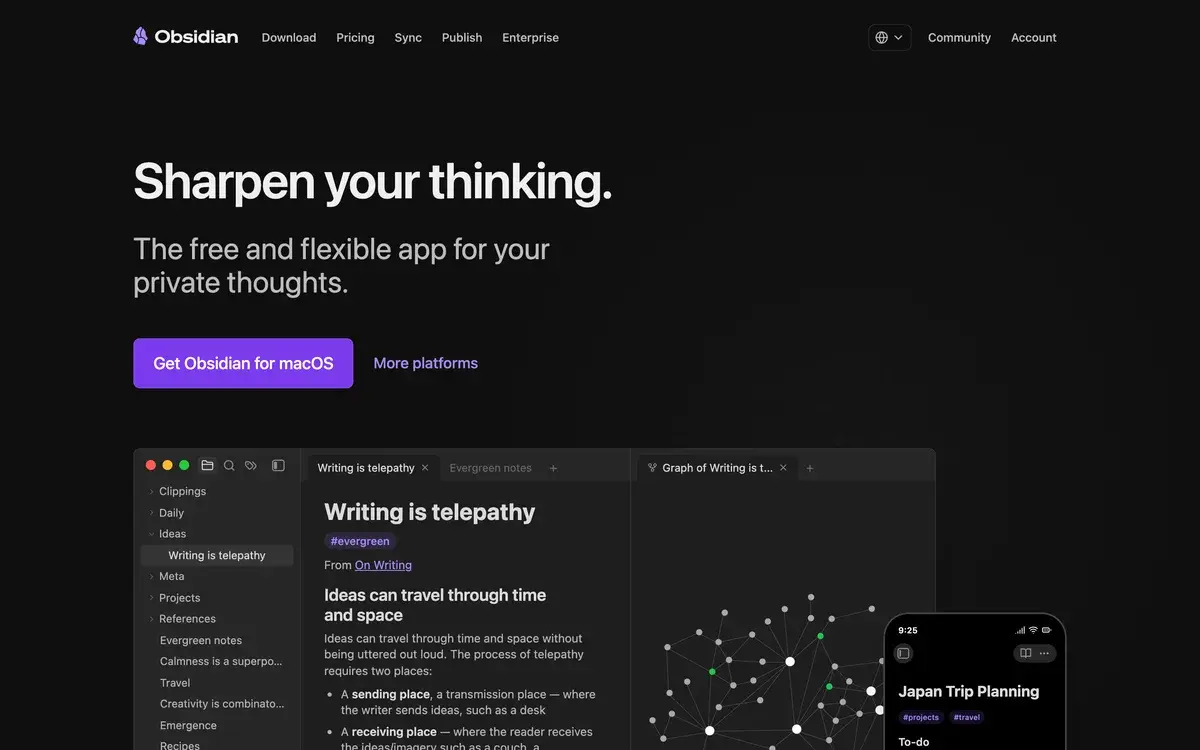
- Bidirectional linking — link two notes and Obsidian shows the connection from both sides, building a navigable network of ideas over time
- Graph view — visualize your entire vault as a network of connected nodes; useful for finding orphan notes and emerging themes
- Properties (frontmatter) — structured metadata on each note (tags, dates, status, author) that powers Bases (built-in database queries) and plugin filters
- 1,400+ community plugins — from kanban and Excalidraw to AI chat, citations, and time tracking
- Smart Connections plugin — AI-powered related-note discovery using vector embeddings, runs locally or via OpenAI/Anthropic
- Copilot for Obsidian — chat with your vault using GPT-4, Claude, or Gemini; cite specific notes in answers
- Vim and Emacs keybindings — keyboard-first editing for power users
- Canvas — infinite whiteboard for visual thinking, mixing notes, images, and embedded web content
- Mobile parity — iOS and Android apps with the same vault, plugin support, and offline access
Obsidian vs Competitors 2026
| Tool | Storage model | AI integration | Plugin ecosystem | Free tier | Price/mo |
|---|
| Obsidian | Local Markdown files | Plugins with your API key | 1,400+ plugins | ✅ Full app | $8 (Sync) |
| Notion AI | Proprietary cloud | Built-in (Notion AI) | Templates only | ✅ Limited | $10 |
| Roam Research | Proprietary cloud | Limited AI | Closed extensions | ❌ | $15 |
| Logseq | Local Markdown/Org | Plugin-based | ~250 plugins | ✅ Full app | Free |
| RemNote | Cloud + offline cache | Built-in flashcards AI | Modest | ✅ Limited | $8 |
| Mem | Cloud-only | Built-in chat | None | ✅ Limited | $10 |
| Reflect | Cloud-only | GPT-4 built-in | None | ❌ Trial only | $10 |
Data verified April 2026 from each provider's official pricing pages.
Obsidian vs Notion: The real comparison most people make. Notion is better for team workflows, structured databases, and zero-config collaboration. Obsidian is better when the work is yours, the notes are long-lived, and you do not want a vendor between you and your thinking. If you are building a personal knowledge system you expect to keep for a decade, Obsidian wins. If you are documenting a team's processes, Notion wins.
Obsidian vs Logseq: Logseq is the closest philosophical cousin — also local-first, also Markdown-friendly, also free. Logseq leans into outliner-style daily journaling (every block is addressable). Obsidian leans into document-style notes with optional outliners. Logseq has a smaller plugin community but stronger built-in PDF annotation. Pick Logseq if you live in daily notes; pick Obsidian if you write longer documents.
Obsidian vs Roam Research: Roam pioneered bidirectional linking in 2020 and Obsidian followed. By 2026, Obsidian has surpassed Roam on plugin ecosystem, mobile experience, and price. Roam still has a cult following for its block-reference model, but $15/month for a tool that has shipped slowly while Obsidian has accelerated is a hard sell.
Obsidian vs Reflect: Reflect bundles built-in AI chat with a polished cloud-only interface. It is faster to start with but offers no escape hatch — your notes live in Reflect's database. Obsidian's AI plugins require slightly more setup but you keep the files. The trade is convenience versus ownership.
Pricing 2026
| Plan | Price | Features | Best for |
|---|
| Personal | Free | Full app, local vaults, all plugins | Individual non-commercial use |
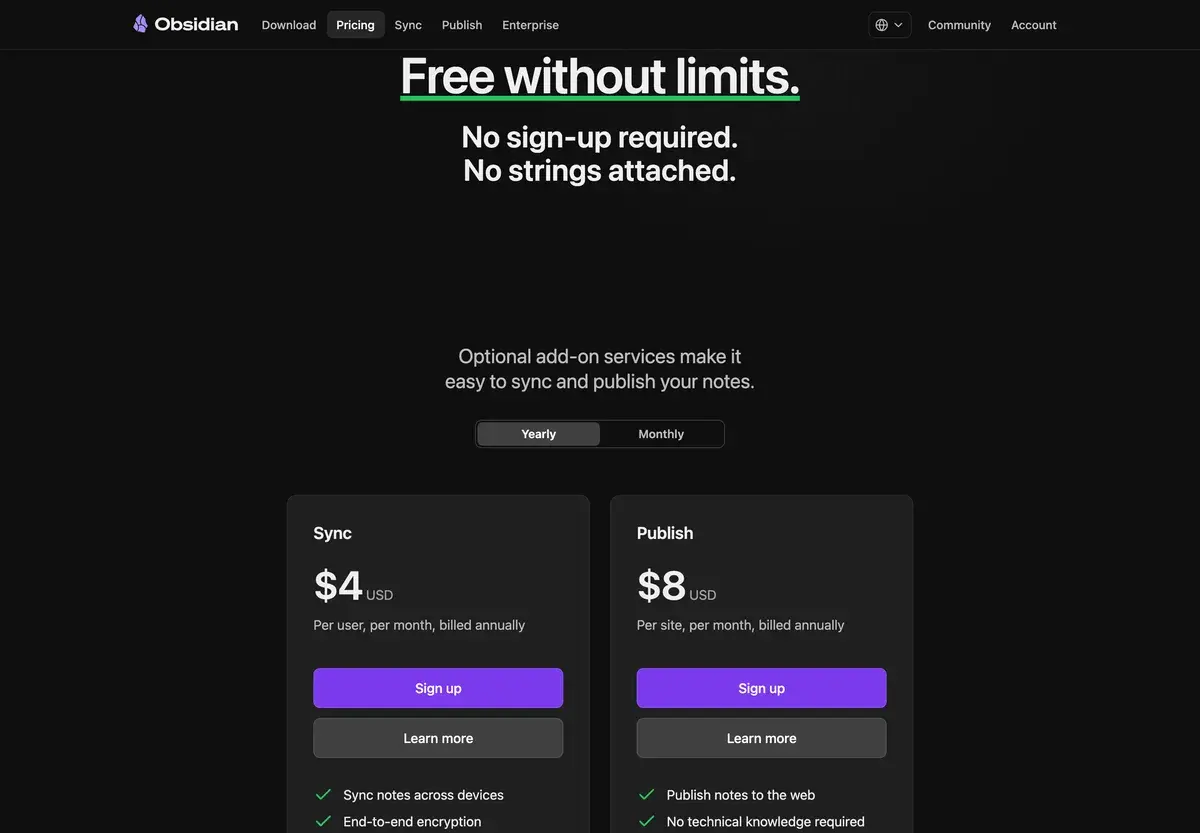
| Sync | $8/mo or $96/yr | E2E encrypted sync across devices, 1-year version history | Multi-device users |
| Publish | $16/mo or $192/yr | Publish notes as a public website with custom domain | Personal sites, course notes, digital gardens |
| Commercial | $50/yr per user | Required for business use of the free app | Teams using Obsidian at work |
Prices verified April 2026 from obsidian.md/pricing.
The honest take: most users only need the free app plus optional Sync ($8/mo). Publish is niche — only useful if you specifically want a digital garden site. The Commercial license is a relatively new addition and applies to anyone using Obsidian for work in companies with 2+ employees, even on the free tier.
Hands-on Notes
The thing nobody tells you about Obsidian is that the first weekend feels overwhelming and the second month feels like coming home. There is a real setup investment — picking a folder structure, choosing your first ten plugins, deciding whether to use daily notes — and most people quit before they see the payoff. The ones who stick around tend to never leave.
What we keep coming back to is the plugin ecosystem. Smart Connections is the kind of feature that quietly changes how you use the vault — it surfaces forgotten notes you wrote months ago at the moment they become relevant again. Copilot for Obsidian with Claude or GPT-4 is the closest thing to "chat with my second brain" that keeps the brain on your machine. The bring-your-own-API-key model feels like a feature, not a bug — you choose the model, you control the cost, you keep the data.
The honest weakness is mobile. The iOS and Android apps are functional, but plugin support is uneven and AI plugins specifically struggle with background limitations on iOS. For pure note capture and reading on the go, mobile is fine. For the full power-user workflow, you live on desktop. Real-time multi-user collaboration is also missing by design — if your team needs that, Notion is still the answer.
Obsidian is opinionated about local-first in a way some users will love and some will resent. There is no "one click and you're synced across the internet" path unless you pay for Sync or set up your own cloud folder. That friction is the price of ownership, and most people who find Obsidian decide it is worth paying.
Use Cases
Academic literature network: A PhD student in cognitive science maintains a vault of paper notes, each linking to authors, methods, and citing/cited papers. Smart Connections surfaces relevant prior reading when drafting new sections. The Citations plugin pulls metadata from Zotero. The graph view reveals which sub-fields have the densest connection patterns — useful for spotting where a literature review needs more depth.
Engineering decision log: A staff engineer at a Series B startup maintains an architectural decision record vault, with one note per decision: context, options considered, trade-offs, decision, follow-up. New engineers can graph-traverse the system architecture by following links between ADRs. The vault syncs to a private GitHub repo as backup.
Investigative journalism: A freelance reporter working on a multi-month investigation keeps every interview transcript, document, and lead in an offline vault. Local-first matters here — the notes do not pass through a SaaS provider that could be subpoenaed. Backlinks reveal which sources keep referencing the same person or event.
Therapist client notes: A psychotherapist maintains structured session notes per client, encrypted on disk and synced via Obsidian Sync's E2E encryption. Templates ensure each session note has the same fields. HIPAA considerations push therapists toward local-first tools, and Obsidian fits the brief better than cloud alternatives.
Personal second brain: A product manager builds a daily journal, weekly review, and monthly retrospective workflow using Daily Notes, Templater, and Periodic Notes plugins. Smart Connections helps surface "what did I think about this six months ago" without manual search. Over two years, the vault becomes the most valuable productivity tool the user owns.
Our Verdict
Obsidian is the most serious tool in personal knowledge management in 2026, and the AI plugin layer has matured to the point where you no longer have to choose between local-first privacy and modern AI workflows. You can have both: notes on your machine, AI plugins running through your own API keys. We are unapologetic fans.
The honest weaknesses are real. Setup is not zero-config. Mobile experience trails desktop on plugin support. Real-time collaboration is not the design goal. Bases, the new built-in database feature, is still less powerful than Notion databases for relational use cases.
But for the right user — the kind who plans to keep notes for a decade, who refuses to pay vendor lock-in, who actually opens their notes again rather than treating them as write-only — Obsidian is the right tool. The community ecosystem alone is worth more than most paid SaaS tools' core feature sets.
Note: Obsidian does not have a public affiliate program. AIVario earns no commission from Obsidian Sync sign-ups. Our rating reflects regular use of the free app and Sync tier.
Best for: Researchers, writers, engineers, founders, and anyone serious about long-lived personal knowledge
Not ideal for: Real-time team collaboration (use Notion or Coda), users who want zero setup investment
Bottom line: If your notes are worth keeping for ten years, Obsidian is the tool that makes that possible without a vendor in the middle.
Related Tools
- Notion AI — cloud-first alternative with stronger team collaboration and built-in AI
- NotebookLM — Google's research-grounded AI notebook for working with sources you upload
- Glean — enterprise knowledge search across SaaS apps, complementary to a personal Obsidian vault
- Pieces for Developers — local-first snippet manager with similar privacy philosophy for code
- Granola — meeting note-taker that pairs well with Obsidian as the long-term archive
Frequently Asked Questions about Obsidian
Is Obsidian free?
Yes, the Obsidian app is free for personal use forever. Paid add-ons start at $8/month for Sync (encrypted multi-device), $16/month for Publish, and a $50/year commercial license for business use. The plugin ecosystem and AI integrations work on the free tier.
Does Obsidian have built-in AI?
No, Obsidian itself does not ship with AI features. AI is added through community plugins like Smart Connections, Copilot for Obsidian, and Text Generator, which call OpenAI, Anthropic, or local models with your own API key. This keeps your notes private and lets you choose your model.
How is Obsidian different from Notion?
Obsidian stores your notes as Markdown files on your own device, while Notion stores them in a proprietary cloud database. That means Obsidian works offline, gives you ownership of every file, and never locks you in. Notion has better collaboration and databases. Obsidian wins on privacy, longevity, and extensibility.
Where are my Obsidian notes stored?
Notes live as plain .md files in a folder you choose, called a vault. You can put that folder on your local drive, in iCloud, Dropbox, or use Obsidian Sync ($8/month) for end-to-end encrypted multi-device sync. Even without sync, your notes never leave your machine without your action.
What are the best AI plugins for Obsidian?
Smart Connections finds related notes using local or API embeddings. Copilot for Obsidian adds chat over your vault with GPT-4 or Claude. Text Generator handles inline AI completions. Templater plus Quick Add automate AI-assisted note workflows. All four are free and use your own API keys.
Does Obsidian have a web version?
No, Obsidian is a desktop and mobile app only — there is no browser version. It runs natively on macOS, Windows, Linux, iOS, and Android. The lack of a web app is intentional: keeping execution local is part of the local-first design philosophy.
How much does Obsidian Sync cost?
Obsidian Sync costs $8 per month or $96 per year, billed per user. It provides end-to-end encrypted sync across all your devices with version history for one year. You can also use third-party sync (iCloud, Dropbox, Syncthing) for free if you do not need encryption guarantees.
Is Obsidian good for academic research?
Yes, Obsidian is one of the most popular tools among PhD students and researchers in 2026. The graph view, backlinks, and Smart Connections plugin let you build a literature network where each paper, quote, and idea links to others. Plugins like Citations, Pandoc, and Zotero Integration handle the academic stack.