NotebookLM is still here under a new name: Google renamed it Gemini Notebook in July 2026, and existing notebooks carried over. It answers questions and creates Audio Overviews, Video Overviews, slides, reports, flashcards and infographics from sources you upload, citing them as it goes. It is free with standard limits and up to 50 sources per notebook. Google AI Plus at $4.99 a month doubles the limits and allows 100 sources, Pro at $19.99 quadruples them with 300 sources, and Ultra gives five to twenty times Pro's limits with 600. Since September 2, 2026, limits are compute-based and refresh every five hours.
✓Best for: Students, researchers and professionals who want answers, summaries and study material drawn only from documents they choose
✗Skip if: You need a general assistant that searches the open web by default, or you work with sources you can't upload to Google
This analysis is based on documentation, public user reports, and vendor materials — not yet on our own hands-on testing. How we rate
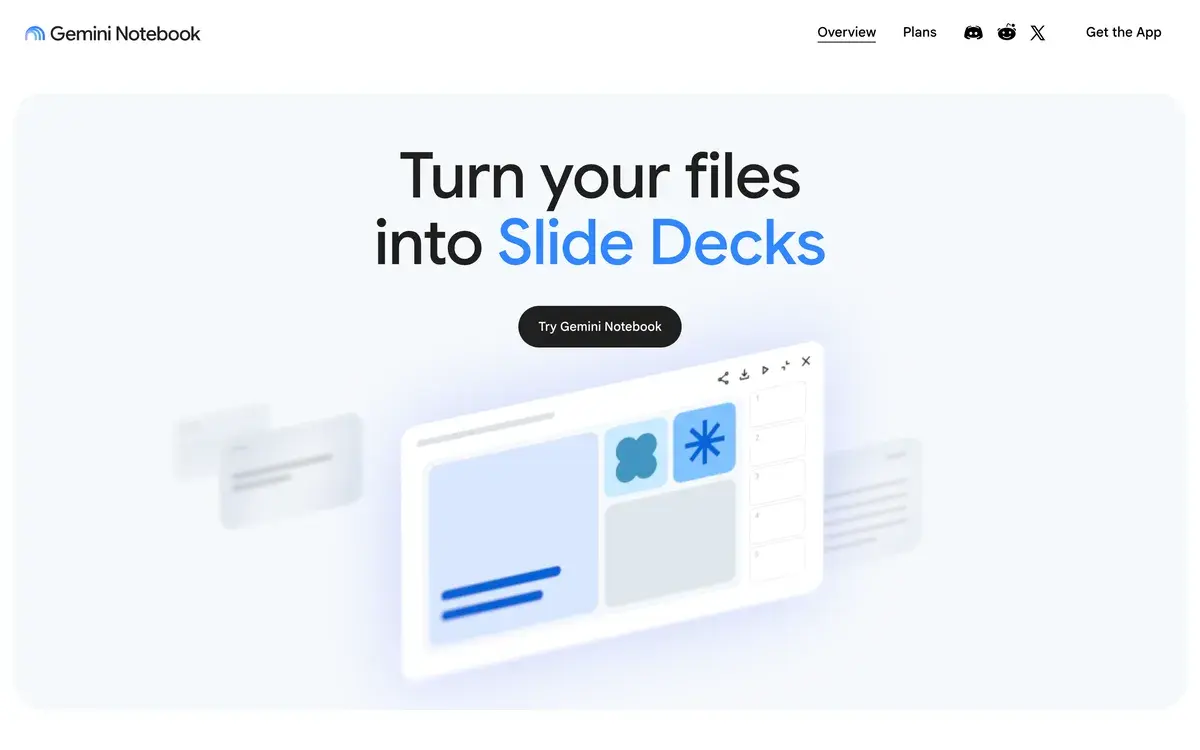
NotebookLM (Gemini Notebook) homepage, captured Oct 2, 2026.
If you came here looking for NotebookLM, it hasn't gone anywhere. Google renamed it Gemini Notebook in July 2026 and kept every existing notebook. The core idea is untouched: an AI that works only from the sources you give it and shows where each answer came from.
The year in changes
2026 changed more than the name. In order:
July: NotebookLM became Gemini Notebook, with Google describing a plan to bring notebooks into its other AI products as a shared workspace.
August 28: Google announced flexible usage limits, and from September 2 limits became compute-based, refreshing every five hours instead of once a day.
September 15: a set of study tools arrived, including real-time voice conversations with a notebook, a mobile audio recorder, interactive learning overviews with quizzes and flashcards, new quiz formats and short video overviews of about a minute.
Through all of it, the product's appeal stayed the same. Answers are grounded in your documents and cited, which makes it far less likely to invent facts than a general chatbot answering from memory.
What it makes from your sources
You add sources, such as PDFs, documents, websites, YouTube videos or audio, and Gemini Notebook answers questions about them with citations. Its studio turns the same material into other formats. There are Audio Overviews, the podcast-style discussions that made NotebookLM famous, and Video Overviews with narration and animation. Slide decks, reports, flashcards, quizzes and infographics are on the list too. Source Discovery and Deep Research find new material on the web and add it to a notebook. Consumer accounts can publish a notebook publicly, which some teams use as a self-serve help page built from their documentation.
Plans: what Google AI adds
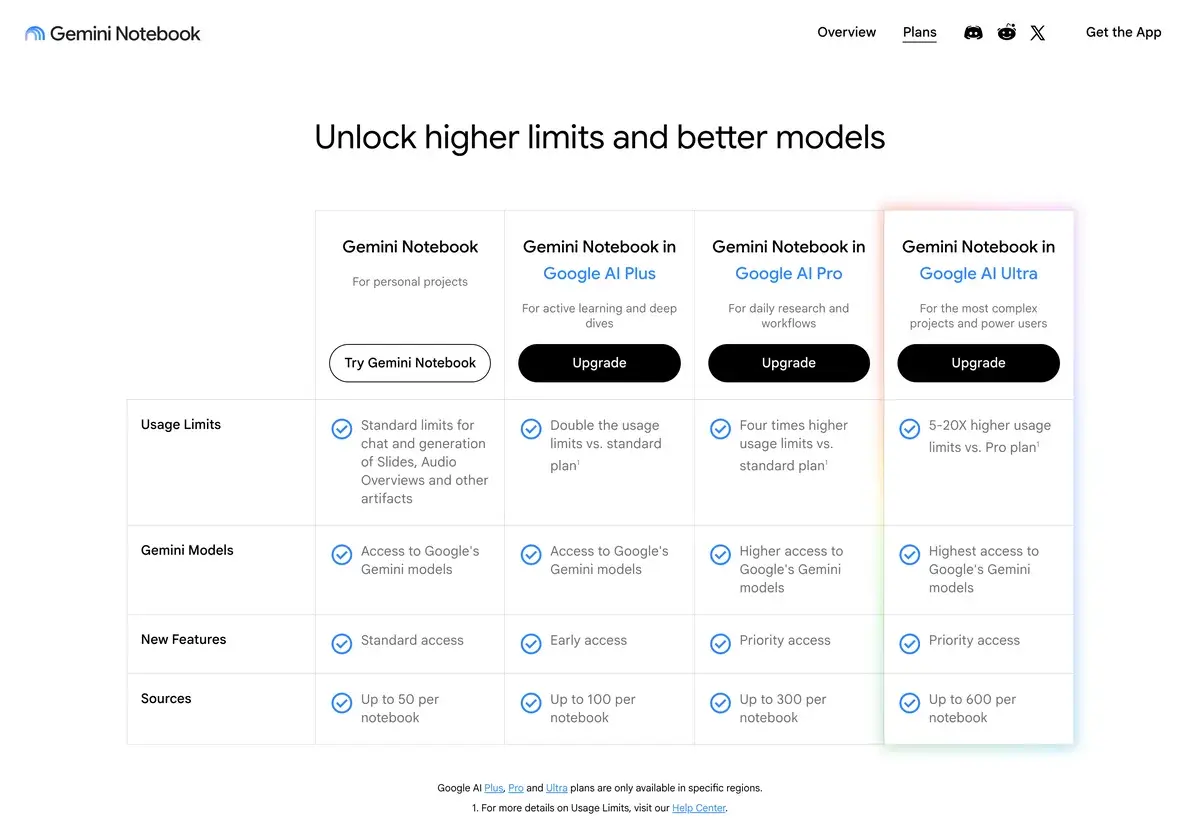
The plans page on October 2, 2026. Google AI plans are only sold in some regions.
Free
Google AI Plus
Google AI Pro
Google AI Ultra
Price a month, US
$0
$4.99
$19.99
From $99.99
Usage limits
Standard
2x standard
4x standard
5x to 20x Pro
Sources per notebook
50
100
300
600
New features
Standard access
Early access
Priority access
Priority access
Gemini Notebook isn't sold on its own. The paid tiers come with Google's AI plans, which also include storage, Gemini in Gmail and Docs on Pro and other extras covered in our Gemini review. For most people the free plan's 50 sources per notebook are plenty. The upgrade matters for researchers working through large literature sets and for anyone who generates audio or video overviews every day.
How the five-hour limits work
The September change replaced per-feature daily counts with a single compute-based allowance that refreshes every five hours. Long chats, many sources and heavier outputs such as Video Overviews or slide decks use more of it. The same plan can feel generous for quick questions and tight for a session of video generation. Overviews that appear automatically when you first add sources don't count against the limit. The practical advice is to batch heavy outputs and spread them across the day.
A study week in one notebook
The September tools make the clearest case for how it's meant to be used:
Record a lecture with the mobile audio recorder and add the slides and readings as sources.
Ask questions about anything unclear and follow the citations back to the exact passage.
Generate an interactive learning overview, which pairs a summary with quizzes and flashcards, and use the new short-answer and fill-in-the-blank questions to test yourself.
Turn the same sources into an Audio Overview for the commute or a one-minute video overview for a quick recap.
On Ultra, talk the material through in a real-time voice conversation, in nearly 100 languages.
Professionals use the same loop with contracts, research papers or product documentation in place of lectures.
For schools and organizations
Gemini Notebook is also part of Google Workspace for businesses and schools, and of Google Cloud for enterprises. In those versions, Google says organizations' data stays private and isn't used to train the product. Public sharing is limited to consumer accounts.
When another tool fits better
Gemini Notebook is a research desk, not a general assistant. For open-ended questions about the web, Perplexity or Gemini itself are better starting points. For long-form writing from your notes, Claude projects make the stronger drafting partner. Where it has no real rival is the free, cited, multi-format study kit. One set of sources becomes a podcast, a quiz, a slide deck and flashcards in minutes.
Frequently Asked Questions about NotebookLM (Gemini Notebook)
Is NotebookLM still free?
Yes. Gemini Notebook, as NotebookLM is now called, is free with standard limits for chat and for generating Audio Overviews, slides and other outputs, and up to 50 sources per notebook. Paid Google AI plans raise those limits and the source cap.
Why is NotebookLM called Gemini Notebook now?
Google renamed it in July 2026. The company says it is the same product, existing notebooks stay accessible, and the new name reflects plans to bring notebooks into its other AI products as a shared workspace, while the standalone web and mobile apps continue.
How many sources can a Gemini Notebook hold?
Up to 50 per notebook on the free plan, 100 with Google AI Plus, 300 with Google AI Pro and 600 with Google AI Ultra. Sharing a notebook doesn't change the source limit for any collaborator.
How do Gemini Notebook usage limits work?
Since September 2, 2026, limits are compute-based rather than a fixed number per feature, and they refresh every five hours instead of daily. How much you can do depends on prompt complexity, chat length, the number of sources and the features you use; Plus doubles the free allowance, Pro quadruples it and Ultra raises it five to twenty times above Pro.
Is Gemini Notebook free for students?
The tool is free for everyone, and Google offers students its paid plans too: eligible US college students can get Google AI Pro free for a year, and students in more than 140 other markets can get Google AI Plus free for a year, both of which raise Gemini Notebook's limits.
Does Google train on my notebooks?
Google says that for individual users, notebook data isn't used for training unless you send feedback, and that for organizations and schools the data stays private to them and isn't used to train Gemini Notebook.