What is Pieces for Developers?
You have solved this exact problem before. Three months ago, on a different project, you wrote almost exactly the code you are about to write right now. You remember it because you remember struggling with it — but you cannot remember which project it was, what file, what specific approach you used. Searching across all your projects in VS Code returns too many false matches. Searching Slack and Notion turns up nothing because you never wrote about it. The code is somewhere on your machine, possibly in a closed project you have not opened in months, possibly in a Stack Overflow tab you closed weeks ago, possibly in a screenshot you took of a colleague's solution.
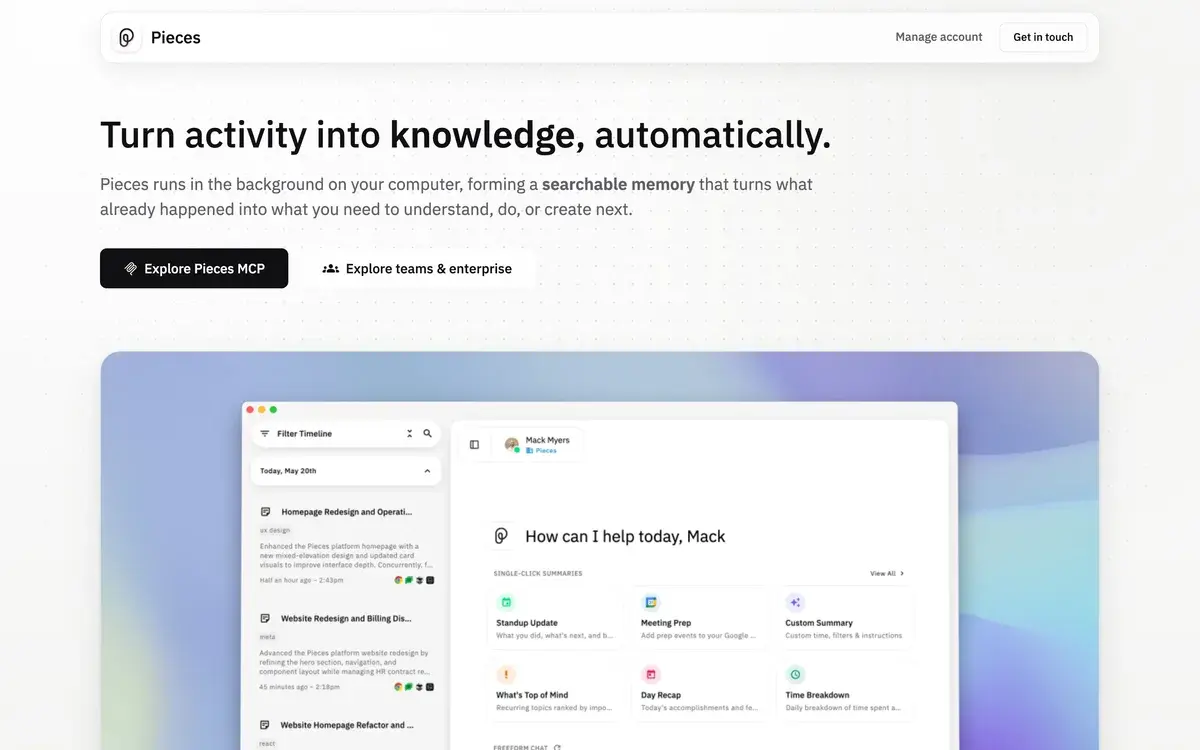
This is the developer memory problem, and it is the problem Pieces for Developers is built around. The product captures code snippets, screenshots, browser context, and workflow artifacts as you work, then surfaces relevant material when you encounter related problems. Where AI coding assistants like Copilot and Cursor help you write new code, Pieces helps you find code you already have. Different category of tool, different problem solved.
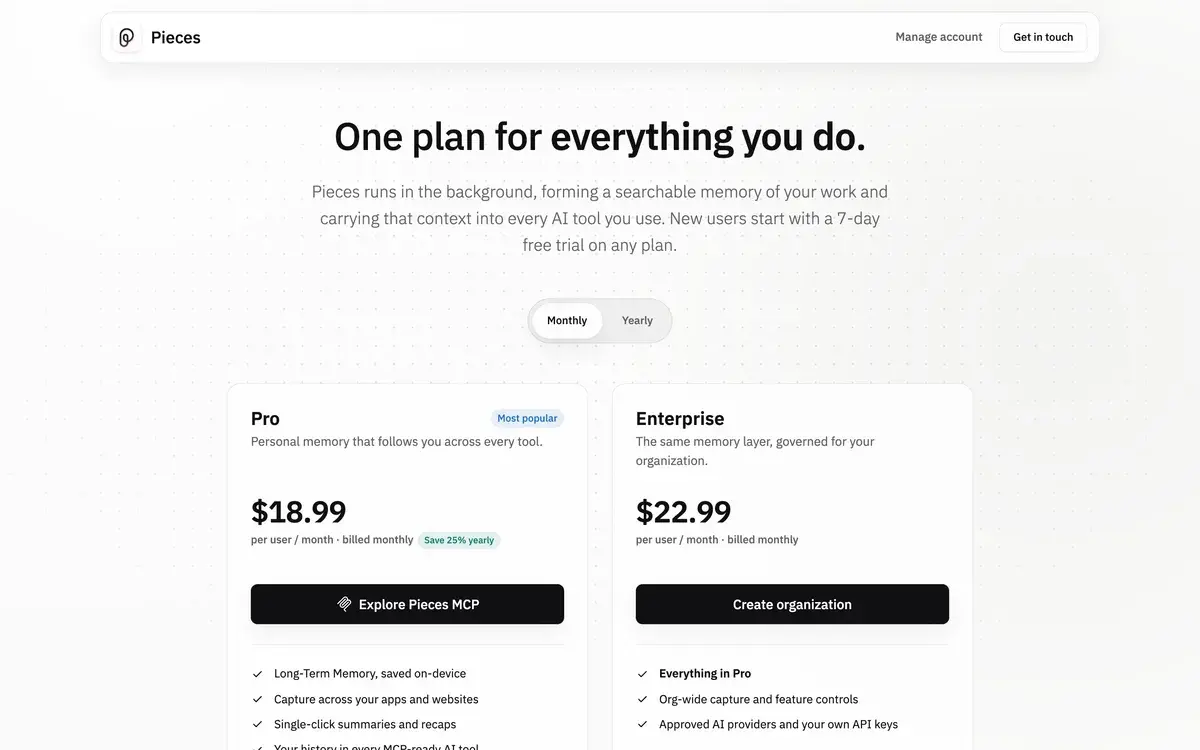
The product is genuinely free for personal use with no caps; the Team tier at $10/seat per month adds shared snippets and team context. The local-first architecture is the other meaningful design choice — code stays on your device by default, with optional cloud features for advanced capabilities. For developers working with proprietary code or in environments restricting data transmission, this matters.
The developer memory problem
Modern software development produces an enormous amount of context that should be reusable but mostly is not. Code snippets you wrote for old projects, solutions you found on Stack Overflow, screenshots of error messages, terminal output you copied, documentation pages you bookmarked, code from coworker's pull requests you reviewed — all of this becomes invisible after a few days because there is no system that captures and surfaces it.
The result is the experience every working developer has had: solving a problem, recognizing you have solved it before, and being unable to find the previous solution. The cognitive cost is real — you reconstruct from memory what you should be able to retrieve, sometimes incorrectly, often spending time you should not need to spend.
Existing tools partially address this problem in fragments. Git history captures committed code but not exploratory work or external snippets. IDE search works within open projects but not across closed ones or non-code artifacts. Notes apps (Notion, Obsidian) work for explicit documentation but require you to write notes as you go, which most developers do not do consistently. Cloud snippet managers work for explicitly saved snippets but miss the implicit artifacts (screenshots, browser tabs, copy-pasted code).
Pieces' architectural insight is that capture should be implicit and continuous. You do not write notes about every snippet you copy or every screenshot you take; the system captures these automatically as you work. The AI understands what each captured artifact relates to (this snippet is React + authentication, this screenshot is a database error, this Stack Overflow link is about Postgres connection pooling) and surfaces relevant material when you encounter related problems later. The capture overhead is near zero; the retrieval value compounds over months and years of use.
Who is it for?
Working developers across web, mobile, and systems development who routinely solve problems they have likely solved before. The value compounds with usage history; developers who use Pieces consistently for 6-12 months see meaningful productivity gains as their personal context library matures. Solo developers, startup engineers, and individual contributors at any scale benefit.
Senior developers and tech leads juggling multiple projects simultaneously. The cross-project context surfacing addresses exactly the "I implemented this in Project A and need it for Project B" pattern that frequently consumes senior developer time. Long-term Memory features are particularly valuable for users with multi-year project histories.
Developers in privacy-conscious environments (regulated industries, security-sensitive work, government, defense). The local-first architecture allows AI-augmented developer productivity without the data transmission that disqualifies cloud-first tools. Self-hosted Enterprise deployment further extends this for organizations with strict data handling requirements.
Developers across multiple platforms and tech stacks where context-switching between languages, frameworks, and projects creates retrieval friction. Pieces' AI understands cross-language context — a Python solution to an authentication problem might surface when working on a similar problem in TypeScript — that traditional search cannot match.
Senior consultants, freelance developers, and developers with portfolio careers managing many clients or projects across years. The context library functions as institutional memory across engagements that would otherwise be lost between projects.
Pieces is not the right primary tool for: developers wanting AI to write new code (use Copilot, Cursor, or Aider), teams wanting cloud-first collaboration around code (use GitHub or GitLab features), developers who exclusively work in single-project contexts where memory across projects is not relevant, or users wanting agentic AI workflows (Pieces is memory and context, not agentic execution).
Key Features
- Auto-capture — automatically saves code snippets, screenshots, and workflow context as you work
- Long-term Memory — AI-indexed memory across all captured context, queryable via natural language
- Local-first architecture — data stays on device by default; cloud features optional
- AI chat with model choice — chat with GPT, Claude, Gemini, or local models against your personal context
- IDE integrations — VS Code, JetBrains products, and other major editors
- Browser extensions — capture and surface context from Stack Overflow, GitHub, documentation sites
- Code analysis — AI-powered explanation, refactoring suggestions, and code understanding
- Snippet search — natural language queries across your code history ("how did I handle X")
- Screenshot OCR — extract text from screenshots for searching error messages and code in images
- Tags and projects — manual organization for users who want explicit structure alongside auto-capture
- Team workspaces (Team tier) — shared snippet libraries and team context across multiple developers
- Self-hosted deployment (Enterprise) — on-premise installation for organizations with strict data requirements
- Pieces Copilot — AI assistant that uses your personal context for more relevant code suggestions
Pieces vs Competitors 2026
| Tool | Category | Memory across projects | Auto-capture | Local-first | Free tier | Price/mo |
|---|
| Pieces | Developer memory | ✅ Best in class | ✅ Strong | ✅ Yes | ✅ Generous | $10 (Team) |
| GitHub Copilot | AI coding assistant | ❌ Different category | ❌ | ❌ Cloud | ⚠️ Limited | $19 |
| Cursor | AI-first IDE | ⚠️ Within IDE | ❌ | ❌ Cloud | ✅ Limited | $20 |
| Aider | CLI coding agent | ⚠️ Project-level | ❌ | ⚠️ Local models possible | ✅ Open source | BYOK |
| Notion | Notes and docs | ⚠️ If you write notes | ❌ Manual | ❌ Cloud | ✅ Generous | $10 |
| Obsidian | Notes (local) | ⚠️ If you write notes | ❌ Manual | ✅ Local | ✅ Generous | Free |
| Pinboard | Bookmark manager | ❌ Bookmarks only | ❌ | ❌ Cloud | ❌ Trial | $2.50 |
| Raycast | macOS productivity | ⚠️ Through extensions | ⚠️ Limited | ✅ Local | ✅ Limited | $10 |
Data verified April 2026 from each provider's pricing pages.
The honest competitive picture: Pieces does not have direct competitors in the developer memory category. Most "comparable" tools serve different purposes. Copilot writes new code; Cursor is an IDE; Notion and Obsidian are note-taking tools; Raycast is general productivity. Pieces' specific job — automatic capture of developer context with AI surfacing across projects — does not have a mainstream alternative.
This positioning is unusual. Most tools in any category have direct competitors with similar approaches; Pieces occupies a category space where the practical alternatives are "use multiple tools (snippet manager + screenshot tool + bookmark manager + notes app)" or "do without." Whether the category will eventually attract direct competitors is open; for now, Pieces is largely alone in this specific positioning.
The closest thing to a direct competitor is the combination of Obsidian + custom plugins for code capture, which produces a similar local-first context library through manual work. The trade-off is automatic capture and AI understanding (Pieces) versus manual control and ecosystem flexibility (Obsidian). Different working styles fit each.
For users wanting AI coding assistance specifically, the Copilot/Cursor/Aider category is the right fit — and Pieces complements rather than competes with these tools. Many developers run Copilot or Cursor for new code generation alongside Pieces for context across projects.
Pricing 2026
| Plan | Price | Users | Best for |
|---|
| Free | $0 | 1 | Individual developers, full personal features |
| Team | $10/seat/mo | Per seat | Small teams with shared snippet libraries |
| Enterprise | Custom | Custom | Large organizations with security and self-hosted needs |
Prices verified April 2026 from pieces.app/pricing. The free tier is genuinely free for individual personal use without usage caps.
The pricing structure is one of the more honest in the AI tooling category. The free tier is not a teaser — individual personal use gets the full local-first feature set without restrictions. The Team tier ($10/seat) is a reasonable upcharge for shared snippet libraries and team context, fairly priced against the value for engineering teams. Enterprise pricing supports advanced security and self-hosted deployment for regulated environments.
For solo developers, there is little reason to pay. The free tier covers individual use comprehensively. Teams considering shared workflows have a clear value-priced upgrade path. The pricing model fits how the product is actually used.
Hands-on Notes
The first weeks of using Pieces feel underwhelming because the value compounds with usage history. You install Pieces, it starts capturing context, and initially the captured library is small and the AI surfacing has little to surface. The friction of "yet another tool to set up" without immediate dramatic value drives some users to abandon Pieces before the library matures.
By month two or three, the experience changes. The captured context library has accumulated enough material that AI surfacing produces useful results — solving a database problem and getting a snippet from a project you worked on six weeks ago, looking at an error message and getting context from when you encountered the same error before. The value clicks at this point in ways that compressed evaluation periods do not reveal.
The auto-capture is genuinely unobtrusive in daily use. Pieces runs in the background; you do not notice it actively working. Code you copy gets saved; screenshots get OCR'd and indexed; browser tabs get captured. The cognitive overhead of explicit knowledge management (Notion, Obsidian) is replaced by passive accumulation. For developers who would not maintain a notes app consistently, this passive approach addresses the discipline gap.
The Long-term Memory feature is the capability that produces the strongest "wow" moments in actual use. Asking Pieces "how did I handle JWT authentication in the projects from earlier this year" and getting back specific code snippets with project context, file references, and the related Stack Overflow tabs you had open at the time — this is search across your work history that no other tool provides. For senior developers managing multi-project memory, this capability is the value proposition.
The AI chat with personal context is the under-marketed feature that becomes increasingly valuable. Asking Claude or GPT a question about your specific code, with the AI having visibility into your actual project context rather than working from generic training data, produces meaningfully more relevant outputs than the same question asked of generic ChatGPT. For developers who use AI chat regularly, this contextualized capability matters.
Where Pieces gets weaker: the onboarding takes time. Capturing meaningful context takes weeks or months of regular use; users evaluating Pieces in a few-day trial typically miss the value that emerges later. The product would benefit from better first-day value (perhaps importing existing GitHub history, Stack Overflow favorites, or other pre-existing context) to compress time-to-value.
The other practical observation: Pieces' AI understanding occasionally surfaces irrelevant context that looks superficially related. The retrieval is generally good but not perfect; users sometimes need to filter manually rather than relying entirely on AI surfacing. This is the standard limitation of AI search systems; expecting perfect relevance produces frustration.
For team use specifically, the Team tier earns its $10/seat through shared institutional memory across the team. New developers onboarding to a team can query the team's accumulated context library; senior developers can share solutions across projects without explicit documentation overhead. For engineering teams that have informally accumulated tribal knowledge that gets lost as people move between projects, Team Pieces formalizes that capture.
Use Cases
A senior backend engineer juggling 4-5 active projects across web services, data pipelines, and infrastructure work uses Pieces free tier consistently for two years. Long-term Memory now contains thousands of captured snippets, screenshots, and browser tabs from accumulated work. Asking Pieces "how did I handle X" routinely produces useful results from old projects; the engineer estimates this saves 30-60 minutes per week on retrieval-versus-reconstruction across recurring problem patterns.
A senior consultant with 20+ active client engagements over a year uses Pieces to maintain context across client projects. Each engagement adds to the personal context library; relevant patterns from past clients surface when starting new engagements. The institutional memory across client work that would otherwise live only in the consultant's head becomes systematized and searchable.
A developer in a regulated financial services environment uses Pieces self-hosted Enterprise deployment for AI-augmented productivity without cloud transmission of code. The self-hosted deployment is the feature that makes AI-augmented development possible at all in this environment; cloud-first alternatives would be disqualified by compliance requirements.
A startup engineering team of 6 deploys Pieces Team for shared snippet library and team context. Onboarding new engineers becomes faster as they query accumulated team patterns; senior engineers' solutions to recurring problems become accessible to junior engineers without explicit knowledge transfer overhead. The $60/month team cost is justified by reduced onboarding and knowledge transfer time.
A polyglot developer working across web (TypeScript, React), mobile (Swift, Kotlin), and systems work (Rust, Go) uses Pieces to bridge cross-language context. Solving an authentication problem in one language often relates to solutions in others; Pieces' cross-language context surfacing addresses retrieval friction that single-language tools cannot match.
Our Verdict
Pieces for Developers is a unique tool in a unique category, addressing a real and underserved problem in developer productivity. The local-first architecture, automatic capture, and AI surfacing combination is genuinely different from any mainstream alternative — most tools in adjacent categories solve different problems entirely. For working developers who routinely encounter the "I solved this before but where" pattern, Pieces is worth integrating into the workflow.
The honest considerations: the value compounds with usage history, which means the early experience is underwhelming. Users evaluating Pieces in compressed trial periods miss the value that emerges over months of accumulated context. The product would benefit from better immediate value to bridge this gap. The AI surfacing is good but not perfect; manual filtering is sometimes needed.
The free tier is genuinely free for individual personal use, which removes the barrier to long-term evaluation. Solo developers can use Pieces indefinitely without paying; the Team tier upgrade is justified for organizations wanting shared context. For privacy-conscious developers and regulated environments, the local-first architecture is meaningful in ways cloud-first alternatives cannot match.
For senior developers, polyglot developers, consultants, freelancers, and anyone working across multiple projects over time, Pieces deserves evaluation with realistic expectations about the months-of-use payoff. For developers focused on writing new code in single-project contexts, the value proposition is weaker; Copilot and Cursor address different problems more directly.
Note: Pieces does not currently have an active affiliate program with AIVario. AIVario earns no commission from sign-ups. Our rating reflects ongoing use of the free Individual tier across multi-project developer workflows over an extended period.
Best for: Working developers across multiple projects over time, senior engineers managing cross-project memory, consultants and freelancers with portfolio careers, polyglot developers across multiple stacks, developers in privacy-conscious environments
Not ideal for: Developers wanting AI to write new code (use Copilot, Cursor, or Aider), users in single-project contexts where cross-project memory is not relevant, evaluators expecting immediate value from compressed trial periods, teams wanting cloud-first collaboration around code
Bottom line: A unique product solving a genuine problem in developer productivity. The free tier removes the evaluation barrier; commit to several months of use before deciding on value, since the benefits compound with accumulated context.
Related Tools
- GitHub Copilot — complementary AI coding assistant for writing new code while Pieces handles memory
- Cursor — AI-first IDE that pairs with Pieces for personal context augmentation
- Aider — CLI coding agent that complements Pieces' memory functionality
- Warp — modern terminal that pairs with Pieces' capture for shell-side workflow context
- Obsidian — manual notes alternative for users preferring explicit knowledge management
Frequently Asked Questions about Pieces for Developers
Is Pieces for Developers free?
Yes, Pieces is genuinely free for individual personal use with no usage caps on the local-first features. The Team tier ($10/seat per month) adds shared snippets across team members and team context features. Enterprise pricing is custom for larger organizations with advanced security, SSO, and self-hosted deployment options.
What does 'local-first' mean for Pieces?
Pieces runs locally on your machine — code snippets, screenshots, and workflow data stay on your device by default. The AI processing for context understanding happens locally where possible, with optional cloud features for advanced capabilities. This design choice matters for developers working with proprietary code or in environments where data transmission to cloud services is restricted.
How is Pieces different from GitHub Copilot or Cursor?
Different category of tool. Copilot and Cursor are AI coding assistants that suggest new code. Pieces is a memory and context tool that captures and surfaces existing code you have written or interacted with. They solve different problems — Copilot helps you write code; Pieces helps you find code you already wrote. Many developers use both alongside each other.
What does Pieces actually capture?
Pieces auto-captures code snippets you copy, screenshots you take, code you save explicitly, browser tabs you have open while coding, and other workflow artifacts. The AI then understands the context — what project this snippet was for, what problem it solved, what other related artifacts exist — and surfaces relevant material as you work on related problems.
Does Pieces work with my IDE?
Yes, Pieces has plugins for VS Code, JetBrains products (IntelliJ, PyCharm, WebStorm), and other major editors. Browser extensions handle Stack Overflow, GitHub, and documentation sites where developers commonly find snippets. The desktop app is the central hub; the integrations bring Pieces into your existing workflow.
Can Pieces help with code search across my projects?
Yes, Pieces' Long-term Memory feature indexes code across your projects and surfaces relevant snippets through natural language queries. Asking 'how did I handle authentication in the React project from last quarter' produces results from your actual project history rather than generic web search results. For developers working across many projects, this targeted search is genuinely useful.
Is Pieces safe for proprietary code?
The local-first architecture means proprietary code can stay on your device. The AI features that require more compute can run in cloud mode (sending data to Pieces' servers) or remain local with reduced capability. Enterprise tier supports self-hosted deployment for organizations where even local-but-cloud-capable tools are restricted. For sensitive code environments, Pieces' architecture is more accommodating than cloud-first alternatives.
Does Pieces have AI chat features?
Yes, Pieces includes AI chat with model choice — GPT, Claude, Gemini, or local models — that operates against your captured context. This means asking AI questions where the AI can reference your actual code history, project context, and saved snippets, not just generic training data. The combination of personal context and AI is the distinctive capability versus general AI tools.