Aider

Aider

Free tier
AI Coding Assistant

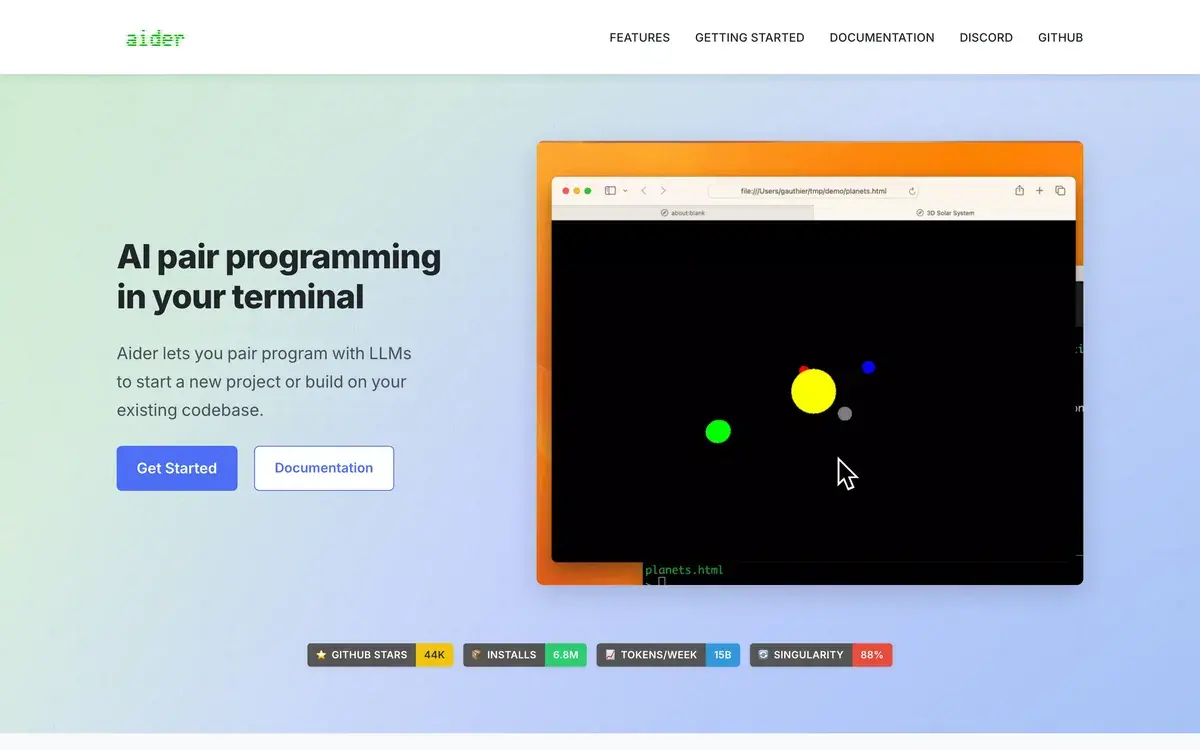
Open source CLI pair programmer — bring your own API key, your own model, your own repo. The thinking person's AI coding tool.

Free (open source)
📖 12 min read
Try Aider for free

Affiliate link — we may earn a commission

Ready to try it?
Aider
Free (open source)
Get started →
Affiliate link — we may earn a commission
Our rating
4.7/ 5
AIVario Editor's rating →

What is Aider?

Aider is an open-source command-line AI coding assistant — free under Apache 2.0 — that connects to Claude, GPT, Gemini, or local models, edits your files directly, and commits each change to git. Used by developers who want full control over their AI coding stack: choosing the model, owning the repo, paying only for the API tokens they consume. Key differentiators: model-agnostic by design, git-integrated by default, no subscription, no vendor lock-in. Best for developers comfortable in the terminal who value transparency and control.

The bring-your-own-API-key model is the philosophical core of Aider. Most AI coding tools (Cursor, Windsurf, Claude Code) wrap a model behind a proprietary subscription and a polished UI. Aider exposes the seams: you pick the model, you see the prompts, you watch the diffs, you pay the API bill directly. For developers who care about understanding what their tools are doing — and not paying twice when the underlying API costs are visible — this is a feature, not friction.

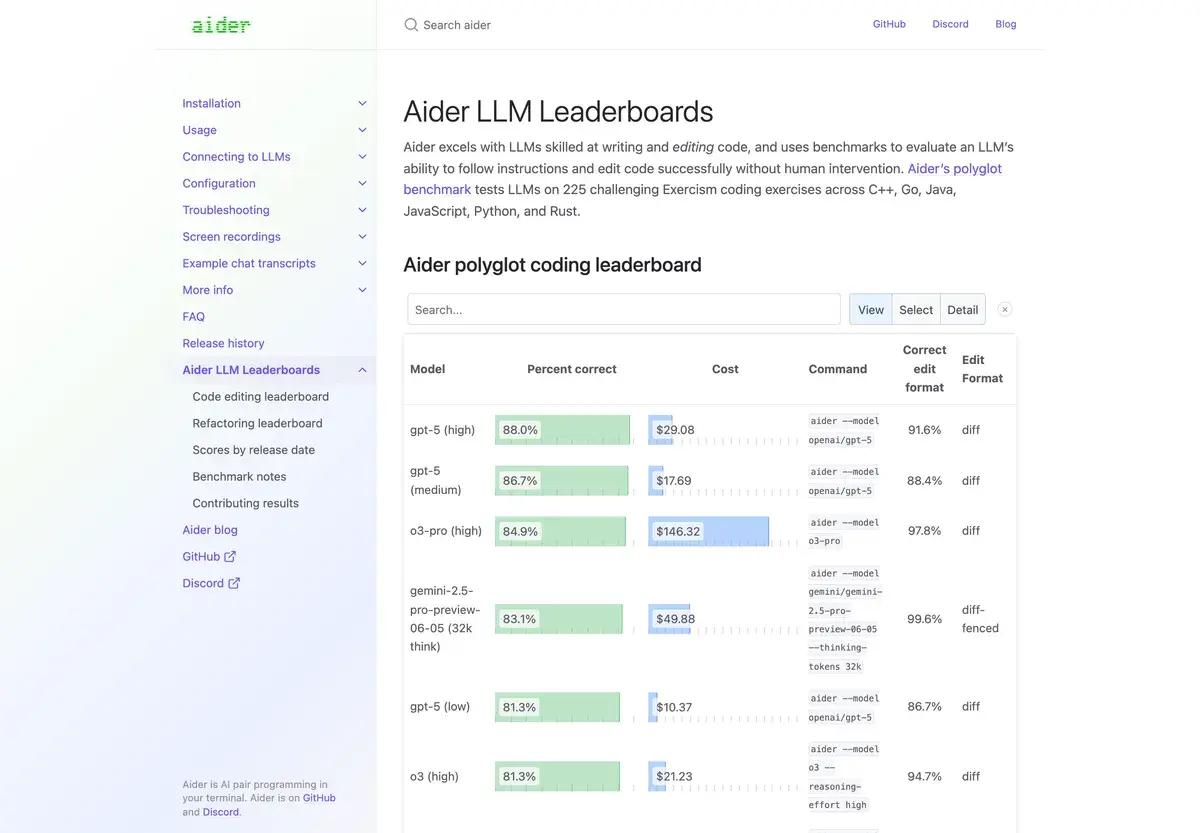
Aider has been one of the most consistently shipping open-source projects in AI tooling since 2023. The repo map architecture (compressed summary of codebase structure that fits in context windows) was developed in Aider before mainstream coding tools adopted similar approaches. The model leaderboard published by Aider's author tracks coding benchmark performance and has become a respected reference for "which model is actually best at code right now." The tool sits at the intersection of "genuinely good engineering" and "honest open-source community ethic," which is rarer than it should be.

Who is it for?

Aider is built for developers who treat the terminal as a primary tool and want their AI coding stack to be transparent, configurable, and free of subscription overhead. The clearest fit is senior engineers and infrastructure-leaning developers — people who already live in CLI tools, write their own dotfiles, and prefer composing small tools over buying integrated suites.

Open-source contributors and indie developers use Aider because the BYOK model means $5-30/month of API costs replaces a $20-30/month subscription with a fixed cap. For occasional use, costs can be near zero — you only pay for tokens consumed. For heavy use, you may end up paying more than a subscription, but with full visibility into where the money goes.

Developers working with multiple models — running Claude for nuanced refactoring, DeepSeek for cost-sensitive bulk changes, local models for sensitive code that should never leave the machine — use Aider as a unified frontend. Switching models mid-session is a single command. Most subscription-based tools cannot match this flexibility.

Developers in regulated or security-sensitive environments use Aider with local models (Ollama, LM Studio) for code that cannot be transmitted to external APIs. The local-model option has gotten meaningfully more usable as open-weight coding models (Qwen3 Coder, DeepSeek Coder, GLM Coder) have caught up.

It is not the right pick for developers who prefer GUI-first workflows or are not comfortable in the terminal. Cursor, Windsurf, and Continue.dev offer better starting experiences for those users. Aider is also weaker for non-technical contributors (PMs, designers) who occasionally edit code — the CLI requirement is a real barrier.

Key Features

  • Model-agnostic — works with Claude, GPT, Gemini, DeepSeek, Qwen, and any local model via Ollama or OpenAI-compatible endpoints
  • Direct file editing — makes actual changes to your files rather than producing diffs you have to apply manually
  • Automatic git commits — every change becomes a commit with a generated message, giving you a clean audit trail
  • Repo map — compressed summary of your codebase structure that fits in context, included automatically in prompts
  • Voice mode — dictate code changes verbally for hands-free editing
  • Multi-file edits — describe changes that span many files; Aider handles cross-file consistency
  • Local model support — run entirely offline with Ollama, LM Studio, or any OpenAI-compatible local server
  • Web mode — paste a URL and Aider can pull docs into context
  • Linting and testing — runs linters and tests after edits and iteratively fixes issues until they pass
  • Open source — Apache 2.0 license, no telemetry by default, full source available on GitHub

Aider vs Competitors 2026

ToolOpen sourceModel choiceSubscriptionGit integrationBest for
Aider✅ Apache 2.0✅ Any model❌ BYOK only✅ NativeCLI power users, OSS devs
Claude Code❌ Proprietary❌ Claude only$20+/mo (Pro)✅ NativeAnthropic-aligned teams
Cursor❌ Proprietary⚠️ Limited choice$20/mo (Pro)⚠️ ManualGUI-first developers
Windsurf❌ Proprietary⚠️ Limited choice$15/mo⚠️ ManualAgent-style IDE workflows
Continue.dev✅ Apache 2.0✅ Any model❌ BYOK⚠️ PluginVS Code / JetBrains users
Cline✅ MIT✅ Any model❌ BYOK⚠️ VS CodeVS Code agentic workflows
Goose✅ Apache 2.0✅ Any model❌ BYOK✅ NativeBlock's open agent framework

Data verified April 2026 from each provider's official documentation.

Aider vs Claude Code: The most-asked comparison since Claude Code launched in 2024. Claude Code is Anthropic's polished CLI agent, locked to Claude models, with a smoother first-run experience and tight Anthropic integration. Aider is model-agnostic, more configurable, free, and predates Claude Code by two years. The honest split: Claude Code is the better default for developers who want one-tool simplicity and are happy paying Anthropic. Aider is the right pick for developers who want model choice, control, or to avoid vendor lock-in. For users who want both, they are not mutually exclusive — they can run side by side on the same repo.

Aider vs Cursor: Different category entirely. Cursor is a full IDE (VS Code fork) with AI baked in. Aider is a CLI agent. Cursor is the right answer if you want AI inside an editor for inline completions and chat. Aider is the right answer if you want AI as a delegated agent that operates on your codebase from outside your editor. Many developers use both: Cursor for in-editor work, Aider for larger refactors and multi-file changes.

Aider vs Continue.dev: The closest open-source comparison. Continue is a VS Code / JetBrains plugin with similar BYOK and model-agnostic philosophy. Aider is CLI-only and git-native; Continue is editor-embedded. The choice is essentially "do I want this in my editor or my terminal?" Both are excellent open-source options.

Aider vs Cline: Cline is a VS Code-embedded agent, also open source, with a stronger focus on autonomous multi-step agentic workflows. Aider is more conversational and human-in-the-loop. Cline pushes harder on "let the agent run"; Aider pushes harder on "review every diff." Different philosophies, both valid.

Aider vs Goose: Block (formerly Square) released Goose as their open-source agent framework. It is more general-purpose than Aider — extensible to any agentic task, not just coding — but less mature for pure coding workflows. Aider is more focused, more battle-tested for the specific job of "edit code in my repo."

Pricing

Aider is free and open source under the Apache 2.0 license. There is no Aider subscription. You pay only for the AI model API you choose to use:

Approximate monthly costUse case
$0Casual use with local models (Ollama, LM Studio)
$5-15/moLight use with Claude Sonnet or GPT-4 mini
$15-40/moRegular use with mid-tier models on real projects
$40-150/moHeavy use with frontier models (Claude Opus 4, GPT-5)

Estimates based on typical token usage patterns; your actual API costs depend entirely on usage.

The honest math: for most developers, Aider with Claude Sonnet runs less than a Claude Code Pro subscription would, with the upside of being able to switch to cheaper models for bulk work. Heavy users running frontier models continuously can spend more than subscription pricing — but with full visibility into where the money goes and the option to throttle by switching models.

Hands-on Notes

The thing that makes Aider feel different from every paid AI coding tool is the transparency. You can see what prompts it sends, what diffs it produces, what tokens it consumed, and what each commit cost. There is no abstraction layer hiding the AI from you. For developers who want to actually understand their tools, this is more pleasant to use than any "smart" wrapper that obscures what is happening.

Git integration is where Aider's design philosophy pays off in daily use. Every change becomes a commit, with a generated message, in your existing git history. If a change goes wrong, you git reset and try again. If you want to keep some changes and discard others, you git checkout selectively. Aider does not invent its own state management; it uses git the way git is meant to be used. This is the kind of design choice that makes a tool feel like it was made by someone who has actually shipped software.

The repo map is the feature that separates Aider from naive AI coding tools. Watching it intelligently include relevant files (including type definitions, related modules, the file you are editing) and exclude irrelevant ones is a quietly impressive piece of engineering. The map updates as you move between files and as the codebase changes. It is what makes Aider work on real-world projects rather than only on toy examples.

What gets in the way: the CLI requirement is real. Developers who do not already live in the terminal will find Aider's user experience harder than Cursor's or Windsurf's. The voice mode and web integration help, but the primary interface is still text in / text out. If you are not comfortable using the command line as a daily driver, Aider is a less natural fit.

The other honest critique: Claude Code's emergence has changed Aider's competitive position. For developers happy to run Claude models on a subscription, Claude Code is roughly as capable, more polished out of the box, and easier to recommend to teammates. Aider's edge is what it always was — model choice, BYOK transparency, open-source values, and the fact that the leaderboard maintained by the project author is one of the best signals in the AI coding space about what model is actually good at code right now.

Use Cases

Senior engineer doing multi-file refactors: A staff engineer at a Series C company uses Aider for refactors that span 10-50 files — extracting shared logic, updating type signatures, migrating to new patterns. The repo map keeps the AI grounded in the real codebase structure. Each change becomes a git commit, making the refactor easy to review in PR form. Cursor and Claude Code can do this too, but Aider's git workflow is the most surgical.

Open-source maintainer fixing issues at scale: A maintainer of a popular OSS library uses Aider to triage and fix backlog issues. Reading an issue, describing the change, watching Aider implement it across the relevant files, reviewing the diff, committing — the whole loop is faster than manual editing while keeping the maintainer in control of every change.

Solo founder shipping infrastructure code: A technical founder writing the deploy pipeline, observability stack, and database migrations uses Aider as a sanity-check pair programmer. BYOK pricing means infrequent use costs almost nothing; the model can be swapped per task (Claude for nuance, DeepSeek for bulk).

Developer working with sensitive code: A security-focused developer at a financial services company uses Aider with local models (Ollama running Qwen3 Coder) for code that cannot be transmitted to cloud APIs. The same workflow that runs against Claude in personal projects runs against a local model in the regulated environment.

Cost-conscious team optimizing AI spend: A small engineering team uses Aider's model-switching to minimize spend without sacrificing quality. Quick changes use cheaper models; complex multi-file work uses Opus or GPT-5. Total monthly AI spend is meaningfully lower than equivalent subscription pricing across the team.

Our Verdict

Aider is the AI coding tool we have the most respect for, and not just because we have a soft spot for thoughtful open-source projects. The design choices — model-agnostic, git-native, transparent, configurable — reflect a clear-eyed view of what AI coding tools should look like for serious developers. The fact that it has shipped consistently since 2023, ahead of most ideas it pioneered being adopted by paid alternatives, says something about the project's substance.

The honest weaknesses: the CLI-only interface is a real barrier for developers who prefer GUI tools. Setup, while simple for terminal-comfortable users, is not zero-config. Claude Code's emergence has made the "easiest CLI AI coding tool" harder to claim — Aider remains the best for control and flexibility, but Claude Code is now the easier first-time experience for Anthropic-aligned developers.

For senior engineers, OSS contributors, security-conscious developers, and anyone who values understanding their tools, Aider is the right answer. For developers who want one-click setup or GUI-first workflows, Cursor, Windsurf, or Claude Code are easier to recommend. We use Aider regularly and we will keep using it for as long as it keeps shipping at this quality.

Note: Aider is open source and has no affiliate program. AIVario earns no commission from any associated tool. Our rating reflects ongoing daily use with multiple models across personal and client projects.

Best for: Senior engineers, OSS contributors, indie developers, security-sensitive workflows, model-switching power users Not ideal for: GUI-first developers (use Cursor or Windsurf), developers without terminal comfort, beginners new to AI coding tools Bottom line: The thinking developer's AI coding tool — open, transparent, configurable, and built by people who clearly ship software for a living.

Related Tools

  • Claude Code — Anthropic's polished CLI alternative for developers happy with Claude-only workflows
  • Cursor — full IDE with AI built in, complementary to Aider for in-editor work
  • Windsurf — alternative AI-first IDE with strong agentic workflows
  • Warp — modern AI terminal that Aider runs comfortably inside
  • GitHub Copilot — inline completion alternative, complementary to Aider's delegated-agent style

Frequently Asked Questions about Aider

Is Aider really free?

Yes, Aider itself is open source under the Apache 2.0 license — there is no subscription. You only pay for the AI model API you use (Anthropic, OpenAI, Google, or your own local model). For most developers, real-world API costs run $5-30/month at moderate use, far below paid alternatives like Cursor or Claude Code Pro.

What models does Aider work with?

Aider works with Claude (Sonnet, Opus, Haiku), GPT-4 and GPT-5, Gemini Pro, DeepSeek, and any local model via Ollama or LM Studio. The model leaderboard published by Aider's author has become a respected benchmark for coding-task model quality. You can switch models per session or per task.

How does Aider compare to Claude Code?

Claude Code is Anthropic's official CLI agent, locked to Claude models, with a polished UX and tight Anthropic integration. Aider is model-agnostic, more configurable, and free of vendor lock-in. Claude Code is generally faster to set up and has better default ergonomics. Aider is the right pick for developers who want control, model choice, or to use models other than Claude.

Does Aider edit my files directly?

Yes, Aider edits files in your working directory and commits each change to git automatically. You can review the diff before approving, undo any change with a single command, and the git history gives you a complete audit trail of every AI-made edit. This is genuinely the safest model for AI coding once you trust it.

Does Aider understand my whole codebase?

Aider builds a 'repo map' of your codebase — a compressed summary of every file's structure (classes, functions, signatures) — and includes the relevant parts in each prompt. For large codebases, this is the difference between asking the AI to make sensible changes and watching it hallucinate context. The repo map adapts based on what file you are editing.

Can Aider run without internet?

Yes, Aider can use local models via Ollama, LM Studio, or any OpenAI-compatible local server. Output quality depends on the local model — current open-weight models (Qwen3 Coder, DeepSeek Coder) are strong enough for many tasks, though still behind frontier models like Claude Opus 4 for complex changes.

Is Aider hard to set up?

Setup is install-and-go for developers comfortable with Python and the terminal: `pip install aider-chat`, set an API key environment variable, run `aider` in any git repo. For developers who prefer GUI tools and have not used the command line as a daily driver, the learning curve is real and Cursor or Windsurf may be a better starting point.

Is Aider good for big projects?

Yes, the repo map architecture was designed specifically for large codebases. Aider works with codebases of millions of lines by being selective about which files it includes in each prompt. It is one of the better-tested CLI agents on real-world projects — many of the techniques later adopted by other AI coding tools were prototyped in Aider first.