Granola

Granola

🔥 Hot
AI Meeting Notes
Quick answer

Granola takes notes with you rather than instead of you — you type roughly during a call, and it merges your notes with the system audio into a structured summary, without a bot ever joining the meeting. Pricing was restructured in 2026: the old Pro and Individual plans are gone, replaced by free Basic with limited note history, Business at $14 per user and Enterprise at $35. The limitation nobody mentions until you need it: Granola stores text only, so there's no audio or video to replay when you want to check what someone actually said.

Best for: People who already type during meetings and want notes without a bot in the room
Skip if: You don't take notes, or you need to replay what was said
Free Basic · $14/user Business · $35/user Enterprise
EdGrowsReviewed by EdGrows·Updated Aug 18, 2026
Try Granola for free

Affiliate link — we may earn a commission

Researched

This analysis is based on documentation, public user reports, and vendor materials — not yet on our own hands-on testing. How we rate

The model, and who it excludes

Most meeting tools record you and hand back a summary. Granola does something different enough that using it wrong makes it look worse than the free alternatives.

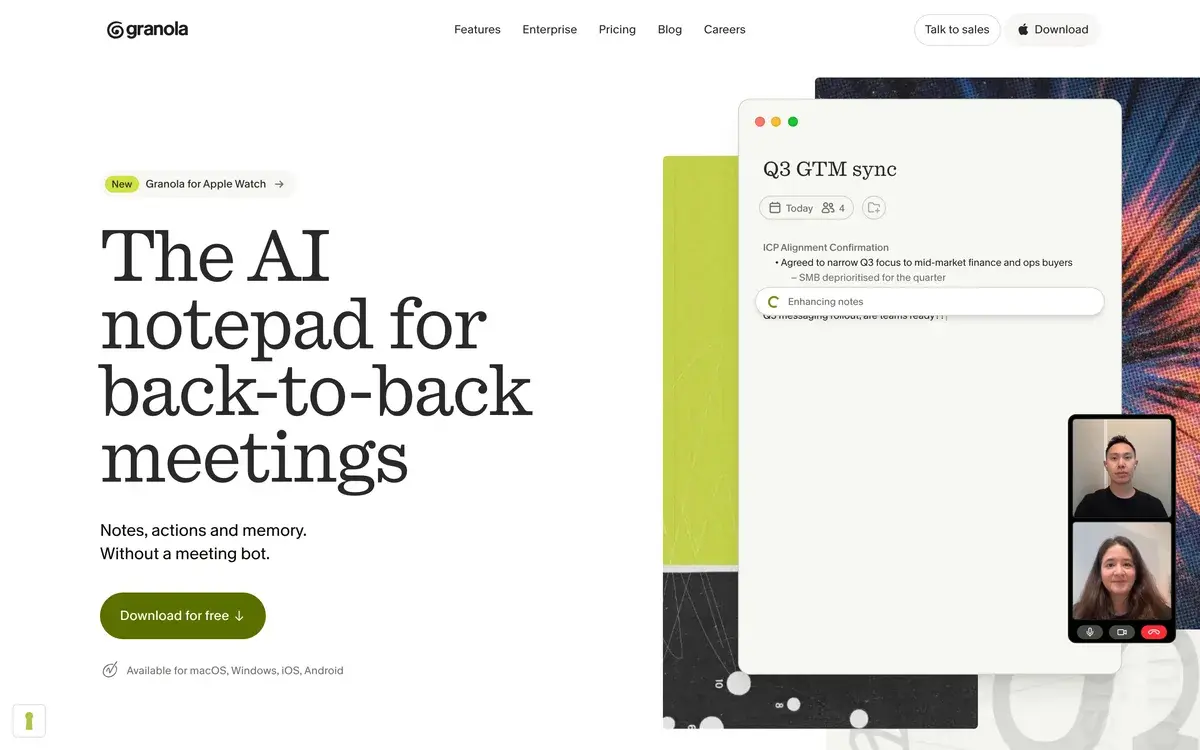
You type rough notes during the call. Fragments, half-sentences, the thing you don't want to forget. Granola captures the system audio in parallel, then merges the two — your priorities plus the full transcript — into a structured summary that reflects what you thought mattered.

That's the entire pitch and it has a sharp edge: if you don't take notes, none of this applies to you. You'll get a generic AI summary that Fathom's free tier or Otter's matches without charge.

The recommendation reviewers keep arriving at is the right one: run the free plan for two weeks and be honest about whether you actually typed anything.

Pricing was rebuilt, so check what you're reading

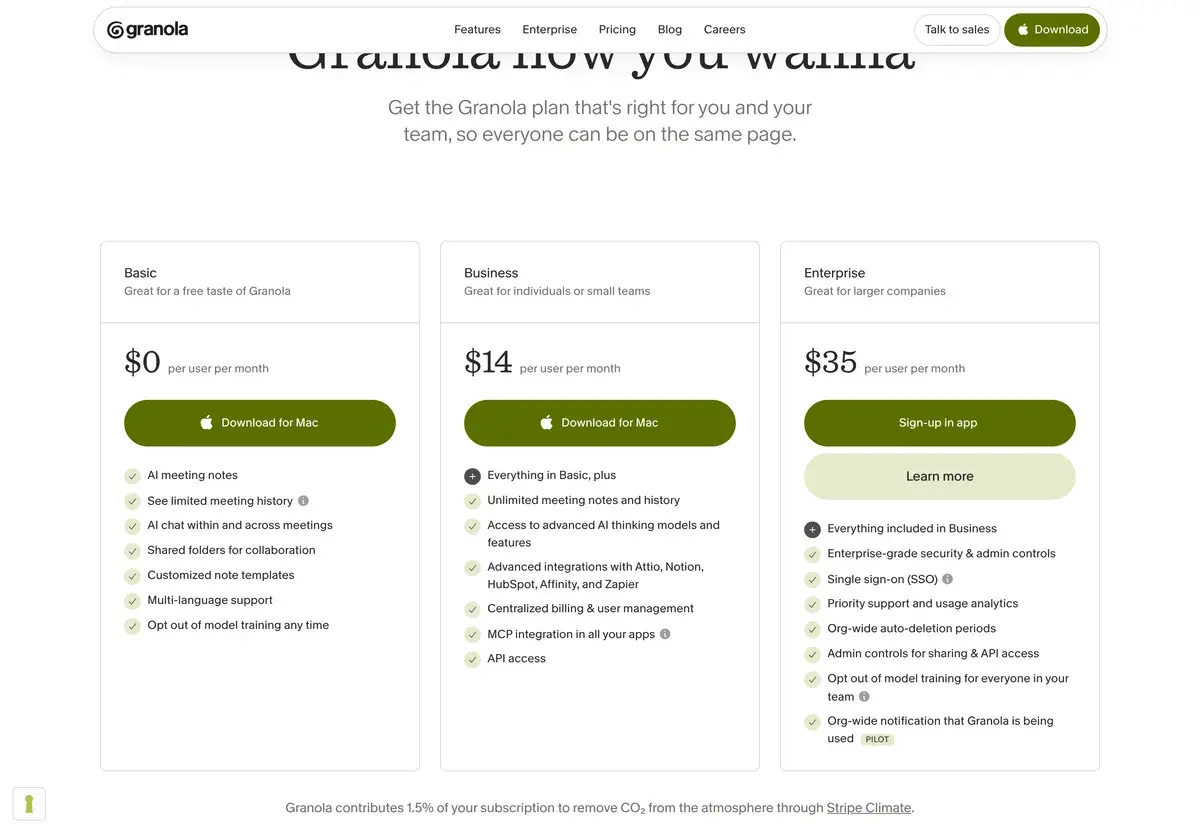
The old Pro and Individual plans are retired. The 2026 lineup:

PlanCostWhat it covers
BasicFreeAI notes, AI chat, templates, multi-language — limited history
Business$14/user/moUnlimited history plus Notion, HubSpot, Slack, Zapier integrations
Enterprise$35/user/moSSO, API access, team-wide opt-out of model training

Any comparison quoting $10, $18 or $25 for Granola describes a structure that no longer exists.

The integration row is the actual decision point. If notes need to flow into Notion, HubSpot, Slack or Zapier, you're on Business. If they don't, Basic covers the core experience — with a history limit.

That limit is described inconsistently across sources: some report a 25-note cap, others a rolling 30-day window. Both descriptions share the same shape — record as much as you like, lose access to older notes — and both make Granola's free tier one of the more restrictive in the category, against Fathom's unlimited free recordings and Otter's 300 monthly minutes.

No bot, which is the reason people switch

Granola captures audio from your computer's system output. No extra participant appears in the call. Nobody watches a recorder join and announce itself.

Fathom, Fireflies, tl;dv and Otter all join as visible attendees.

For a client call, a VC conversation, a consulting engagement or any discussion where a recording bot changes the room's temperature, that difference is worth more than any feature comparison. It's also the thing that makes Granola feel like a personal tool rather than an institutional one.

Worth being clear-eyed about the flip side: other participants have no way of knowing you're capturing the conversation. That's a discretion feature and a responsibility. Consent norms and, in some jurisdictions, consent law don't care that no bot appeared.

The gap that shows up three months in

Granola stores text only. There is no audio or video playback on any tier.

That sounds acceptable until the first time you need it. A client disputes what was agreed. A summary flattens a nuance you half-remember. Speaker attribution looks wrong and you want to check.

With Otter, Fireflies or tl;dv, you re-listen. With Granola, the transcript is the only record and you cannot verify it against anything.

This compounds with the accuracy profile. Reported figures put Granola at 90–95% on clean audio with one speaker, dropping noticeably at three or more participants where speaker identification also breaks down. So the situations where the transcript is least reliable are exactly the ones where you can't check it.

For 1:1 calls that's a manageable trade. For multi-person meetings where precision matters, it's the strongest argument against the tool.

Platform blockers worth checking before you commit

Three, and any one of them can be disqualifying:

No Android app. The team has indicated it's on the roadmap without a confirmed date. Teams split across Android phones get an uneven experience, and the usual substitutes people name are Otter and similar.

Windows is in beta with incomplete feature parity against macOS. Granola remains a Mac-first product.

A Google Workspace account is required, excluding personal Gmail and other email domains.

None of these are quality issues. They're compatibility facts that decide whether the tool is available to you at all.

The company behind it

Worth noting because it's unusual in this category: Granola closed a $125 million Series C at a $1.5 billion valuation in Q1 2026 — the defining funding headline for AI meeting notes that year, and a signal that investors treat this as a durable category rather than a feature ChatGPT will absorb.

Founded in 2023 by Chris Pedregal, previously a Google product manager and founder of Socratic, with Sam Stephenson.

For a tool holding years of your meeting history, that stability is a legitimate consideration rather than trivia.

Where it doesn't fit

Non-note-takers. The whole model assumes you type.

Anyone needing playback. No audio or video, any tier.

Larger team meetings. Accuracy and speaker ID both degrade past two or three people.

Android users, Windows-first teams, non-Workspace accounts. Hard blockers.

Granola vs the alternatives

Against Otter: Otter leads on raw transcription accuracy, speaker attribution and searchable archives, and keeps the recording so you can verify. Granola wins on bot-free capture and the note-enhancement workflow. Reviewers put it neatly — if you hate meeting bots, Granola; if you live in old transcripts, Otter.

Against Fathom: Fathom offers unlimited free recordings, which makes Granola's history-capped Basic plan look tight by comparison. Fathom joins as a bot; Granola doesn't. For free-tier generosity, Fathom; for discretion, Granola.

Against Fireflies: Fireflies is stronger on CRM workflows and team-wide search, with Pro reported around $10 per user — cheaper than Granola Business. Better for sales teams; less pleasant as a personal tool.

Against Notion AI: Notion AI captures notes inside a workspace you already use. Weaker as a meeting tool, better if consolidation matters more than quality.

Against Zoom AI: Zoom's own AI is included with the platform for Zoom-only teams, which makes it hard to justify a separate subscription unless you're on mixed platforms or want bot-free capture.

Pricing 2026

PlanMonthly per userIncludes
BasicFreeUnlimited meetings, AI notes and chat, limited history
Business$14Unlimited history, Notion / HubSpot / Slack / Zapier
Enterprise$35SSO, API access, opt-out of model training

Checked August 2026. Granola restructured pricing in 2026, retiring the previous Pro and Individual plans — sources quoting $10, $18 or $25 predate the change. Free-plan history limits are reported inconsistently as a 25-note cap and as a rolling 30-day window; verify the current rule on granola.ai. There is no audio or video playback on any tier, Windows support remains in beta, and a Google Workspace account is required.

Test whether you actually type. Two weeks on Basic answers the only question that matters.

Decide on integrations, not on history. Notion, HubSpot, Slack and Zapier are what Business really unlocks.

Check the three platform blockers first. Android, Windows parity, Workspace requirement — any one can end the evaluation.

Assume you can't verify a transcript. Plan around that for anything where precision matters.

Our Verdict

Granola is the most pleasant meeting tool for people who already take notes, and the bot-free capture is a genuine differentiator rather than a feature bullet — client calls, VC conversations and consulting work feel different when nothing announces itself in the room. The note-enhancement model produces summaries shaped by what you thought mattered rather than by what an AI guessed, which is a meaningfully better output. A $125 million Series C at a $1.5 billion valuation says the company will be here for the meeting history you accumulate.

The 2026 restructure matters for anyone comparing. Pro and Individual are retired, replaced by free Basic, $14 Business and $35 Enterprise, with integrations as the real upgrade trigger and a history-capped free tier that's among the tightest in the category.

Two limitations deserve weight. There is no audio or video playback on any plan, so the transcript is the only record and you can never verify it — which compounds badly with accuracy that drops at three or more participants along with speaker identification. And the platform requirements are real: no Android, Windows in beta, Google Workspace mandatory.

For solo operators and small teams running 1:1 calls who type during meetings, recommend at Business. For multi-person meetings, teams needing playback, or anyone who never takes notes, Otter or Fathom fit better and cost less.

Note: Granola does not currently have an affiliate program with AIVario. We earn no commission, and this rating carries no commercial incentive.

Best for: People who type during calls, client-facing work where a bot would be awkward, Mac-first solo operators and small teams, 1:1 conversations Not ideal for: Non-note-takers, meetings with several participants, anyone needing to replay audio, Android users and non-Workspace accounts Bottom line: The best note-taking workflow in the category and a genuinely bot-free one — as long as you type during meetings and never need to hear what was actually said.

  • Otter AI — better accuracy, speaker attribution and playback you can verify
  • Fathom — unlimited free recordings, joins calls as a bot
  • Fireflies — stronger CRM workflows for sales teams, cheaper per seat
  • Notion AI — notes inside a workspace you already use
  • Zoom AI — included free if your team lives entirely in Zoom

Frequently Asked Questions about Granola

What does Granola cost in 2026?

Three tiers after a restructure: Basic is free, Business is $14 per user per month, and Enterprise is $35 per user per month with SSO, API access and team-wide opt-out of model training. The old Pro and Individual plans were retired, so any comparison quoting $10, $18 or $25 describes a lineup that no longer exists. The deciding line is integrations — Notion, HubSpot, Slack and Zapier all require Business.

What are the free plan's actual limits?

You can capture unlimited meetings and use AI notes and AI chat at no cost; what's restricted is history. Sources describe it variously as a 25-note cap and a rolling 30-day window, so verify the current rule directly. Either way the pattern is the same — you keep recording freely and lose in-app access to older notes unless you upgrade. Against Fathom's unlimited free recordings and Otter's 300 monthly minutes, it's one of the more restrictive free tiers in the category.

Does a bot join the meeting?

No, and this is the main reason people choose it. Granola captures audio directly from your computer's system output, so no extra participant appears in Zoom, Teams or Meet, and nobody sees a recorder announce itself. Fathom, Fireflies, tl;dv and Otter all join as visible attendees. For client calls, VC conversations and consulting work where a recording bot would be awkward, that difference is the product.

Can I replay a meeting afterwards?

No — and this is the limitation most likely to matter later. Granola provides text transcripts and enhanced notes only, with no audio or video playback on any tier. You cannot re-listen to verify a transcript, check a tone, or catch nuance the summary missed. Otter, Fireflies and tl;dv all keep the recording. If your work ever depends on what was said precisely rather than approximately, that gap is a real risk.

How accurate is it?

Reported at roughly 90–95% on clean audio with one person speaking at a time, dropping noticeably in calls with three or more participants, where speaker identification also breaks down. Otter leads on raw accuracy and attribution. For 1:1 client calls Granola is comfortably accurate enough; for a six-person team meeting where who said what matters, it's the weaker choice — and without playback you can't check.

Which platforms does it run on?

macOS is the primary experience, Windows arrived but remains in beta with incomplete feature parity, and there's an iOS app. There is no Android app as of 2026, with the team indicating it's on the roadmap without a confirmed date. A Google Workspace account is also required, which excludes personal Gmail and other email domains. For teams split across Android phones or not on Workspace, those are hard blockers rather than inconveniences.

Is the company stable?

Considerably more than most in this category. Granola closed a $125 million Series C at a $1.5 billion valuation in Q1 2026, which was the defining funding headline for AI meeting notes and signalled that investors treat the category as durable rather than as a ChatGPT feature. Founded in 2023 by Chris Pedregal — previously a Google product manager and founder of Socratic — and Sam Stephenson.

Who should not use it?

Anyone who doesn't type during meetings. Granola's model is enhancing your rough notes; if you never write anything, you're paying for a generic AI summary that several free tiers match. The honest test is running the free plan for two weeks and being truthful about whether you actually typed during those calls. If you didn't, Fathom or Otter's free tiers do the same job for nothing.

View all →