What is Fathom?
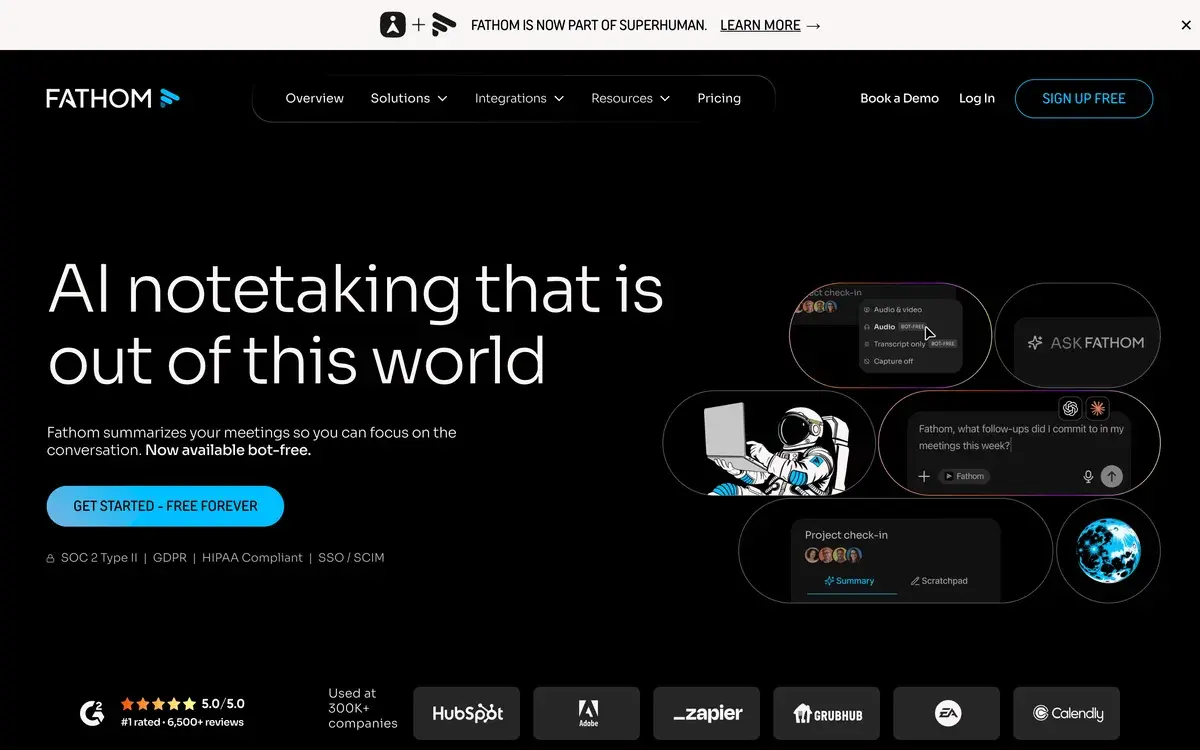
Fathom is a free AI meeting assistant that records, transcribes, and summarizes video meetings on Zoom, Google Meet, and Microsoft Teams. It joins meetings as a participant, captures the full audio and video, generates a searchable transcript, and produces an AI summary with action items within seconds of the meeting ending. The free tier is genuinely unlimited (no storage caps, no length limits, no trial period), which makes it the default recommendation for individual users in the AI meeting assistant category.
Founded in 2020 by Richard White (formerly founder of UserVoice), Fathom raised meaningful funding ($14M Series A in 2022, additional rounds since) and built a user base that grew rapidly by offering "the only AI meeting tool with no free tier restrictions." That positioning differentiates Fathom from competitors that limit free usage to drive paid conversions.
The product execution is solid. Meeting joining is reliable, transcription quality is competitive with alternatives, and the summary feature surfaces useful information rather than producing generic recap text. The free tier limits are essentially nonexistent for individual users, which means Fathom can be evaluated and adopted without commitment friction.
Who is it for?
Fathom serves anyone whose work involves regular video meetings where retaining and reviewing meeting content has value. The free tier democratizes access in a way most competitors don't, making Fathom approachable for users who would never pay for meeting tools but benefit from having transcripts and summaries.
Specific user types where Fathom fits:
- Solo professionals attending 5+ meetings weekly who want meeting notes without the manual note-taking work. Free tier covers their needs indefinitely.
- Sales professionals capturing customer conversations for review and pipeline management. CRM integrations on Premium plan justify the upgrade for revenue-generating roles.
- Customer success teams documenting client calls for handoff, reporting, and reference. Searchable transcript history becomes invaluable for relationship management.
- Recruiters capturing candidate interviews for review and team alignment. Action items and key moment highlights help interview debriefs.
- Consultants and freelancers documenting client conversations for accurate scope and follow-up. Reduces the "what exactly did we agree to" risk in service work.
- Researchers and journalists conducting interviews where accurate quotation matters. Fathom transcripts plus video review enable accurate reporting.
- Remote teams sharing meeting recordings with members who couldn't attend live. Summary plus searchable transcript provides faster catch-up than watching full recording.
User types where Fathom may not be the best choice:
- Privacy-sensitive contexts (legal, medical, regulated industries) where any cloud-based recording creates compliance risk. Self-hosted alternatives or no recording at all may be required.
- Teams using less common video platforms (Webex, Whereby, native Slack huddles) that Fathom doesn't currently support.
- Users on Linux without native app support. Fathom desktop app supports Mac and Windows only.
- Heavy audio file users wanting to upload pre-recorded files for transcription. Fathom focuses on live meetings rather than file upload, unlike Otter.
Key Features
The Fathom feature set is focused on meeting capture and post-meeting workflow rather than broad productivity. The features below drive most subscription and usage decisions.
Automatic meeting joining and recording is the headline feature. Once configured, Fathom automatically joins your scheduled meetings on Zoom, Google Meet, and Teams. Records full audio and video. No manual setup required for recurring meetings. The "set it and forget it" workflow is what makes Fathom genuinely useful in daily work.
Real-time transcription during meetings, displayed live as the meeting progresses. Useful for participants who want to see written content while listening, accessibility for hearing-impaired participants, and reference during the meeting itself. Quality is competitive with dedicated transcription tools.
AI summary generation within seconds of meeting end. Produces structured summary covering: meeting topic, key discussion points, decisions made, action items with owners, and key questions raised. Quality is genuinely useful rather than generic. Identifies action items reliably enough to populate task management workflows.
Highlight clips for sharing specific moments from meetings. Click to mark important moments during the call, share short video clips with team members, or extract specific testimonials or quotes. The clip-sharing workflow makes meetings more shareable than full recordings.
CRM auto-sync on Premium and Team plans. Meeting summaries, action items, and contact information automatically populate HubSpot, Salesforce, or Close. For sales teams this is the killer feature: post-call note-taking work that consumed 15-30% of selling time disappears.
Searchable meeting history indexes every word from every meeting. Search by keyword across all your past meetings to find specific discussions, decisions, or quotes. The search-back-in-time capability is what makes meeting recording valuable beyond just the next-day summary.
Multi-language support for 25+ languages including major European, Asian, and Latin American languages. AI summaries generated in source language. Useful for multinational teams or language-specific markets.
Speaker identification distinguishes between meeting participants automatically. Summary attributions identify who said what. Useful for review and CRM data quality (knowing which contact made which commitment).
Calendar integration with Google Calendar and Outlook. Fathom shows in your calendar which meetings will be auto-recorded. Easy to disable for sensitive meetings before they start.
Mobile app for iOS allows access to recordings, transcripts, and summaries on the go. No mobile app for Android currently (significant gap for users on Android phones).
Fathom vs Competitors 2026
| Tool | Strength | Pricing | Best For |
|---|
| Fathom | Best free tier, simple workflow | Free / $19 / $29 | Solo users, individual sales reps |
| Otter AI | Broad transcription + integrations | Free 300min / $16.99 / $30 | Teams wanting ecosystem fit |
| Granola | Smart notes from messy notes + audio | Free / $18 | Mac users wanting active note-taking |
| Fireflies | Conversation intelligence + analytics | Free / $18 / $29 | Sales teams wanting analytics depth |
| Read AI | Engagement metrics + insights | Free / $19.75 / $29.75 | Teams optimizing meeting effectiveness |
| Tactiq | Browser-based real-time transcription | Free / $8 / $16 | Light users, real-time only |
| Zoom AI Companion | Native to Zoom | Included with Zoom Pro | Zoom-only users wanting native solution |
Pricing verified April 2026.
Fathom vs Otter AI. The most common comparison in this category. Otter has been in the market longer with stronger integrations (Slack, Notion, etc.) and broader use cases (file uploads, voice notes). Fathom has a more generous free tier and simpler focused workflow. Both deliver competitive transcription and summary quality. Choice often comes down to: free tier needs (Fathom wins) vs ecosystem fit (Otter wins). Many users who try Fathom free continue with Fathom indefinitely because the free tier covers their needs.
Fathom vs Granola. Different design philosophies. Fathom auto-records and produces post-meeting summaries. Granola listens during meetings while you take rough notes, then enhances your notes with AI. Granola is for active note-takers; Fathom is for passive capture. Granola Mac-only currently while Fathom works on Mac and Windows. Many users prefer Granola's active note-taking model for high-stakes meetings and Fathom's automation for routine ones.
Fathom vs Fireflies. Fireflies offers more conversation intelligence (sentiment analysis, talk-time analytics, deal-stage analysis for sales). Useful for sales teams wanting to optimize conversations beyond just capturing them. Fathom is simpler with less analytics depth. For pure meeting capture, Fathom. For sales coaching and optimization, Fireflies.
Fathom vs Zoom AI Companion. Zoom's native AI Companion is included with Zoom Pro at $14.99/mo. Records, transcribes, and summarizes Zoom meetings with no additional subscription. For Zoom-exclusive users, this can replace third-party tools. Fathom's advantages: works across Zoom, Meet, and Teams (not just Zoom), free tier exists, more sophisticated summaries. For Zoom-only users on Pro plans, AI Companion may be sufficient.
Fathom vs Tactiq. Tactiq is the budget alternative offering real-time browser-based transcription. Lighter feature set than Fathom. Cheaper paid tiers. Suitable for users who only need transcription without summaries or CRM integration. Free tier is functional but more limited than Fathom's.
Pricing 2026
| Plan | Monthly Cost | Key Features | Best For |
|---|
| Free | $0 | Unlimited recording, transcription, summaries, storage. No restrictions. | Individual users, solo professionals |
| Premium | $19/user/mo (annual) | CRM sync, advanced AI features, priority support, custom templates | Sales reps, customer success, individual paid power users |
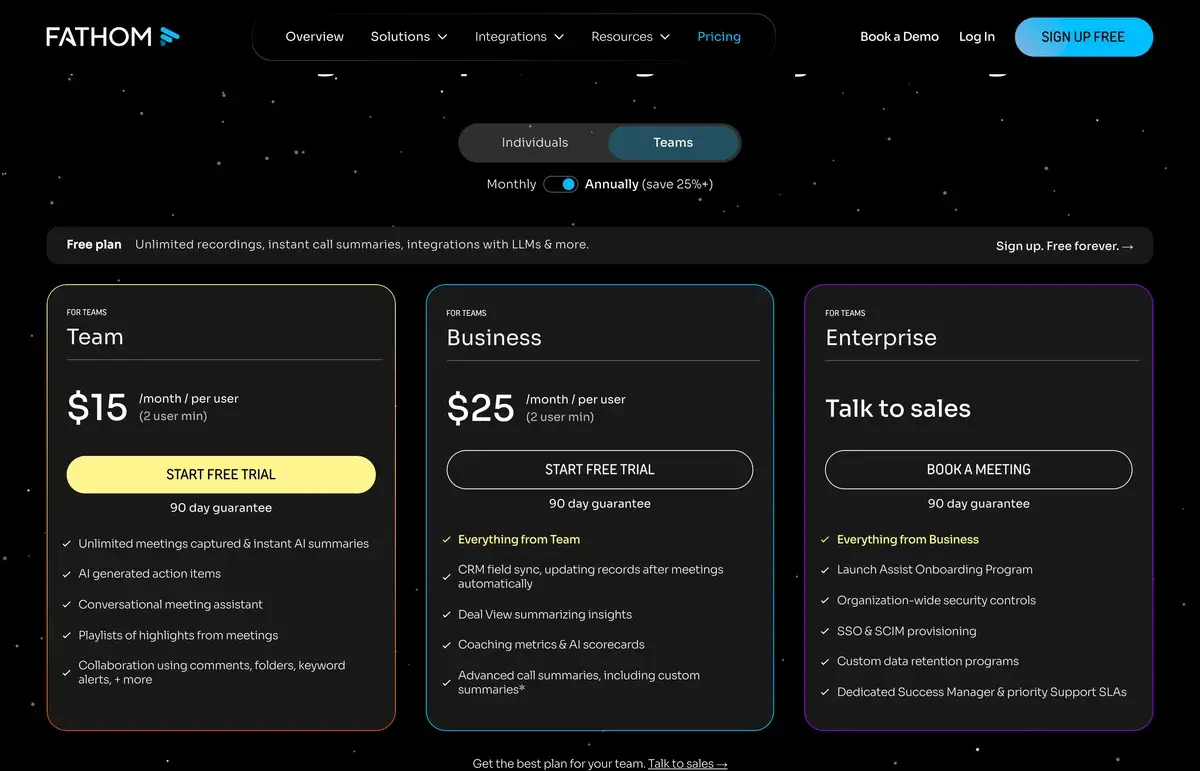
| Team | $29/user/mo (annual) | Team workspaces, shared recordings, admin controls, SSO | Small teams (5-25 users), sales teams |
| Enterprise | Custom | Custom features, advanced security, dedicated support | Large organizations |
Pricing verified April 2026 from fathom.video/pricing.
The free plan is the most generous in the AI meeting tool category and remains genuinely useful for individual users indefinitely. Most solo professionals find the free tier covers their entire workflow without limits that force upgrades.
Premium at $19/user/mo unlocks CRM integration (the main upgrade trigger for sales professionals), advanced AI features, and custom templates. For salespeople whose meetings drive revenue, the CRM sync alone often pays for the subscription.
Team at $29/user/mo adds team management features, shared recordings, and admin controls. Suitable for small sales teams or customer success teams where shared visibility into customer conversations has value.
Enterprise pricing is custom for organizations needing advanced security, compliance features, or dedicated support. Specific use cases include regulated industries, larger companies with complex IT requirements, and customers needing custom integrations.
The pricing structure rewards individual adoption (free) while monetizing professional use cases that genuinely benefit from advanced features. This is healthier product economics than competitors that restrict free tiers heavily to force upgrades.
What I think about Fathom
I evaluated Fathom for AIVario meeting workflow needs. Honestly, this is one of the most generous "free tier that's actually free" examples I've seen in the AI tools space, and it deserves the user adoption it has achieved.
What works well: the free tier has no asterisks. Unlimited recordings, unlimited storage, full transcription, full summaries, no watermarks, no time-limited trial. Most "free" AI tools have catches; Fathom doesn't. This makes it easy to recommend without the typical "try it but watch out for X" caveats.
The summary quality is good in the meeting recordings I tested. Action items are identified reliably. Key discussion points are captured accurately. The summaries are genuinely useful as meeting recap rather than generic AI-generated text that requires re-reading.
What I would honestly flag: Fathom is focused specifically on meeting capture rather than broader productivity. Users wanting one tool for meetings, voice notes, audio file transcription, and document interaction may prefer Otter or Granola for the broader scope. Fathom does meetings well but doesn't try to do other things.
The mobile app gap (no Android app currently) is meaningful for users on Android phones. iOS-only mobile access in 2026 is a noticeable limitation given Android's market share globally.
For AIVario, I have not yet integrated Fathom into a regular workflow because I do not currently take many video meetings. If meeting volume grows (as we add team members, do podcast recording, or scale customer conversations), Fathom is the obvious starting point given the free tier coverage.
For someone evaluating today: install Fathom, configure auto-recording, attend your normal meetings for two weeks, then evaluate the resulting transcripts and summaries. The free tier removes evaluation friction, and the value either becomes clear within those two weeks or it doesn't apply to your workflow.
Use Cases
Solo consultant capturing client calls. Free plan. Configures Fathom to auto-join all calendar meetings. Reviews summaries within 24 hours of each call to extract action items and follow-ups. Uses searchable history to reference specific past discussions during ongoing client engagements. Replaces manual note-taking that previously consumed 30 minutes per call.
Inside sales rep at SaaS company. Premium plan at $19/mo (often expensed). HubSpot CRM integration auto-populates contact records with meeting summaries and action items. Searches transcripts to recall specific deal-relevant quotes during pipeline review. Replaces 15-30% of selling time previously spent on note-taking and CRM data entry.
Customer success manager at B2B company. Team plan at $29/user/mo. Shares meeting recordings with implementation specialists for client handoff. Builds searchable knowledge base of common customer questions and concerns. Reduces "what did we tell them" risk in customer communications.
Recruiter conducting structured interviews. Premium plan with custom templates aligned to interview structure. Reviews summaries and action items from team interview rounds. Searches across all candidate interviews to find patterns and reference candidate quotes during hiring decisions.
Founder gathering customer research. Free plan. Records customer discovery interviews. Reviews patterns across multiple conversations using transcript search. Cites specific customer quotes in product strategy decisions and investor updates. Provides accurate "the voice of the customer" data without manual transcription.
My Verdict
Fathom is the right starting recommendation for any individual user wanting AI meeting capture in 2026. The free tier removes evaluation friction completely, the product execution is solid, and the upgrade path to Premium makes sense for users whose work justifies the CRM integration and advanced features.
The decision tree is straightforward. If you attend more than 5 video meetings weekly and want notes/summaries, install Fathom free and use it. If you're in sales or customer-facing roles where CRM integration drives revenue, upgrade to Premium when needed. If you're managing a team where shared meeting visibility matters, evaluate Team plan when team needs justify it.
Alternative tools (Otter, Granola, Fireflies) all serve specific use cases better than Fathom in narrow ways. But for the broad majority of "I want AI meeting summaries" use cases, Fathom is the simplest answer with the most generous free tier. Most users who try Fathom continue with it because there's no friction pushing them toward alternatives.
The honest limitations are: meetings-only focus (not broader transcription), iOS-only mobile, and limited video platform support (Zoom/Meet/Teams only). For users hitting these limitations, alternatives may fit better. For everyone else, Fathom works.
Note: Fathom does not currently have a public affiliate program. We earn no commission from Fathom subscriptions. Our rating reflects evaluation against alternatives based on platform features and competitive positioning.
Best for: Solo professionals attending regular meetings, sales reps wanting CRM-integrated meeting capture, customer success teams documenting client interactions, recruiters conducting structured interviews, founders doing customer research, anyone wanting AI meeting summaries with truly free tier
Not ideal for: Users on less common video platforms (Webex, etc.), heavy file upload transcription users (Otter), active note-takers wanting note enhancement (Granola), Linux users (no native app), Android-only mobile users (no Android app), regulated industries with strict cloud recording restrictions
Bottom line: Best free tier in the AI meeting tool category. Solid product execution and reasonable upgrade path to Premium for users whose workflow justifies CRM integration. Default recommendation for individual users wanting AI meeting capture in 2026.
Related Tools
- Otter AI — primary alternative, broader transcription use cases
- Loom — async video messaging, complementary meeting capture use case
- Fireflies — alternative with deeper sales analytics
- Krisp — meeting noise cancellation, complementary use case
- Notion AI — knowledge management for organizing meeting content
Frequently Asked Questions about Fathom
Is Fathom really free?
Yes, and the free tier is unusually generous. Unlimited recordings, unlimited storage, unlimited meeting length, full transcription and summarization. No watermarks, no limited trial period. Fathom monetizes through paid Team and Enterprise plans rather than free tier restrictions. For solo users this means you can use Fathom indefinitely without ever paying. Most competitors restrict their free tiers heavily; Fathom does not.
How does Fathom compare to Otter AI?
Fathom focuses specifically on meeting recording with AI summaries; Otter is broader meeting transcription with multiple use cases including voice notes and audio file uploads. Fathom's free tier is more generous than Otter's (Otter free is capped at 300 minutes/month). Otter has been in the market longer with better integrations and a larger user base. For pure meeting recording with great free tier, Fathom. For broader transcription needs and ecosystem integrations, Otter.
What platforms does Fathom support?
Fathom integrates with Zoom, Google Meet, and Microsoft Teams (the three dominant video conferencing platforms). Joins meetings as a participant bot to record and transcribe. Does not currently support Webex, Whereby, or other less common platforms. Mobile app available for iOS for accessing recordings and transcripts. The desktop app on Mac and Windows handles meeting joining and recording.
Does Fathom record video or just audio?
Fathom records both video and audio of meetings. The full meeting recording is searchable by transcript text, with synchronized playback. Click any line of transcript to jump to that point in the video. This combination of full video recording plus searchable transcript is more useful than audio-only alternatives because participant facial expressions, screen shares, and visual context are preserved.
Can Fathom integrate with CRM systems?
Yes, Fathom integrates with HubSpot, Salesforce, and Close on Premium and Team plans. Meeting summaries, action items, and key moments automatically populate contact records. For sales teams, this eliminates the post-call note-taking work that traditionally consumed 15-30% of selling time. The CRM integrations are the main feature justifying Premium subscription for sales-focused users.
How accurate is Fathom's transcription?
Fathom uses AI transcription with quality comparable to Otter, Granola, and other AI meeting tools in 2026. Accuracy is high (95%+) for clear English speakers in normal recording conditions. Accuracy decreases with strong accents, multiple speakers talking simultaneously, technical jargon specific to your industry, and poor audio quality. Most users find the transcription quality acceptable for searching and reviewing meeting content rather than producing legal-quality verbatim records.
What languages does Fathom support?
Fathom supports 25+ languages for transcription including Spanish, French, German, Italian, Portuguese, Japanese, Korean, Mandarin, and others. AI summaries are generated in the same language as the meeting. For multinational teams meeting in different languages, this language coverage exceeds most competitors. English remains the most accurate language; non-English transcription quality varies but is generally usable.