Fireflies is an AI meeting assistant that joins Zoom, Google Meet and Teams calls, transcribes them in more than 100 languages and writes summaries and action items. On safety, Fireflies says it doesn't train on customer data by default, holds a zero-data-retention policy with its AI vendors, encrypts transcripts with AES-256 and is certified for SOC 2 Type II, GDPR and HIPAA. The free plan transcribes without a meeting cap but stores only 400 minutes per team. Pro costs $10 per seat a month billed yearly or $18 monthly, Business $19 or $29 with unlimited storage and conversation intelligence, and Enterprise $39 a seat, billed yearly only.
✓Best for: Sales, customer success and project teams that meet constantly and want searchable transcripts and summaries without taking notes
✗Skip if: Your meetings involve people who won't accept a recording bot, or you only meet a few times a month and a free notetaker built into your video tool is enough
This analysis is based on documentation, public user reports, and vendor materials — not yet on our own hands-on testing. How we rate
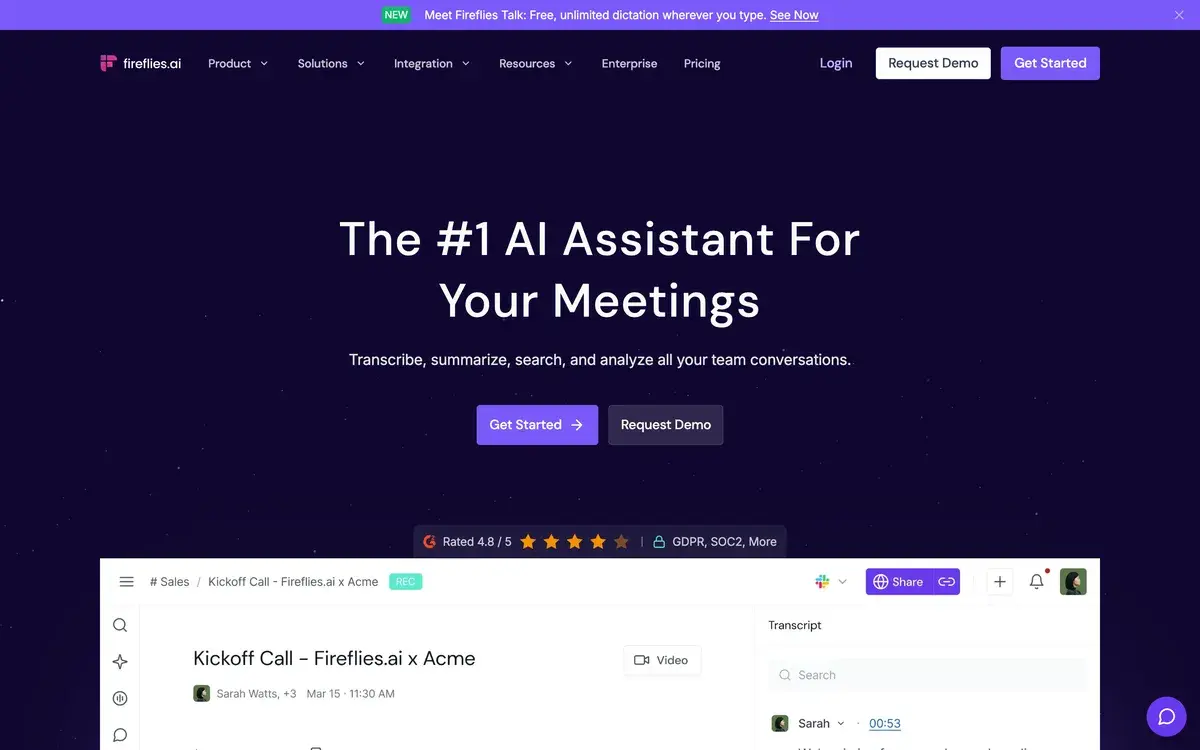
Fireflies homepage, captured Oct 3, 2026.
Fireflies records your Zoom, Google Meet and Teams calls, transcribes them and writes the summary you'd otherwise type up afterwards. It's one of the most widely used meeting notetakers, and the question people ask most often isn't about price at all. It's whether Fireflies is safe to let into their meetings.
Is Fireflies safe?
On paper, Fireflies takes security seriously, and its claims are specific. It says customers own their data and that it doesn't train AI on customer meetings by default. Its AI vendors and partners are held to zero data retention, so they don't keep copies. Transcripts are encrypted with AES-256 at rest and TLS in transit, and you can delete your data at any time. Fireflies lists SOC 2 Type II, GDPR and HIPAA certifications, and the Enterprise plan adds private storage, custom data retention and a rules engine.
Most of the real risk sits with people, not servers. A notetaker bot joining a call changes the conversation, and some clients or candidates won't want to be recorded. Check which meetings Fireflies is allowed to join automatically, tell participants when it's recording, and keep it out of meetings where confidentiality matters more than notes. Recording laws differ by country and state, so a quick announcement at the start of a call is a good habit anywhere.
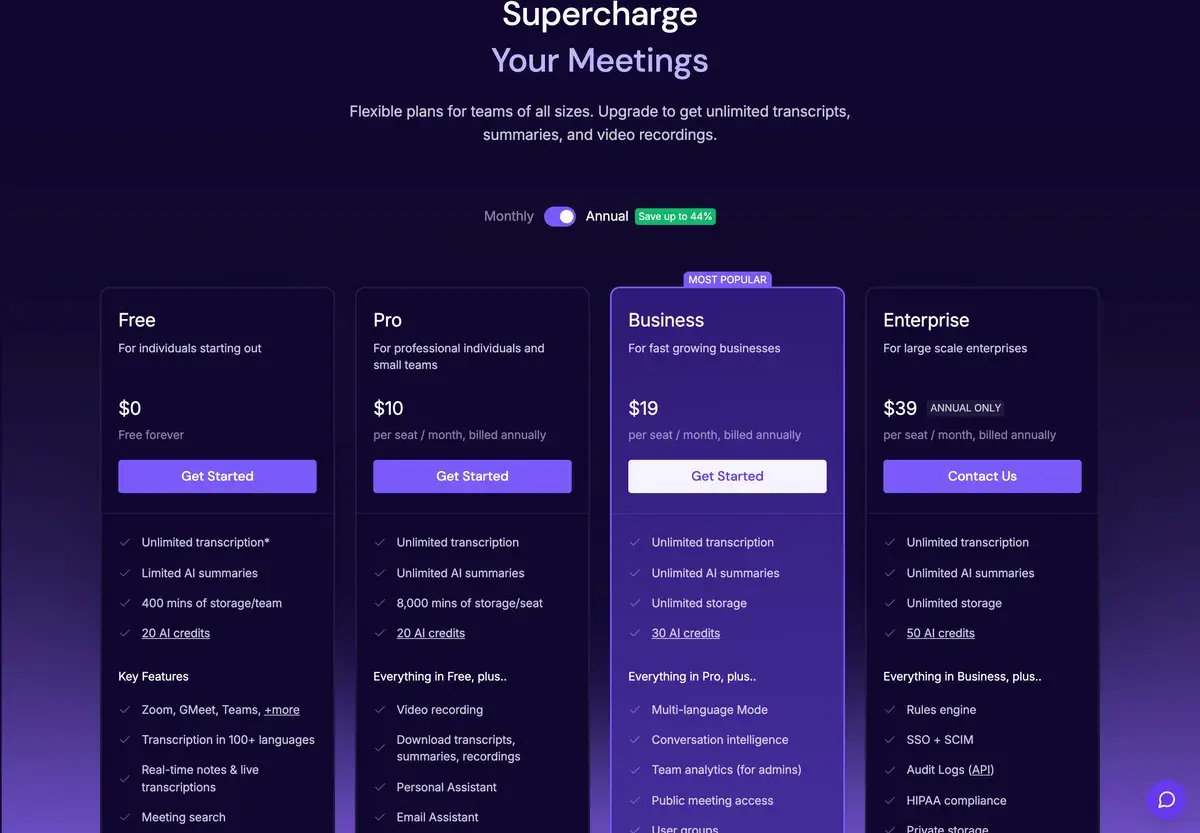
Plans and what they include
Annual billing, as listed on October 3, 2026.
Free
Pro
Business
Enterprise
Per seat a month, yearly
$0
$10
$19
$39
Per seat a month, monthly
$0
$18
$29
Annual only
AI summaries
Limited
Unlimited
Unlimited
Unlimited
Storage
400 minutes per team
8,000 minutes per seat
Unlimited
Unlimited
AI credits a month
20
20
30
50
Highlights
100+ languages, AskFred, file uploads
Video recording, downloads, email assistant, AI skills
Conversation intelligence, team analytics
SSO, SCIM, HIPAA, private storage
Yearly billing saves a lot here: Pro drops from $18 to $10, and Business from $29 to $19.
The free plan's limit is storage
"Unlimited transcription" on the free plan is true, but the catch is that a team gets only 400 minutes of storage. That's under seven hours of meetings, which a busy team fills in a week. The free plan also limits AI summaries. It's enough to see whether Fireflies' notes are good, not to run a team on.
Pro is the sensible first paid step for an individual or a small team. It raises storage to 8,000 minutes per seat and makes summaries unlimited. You can also download transcripts and recordings, and the email assistant drafts follow-ups from what was said.
Business, for teams that sell
Business is aimed at sales and customer teams. Conversation intelligence analyses calls across the team, and team analytics give managers a view of everyone's meetings. A multi-language mode is included too. Storage becomes unlimited, which matters once a team has a year of calls to search.
Rolling it out without annoying people
A notetaker works best when nobody is surprised by it. Start by letting it join only the meetings you organize, at least until your team is used to it. Mention in the invite that the call will be recorded and summarized, and offer to leave it out if anyone prefers. After the meeting, share the summary quickly. People warm to the bot fast when its notes save them from writing their own.
For sensitive calls, such as HR conversations, legal matters or anything under NDA, keep Fireflies out entirely or delete the recording afterwards. The security certifications protect the data from outsiders; they don't decide who inside your company should be able to search it.
Otter, Fathom, Read AI and Granola
Otter.ai is cheaper, with Pro at $8.33 a month billed yearly, but limits how long each meeting can be. Fathom has a strong free plan for individuals and sells its team plans from $15 a user. Read AI focuses on meeting analytics and coaching. People who'd rather not have a bot in the call at all should look at Granola, which takes notes from your computer's audio. For the wider field, see our best AI meeting tools guide.
Frequently Asked Questions about Fireflies
Is Fireflies AI safe to use?
Fireflies says you own your data, it doesn't train AI on customer meetings by default, and its AI vendors keep no copies under a zero-retention policy. Transcripts are encrypted with AES-256 at rest and TLS in transit, and it holds SOC 2 Type II, GDPR and HIPAA certifications. The practical risks are about consent: tell participants they're being recorded and control which meetings the bot joins.
What does Fireflies' free plan include?
Quite a lot, apart from storage. There's a free plan with transcription in more than 100 languages, limited AI summaries, 20 AI credits and apps for desktop, mobile and Chrome. Its real limit is storage: 400 minutes per team. Pro at $10 per seat a month billed yearly raises storage to 8,000 minutes per seat and adds video recording and downloads.
Fireflies vs Otter: which is better?
Both transcribe and summarize meetings. Otter's Pro plan is cheaper, at $8.33 a month billed yearly, but caps each meeting's length. Fireflies' paid plans make AI summaries unlimited and add more automation, such as an email assistant and AI skills, and Business adds conversation intelligence for sales teams.
What are Fireflies AI credits?
A monthly allowance for heavier AI features on top of summaries. The free and Pro plans include 20 credits, Business 30 and Enterprise 50. Everyday transcription and summaries on paid plans don't depend on them.
Does Fireflies work on mobile and desktop?
Yes, on every plan. Fireflies has a desktop app, iPhone and Android apps and a Chrome extension, and even the free plan lets you upload audio or video files for transcription and use the API.