What is Grammarly?
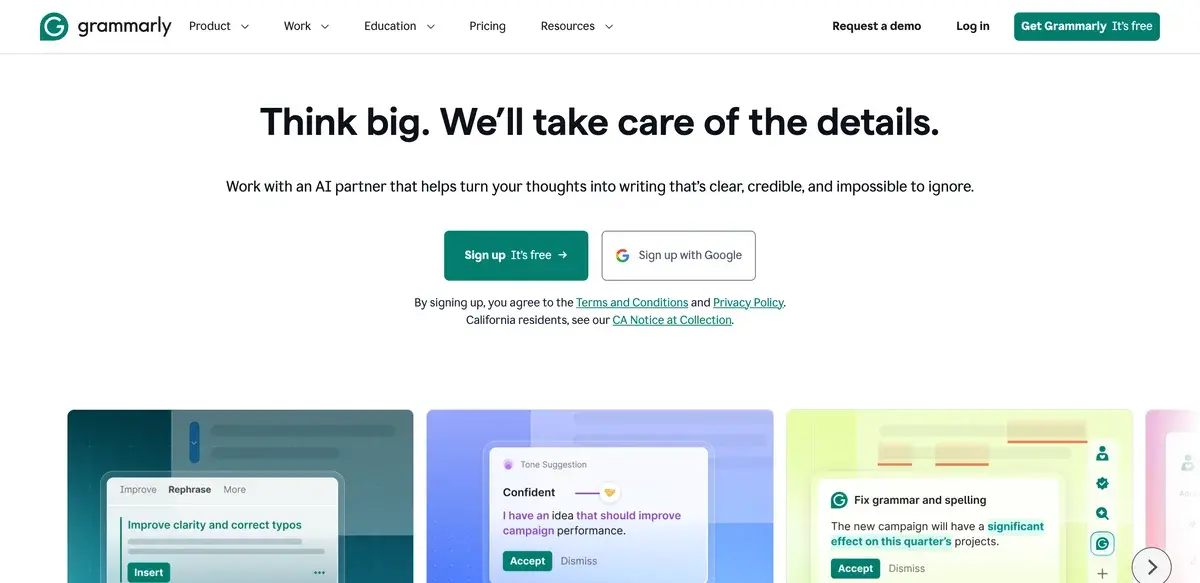
Grammarly is the ubiquitous AI writing assistant for English — checking grammar, spelling, tone, and clarity across 500,000+ apps and websites — free for basic corrections, with Pro starting at $12/month and Business at $15/seat per month. Used by 30+ million daily users including students, professionals, and entire enterprise organizations across consulting, law, marketing, and tech. Key differentiators: it works invisibly inside the apps where you already write, real-time corrections happen as you type, and the integration depth across browsers, desktop apps, and mobile keyboards is unmatched. Best for everyday business writing where polish matters more than originality.
The interesting question about Grammarly in 2026 is whether it still earns its place in a world where ChatGPT, Claude, and Gemini can rewrite anything you paste into them with arguably more sophistication. The honest answer is yes — but for a narrower reason than the marketing usually claims. Grammarly's value is not that it has the most powerful AI; it is that it is invisible and present everywhere, catching mistakes in the moment and on the spot. General-purpose AI tools require you to leave your writing context, switch to a chat window, and paste content. Grammarly stays where you are.
This matters more than the AI capability gap suggests. The vast majority of professional writing is short — emails, Slack messages, LinkedIn comments, status updates, brief documents — where the friction of switching to a chat tool exceeds the value of the better AI. Grammarly's continued relevance is built on the architectural reality that most writing happens in flow, and friction kills correction tools faster than capability gaps.
Who is it for?
Grammarly is built for anyone who writes professionally in English and wants their writing to be more polished without thinking about it. The clearest fit is knowledge workers across roles — managers, consultants, sales reps, support agents, marketers, recruiters — whose work output is largely written communication and whose professional credibility is partly carried by how they write.
Students and academics use Grammarly across the writing process: drafting essays, polishing thesis chapters, checking citations, and running plagiarism scans before submission. The Pro tier's plagiarism checker is the feature most academic users specifically pay for; the rest of the writing assistance is bundled benefit.
Non-native English speakers in professional environments use Grammarly to compensate for the writing-quality penalty that affects communication in English-language workplaces. The tone detection and clarity suggestions help non-native writers calibrate professionalism in ways that are hard to teach. This is a use case Grammarly does not market loudly but is genuinely valuable for tens of millions of users.
ESL learners and English students use Grammarly as a secondary teacher — corrections come with brief explanations, which builds writing skill over time. Whether this is good pedagogy is debated; the practical effect is that writers improve through usage.
Enterprise organizations deploy Grammarly Business for brand voice consistency across employees. Legal firms, consulting firms, marketing agencies, and customer-facing tech teams use the shared style guides and brand voice features to ensure that customer communications, legal briefs, and marketing copy maintain organizational consistency.
It is not the right tool for: creative writing where rules should be broken (Grammarly will fight you on intentional fragments and stylistic choices), highly specialized technical writing (legal, medical, scientific) where Grammarly does not understand domain conventions, non-English writing (limited language support), or sensitive content where data transmission to Grammarly's servers is unacceptable.
Key Features
- Real-time corrections — grammar, spelling, punctuation, and basic style as you type, across browsers, desktop, and mobile
- Tone detection — analyzes the tone of your writing and suggests adjustments (more confident, friendlier, more formal)
- Clarity suggestions — rewrites unclear sentences for readability
- Generative AI — draft emails, rewrite paragraphs, summarize text, and respond to conversations from a prompt
- Plagiarism checker (Pro) — compares text against billions of web pages and academic databases
- Brand voice (Business) — define organizational style guides that propagate across all writers in the team
- Goals — set audience, formality, intent, and domain to tailor suggestions for each piece of writing
- Vocabulary enhancement — suggests more precise word choices to elevate writing
- Browser extensions — Chrome, Edge, Firefox, Safari extensions cover most web writing
- Native integrations — Microsoft Word, Google Docs, Outlook, Gmail, Slack, LinkedIn, and 500,000+ apps
- Mobile keyboards — iOS and Android keyboards bring Grammarly into mobile writing
- Team analytics (Business) — writing pattern insights for organizational visibility
Grammarly vs Competitors 2026
| Tool | Real-time corrections | App integration depth | AI rewrites | Languages | Free tier | Price/mo |
|---|
| Grammarly | ✅ Best | ✅ Deepest (500k+ apps) | ✅ Strong | English (Spanish beta) | ✅ Generous | $12 |
| LanguageTool | ✅ Good | ⚠️ Limited | ⚠️ Basic | 30+ languages | ✅ Good | $5 |
| ProWritingAid | ✅ Good | ⚠️ Limited | ✅ Strong | English | ✅ Limited | $10 |
| Microsoft Editor | ✅ Good (in MS apps) | ⚠️ MS-only | ⚠️ Copilot integration | Multiple | ✅ Free | Bundled |
| Hemingway Editor | ⚠️ Manual paste | ❌ | ⚠️ Plus tier | English | ✅ Free | $20 |
| Wordtune | ✅ Good | ✅ Good (browser) | ✅ Strong | English | ✅ Limited | $10 |
| QuillBot | ⚠️ Paste-based | ⚠️ Limited | ✅ Strong | English | ✅ Limited | $10 |
| ChatGPT / Claude | ❌ Paste-based | ❌ | ✅ Most powerful | Many | ✅ With limits | $20 |
Data verified April 2026 from each provider's official pricing pages.
Grammarly vs LanguageTool: The most important alternative for users who care about privacy or write in non-English languages. LanguageTool is open-source-rooted, supports 30+ languages, and has a Premium plan at $5/month — meaningfully cheaper than Grammarly. Quality of grammar checking is competitive in major languages. Grammarly has stronger AI rewrites, tone detection, and tighter integration with major business apps. The honest split: privacy-conscious users and non-English writers should pick LanguageTool; English business writers focused on polish should pick Grammarly.
Grammarly vs ProWritingAid: ProWritingAid is the closest English-language competitor, with strong AI rewrites and detailed writing analysis (sentence variety, pacing, repetition). It is generally regarded as the better tool for long-form creative writing and authors. Grammarly is better for short business writing and broader app integration. Many fiction writers use both — ProWritingAid for chapter-level analysis, Grammarly for everyday correspondence.
Grammarly vs Microsoft Editor: Microsoft Editor is bundled with Microsoft 365 and works well inside Word, Outlook, and Edge. For users already in the Microsoft ecosystem, the marginal cost of Editor is zero, which often wins the math. Grammarly works across more apps and has stronger AI features, but for users primarily in Word and Outlook, Editor covers the basics adequately.
Grammarly vs Wordtune: Wordtune is the closest competitor on AI-driven rewrites, particularly for changing sentence tone and structure. Wordtune's rewrites often feel more creative; Grammarly's feel more conservative. For users primarily wanting AI rewrites, Wordtune is competitive. For users wanting full coverage (corrections + rewrites + tone), Grammarly remains the more complete tool.
Grammarly vs ChatGPT / Claude: General-purpose AI can do everything Grammarly does and more, with arguably better output for rewrites and creative work. The trade-off is friction — you have to leave your writing context, switch to a chat tool, and paste content. For long-form work where the friction is amortized over a large piece, ChatGPT and Claude often win. For short, in-flow corrections, Grammarly's invisibility wins.
Pricing 2026
| Plan | Price | Key features | Best for |
|---|
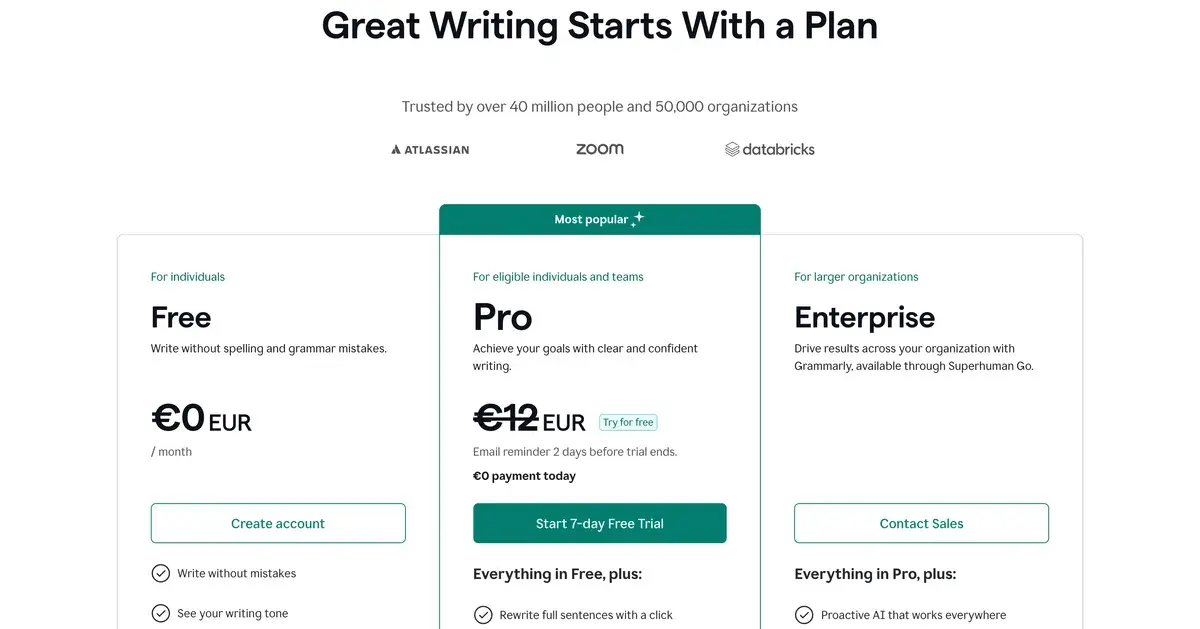
| Free | $0 | Grammar, spelling, basic AI | Casual writers, students |
| Pro | $12/mo | Advanced rewrites, tone, plagiarism, full AI | Active professionals |
| Business | $15/seat/mo | Brand voice, team analytics, admin controls | Organizations 3+ seats |
| Enterprise | Custom | SAML SSO, security controls, custom data handling | Larger orgs with security needs |
Prices verified April 2026 from grammarly.com/plans.
The honest tier guide: the free tier is genuinely usable and covers most casual writing needs — many users never need to upgrade. Pro at $12/month is worth it for active professionals who write all day, students who need the plagiarism checker, and anyone who uses the AI rewrite features regularly. Business at $15/seat is for organizations that want consistent brand voice; the price ramps up at scale but the team features are designed for actual organizational deployment. Annual billing knocks ~30% off Pro.
Hands-on Notes
The thing Grammarly does that no other tool does well is being present everywhere. Writing an email in Gmail, the suggestions appear inline. Posting a comment on LinkedIn, the suggestions appear inline. Drafting a Slack message, same thing. The browser extension does most of the heavy lifting, and after a few weeks of use you stop noticing it actively — which is the highest compliment for a writing tool. Tools that demand attention compete with the writing; tools that disappear into the workflow win.
The basic correction quality is excellent and has been for years. Spelling errors, grammar mistakes, awkward phrasings — Grammarly catches them reliably. The false positive rate (flagging things that are actually correct) is low enough that most suggestions are worth a glance. After thousands of writing sessions across years, the trust this builds is the reason Grammarly retains users even as competitors emerge.
The AI rewrite features (rebranded from GrammarlyGO into the main product) are competent but constrained. They produce polished, conservative, business-appropriate output that rarely surprises in a good way. For email rewrites, professional summaries, and tone adjustments, this conservatism is appropriate — you usually want polish, not personality. For creative writing, marketing copy with personality, or anything that benefits from voice, Grammarly's AI underperforms tools like ChatGPT, Claude, and Wordtune. The right way to think about Grammarly's AI is as an in-context assistant, not as a creative writing partner.
Tone detection is genuinely useful and underrated. Knowing that an email reads as more brusque than you intended, or that a Slack message comes across as condescending when you meant friendly, is the kind of feedback most writers do not get from anyone. The tone analysis is not always right — context matters, and Grammarly cannot read the room — but the prompt to consider tone is valuable.
Where Grammarly gets in the way: it sometimes argues with intentional stylistic choices. Writers who use sentence fragments for rhythm, single-word paragraphs for emphasis, or unconventional punctuation for voice will find Grammarly persistently flagging these as errors. The "ignore" option exists but adds friction. For creative writers, this is more annoying than it should be — Grammarly is built around mainstream business writing norms and resists deviation.
The privacy reality is the other honest issue. Grammarly transmits text to its servers for processing. For most professional writing this is fine; for sensitive content it is not. Business and Enterprise tiers offer better data handling, but the underlying architecture remains cloud-processing. Privacy-conscious users have legitimate reasons to use LanguageTool or local-only alternatives instead.
Use Cases
Knowledge worker writing all day: A senior consultant writes 30+ emails, several Slack messages per channel, occasional client-facing documents, and weekly status updates. Grammarly Pro catches mechanical errors across all of these in real time. Tone detection prevents the kind of "this email sounds harsher than I meant" moments that damage relationships. Time saved per week is small per message but significant in aggregate.
Non-native English speaker in tech role: A senior engineer who learned English as a second language uses Grammarly to compensate for the writing-quality penalty that affects perception in English-language tech workplaces. Real-time corrections elevate the writing without demanding hours of editing. Promotion conversations and code review comments read more confidently as a result.
Graduate student writing thesis: A PhD candidate uses Grammarly Pro across thesis chapters, journal article submissions, and grant applications. The grammar and clarity features handle mechanical issues; the plagiarism checker flags inadvertent paraphrasing problems before submission. The Pro subscription pays for itself in avoided revision rounds.
Marketing team enforcing brand voice: A B2B SaaS marketing team of 12 deploys Grammarly Business to maintain consistent brand voice across writers, freelancers, and contractors. Shared style guides propagate across all team members. Customer communications, blog posts, and ad copy maintain consistency that would otherwise require manual editorial review.
Customer support agents writing tickets: A SaaS support team uses Grammarly across their ticketing system to maintain professional writing quality across all customer-facing communications. The team uses Business tier for shared brand voice and tone consistency. Customer satisfaction scores correlate with writing quality more than support teams typically realize.
Our Verdict
Grammarly remains the right writing assistant for English business writing in 2026, and the architectural reality of being invisible and present everywhere is the moat that keeps it relevant against more powerful general-purpose AI tools. For the use case Grammarly was designed for — making professional writing more polished without demanding attention — nothing else does it as well or as broadly.
The honest weaknesses: AI rewrites are conservative and underperform ChatGPT and Claude for creative or distinctive voice work. The tool argues with intentional stylistic choices in ways that creative writers find annoying. English-only language support is a meaningful limitation in a global business environment. Privacy-conscious users have legitimate reasons to prefer LanguageTool. The free tier is generous enough that the upgrade decision is harder to recommend universally — many users genuinely do not need Pro.
For knowledge workers, students, non-native English speakers, and organizations wanting brand voice consistency, Grammarly is the easy recommendation. For creative writers, multilingual users, or anyone who has internalized using ChatGPT for writing tasks, the value proposition is weaker than it used to be — but the convenience of in-flow corrections still earns its place for many of those users too.
Note: Grammarly does not currently have an active affiliate program with AIVario. AIVario earns no commission from sign-ups. Our rating reflects ongoing daily use of Grammarly Pro across professional writing workflows.
Best for: Professional writers, knowledge workers, students, non-native English speakers, organizations enforcing brand voice
Not ideal for: Creative writers wanting voice flexibility, non-English writing (use LanguageTool), highly sensitive content, users already deep in ChatGPT or Claude for everything
Bottom line: The ubiquitous writing assistant that has earned its place by being invisible and everywhere — not the most powerful AI, but the most present.
Related Tools
- Claude — general-purpose AI alternative for full rewrites and creative writing tasks
- ChatGPT — general-purpose AI alternative for paste-based rewriting and tone work
- Notion AI — writing assistance integrated into Notion workspaces, complementary use case
- Jasper — marketing-focused AI writer with stronger brand voice features
- Beehiiv — newsletter platform where Grammarly browser extension overlays editing
Frequently Asked Questions about Grammarly
Is Grammarly free?
Yes, Grammarly has a free tier covering grammar, spelling, punctuation, and basic AI suggestions. Paid plans start at $12/month for Pro (advanced rewrites, tone detection, plagiarism checker), $15/seat for Business (team features, brand voice), and Enterprise pricing for larger organizations. The free tier is genuinely usable for casual writing — most users do not need paid features.
Is Grammarly worth it now that ChatGPT exists?
For real-time corrections inside the apps where you actually write — Gmail, Slack, LinkedIn, Google Docs — Grammarly remains the best tool. ChatGPT and Claude are more powerful for full rewrites and creative work but require copy-pasting into a separate window. Grammarly's value is being invisible and present everywhere, which general-purpose AI tools do not match.
Where does Grammarly work?
Grammarly works in browsers (Chrome, Edge, Firefox, Safari extensions), desktop apps (macOS and Windows), mobile keyboards (iOS and Android), and natively integrates with Microsoft Word, Google Docs, Outlook, Gmail, Slack, LinkedIn, X, and 500,000+ web apps. The browser extension covers most use cases without installing anything else.
Does Grammarly send my writing to its servers?
Yes, Grammarly transmits text to its servers for processing. The company publishes a detailed privacy policy and offers Business and Enterprise tiers with stricter data handling, including the option to disable text storage. For sensitive content (legal documents, medical records, classified work), Grammarly is not appropriate and a local-only spell-checker is safer.
How is Grammarly different from LanguageTool?
LanguageTool is the closest open-source alternative — privacy-focused, supports 30+ languages, has a free tier and a Premium plan starting at $5/month. Grammarly is English-only (with Spanish in beta) but has stronger AI rewrites, tone detection, and tighter integration with major apps. For privacy-conscious users or non-English writers, LanguageTool is the better pick. For English business writing where polish matters, Grammarly remains stronger.
What is Grammarly Business?
Grammarly Business ($15/seat per month) adds team features: shared style guides, brand voice consistency across writers, admin controls, analytics on team writing patterns, and security features like SAML SSO. It is designed for organizations that want consistent professional writing across employees — common at consulting firms, law offices, and marketing agencies.
Does Grammarly include an AI writer?
Yes, Grammarly's generative AI features (GrammarlyGO, now integrated into the main product) can draft emails, rewrite paragraphs, change tone, and respond to conversations from a prompt. The output is competent but constrained — Grammarly's AI is tuned for professional writing and tends toward conservative, polished output rather than creative or distinctive voice. For creative writing, dedicated AI tools work better.
Is Grammarly good for academic writing?
Grammarly's grammar and clarity suggestions work well for academic writing, and the plagiarism checker on the Pro plan compares text against billions of web pages and academic databases. The tool does not replace discipline-specific style guides (APA, MLA, Chicago) but covers the universal mechanical issues. For graduate students and researchers, the Pro tier is often worth it.