Speechify is a text-to-speech reader that turns web pages, PDFs, documents, ebooks and photos of printed pages into audio, with apps for iPhone, Android, Mac, Windows, the web and Chrome and Edge. The free plan reads with 10 robotic-sounding voices at up to 1.5x speed. Premium costs $29 a month or $139 a year, about $11.58 a month, and adds 1,000+ natural voices in 60+ languages, speeds up to 5x, Scan & Listen, AI summaries and chat, AI podcasts and voice typing dictation. Annual plans are refundable only within 7 days and 500 HD words of use; monthly plans are not refundable.
✓Best for: Students, professionals and readers with dyslexia or ADHD who get through a lot of text and take it in better by listening
✗Skip if: You need voiceovers for videos, which Speechify sells separately as Studio, or you listen only occasionally and built-in read-aloud on your phone is enough
This analysis is based on documentation, public user reports, and vendor materials — not yet on our own hands-on testing. How we rate
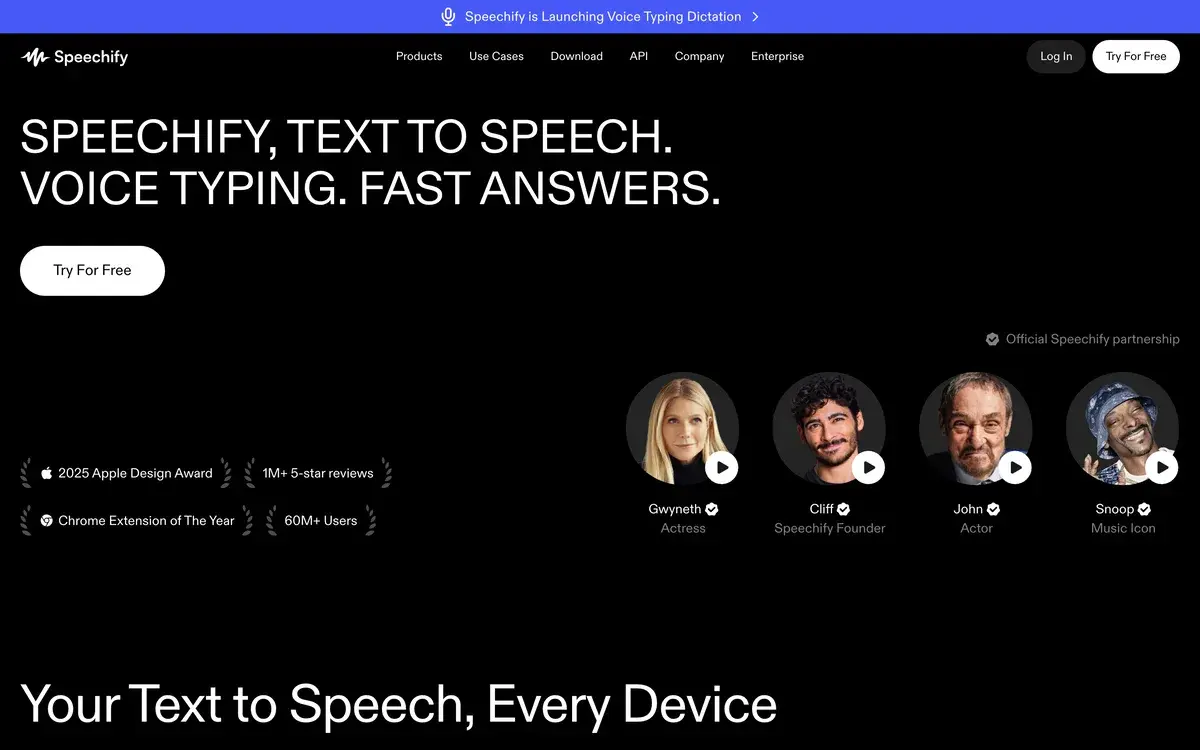
Speechify homepage, captured Sep 29, 2026.
A reading app that talks
Speechify reads text out loud. Open a web page, a PDF, a Google Doc, an email or an ebook and it plays the words in an AI voice, highlighting each one as it goes, at whatever speed you can follow. It runs as iPhone and Android apps, Mac and Windows apps, a web app and extensions for Chrome and Edge, and your library syncs between them, so an article started on a laptop continues on your phone.
The origin story explains the design. Founder Cliff Weitzman has dyslexia and built the first version as a student to get through his reading, and listening while following highlighted text is still the center of the product. The app has since grown into a mass-market tool: the homepage cites more than 60 million users, a 2025 Apple Design Award and Chrome Extension of the Year, and celebrity voices, including Gwyneth Paltrow and Snoop Dogg, through official partnerships.
In 2026 Speechify's pitch goes beyond reading: its homepage headline reads "text to speech. Voice typing. Fast answers." Dictation and a voice assistant now sit beside the reader, and the pricing page compares Premium with ChatGPT's voice mode, Gemini Live, Wispr Flow and NotebookLM as well as with other read-aloud tools.
What the free plan leaves out
The free plan is a working reader with hard limits. It reads any text you give it, on every platform, but only with 10 voices Speechify itself describes as robotic sounding, and only up to 1.5x speed. It includes text-to-speech features only, with no scanning, AI features or cloud-drive integrations.
For someone checking whether listening works for them, that is enough to find out. For daily use the voice quality is the problem: an hour of a robotic voice is tiring in a way an hour of a natural one is not, and the speed cap stops experienced listeners, who often run at 2x to 3x, from getting through material faster than they could read it. Those two limits are what most people upgrade for.
Premium at $29 a month or $139 a year
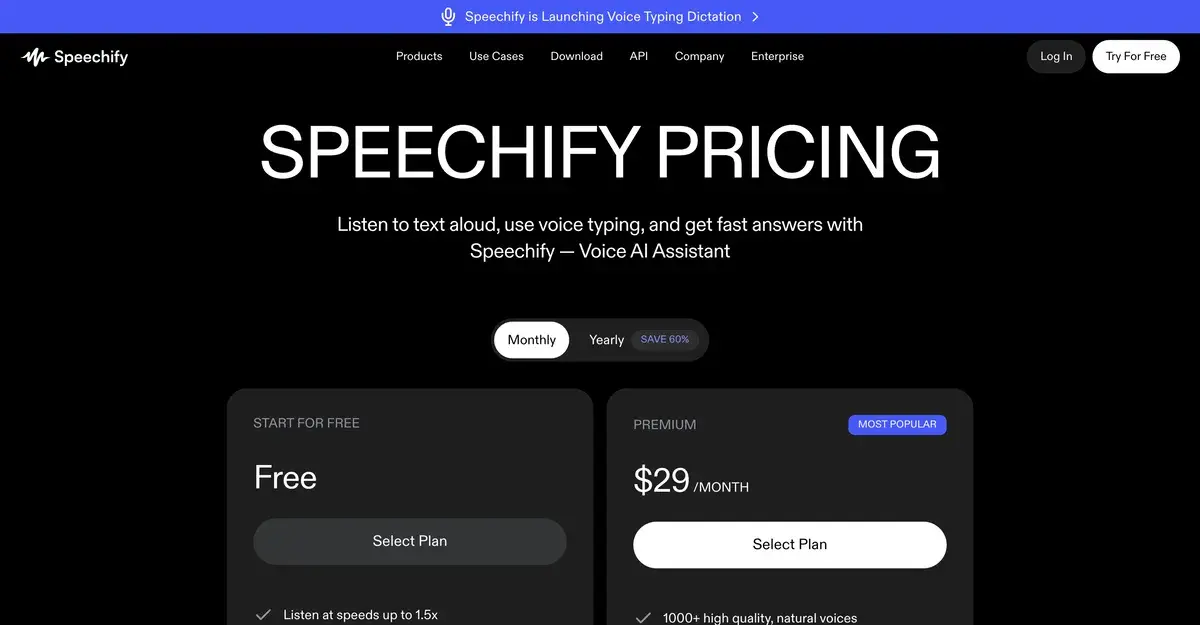
Speechify's pricing page on monthly billing, captured September 29, 2026. Switching to Yearly shows $139 a year.
Free
Premium
Price
$0
$29 a month, or $139 a year (about $11.58 a month)
Voices
10 robotic-sounding voices
1,000+ natural voices, 60+ languages
Top speed
1.5x
5x
Scan & Listen for printed pages
No
Yes
AI summaries and chat
No
Yes
Google Drive, Dropbox and OneDrive
No
Yes
Voice typing, AI podcasts, Voice AI Assistant
No
Yes
The gap between the two billing options is unusually large. Twelve months at the monthly price comes to $348, against $139 for the year, so anyone who expects to keep listening past five months saves money on the annual plan. The reverse also applies: someone who needs Speechify for one exam season pays $29 a month and cancels, because the annual plan's refund window closes after 7 days.
Prices in the iPhone and Android apps can differ from the website, since Apple and Google handle that billing and set their own local prices. Check which store you are paying through before subscribing, because that also decides which refund rules apply.
The refund rules are strict
Speechify's refund policy is short and unforgiving. An annual subscription can be refunded only if you ask within 7 days of the date of the subscription, a period that includes any trial, and only if you have used no more than 500 HD words. Monthly, quarterly and discounted subscriptions are never refundable, partial refunds do not exist, and a subscription bought through the App Store or Google Play is final under Speechify's policy and handled by Apple's or Google's rules.
The practical advice follows from that: use the free plan and any trial to decide, and set a reminder before a trial converts. Cancel through the same place you subscribed, because a subscription started in the iPhone or Android app is managed in Apple's or Google's account settings rather than on Speechify's website.
Voice typing, podcasts and the assistant
Three Premium features have little to do with reading. Voice typing dictation turns speech into text as you talk and was being rolled out in September 2026, with Speechify promising writing five times faster than typing. AI Podcasts turns a document or web page into an audio show, similar in spirit to the audio overviews in NotebookLM. The Voice AI Assistant answers spoken questions about the page you are on, a book or general topics.
These additions change who Premium competes with. A student who pays for Speechify to listen to readings now gets dictation for essays and an assistant for questions in the same subscription, which makes the $139 annual price easier to justify than a reader alone would be. People who already pay for a dictation app or a chatbot with voice mode will find the overlap less useful.
Speechify Studio and the API are separate purchases
Speechify sells two more products under the same name, and neither is included in Premium. Speechify Studio creates voiceovers, dubbing and captions for videos, with studio voices, and has its own plans and its own refund policy, under which top-up purchases are final. The Speechify API lets developers add its voices to their own apps, priced separately again.
This matters when comparing Speechify with voice tools for creators. If the goal is narration for YouTube videos, courses or ads, the relevant comparison is Studio against ElevenLabs or Murf, and Premium is the wrong plan to buy.
Listening instead of reading: who benefits
Students are the largest group. Listening at 2x to 3x while following the highlighted text gets through assigned reading faster, Scan & Listen covers printed handouts, and the AI summaries help with review. Readers with dyslexia, ADHD or low vision get the most from the combination of audio and synchronized highlighting, which is why the UK's Disabled Students' Allowance and Access to Work schemes appear on Speechify's own menus as funding routes.
Professionals with heavy reading loads, such as reports, research and long email threads, use it to move reading into commutes and walks. The pattern that does not work is dense material you need to annotate or reread: equations, code, legal drafting and anything you scan back and forth through is still faster on screen.
For occasional listening, the built-in options are free. Every major phone and browser can read a page aloud, with fewer voices and features, and that is enough for a few articles a week.
Speechify beside ElevenLabs, NotebookLM and built-in read-aloud
ElevenLabs makes higher-quality voices for content that other people hear, with voice cloning and credit-based plans, and is the better choice for creators. NotebookLM is free and turns your documents into audio overviews and answers, though it summarizes rather than reading every word. Murf and Wondercraft produce voiceovers and podcasts for publishing. Other reading apps, NaturalReader among them, offer a similar reader with their own mix of voices and platforms.
Speechify's advantage is breadth for the listener: the same library, voices and speed on every device you own, plus scanning and dictation in one subscription. If that is what you need, the annual plan is the one to buy, once the free plan has convinced you that listening works.
Frequently Asked Questions about Speechify
What is the difference between Speechify Free and Premium?
Free reads text aloud with 10 robotic-sounding voices at up to 1.5x speed and includes text-to-speech features only. Premium adds 1,000+ natural voices in 60+ languages, speeds up to 5x, Scan & Listen for photographed pages, AI summaries and chat, Google Drive, Dropbox and OneDrive integrations, voice typing dictation, AI podcasts and the Voice AI Assistant.
Why is Speechify $29 a month but $139 a year?
Speechify discounts the annual plan heavily. Monthly Premium costs $29, while a year costs $139, or about $11.58 a month, which Speechify labels as saving 60%. The catch is the refund policy: the annual plan can be refunded only within 7 days of payment and if you have used no more than 500 HD words, so decide during the trial rather than after paying.
Can I get a refund from Speechify?
Rarely. Speechify refunds annual subscriptions only if you contact it within 7 days, trial included, and have used no more than 500 HD words, or if you were charged in error or your account was taken over. Monthly, quarterly and discounted subscriptions are non-refundable, there are no partial refunds, and purchases through the App Store or Google Play fall under Apple's and Google's policies instead.
Does Speechify Premium include voiceovers and dubbing?
No. Speechify Studio, the product for AI voiceovers, dubbing and captions for videos, and the Speechify text-to-speech API for developers each have their own pricing. Premium is the personal reading, dictation and assistant subscription. Studio has its own refund rules too, and Studio top-up purchases are final.
Can Speechify read printed books and paper documents?
Yes, on Premium. Scan & Listen lets you photograph a page with your phone, recognises the text and reads it aloud, which is how students listen to printed handouts and library books. The free plan reads digital text only.
Is Speechify good for dyslexia?
It was built for it. Founder Cliff Weitzman, who has dyslexia, created the first version as a student, and reading along with highlighted text while listening remains the core of the app. In the UK, Speechify lists Disabled Students' Allowance and Access to Work as routes that can fund it for eligible students and employees.
Should I use Speechify or ElevenLabs?
They do different jobs. Speechify is for listening to things you would otherwise read: articles, PDFs, books and email, across your phone, computer and browser. ElevenLabs is for making audio other people will hear, such as narration, voiceovers and cloned voices, and its plans are priced by credits spent on generated audio. Readers want Speechify; creators want ElevenLabs.