Figma AI

Figma AI

๐Ÿ”ฅ Hot
Creative

The industry-standard collaborative design tool, now with AI features for UI generation, copy rewriting, and design automation.

Free ยท $16/mo Professional ยท $55/mo Organization
๐Ÿ“– 13 min read
Try Figma AI for free

Affiliate link โ€” we may earn a commission

Ready to try it?
Figma AI
Free ยท $16/mo Professional ยท $55/mo Organization
Get started โ†’
Affiliate link โ€” we may earn a commission
Our rating
โ˜… 4.8/ 5
AIVario Editor's rating โ†’

What is Figma AI?

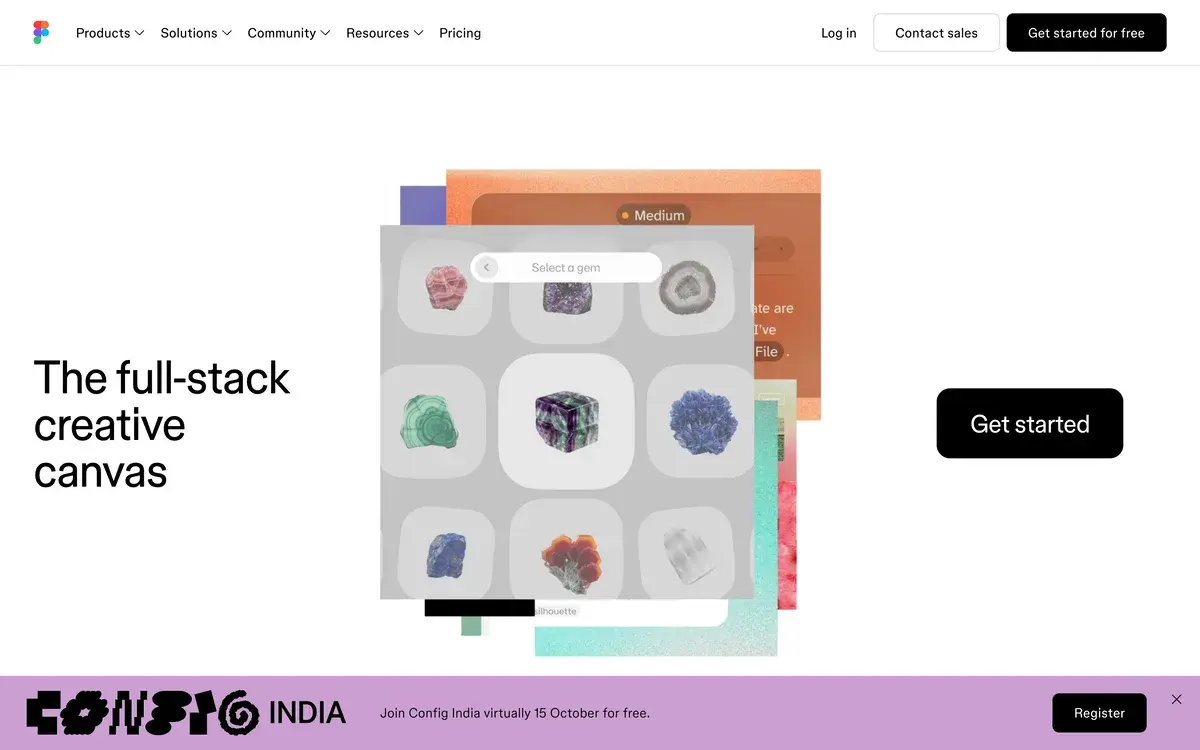
Figma is the dominant collaborative design platform in 2026, used by product designers and design teams at virtually every tech company. The cloud-native architecture and real-time collaboration features that established Figma's market position have been extended through 2024-2026 with AI-powered features for UI generation, copy rewriting, image generation, and design automation. The AI layer enhances existing workflows rather than replacing them.

The platform handles the full digital product design workflow: wireframing, high-fidelity mockups, interactive prototypes, design systems, developer handoff, and design collaboration. The plugin ecosystem (over 1,000 plugins) extends functionality to specialized needs like data visualization, accessibility checking, and design-to-code conversion. The community features (templates, components, design systems shared by other designers) accelerate work for teams adopting the platform.

The 2026 Figma is meaningfully different from the Figma of 2022. The collaborative editing remains the core feature, but AI integration has changed daily workflows. Features like Make Designs (text-to-UI generation), AI image generation in canvas, and intelligent layer suggestions reduce repetitive design work. The platform also expanded into adjacent categories: FigJam for whiteboarding, Dev Mode for engineer handoff, Figma Slides for presentations.

Who is it for?

Figma is the default choice for digital product designers, UI/UX professionals, and design teams. The feature set, ecosystem, and industry adoption make it the practical answer for "what design tool should we use" in nearly every context. Specific user types where Figma fits:

  • Product designers at SaaS and tech companies who design web and mobile applications. Industry-standard tool with universal team familiarity.
  • UX researchers and designers running user testing, journey mapping, and research synthesis through FigJam.
  • Design system teams maintaining shared component libraries across multiple products. Figma's component and variant features handle design systems better than alternatives.
  • Front-end developers handling design-to-code conversion through Dev Mode and code export features.
  • Marketing designers producing landing pages, ads, and marketing collateral. Less common use case but Figma handles it.
  • Indie hackers and solo founders designing their own products. Free tier covers initial design needs; paid tiers reasonable as projects grow.
  • Design students and educators building portfolios and teaching design fundamentals. Free tier and educational discounts make the platform accessible.

User types where Figma may not be the best choice:

  • Vector illustrators and graphic designers producing complex illustration work. Adobe Illustrator remains stronger for pure illustration despite Figma's improvements.
  • Print designers working on print-specific projects. Adobe InDesign or specialized print tools fit better than Figma.
  • Motion designers producing animated content. Figma's prototyping handles basic interaction; Rive, After Effects, or specialized motion tools handle complex animation.
  • Photo retouchers and image editors doing pixel-level photo work. Photoshop remains the dedicated tool for this work.

Key Features

Figma's feature breadth has grown substantially. The features below are the most consequential for daily product design work.

Collaborative editing remains Figma's defining feature and the reason it displaced Sketch and Adobe XD. Multiple designers can work on the same file simultaneously, see each other's cursors, and iterate together. The collaboration is genuinely real-time without conflict resolution issues. This works equally well for synchronous team work and asynchronous handoffs.

Component and variant systems for building design systems at scale. Components can be nested, with variants for different states (default, hover, focused), and overrides for content variations. Auto-layout makes components responsive. Design system teams at companies like Microsoft, Google, and Airbnb run their entire design system infrastructure through Figma's component features.

AI design generation (Make Designs) generates full UI mockups from text descriptions. "Create a SaaS pricing page with three tiers" produces a usable starting point. Quality improved substantially through 2024-2026. Best for ideation and initial drafts; designers refine output rather than ship as-is. This is the most marketed AI feature.

AI image generation integrated directly in canvas. Generate images from text prompts without leaving Figma. Useful for placeholder content, hero images, and exploration. Quality competitive with dedicated AI image tools but workflow integration is the value proposition.

AI text features for copy rewriting, generation, translation, and tone adjustment. "Rewrite this for a younger audience" or "translate to Spanish" within the design context. Useful for designers iterating on copy or producing localized variations.

Auto-layout is Figma's responsive design feature. Frames automatically resize based on content, padding, and constraints. Essential for design systems and prototyping. Most professional Figma work relies heavily on auto-layout for maintainable designs.

Prototyping with click-through interactions, transitions, and animations. Less powerful than dedicated prototyping tools (Framer, ProtoPie) but covers most product design prototyping needs. Smart Animate handles micro-interactions automatically. Variables enable conditional logic in advanced prototypes.

Dev Mode introduced 2023 and refined since provides developer-focused view of designs. Shows component specs, exports code (CSS, iOS, Android), and integrates with developer workflows. Reduces the traditional designer-to-developer handoff friction.

Plugin ecosystem with 1,000+ plugins extends functionality to almost any niche need. Data import from Sheets, accessibility checking, icon libraries, design-to-code, animation, color tools. Most professional Figma users rely on 5-10 plugins regularly.

FigJam integrated whiteboarding tool for brainstorming, journey mapping, retros, and collaboration. Competes with Miro and Mural. Included in all Figma plans.

Figma Slides introduced 2024 brings presentation-building into Figma. For design teams producing slide decks (research presentations, design review decks), Figma Slides eliminates context-switching to PowerPoint or Keynote.

Figma vs Competitors 2026

ToolStrengthPricingBest For
FigmaCollaboration + ecosystem + AIFree / $16 / $55Product design, UI/UX teams, default choice
SketchMac-native performance$12/moMac-only studios, illustrator-style work
PenpotOpen-source alternativeFreeOpen-source advocates, self-hosted teams
FramerWeb design + productionFree / $20 / $40Designers building production websites
WebflowWeb design + productionFree / $14-$235Web designers shipping sites without coding
CanvaEasy graphic designFree / $12.99Marketers, non-designers, quick graphics
Adobe XDDiscontinuedn/aLegacy users only, deprecated

Pricing verified April 2026.

Figma vs Sketch. Sketch defined modern UI design tools but lost the market to Figma's collaborative cloud-native model. Sketch remains at some Mac-only studios with strong existing investments in Sketch workflows. For new projects, Figma is generally chosen even by former Sketch loyalists. Sketch innovates less than Figma now, with most pace of feature development on Figma's side.

Figma vs Adobe XD. Adobe XD was effectively discontinued after Adobe's failed Figma acquisition (regulatory blocked) in 2023. Existing XD users migrated to Figma or stayed on legacy XD. Adobe has not invested significantly in XD since. The category is settled: Figma wins.

Figma vs Framer. Different scope. Framer began as a prototyping tool but evolved into web design platform that ships production sites. Designers using Framer skip the design-to-code step. Figma stays in design tool space; Framer crosses into web publishing. For pure design work, Figma. For designers who want to ship production websites without engineers, Framer.

Figma vs Webflow. Webflow is web design + content management + hosting in one platform. Figma is design-first with handoff to development. For marketing teams wanting to design and ship websites, Webflow. For product teams designing apps and complex products, Figma.

Figma vs Canva. Different audiences. Canva is for non-designers (marketers, teachers, small business owners) doing simple design work. Figma is for professional designers doing complex design work. Both have grown in their respective markets without much direct competition. Canva tries to expand into pro design occasionally but hasn't displaced Figma at design teams.

Figma vs Penpot. Penpot is the open-source Figma alternative with self-hosting capability. For teams with strict open-source policies or data sovereignty requirements, Penpot deserves consideration. Feature gap with Figma is closing but Figma remains more polished and has bigger ecosystem.

Pricing 2026

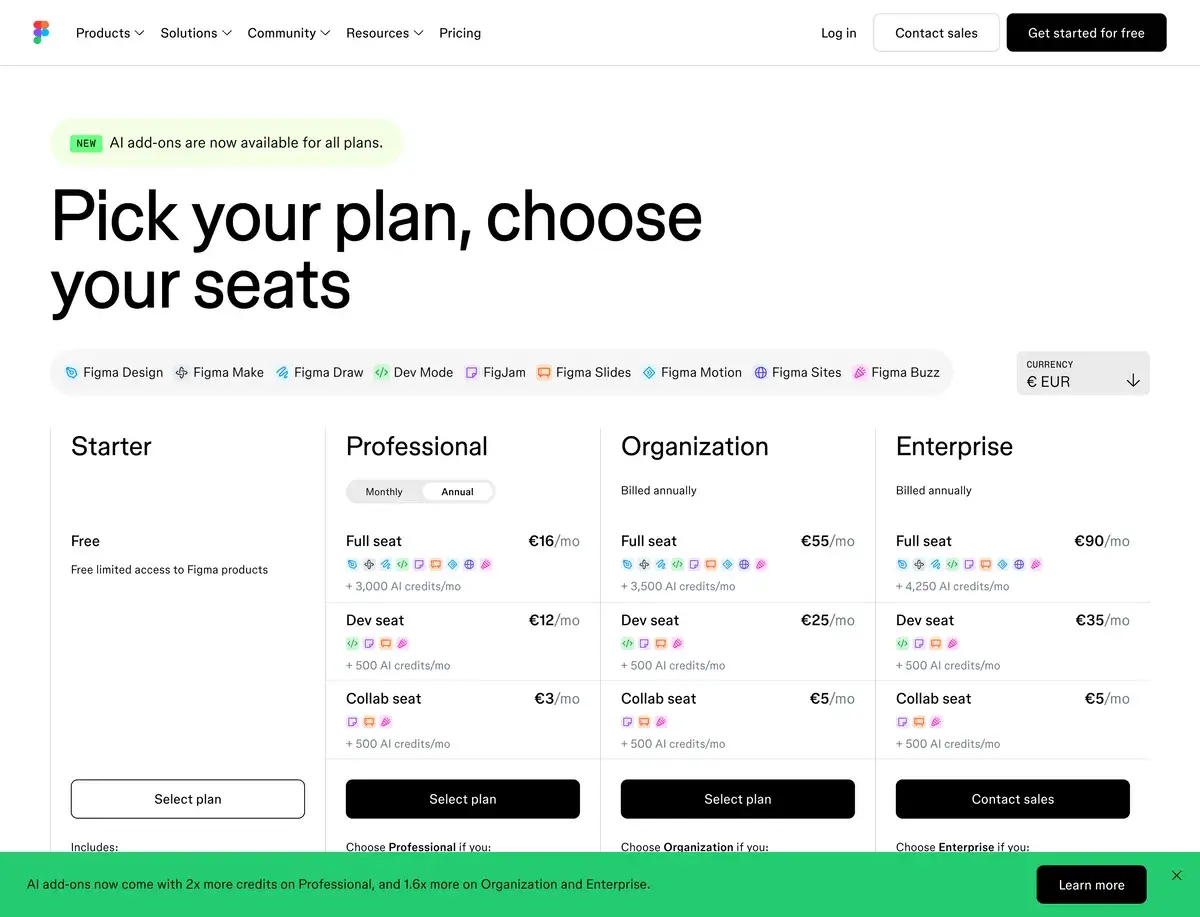
PlanMonthly CostKey FeaturesBest For
StarterFree3 design files, 3 FigJam files, unlimited draftsIndividual designers, students, small projects
Professional$16/user/mo (annual)Unlimited files, team libraries, advanced featuresProfessional designers, small teams
Organization$55/user/moOrg-wide design systems, advanced security, analyticsCompanies with multiple design teams
Enterprise$90/user/moSSO, advanced security, dedicated support, audit logsLarge enterprises, regulated industries
Dev Mode$25/user/mo (separate add-on)Code export, dev workflows, integrationDevelopers handing designs into code

Pricing verified April 2026 from figma.com/pricing.

The free Starter plan is genuinely useful for individual designers, students, and small project work. Most designers can do real work on Starter while evaluating whether Professional is justified. Limits (3 design files, 3 FigJam files) become restrictive when working on multiple projects but the per-file editing experience is unrestricted.

Professional at $16/user/mo (with annual billing; $20 monthly) is the practical entry point for serious work. Unlimited files, team libraries for design systems, version history, and shared assets. Most professional designers and small teams settle here.

Organization at $55/user/mo and Enterprise at $90/user/mo target larger companies needing centralized design system management, security features, and audit trails. The price step is significant but the features (centralized billing, SSO, analytics) justify themselves at company scale.

Dev Mode is sold separately at $25/user/mo for developers who only need design viewing and code export. This pricing acknowledges that not every team member needs full design editing access. Companies with 5 designers and 20 engineers save money buying 5 Professional + 20 Dev Mode vs 25 Professional seats.

What I think about Figma

I evaluated Figma during AIVario's design work and have used the free tier for various design tasks. Honestly, this is one of the easier tool recommendations in the entire AI tools space because Figma has genuinely won its market on quality merits, and the AI additions are useful enhancements rather than gimmicks.

What works well: the platform feels stable and reliable in ways many SaaS products aspire to. Files load quickly. Real-time collaboration works without friction. The interface, while complex due to feature breadth, becomes intuitive within weeks of regular use. The ecosystem (community templates, plugins, learning resources) accelerates new users dramatically.

What I would honestly flag: Figma can be intimidating for non-designers. Marketing managers, founders, and developers who occasionally need design work may find the learning curve steep compared to simpler tools like Canva. The full Figma experience rewards investment but the activation energy is real.

The AI features I tested briefly were useful in expected ways. Make Designs produced reasonable starting points for UI mockups. AI image generation worked similarly to dedicated image tools. AI text rewriting was competent. None of the AI features are revolutionary, but they reduce friction in workflows that already work.

For AIVario specifically, I have used the free tier for landing page mockups, icon design, and occasional graphic work. The free tier is sufficient for AIVario's current design needs. As AIVario grows and design work increases, upgrading to Professional becomes the natural path.

The pricing structure is fair. Free tier is generous for individuals. Professional at $16/user/mo is reasonable for the value delivered. Organization and Enterprise tiers are priced appropriately for company-scale needs. The Dev Mode separation is smart product design.

Use Cases

Product designer at SaaS company. Professional plan at $16/mo. Daily workflow: collaborates with PMs and engineers on feature designs, maintains design system in shared library, hands off to engineers via Dev Mode. Replaces what previously required Sketch + Abstract + Zeplin combined.

Design system team maintaining component library. Organization plan at $55/user/mo for full design system management features. Centralized component library updates propagate to all consuming projects. Analytics show component adoption across teams. Replaces years of Sketch + Abstract workflow complexity.

Solo founder designing own SaaS product. Free Starter plan. Designs entire product MVP across 3 main screens. Uses community templates for inspiration. Hands designs to developer or builds with AI coding tools. Total design tool cost: $0 until product launches.

Marketing team producing landing pages. Professional plan at $16/user/mo. Designs landing pages, hero graphics, social media graphics, ads. Uses Figma's plugin ecosystem for stock photography, icons, design assistance. Single tool covers most marketing design needs.

UX research team running discovery work. Professional plan with FigJam access. Conducts user journey mapping sessions remotely with stakeholders. Synthesizes research findings into shared documents. Builds research repositories accessible to product and engineering teams.

Indie game studio designing mobile game UI. Professional plan. Designs game UI flows, character interfaces, in-game menus. Prototypes interactions for user testing. Hands designs to Unity developers. Figma's pixel-perfect export and prototyping handle game UI work despite not being Figma's primary use case.

My Verdict

Figma is the default recommendation for digital product design in 2026. The combination of industry adoption, feature depth, ecosystem, and continuous improvement makes it the right answer for nearly every design tool decision. Alternative tools serve niche cases but Figma covers the broad mainstream.

The AI feature additions are useful enhancements rather than primary purchase drivers. Most users would buy Figma without the AI features; the AI just makes existing workflows somewhat faster. This is the right product strategy: AI integrated into proven workflows rather than AI as standalone product justifying purchase.

For solo founders and small teams, the free Starter tier covers initial work. For professional design work, Professional at $16/user/mo is reasonable. For company-scale design teams, Organization and Enterprise tiers offer the centralized features needed at that scale.

The honest limitation is the learning curve. Figma rewards investment but is not the easiest tool for non-designers occasionally needing design work. For those use cases, Canva fits better despite its lower professional ceiling.

For most readers of this review who do digital product design as part of professional work, the recommendation is unambiguous: use Figma. Most of your collaborators already do.

Note: Figma does not have a public affiliate program. We earn no commission from Figma usage. Our rating reflects evaluation against alternatives based on platform usage and feature comparison.

Best for: Product designers, UI/UX teams, design system teams, indie product builders, design education, anyone doing digital product design as primary work Not ideal for: Vector illustration (Illustrator), print design (InDesign), motion design (After Effects, Rive), photo editing (Photoshop), simple graphic work for non-designers (Canva) Bottom line: Industry-standard collaborative design platform that has earned its position. Generous free tier, fair professional pricing, deep ecosystem, and continuous AI integration make it the right answer for nearly every digital design use case.

Related Tools

  • Canva AI โ€” simpler design alternative for non-designers
  • Framer โ€” design-to-production website tool, complementary to Figma
  • Webflow AI โ€” design + CMS + hosting, complementary to Figma
  • Adobe Firefly โ€” AI image generation, useful alongside Figma design work
  • Magnific โ€” AI image upscaler for design assets at high resolution

Frequently Asked Questions about Figma AI

Is Figma free?

Yes, Figma has a generous free Starter plan that includes 3 design files, 3 FigJam files, unlimited personal drafts, and most core features. The free tier is functional for individual designers, students, and small projects. Limits become restrictive when working on multiple projects simultaneously or collaborating with teams. Most professional designers eventually upgrade to Professional at $16/user/month for unlimited files and team features.

What AI features does Figma have in 2026?

Figma's AI features include AI image generation (text-to-image directly in design files), AI text generation and rewriting (improve copy, translate, generate variations), automatic layer naming, design suggestions based on context, background removal, and AI-powered Make Designs (full UI generation from text descriptions). The features are integrated into existing workflows rather than offered as standalone products.

How does Figma compare to Sketch and Adobe XD?

Figma has won the design tool market in 2026. Sketch declined as Figma's collaborative model proved superior to Sketch's Mac-only desktop approach. Adobe XD was effectively discontinued in 2023 after Adobe's failed Figma acquisition attempt. Most design teams now use Figma. Sketch remains in use at some studios but rarely chosen for new projects. Adobe ecosystem users may use Adobe Express for simple work but professional design happens in Figma.

Can Figma replace dedicated UI design tools?

Yes, for most product design and UI/UX work. Figma covers wireframing, mockups, prototyping, design systems, dev handoff, and team collaboration. The plugin ecosystem extends functionality to specialized needs. Areas where Figma is weaker: vector illustration (Illustrator remains stronger), motion design (After Effects, Rive better), 3D design (Blender, Cinema 4D required). For 90% of digital product design needs, Figma is sufficient and often superior to alternatives.

What is FigJam and is it included?

FigJam is Figma's whiteboarding and collaborative ideation tool, integrated into the Figma platform. Used for brainstorming, user journey mapping, retros, design research, and any workflow needing collaborative whiteboarding. FigJam is included in all Figma plans (free and paid). The free Starter plan includes 3 FigJam files; paid plans include unlimited. FigJam competes with Miro and Mural in the whiteboarding category.

Does Figma work offline?

Limited offline support. Figma is primarily a cloud-based tool requiring internet connection for most features. The desktop app caches recently opened files for limited offline viewing and basic editing. Real-time collaboration, plugins, and most AI features require connectivity. For users with unreliable internet, this is a meaningful constraint. Sketch, by contrast, is fully offline-capable as a native Mac app.

How is Figma's Dev Mode different from regular design?

Dev Mode (introduced 2023, refined through 2026) is a separate view of Figma optimized for developers handing designs into code. Shows component specifications, exports CSS/iOS/Android code snippets, displays asset specifications, integrates with codebases. Designers stay in Design Mode; developers work in Dev Mode. The handoff workflow eliminated the traditional pain of designer-to-developer transitions. Worth the separate Dev Mode subscription tier ($25/user/mo) for active engineering teams.