Adobe Firefly is Adobe's generative AI app for images, video, audio and design, which now runs Adobe's own Firefly models alongside models from Google, OpenAI, Kling, Runway, Luma and others. You can use it free with limited daily generations. Paid plans cost $9.99 a month for 2,000 generative credits on Standard, $19.99 for 4,000 on Pro with Photoshop on web and mobile, $49.99 for 10,000 on Pro Plus and $199.99 for 50,000 on Premium; until October 21, 2026, Pro Plus and Premium are 30% off for the first year, and paid plans include unlimited generations on selected models for a year. Adobe trains its own Firefly models on licensed and public domain content and markets them as commercially safe.
✓Best for: Designers, marketers and video editors in the Adobe ecosystem who want many AI models in one place and commercially safe generations for client work
✗Skip if: You want one model's distinctive look at the lowest price, where Midjourney or a single lab's app is cheaper, or you never use Adobe apps
This analysis is based on documentation, public user reports, and vendor materials — not yet on our own hands-on testing. How we rate
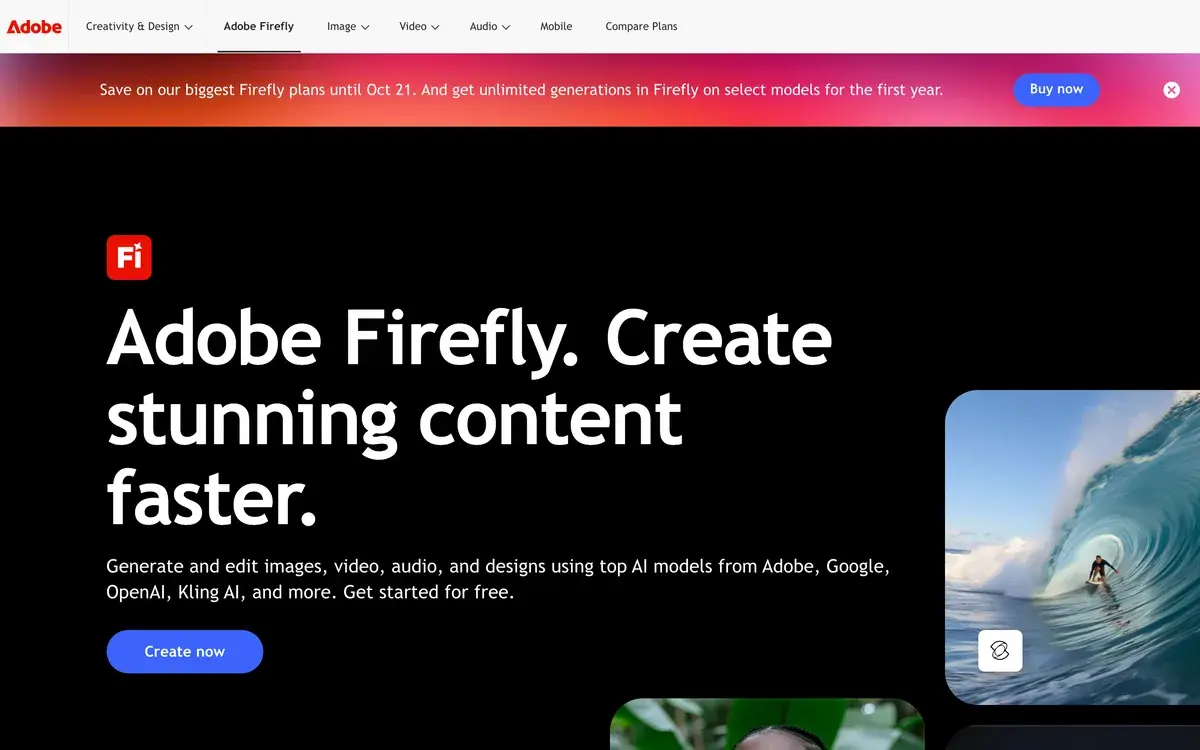
Adobe Firefly homepage, captured Oct 1, 2026.
A Firefly subscription is really a monthly bag of generative credits plus a set of Adobe apps, and the useful question is what the credits buy. Adobe's own plan comparison answers it indirectly. The $9.99 Standard plan's 2,000 credits cover up to 20 five-second videos, so one short clip costs about 100 credits. Everything else in this review follows from that conversion.
What a generative credit buys
Adobe publishes the limits per plan rather than a price list per feature, but dividing one by the other gives the rates:
Feature
Credits, by Adobe's plan figures
What 2,000 credits cover
Five-second video
About 100 per clip
Up to 20 clips
Video or audio translation
About 330 per minute
Up to 6 minutes
Sound effect
About 10 each
Up to 200
Music
About 20 per minute
Up to 100 minutes
Standard image features, such as Generative Fill
No credits on paid plans
Unlimited
Partner models such as Nano Banana Pro, Veo or Kling
Varies by model and resolution
Depends on the mix
Image work is cheap or free; video, translation and partner models are where credits go. A marketer making stills with Generative Fill and Firefly's own image model barely touches the allowance. A video editor generating b-roll with Veo can empty Standard in a week.
Five ways to pay, including free
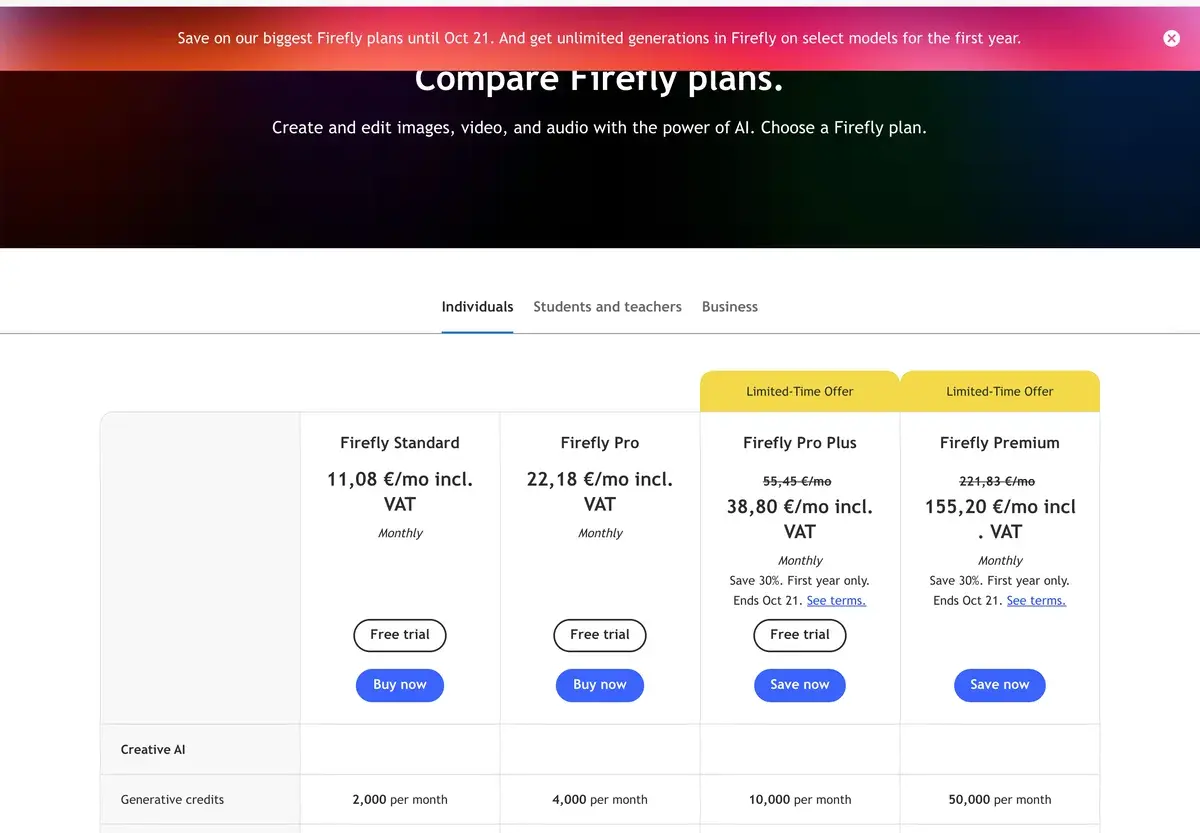
The plan page in its European version on October 1, 2026; US prices, which Adobe lists without tax, are in the table below.
Plan
US price a month
Credits
Notable extras
Free
$0
Limited daily generations
Select image, video and audio models, refreshed daily
Standard
$9.99
2,000
Unlimited standard image features, Adobe Fonts
Pro
$19.99
4,000
Photoshop on web and mobile, Adobe Express Premium, Adobe Podcast premium features
Pro Plus
$49.99, or $34.97 for the first year until Oct 21
10,000
Same apps, bigger allowance
Premium
$199.99, or $139.91 for the first year until Oct 21
50,000
Unlimited Firefly Video Model generations
Teams pay the same per license for Pro, Pro Plus and Premium, and they get admin tools and around-the-clock support. Students and teachers have their own plan, and credit add-ons can top up any plan.
The first-year "unlimited" offer, read closely
The banner across Firefly's pages in October 2026 promised unlimited generations "on select models for the first year". The plan table spells out what that means, and it scales with the plan:
Pro: unlimited generations on selected models such as Nano Banana 2 at 1K and Flux.2 Pro.
Pro Plus: every image model at 1K and 2K, plus selected video models such as Kling 2.5 Turbo, Nano Banana Pro and Nano Banana 2.
Premium: Veo 3.1 Fast, Kling 3.0 and every image model up to 4K, including Nano Banana Pro at 4K and OpenAI's newest image model.
Two caveats. The offer lasts for the first year of a subscription, so year-two costs depend on credits again. And it covers named models at named resolutions; anything outside the list still draws credits. For someone who generates images all day, Pro Plus at the discounted $34.97 is the standout deal of the moment.
Adobe's models and everyone else's
Firefly launched in 2023 as Adobe's own image generator, and those models remain the core. Adobe trains them on Adobe Stock, openly licensed material and public domain content whose copyright has expired. It sells them as commercially safe, with IP indemnification for eligible enterprise customers. That pitch is why agencies and in-house brand teams choose Firefly over cheaper generators.
In 2025 and 2026 Adobe opened the app to other labs. Firefly now offers Google's Nano Banana and Veo, OpenAI's image model, and models from Kling, Runway, Luma and Black Forest Labs. All of them sit behind one login and one credit balance. Those partner models give better results for many prompts. They're trained on their own data and come with their own terms, though, so the commercial-safety promise is strongest on Adobe's models. A practical habit for brand work: generate concepts with whatever looks best, then produce final assets with a Firefly model or check the partner model's terms.
Adobe also says it does not train its generative AI models on customers' content, whichever model they use.
Boards, the AI Assistant and Custom Models
Firefly Boards is the feature that makes the app more than a generator. It's an infinite canvas where a team collects references and generates or remixes images with Adobe and partner models side by side. Mood boards, storyboards and brand directions take shape there before the chosen designs move into Photoshop or Adobe Express. Boards are unlimited on paid plans.
The Firefly AI Assistant takes a plain description, such as a product mockup or a set of social posts, and picks the tools itself. Custom Models, in public beta, let you train a model on your own images to capture a signature style. You can then generate consistent variations in Firefly and Boards. Beyond images, the app generates music licensed for use anywhere, voiceovers, sound effects and translated versions of videos. The mobile app carries most of it to the phone.
Where Firefly sits in Creative Cloud
Firefly is also the engine behind generative features in Photoshop, Illustrator and Adobe Express, and credits can be spent in those apps. Firefly Pro and above include Photoshop on the web and mobile and Adobe Express Premium. Pro now also unlocks Adobe Podcast's premium features. That makes Pro at $19.99 a reasonable entry plan for anyone who doesn't need desktop Photoshop. People already paying for a Creative Cloud plan should check how many credits their plan includes before buying Firefly on top.
Matching a plan to the work
The free plan's daily generations are enough to learn whether Firefly's models and partner models suit your work. Standard at $9.99 makes sense only once you need video or more partner-model generations. Pro is the best value for designers who want Photoshop on the web and mobile thrown in. Pro Plus, especially at the first-year price, fits image-heavy creators who will lean on unlimited generations. Premium is for video teams that will use the unlimited Firefly Video Model and Veo or Kling volume.
Midjourney remains the pick for a single, polished aesthetic at $10 a month, and Leonardo offers a similar multi-model studio with a free daily allowance. Canva suits teams who care more about layouts than generation; our Canva vs Adobe Firefly comparison covers that choice.
Related Tools
Midjourney: one lab's polished image and video model
Leonardo AI: Canva-owned multi-model studio with free daily tokens
Canva: templates and layouts with AI tools built in
Partly. Without a plan you get limited free generations every day across images, video and audio, with models such as Nano Banana and Luma Ray3.14, and the limits refresh daily. Paid plans start at $9.99 a month for 2,000 generative credits, which unlock video, partner models and larger volumes.
What are the Firefly plans and prices in 2026?
Firefly Standard costs $9.99 a month with 2,000 generative credits, Pro $19.99 with 4,000, Pro Plus $49.99 with 10,000 and Premium $199.99 with 50,000. Until October 21, 2026, Pro Plus and Premium are 30% off for the first year, at $34.97 and $139.91. Team versions of Pro, Pro Plus and Premium cost the same per license and add admin tools.
What is a generative credit worth?
It depends on the feature. Adobe's own plan figures put a five-second video at about 100 credits, a minute of translated video at roughly 330, a sound effect at about 10 and a minute of music at about 20. Standard image features such as Generative Fill are unlimited on paid plans and don't use credits.
Is Adobe Firefly part of Creative Cloud?
Both. Firefly is sold as its own set of plans, and Firefly features also run inside Creative Cloud apps such as Photoshop, Illustrator and Adobe Express, where generative credits can be spent too. Firefly Pro and above include Photoshop on the web and mobile plus Adobe Express Premium.
Are Adobe Firefly images safe for commercial use?
Adobe trains its own Firefly models on licensed content such as Adobe Stock, openly licensed material and expired-copyright public domain content, and markets them as commercially safe, with IP indemnification available to eligible enterprise customers. Partner models from Google, OpenAI and others are covered by their own training data and terms, so check which model made an image before using it in a campaign.
Which AI models are in Firefly?
Adobe's own Firefly image and video models plus partner models, including Google's Nano Banana models and Veo 3.1, OpenAI's GPT image model, Kling, Runway, Luma Ray and Flux from Black Forest Labs. Partner models use generative credits, and plans until the first anniversary include unlimited generations on selected ones.
What are Firefly Boards?
An infinite canvas for mood boards, storyboards and campaign concepts, where teams collect references and generate or remix images with Adobe and partner models together. Boards are unlimited on paid plans, and designs can move into Photoshop or Adobe Express for finishing.
What happens when I run out of Firefly credits?
Standard image features keep working, but premium features such as video and partner models need credits. You can wait for the monthly refresh, move to a larger plan or buy a credit add-on plan, and the free daily generations remain available.
Does Adobe use my Firefly images to train its models?
Adobe says it does not train its generative AI models on customers' content, whichever model they choose in its products. Images you submit to Adobe Stock are a separate case, governed by the Stock contributor terms.