What is Topaz Labs?
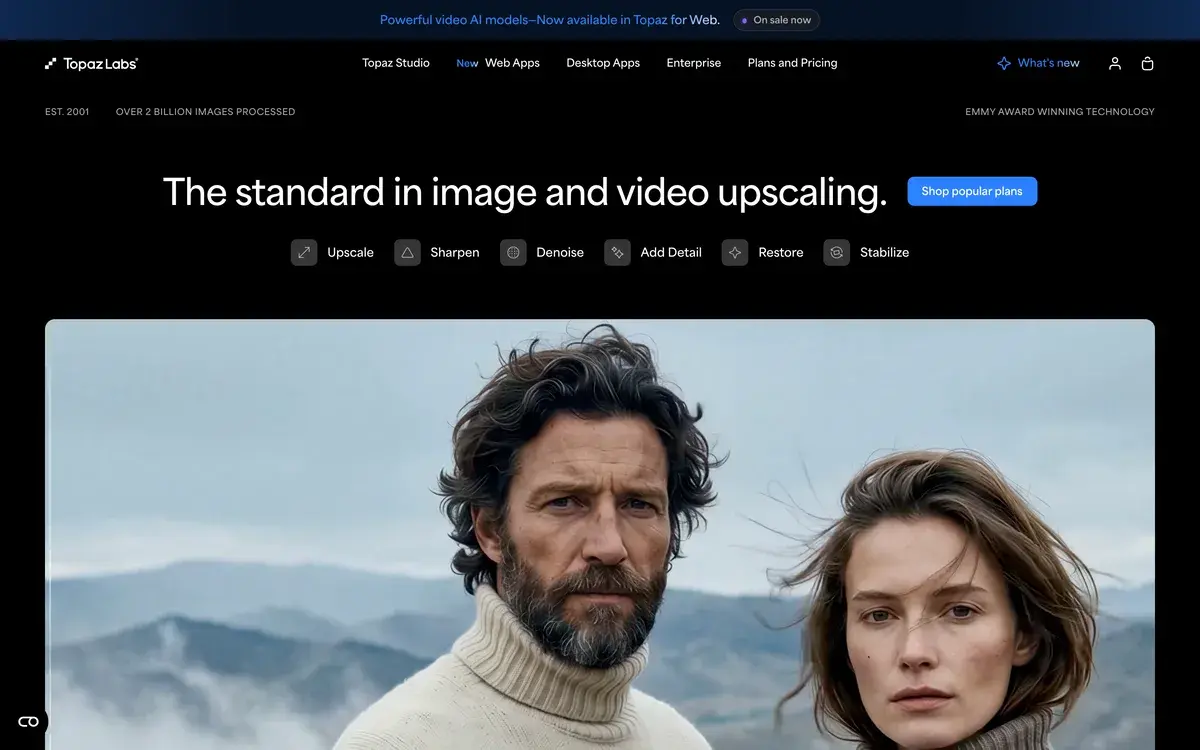
Topaz Labs is a software company that makes AI-powered enhancement tools for professional photographers and videographers. Founded in 2005 originally as plugin developer for Photoshop, Topaz evolved through 2020-2024 into standalone AI applications that consolidated their photo enhancement plugins (Gigapixel, Sharpen AI, DeNoise AI) into single Photo AI product. By 2026, Topaz Labs is the established standard for AI-driven traditional super-resolution enhancement, particularly in photography workflows.
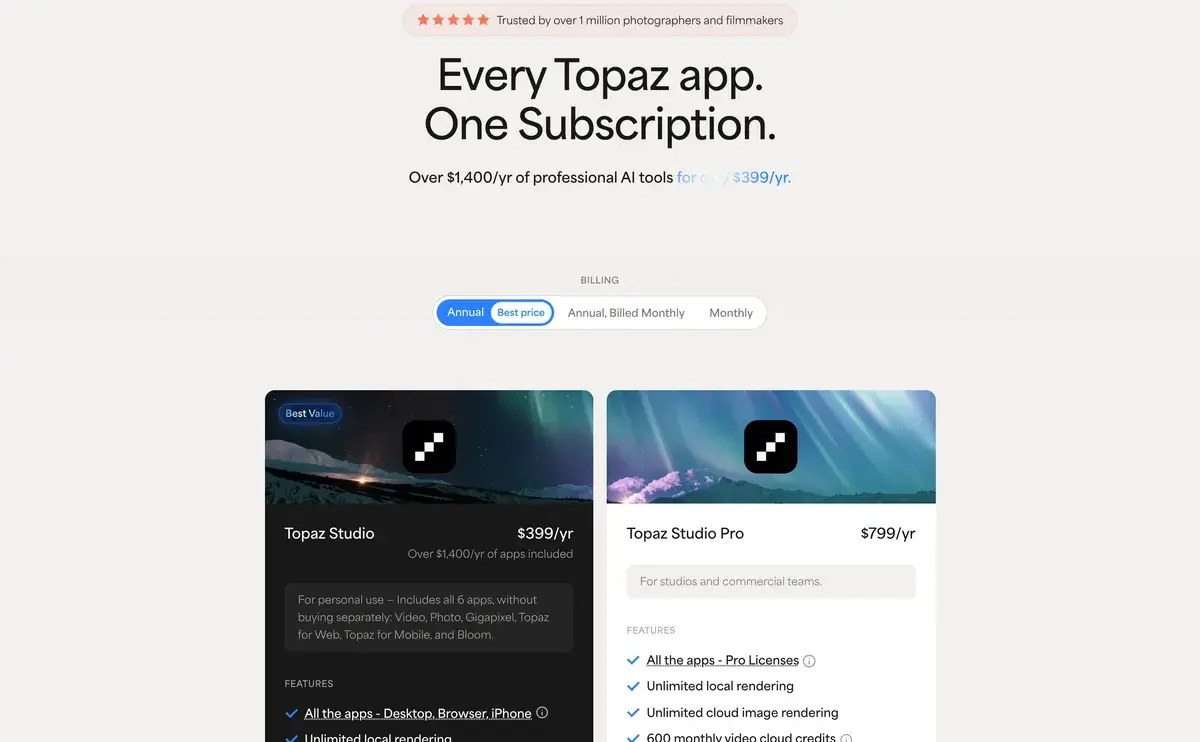
The platform's distinguishing characteristic is the one-time purchase model in an industry increasingly dominated by subscriptions. While Magnific, Adobe, and most competitors charge monthly subscriptions, Topaz charges $199-499 once with one year of updates included. This pricing approach appeals strongly to professional photographers who already manage multiple subscriptions and prefer perpetual licenses for foundational tools.
Topaz's technical approach uses traditional super-resolution rather than generative AI. The platform enhances what's actually in the image through sophisticated algorithms rather than imagining what the higher-resolution version "should" look like. This approach preserves original content faithfully — important for photography where authenticity matters and forensic situations where generated detail would be problematic.
Who is it for?
Topaz fits professional photographers and videographers needing reliable enhancement of existing footage and images. The pricing structure (one-time purchase) and technical approach (faithful enhancement) match this audience particularly well. Specific user types where Topaz fits:
- Professional photographers processing client work, especially weddings, portraits, and events.
- Wedding and event photographers delivering high-resolution prints from variable-quality source images.
- Videographers and filmmakers upscaling footage to 4K or 8K for modern delivery requirements.
- Photo restoration specialists working with old or damaged photos requiring authentic enhancement.
- Stock photo contributors preparing high-resolution images for sale.
- Real estate photographers producing premium property imagery.
- Print shops and reproduction services processing low-resolution source for high-quality output.
- Photographers preferring perpetual licenses over subscription models.
User types where Topaz may not fit:
- AI artists upscaling generative images. Magnific produces better results for AI-generated content specifically.
- Casual users with occasional needs. Free alternatives or Adobe's included Super Resolution may suffice.
- Cost-sensitive professionals. Krea AI's bundled subscription includes upscaling at lower cost per use.
- Users wanting subscription model with continuous updates. Topaz updates require purchasing upgrades.
- Mobile-first photographers. Topaz is desktop-only (Mac and Windows).
- Users needing only occasional video enhancement. Adobe Premiere or DaVinci Resolve handle basic enhancement adequately.
Key Features
The Topaz Labs feature set centers on photo and video enhancement with technical depth.
Photo AI is the primary photography product consolidating three core capabilities: upscaling (formerly Gigapixel), sharpening (formerly Sharpen AI), and noise reduction (formerly DeNoise AI). Single application handles all three workflows with unified interface. Auto-detects which enhancement each image needs and suggests appropriate adjustments.
Video AI is the video enhancement product handling upscaling (up to 8K), stabilization, frame interpolation (for slow motion), and noise reduction. Supports common video formats and codecs. Particularly useful for upgrading older footage to modern resolution standards.
Gigapixel upscaling enhances image resolution up to 6x without losing quality. Multiple AI models tuned for different content types — high-quality photos, low-resolution scans, compressed images, line art. The model selection matters substantially for output quality.
Sharpen AI removes motion blur, focus blur, and general softness from images. Particularly valuable for sports photography, low-light handheld shots, and any image where the original capture has minor sharpness issues.
DeNoise AI removes high ISO noise from photos while preserving detail. The AI distinguishes noise from genuine image content better than traditional denoise algorithms. Useful for low-light photography and older sensors with limited high-ISO performance.
Face Recovery specifically enhances portrait subjects in low-quality images. Reconstructs facial detail using face-aware AI that knows what faces should look like. Useful for old photo restoration and group photos where individual faces are small.
Batch processing handles dozens or hundreds of images with consistent settings. Critical for wedding photographers, event photographers, and others processing large image volumes consistently.
RAW image support with high-quality RAW processing. Maintains color depth and dynamic range better than JPEG-only workflows. Important for professional photography preserving editing flexibility.
Plugin support for Adobe Photoshop, Lightroom, Capture One, and other editors. Integrates Topaz tools into existing professional workflows rather than requiring separate application use.
Export options with full control over output format, color space, and metadata. Professional photographers benefit from precise output specifications.
Tutorial and learning resources through Topaz Labs Academy and active YouTube community. Significant investment in user education distinguishes Topaz from competitors with thinner support.
Mac and Windows native applications with full feature parity. The native applications perform better than browser-based alternatives for processor-intensive enhancement work.
Topaz Labs vs Competitors 2026
| Tool | Strength | Pricing | Best For |
|---|
| Topaz Photo AI | Established standard, one-time purchase | $199 one-time | Professional photographers |
| Topaz Video AI | Video enhancement specialist | $299 one-time | Videographers and filmmakers |
| Magnific AI | Generative upscaling, AI art focus | $39+/mo | AI artists, creative enhancement |
| Adobe Super Resolution | Adobe ecosystem integration | Adobe subscription | Adobe Creative Cloud users |
| Krea AI | Bundled with broader features | $10-60/mo | Multi-purpose AI users |
| Upscayl | Free, open-source | Free | Budget-conscious users |
| ON1 NoNoise AI | Noise reduction specialist | $99 one-time | Pure noise reduction needs |
| DxO PureRAW | RAW processing focus | $129 one-time | RAW workflow specialists |
Pricing verified April 2026.
Topaz vs Magnific. The most important comparison and most consequential choice. Topaz uses traditional super-resolution faithful to original; Magnific uses generative AI imagining new detail. Topaz one-time $199; Magnific subscription $39/mo. For photo preservation and authentic enhancement, Topaz. For AI-generated image upscaling and dramatic creative enhancement, Magnific. Many professionals use both for different purposes.
Topaz vs Adobe Super Resolution. Adobe's super-resolution is included with Adobe Creative Cloud subscription at no additional cost. Convenience for Adobe ecosystem users. Quality is good but typically below Topaz for upscaling specifically. For Adobe users with light upscaling needs, included Super Resolution suffices. For dedicated upscaling work, Topaz produces measurably better output despite separate purchase.
Topaz vs Krea AI. Different positioning. Krea bundles upscaling within broader AI creative platform (image generation, video, real-time tools). Topaz specializes in enhancement specifically. Krea's bundled subscription is more economical for users wanting multiple AI features. Topaz's specialized focus produces better enhancement quality specifically for traditional photography.
Topaz vs Upscayl. Upscayl is free open-source AI upscaler. Quality is adequate for casual use but below Topaz for professional applications. For non-professional users with occasional upscaling needs, Upscayl is sufficient. For professional work where quality drives client perception, Topaz.
Topaz vs ON1 NoNoise AI. Different scopes. ON1 NoNoise AI specializes in noise reduction only. Topaz Photo AI handles noise reduction plus upscaling and sharpening. For pure noise reduction needs, ON1 may produce slightly better results. For comprehensive enhancement, Topaz consolidates capabilities.
Topaz vs DxO PureRAW. DxO focuses on RAW processing pipeline with optical correction. Topaz focuses on enhancement of any source. Different stages of photography workflow. Many photographers use both — DxO for RAW conversion, Topaz for final enhancement.
Pricing 2026
| Product | Cost | Updates | Best For |
|---|
| Photo AI | $199 one-time | 1 year included | Photographers wanting upscaling, sharpening, denoising |
| Video AI | $299 one-time | 1 year included | Videographers upscaling and enhancing footage |
| Photo + Video Bundle | $499 one-time | 1 year included | Professionals working with both photo and video |
| Update License | $99-149 | Additional year of updates | Existing customers wanting continued updates |
Pricing verified April 2026 from topazlabs.com. Pricing has remained stable through 2024-2026.
The one-time purchase model is Topaz's distinguishing pricing approach in an industry increasingly dominated by subscriptions. For users who keep tools 2-3 years, Topaz's economics typically work out better than subscriptions even with periodic update purchases. For users requiring constant feature updates and latest capability, subscription tools may fit better despite higher long-term cost.
The Photo AI at $199 consolidates three previously-separate products. Users who would have purchased Gigapixel + Sharpen AI + DeNoise AI individually save substantially with the consolidated product.
Video AI at $299 reflects the more complex computational requirements of video enhancement and the smaller addressable market versus photo enhancement.
The bundle at $499 saves $99 versus purchasing separately for users needing both products. Professional photo+video workflows benefit from the bundle pricing.
Update licenses at $99-149 maintain continuous improvement access for users already on Topaz. Effectively this creates a soft subscription dynamic where engaged users renew annually for continued updates while still owning the version they purchased.
The educational discount and seasonal sales (Black Friday, Topaz anniversaries) frequently offer 20-30% discounts. Budget-conscious users can plan purchases around these sale periods.
What I think about Topaz Labs
I evaluated Topaz Labs for AIVario research as part of competitive analysis in image enhancement tools. AIVario doesn't use Topaz in our workflow currently, but the platform deserves comprehensive coverage given its established market position.
What works well based on research and customer reports: Topaz produces consistently high-quality enhancement that professional photographers rely on for client work. The technical approach (faithful enhancement of existing pixels) suits photography workflows where authenticity matters. Output quality has been refined through many years of model development.
The one-time purchase model genuinely matters for many professional photographers. Subscription fatigue is real in 2026 — photographers managing Adobe Creative Cloud, possibly Capture One, photo organization tools, plus various plugins find $199 perpetual license refreshing. The economics work clearly for users keeping tools 2+ years.
The plugin integration with Photoshop and Lightroom respects existing professional workflows. Photographers don't need to abandon their established editing pipeline to use Topaz — they augment existing tools rather than replacing them.
What I would honestly flag based on research: the one-time pricing has trade-offs. Subscription tools (Magnific, Adobe) typically receive continuous updates. Topaz updates require purchasing upgrade licenses for users wanting latest capability beyond included year. For some users, this feels like soft subscription disguised as perpetual license.
For AI-generated image upscaling specifically (Midjourney, Stable Diffusion outputs), Magnific's generative approach often produces better results than Topaz's traditional super-resolution. AI artists working primarily with generative content may find Topaz less suited to their workflow than Magnific despite Topaz's broader capability.
The desktop-only requirement (Mac and Windows) excludes mobile-first photographers. The applications are computationally intensive — older or lower-spec computers may struggle with processing speed, particularly for video work.
For AIVario specifically, we don't have image enhancement workflows currently. Most of our images are tool screenshots and logos that don't need enhancement. If we expand into visual content (AI tool comparison galleries, design showcases), Topaz would be on the consideration list alongside Magnific based on specific content type.
For someone evaluating today: if you're a professional photographer or videographer needing reliable enhancement for client work, Topaz is the established standard. The one-time purchase is more economical than subscriptions if you keep the tool 2+ years. For AI-generated content upscaling specifically, evaluate Magnific alongside Topaz. For casual users with occasional needs, Adobe's included features or free alternatives may suffice.
Use Cases
Wedding photographer processing client deliveries. Photo AI at $199 one-time. Batch processes hundreds of images with upscaling for prints, sharpening for handheld shots, and noise reduction for venue lighting. Replaces multiple separate tools or worse processing workflow that previously affected client deliverable quality.
Filmmaker upscaling old footage to 4K. Video AI at $299 one-time. Converts older 1080p footage to 4K for modern delivery requirements. Replaces "footage looks dated at modern resolution" with refreshed library that meets current standards. One-time investment processes unlimited footage.
Photo restoration specialist working with vintage images. Photo AI at $199 one-time. Combines upscaling, sharpening, denoising, and face recovery for vintage photo restoration. Handles 80% of restoration jobs without specialized tools. Replaces $99 separate products with consolidated workflow.
Real estate photographer preparing premium listings. Photo AI at $199 one-time. Enhances property images for premium MLS listings, brochures, and large displays. Quality improvement justifies premium positioning over competitors. Investment paid back within first few premium listings.
Stock photo contributor preparing high-resolution submissions. Photo AI at $199 one-time. Upscales source images to maximum resolution for stock platforms. Better resolution typically commands higher prices and better placement. Investment pays back through ongoing stock sales.
Videographer creating slow motion from standard footage. Video AI at $299 one-time. Frame interpolation creates smooth slow motion from 30fps source. Replaces specialized high-frame-rate camera requirements with software solution. One-time investment unlocks creative options across all future projects.
My Verdict
Topaz Labs is the right choice for professional photographers and videographers needing reliable enhancement of authentic photographic and video content. The combination of faithful enhancement (preserving original content), one-time purchase pricing, and established market position makes it the default professional choice in the category.
For AI-generated image upscaling specifically, Magnific produces better results through its generative approach. AI artists primarily working with generative content may find Magnific better suited to their workflow despite Topaz's broader capability and lower long-term cost.
The pricing model is genuinely differentiated. In a subscription-dominated industry, Topaz's one-time purchase appeals strongly to professional photographers managing multiple subscriptions. The economics work out better for users who keep tools 2+ years versus equivalent subscription products.
The technical depth is real. Years of model development produce enhancement quality that competitors with shorter histories typically don't match for traditional photography. The plugin integration respects existing professional workflows rather than requiring tool replacement.
For users evaluating today: if photography is your primary use case and you keep tools long-term, Topaz Photo AI at $199 is reasonable investment that pays back versus alternatives. For video work, Video AI at $299 is similarly reasonable. For AI-generated content focus, evaluate Magnific. For casual occasional needs, Adobe's included features or free alternatives may suffice without dedicated investment.
The educational discount and seasonal sales create budget-conscious purchase opportunities. Plan purchases around Black Friday or Topaz anniversaries for 20-30% discounts when timing allows.
Note: Topaz Labs has an affiliate program. AIVario application status pending. Our rating reflects evaluation based on research and competitive positioning, not affiliate considerations.
Best for: Professional photographers (especially wedding, portrait, event), videographers and filmmakers, photo restoration specialists, stock photo contributors, real estate photographers, print shops and reproduction services, photographers preferring perpetual licenses, professionals managing multiple subscription fatigue
Not ideal for: AI artists primarily upscaling generative content (use Magnific), casual users with occasional needs, cost-sensitive users (Krea bundled may fit better), users wanting subscription with continuous updates, mobile-first photographers, users only needing occasional video enhancement (Premiere/DaVinci adequate)
Bottom line: The established standard for professional AI-driven photo and video enhancement. One-time purchase model and faithful enhancement approach distinguish from subscription-based generative alternatives. Best for photographers and videographers prioritizing authenticity and long-term tool ownership.
Related Tools
- Magnific — primary alternative with generative AI approach for AI art
- Adobe Firefly — AI image generation that pairs with Topaz enhancement
- Krea AI — alternative with broader AI features and bundled pricing
- Midjourney — primary AI image source that may benefit from upscaling
- Leonardo AI — AI image generation alternative
Frequently Asked Questions about Topaz Labs
Is Topaz Labs subscription or one-time purchase?
Topaz Labs uses one-time purchase model rather than subscription. Photo AI costs $199 (was Gigapixel + Sharpen + Denoise consolidated). Video AI costs $299. Bundle pricing available for users wanting both. Updates included for one year after purchase; users can buy upgrade for additional updates after that. The one-time model differentiates Topaz from subscription competitors like Magnific.
How does Topaz compare to Magnific AI?
Different approaches. Topaz uses traditional super-resolution that enhances existing pixels faithfully without imagining new content. Magnific uses generative AI that hallucinates plausible detail at higher resolution. Topaz preserves original content; Magnific produces more dramatic enhancement. For photo restoration and faithful preservation, Topaz. For AI-generated image upscaling and dramatic creative enhancement, Magnific. Many professionals use both for different purposes.
What is included in Topaz Photo AI?
Photo AI consolidates three previously-separate Topaz products: Gigapixel (upscaling), Sharpen AI (sharpening and motion blur removal), and DeNoise AI (noise reduction). Single application handles all three workflows with unified interface. Includes face enhancement, RAW image processing, and batch operations. Replaces typical $299 cost (3 × $99 individual products) with single $199 purchase.
Can Topaz Video AI upscale to 8K?
Yes, Topaz Video AI supports 4K upscaling for most videos and 8K upscaling for high-quality source content. The platform handles common video formats and codecs with quality results that typically exceed in-camera or basic editor enhancement. Note that 8K upscaling requires substantial source quality and processing power; not all source video produces good 8K output regardless of tool.
Does Topaz work for restoration?
Yes, Topaz is widely used for old photo restoration. The combination of upscaling, sharpening, and noise reduction handles most degradation issues in vintage photos. Face enhancement specifically improves portrait quality in old photos. For severely damaged photos, dedicated restoration tools (Photoshop with neural filters, specialized restoration services) may produce better results, but Topaz handles most restoration needs effectively.
Is Topaz Photo AI better than Adobe Super Resolution?
For pure upscaling, generally yes. Topaz produces noticeably better quality than Adobe's built-in Super Resolution feature. Adobe's advantage is integration with existing Adobe workflow at no additional cost (included with Creative Cloud). For users already paying for Adobe, the included Super Resolution may be adequate. For users wanting best-in-class upscaling, Topaz delivers measurably better results despite separate purchase.
Does Topaz Video AI handle slow motion?
Yes, Topaz Video AI includes frame interpolation features that create smooth slow motion from standard frame rate footage. Quality varies based on source content and motion complexity but typically produces serviceable results for most use cases. For specialized slow motion needs (high-frame-rate sports, scientific imaging), dedicated tools may produce better results, but Topaz handles common slow motion requirements well.