What is Framer?
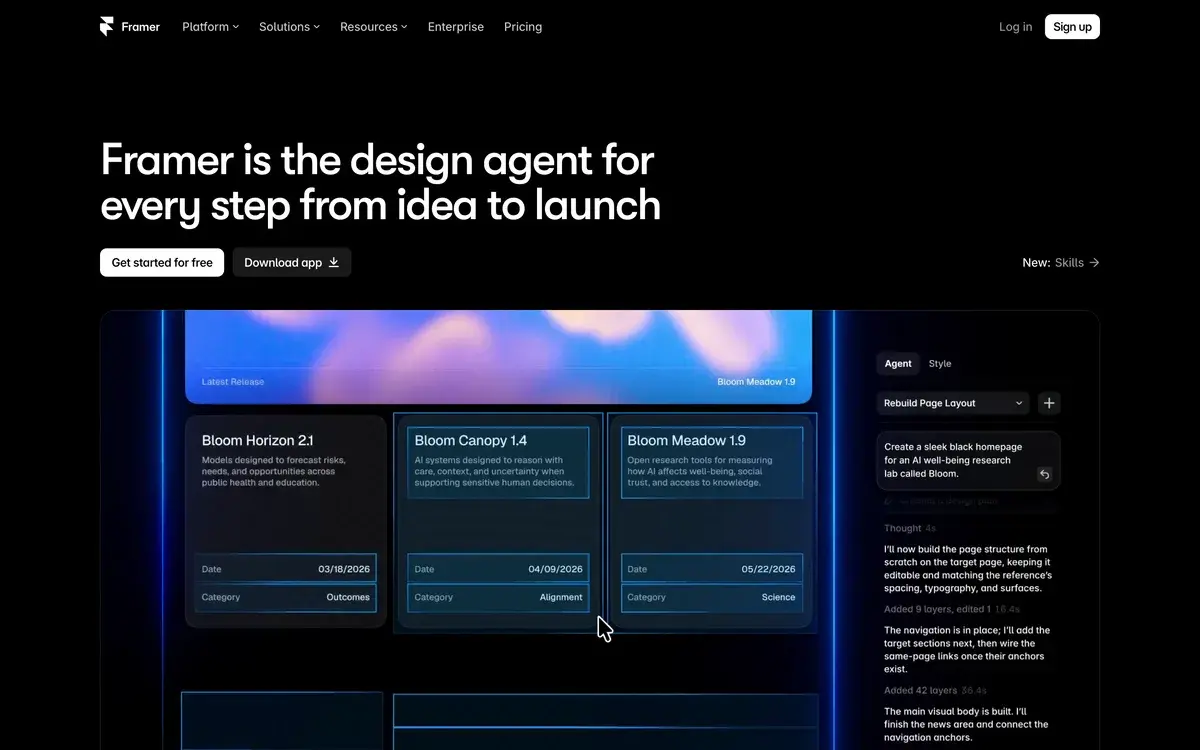
Framer is a website builder that combines professional design tools with AI generation, originally created for designers but increasingly used by founders, marketing teams, and agencies. The platform's distinguishing characteristic is the combination of three usually-separate categories: serious design tool capability, AI website generation from prompts, and full hosting/deployment platform. As of 2026, Framer is one of the most popular tools in the modern website builder category, particularly for users who want sites that look genuinely premium rather than templated.
The product evolved through 2024-2026 with significant AI integration. Framer AI generates complete websites from text descriptions, individual sections from prompts, and component variations on demand. The AI features integrate into the existing design workflow rather than feeling tacked on. For users who can describe what they want clearly, Framer AI accelerates initial creation substantially.
Framer's positioning differs from Webflow (its primary competitor) in subtle but important ways. Webflow targets designers willing to learn CSS-like properties through visual interface. Framer targets designers comfortable with design tools (Figma users especially) wanting their design knowledge to translate to web with minimal new learning. The tools serve overlapping but distinct audiences with different design philosophies.
Who is it for?
Framer fits designers, founders, agencies, and marketing teams building modern marketing-focused websites where visual polish matters. The pricing structure favors users committed to building serious sites rather than throwaway projects. Specific user types where Framer fits:
- Designers transitioning to web who already know Figma or other design tools.
- Founders launching SaaS products needing beautiful landing pages without engineering investment.
- Marketing teams building campaign sites where design polish matters strategically.
- Agencies serving design-conscious clients wanting modern websites at agency-quality bar.
- Freelance designers providing complete website services to clients.
- Product teams shipping product marketing sites alongside their main applications.
- Brands building flagship websites where visual identity matters more than content depth.
- Indie hackers prioritizing site quality over development time.
User types where Framer may not fit:
- Content-heavy sites needing deep CMS (large blogs, news sites). Webflow CMS or headless options fit better.
- Ecommerce-first sites with complex product catalogs and checkout. Use Shopify or specialized platforms.
- Web applications rather than marketing sites. Use Bubble or actual development.
- Cost-sensitive simple sites. Carrd or basic builders fit better at lower cost.
- Heavy SEO-focused content sites where deep technical SEO control matters. Custom development or specialized tools fit better.
Key Features
The Framer feature set focuses on professional website building with AI acceleration. The features below drive most adoption decisions.
AI Website Generator creates complete sites from text descriptions. Specify business type, target audience, and key sections; AI produces working starting point with hero, features, pricing, and other relevant sections. Output is editable like any Framer project. Particularly useful for producing initial site structure faster than starting from blank canvas.
Visual design tool with capabilities competitive with Figma for web design specifically. Designers comfortable with design tools find Framer's interface familiar. Mouse-driven layout, properties panel for fine-tuning, layers panel for organization โ design tool patterns rather than code-like web building.
Component system with reusable components, variants, and design tokens. Build component library once, reuse across pages and sites. Variants handle different states (hover, active, mobile) without duplicating designs. Comparable to Figma component patterns for consistency.
Animation engine with sophisticated motion design โ page transitions, scroll-triggered animations, hover effects, micro-interactions. Capability is closer to After Effects than typical website builders. For sites where motion drives experience, Framer's animations are major differentiator.
Responsive design with breakpoint-based layouts. Design for mobile, tablet, and desktop with separate adjustments per breakpoint. Visual responsive editing rather than CSS-like declarations.
CMS for dynamic content โ blogs, case studies, team pages, products. Collections define content structure; dynamic pages render from data. Less powerful than Webflow CMS but adequate for most marketing site use cases.
Custom code support for advanced users wanting to extend Framer with custom React components or custom CSS. Hybrid approach allows visual design with code escape hatch when needed.
Publishing and hosting handles deployment automatically. Click publish; site goes live on Framer subdomain (free) or custom domain (paid plans). Hosting includes CDN, SSL, and global delivery. No separate hosting setup needed.
Templates and Workshop with hundreds of starting points across business types and styles. The Framer Workshop community shares free and paid templates. Quality templates accelerate initial work substantially.
SEO controls including meta tags, Open Graph images, sitemap generation, custom URLs, redirects, and structured data. Advanced SEO features available on higher tiers.
Forms and analytics for lead capture and basic visitor analytics. Forms integrate with email tools (Mailchimp, ConvertKit, etc.) for newsletter signups and contact forms.
Localization support for multi-language sites. Less mature than dedicated localization tools but adequate for sites with 2-5 language versions.
Framer vs Competitors 2026
| Tool | Strength | Pricing | Best For |
|---|
| Framer | Design tool + AI generation, animations | Free / $20-80/mo | Designers, premium marketing sites |
| Webflow | CMS depth, plugin ecosystem | Free / $14-39/mo | Content-heavy sites, complex CMS needs |
| Wix | Broad templates, beginner-friendly | $17+/mo | Beginners, small business sites |
| Squarespace | Polished templates | $16-49/mo | Portfolios, polished standard sites |
| WordPress + Builder | Maximum flexibility | $5+/mo hosting | Content publishing, SEO-heavy |
| Carrd | Single-page sites | Free / $19/yr | One-page sites, link in bio |
| Bubble | Web apps with logic | Free / $32+/mo | Functional web applications |
| Cursor (custom dev) | Full control | $20/mo + dev time | Custom development with AI |
Pricing verified April 2026.
Framer vs Webflow. The most important comparison for design-focused web building. Webflow has more mature CMS, larger plugin ecosystem, and longer market presence. Framer has stronger AI generation, more modern interface, and better animations. For content-heavy sites with deep CMS needs (publishing, complex collections), Webflow generally fits better. For modern marketing sites and landing pages, Framer often wins on speed and visual polish. Designers using Figma find Framer's transition more natural.
Framer vs Wix and Squarespace. Different positioning. Wix and Squarespace target broad audience including beginners and small businesses. Framer targets designers and design-conscious users. Output quality on Framer is generally higher when used by skilled designers; Wix and Squarespace produce more consistent results across skill levels.
Framer vs WordPress. Different categories. WordPress is content-management-system-first with website building as application. Framer is design-tool-first with publishing built in. For heavy content publishing (large blogs, magazine sites), WordPress remains advantage. For modern marketing sites without heavy publishing needs, Framer is faster and produces better visual output.
Framer vs Carrd. Different scales. Carrd targets single-page sites and simple landing pages at $19/year. Framer targets multi-page sites with full CMS at $20+/mo. For one-page link-in-bio sites, Carrd. For real websites, Framer.
Framer vs Bubble. Different categories. Bubble builds functional web applications with database and user authentication. Framer builds marketing sites and content sites without app functionality. For SaaS products needing both marketing site and application, often build both โ Framer for marketing site, Bubble or actual development for the application.
Framer vs custom development. Custom development with Cursor or traditional approach offers maximum flexibility but takes 5-20x longer than Framer for typical marketing sites. For sites where development time matters more than maximum flexibility, Framer is dramatically faster path.
Pricing 2026
| Plan | Monthly Cost | Sites | Domains | Best For |
|---|
| Free | $0 | 3 sites | Framer subdomain only | Evaluation, personal projects |
| Mini | $20/mo | 1 site | 1 custom domain | Solo single-site users |
| Basic | $30/mo | 1 site | Custom domain + SEO basics | Most professional users |
| Pro | $40/mo | 1 site | Advanced features, white-label | Agencies, complex sites |
| Business | $80/mo | 1 site | Team features, advanced controls | Larger teams, agency work |
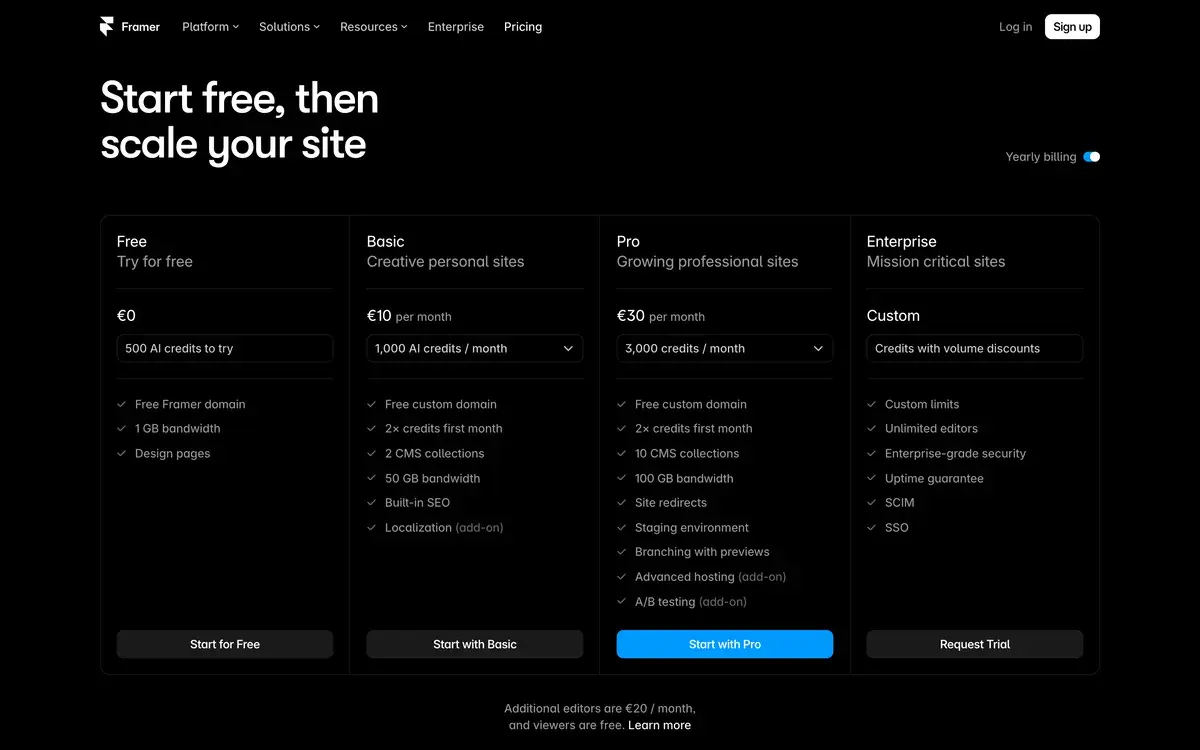
Pricing verified April 2026 from framer.com/pricing. Annual billing offers ~20% discount. Pricing per site rather than per user.
The pricing structure is unusual โ Framer charges per site rather than per user. Each site you publish needs its own subscription. This pricing favors users with one or two strategic sites; gets expensive for users with many small projects.
The Free plan supports evaluation and personal projects with Framer branding. 3-site limit covers learning and small projects. The branding requirement makes free unsuitable for serious commercial use but doesn't time-limit evaluation.
Mini at $20/mo is the entry paid tier โ single site with custom domain, no Framer branding. Reasonable for solo founders with one main site. Limited features compared to Basic.
Basic at $30/mo is the practical entry point for most professional users. Single site with full CMS, SEO controls, and advanced features. Most solo founders, freelancers, and small projects settle here.
Pro at $40/mo adds advanced features useful for agencies and complex sites. White-label support, advanced animation, additional integrations. Reasonable price for agencies producing client work.
Business at $80/mo adds team features and advanced controls for larger teams. Most users don't need this tier; agencies with multiple designers collaborating may benefit.
The per-site pricing creates interesting tradeoffs. Agency working on 10 client sites pays $200-400/mo for Basic-level features per client site. Compared to Webflow's per-site Workspaces at similar prices, the economics are competitive.
What I think about Framer
I evaluated Framer for AIVario research as part of competitive analysis in modern website builders. AIVario uses Next.js with custom development rather than Framer, but I've used Framer for other personal projects to understand the platform.
What works well based on usage: the design tool experience is genuinely impressive. Designers comfortable with Figma transition to Framer faster than to Webflow. The animation engine is unmatched in the website builder category โ sites built in Framer can have motion design that other builders can't approach. For brands where visual experience matters strategically, this differentiation is meaningful.
The AI website generator produces serviceable starting points faster than building from blank canvas. Quality varies โ specific detailed prompts produce better results than generic ones. For users wanting to skip the "where do I start" friction, AI generation removes that friction.
The component system enables consistency across complex sites. Build component library once; sites using those components stay consistent automatically. This matters more for multi-page sites or maintained sites than for one-off projects.
What I would honestly flag based on usage: the per-site pricing model has tradeoffs. Users with multiple projects pay accumulated subscription costs that can exceed alternatives at similar capability levels. For agencies or designers producing many sites annually, the math may favor alternatives despite Framer's design quality advantages.
The CMS is good for marketing sites but not as deep as Webflow CMS for content-heavy publishing. Sites needing complex collections, advanced filtering, or sophisticated content workflows may push beyond Framer CMS capabilities.
The learning curve, while gentler than Webflow for designers, is real for non-designers. Founders or marketers without design background may find Framer more challenging than simpler builders (Wix, Squarespace) despite Framer's superior output potential.
For AIVario specifically, we use Next.js for our directory โ a use case where website builders generally don't fit. If I were starting a brand-new marketing site today without existing development infrastructure, Framer would be on the shortlist alongside Webflow and traditional development with Cursor. The choice depends on specific requirements (CMS depth, animation needs, ongoing maintenance approach).
For someone evaluating today: try Framer free for one project to assess fit. Designers comfortable with Figma typically click immediately with Framer. Non-designers or content-heavy use cases may find Webflow or traditional builders fit better. The AI generator removes "blank canvas" friction; try generating a site in your specific use case to test the workflow.
Use Cases
Solo founder launching SaaS product. Basic at $30/mo. Builds professional landing page with hero, features, pricing, and demo sections. AI generates initial site structure; founder refines messaging and visual polish. Replaces "founder asking developer for landing page" friction with self-service workflow.
Agency producing client marketing sites. Pro at $40/mo per client site. Each client gets dedicated Framer site with custom design and CMS. Faster project delivery than custom development. White-label support enables agency client relationships.
Marketing team running campaign microsites. Basic plan per microsite. Each campaign gets dedicated landing page with custom design and analytics. Quick turnaround for time-sensitive campaigns. Replaces engineering team requests with self-service marketing capability.
Designer building portfolio site. Free tier or Mini at $20/mo. Showcases design work with motion-rich portfolio that demonstrates capabilities. Animations and interactive elements display design skills better than static portfolios. The visual quality reflects designer's brand.
Brand launching flagship website. Business at $80/mo. Premium brand site with extensive animations, custom components, and design polish that wouldn't be achievable in simpler builders. Investment justifies Business tier features for strategic brand asset.
Indie hacker shipping product without designer. Basic at $30/mo. AI generation produces serviceable initial site; hacker refines for product specifics. Faster to ship than learning Figma + Webflow combination. Quality acceptable for product-led growth where landing page conversion matters more than design awards.
My Verdict
Framer is the right choice for designers and design-conscious users building modern marketing sites where visual polish and animations matter strategically. The combination of professional design tools, AI generation, and animation engine makes it genuinely differentiated rather than incrementally better than alternatives.
For content-heavy sites with deep CMS needs, Webflow generally fits better. For beginners and simple sites, Wix or Squarespace are easier. For maximum flexibility, custom development. Framer specifically wins for marketing sites where design quality matters more than CMS depth or template variety.
The AI generation is a useful starting point but not transformative versus building manually for skilled designers. For non-designers, AI generation may produce better initial results than starting from blank canvas. For designers, AI is convenience rather than necessity.
The per-site pricing model has tradeoffs depending on your project portfolio. For one or two main sites, the economics work well. For users producing many sites, accumulated subscription costs can exceed alternatives.
The free tier removes evaluation friction. Try Framer with a real project to assess fit. Designers comfortable with Figma typically transition smoothly. Non-designers may want to try Wix or Webflow alongside Framer to compare experiences.
For agencies and freelance designers specifically, the design quality advantage and AI acceleration may justify the per-site economics. Producing client sites 2-3x faster than custom development, at premium quality, can support competitive client offerings.
Note: Framer does not currently have an active affiliate program for AIVario. We earn no commission from Framer subscriptions. Our rating reflects evaluation based on platform usage and competitive positioning.
Best for: Designers transitioning to web building, founders launching SaaS products, marketing teams building campaign sites, agencies serving design-conscious clients, freelance designers offering web services, product teams shipping marketing sites, brand-focused flagship websites, indie hackers prioritizing site quality
Not ideal for: Content-heavy publishing sites needing deep CMS (use Webflow), ecommerce-first sites (use Shopify), web applications with logic (use Bubble or development), cost-sensitive simple sites (use Carrd or Wix), heavy SEO content sites with technical SEO needs
Bottom line: The leading modern website builder for design-conscious users wanting professional output with AI acceleration. Best for marketing sites where visual quality matters strategically. Free tier removes evaluation friction; Basic at $30/mo reasonable for professional use.
Related Tools
- Webflow AI โ primary alternative with deeper CMS features
- Bubble โ alternative for web applications rather than marketing sites
- Cursor โ alternative for custom development with AI assistance
- Lovable โ AI app builder, complementary for application development
- Vercel โ hosting alternative for custom development direction
Frequently Asked Questions about Framer
Is Framer free?
Yes, Framer has a free tier with 3 sites, Framer subdomain, and basic features. Sufficient for evaluation, learning, and personal projects without monetization. The free tier requires Framer branding on published sites. Paid plans starting at $20/mo Mini remove branding and add custom domains. For non-commercial use, free works indefinitely.
How does Framer compare to Webflow?
Both target professional design-focused users. Webflow has stronger CMS features, more mature plugin ecosystem, and longer market presence. Framer has stronger AI generation features, modern interface, and better animation tools. For content-heavy sites with deep CMS needs, Webflow. For modern marketing sites and landing pages with focus on visual polish, Framer often wins. Many designers use both for different project types.
Can Framer build full websites with AI?
Yes. Framer's AI website generator creates complete websites from text descriptions. 'Build a SaaS landing page for a project management tool targeting freelancers' produces working starting point with hero, features, pricing, and footer sections. Output is editable like any Framer project. Quality varies based on prompt specificity but typically produces serviceable starting points faster than building from scratch.
Is Framer good for SEO?
Yes, Framer sites perform well on SEO. Auto-generated semantic HTML, fast page loads (typically 95+ Lighthouse scores), automatic sitemap generation, and meta tag management. Built-in CMS supports proper content structure. For SEO-critical sites, Framer's output is competitive with hand-coded alternatives. Some advanced SEO features require Pro plan or higher.
Does Framer support CMS for blogs?
Yes, Framer CMS handles blogs, case studies, team pages, and other dynamic content. Less powerful than Webflow CMS or dedicated headless CMS like Sanity, but adequate for most marketing site use cases. CMS features include collections, dynamic pages, and content variables. For complex publishing workflows, dedicated CMS may fit better; for marketing site needs, Framer CMS works.
Can I use Framer for client work?
Yes, agencies and freelancers commonly use Framer for client websites. The Pro plan supports white-label client work, custom domains, and advanced features. Many designers report shipping client projects 2-3x faster on Framer versus traditional development. Framer Workshop community shares templates and components useful for agency workflows.
Does Framer have animation features?
Yes, animations are one of Framer's distinguishing strengths. Sophisticated motion design tools support page transitions, scroll-triggered animations, hover effects, and complex micro-interactions. The animation capability is closer to After Effects than typical website builders. For sites where motion matters strategically (premium brands, design portfolios), Framer's animation tools justify the platform choice.