What is FlutterFlow?
FlutterFlow is a visual development platform for building native iOS and Android applications without coding. Founded in 2020 by ex-Google engineers, FlutterFlow generates production-ready Flutter (Google's mobile framework) code from visual designs, allowing non-developers to ship real mobile apps and developers to accelerate development with visual workflows.
The platform's distinguishing characteristic is code ownership. Unlike pure no-code platforms that lock users into proprietary infrastructure, FlutterFlow generates clean Flutter code that users can download, modify, and deploy independently. This means apps built on FlutterFlow can transition to traditional development workflows if needs evolve. For founders who want to ship mobile MVPs without committing to specific tools long-term, this flexibility is valuable.
FlutterFlow has grown rapidly through 2024-2026 as the dominant choice for non-coders building mobile apps. The platform serves thousands of paying customers including indie founders shipping products, agencies serving non-technical clients, and even some traditional development teams using FlutterFlow to accelerate certain types of work. The community around FlutterFlow (templates, tutorials, marketplace) has matured into a meaningful ecosystem.
Who is it for?
FlutterFlow fits non-developers who need to build mobile apps and developers who want to accelerate certain mobile development workflows. The visual interface lowers the barrier substantially while the code output preserves flexibility. Specific user types where FlutterFlow makes sense:
- Indie hackers and solo founders building mobile MVPs without engineering background or budget for full development teams.
- Non-technical entrepreneurs with mobile app ideas who want to ship without learning Flutter from scratch.
- Agencies serving non-technical clients who need professional mobile apps but can't justify custom development costs.
- Startup teams validating mobile product ideas quickly before committing to traditional development investment.
- Existing Flutter developers wanting to accelerate UI development through visual interface (then refining code manually).
- Bootcamp graduates and learning developers building portfolio projects without years of mobile experience.
- Internal tools developers at companies needing mobile apps for limited internal audiences.
User types where FlutterFlow may not fit:
- Web application builders. FlutterFlow is mobile-only. For web apps, use Bubble or traditional web development.
- Apps requiring deep platform-specific features (custom audio processing, advanced AR, system-level integrations) that may push beyond Flutter's capabilities.
- Performance-critical mobile games. Flutter is suitable for most apps but specialized game engines (Unity, Unreal) fit games better.
- Enterprise mobile apps with strict security or compliance requirements that may need traditional development with custom security review.
- Developers who prefer pure code workflows. Visual builders feel constraining if you're comfortable in Xcode or Android Studio.
Key Features
The FlutterFlow feature set covers full mobile app development from design through deployment.
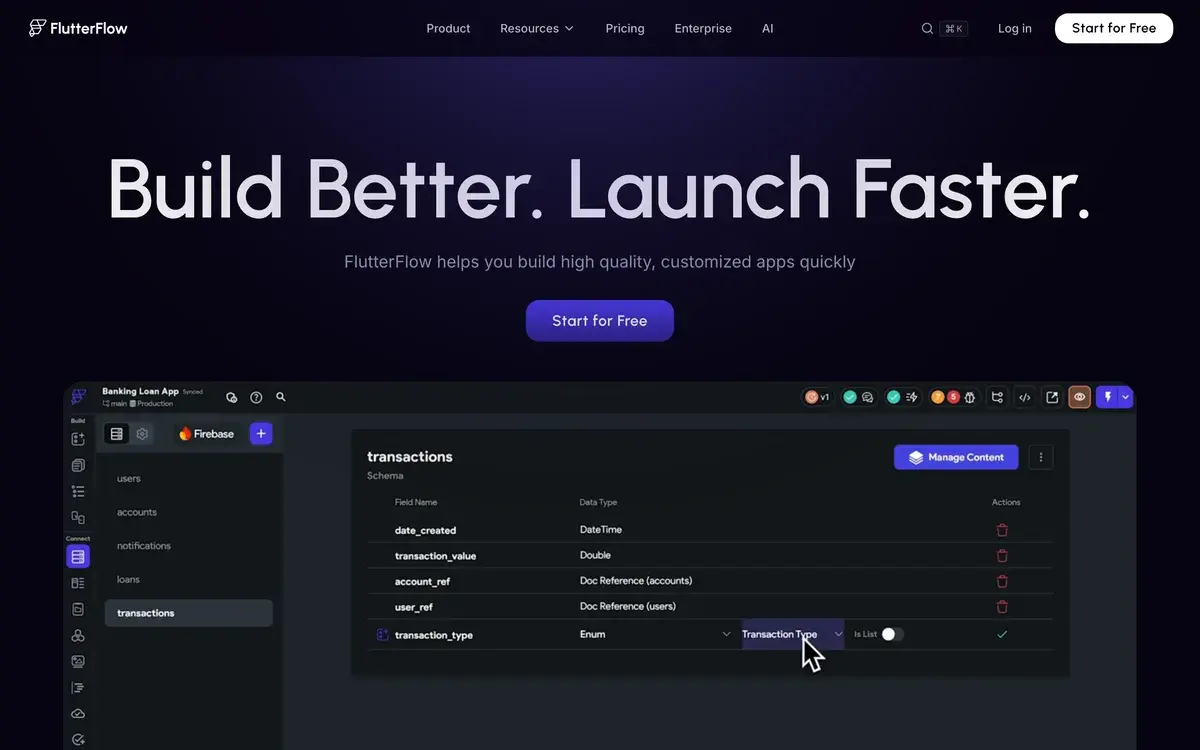
Visual app builder with drag-and-drop interface for designing screens, layouts, components, and navigation flows. Generates Flutter widget tree corresponding to visual design. Supports responsive design across phone and tablet form factors.
Pre-built component library including buttons, forms, lists, navigation, modals, and more. Components are Flutter widgets configurable through visual property editors. Custom components can be built and reused across projects.
Code generation produces clean Flutter (Dart) code from visual designs. Code is downloadable on paid plans. Generated code follows Flutter conventions and is suitable for handoff to developer teams. Code can be edited in any Flutter IDE for advanced customization.
Backend integrations with Firebase (default), Supabase, REST APIs, GraphQL, and custom backends. Authentication, database, storage, and real-time features all supported. Most app architectures can be implemented through available integrations.
App Store deployment for direct submission to Apple App Store and Google Play. FlutterFlow handles build configuration, certificate management, and submission workflows. Apps must still meet store guidelines but the technical deployment work is automated.
AI App Builder generates initial app structure from text descriptions. "Build a fitness tracking app with workout logging and progress charts" produces starting point with major screens and navigation. Users refine generated structure rather than starting from blank canvas.
AI Page Builder generates individual screens from descriptions. Faster than building screens manually for common patterns. Generated screens are editable like any other FlutterFlow content.
Templates marketplace with hundreds of pre-built apps users can clone as starting points. Includes ecommerce templates, fitness apps, social apps, productivity tools. Templates accelerate development substantially for common app types.
Real-time preview in browser shows app behavior as you build. Test on simulated devices without compilation step. Preview updates immediately as designs change.
Custom code injection allows developers to add custom Flutter code for specific functionality not covered by visual builder. The hybrid approach works well — most app built visually, complex features written in code.
Team collaboration features (Teams plan) include shared projects, role-based permissions, and version history. Useful for agencies and small teams working together on apps.
Animations and transitions support smooth interactions, page transitions, and micro-animations. Flutter's animation strengths translate to FlutterFlow's visual interface.
FlutterFlow vs Competitors 2026
| Tool | Strength | Pricing | Best For |
|---|
| FlutterFlow | Code ownership, professional output | Free / $30+/mo | Mobile apps with code flexibility |
| Bubble | Web apps, mature platform | Free / $32+/mo | Web applications, web-first products |
| Adalo | Simpler mobile builder | Free / $36+/mo | Beginners, simpler app needs |
| Glide | Spreadsheet-to-app, simple | Free / $25+/mo | Internal tools, data apps |
| Bravo Studio | Figma-to-app | $39+/mo | Designers shipping apps from designs |
| AppGyver | SAP-owned no-code | Custom | Enterprise mobile development |
| Flutter (manual code) | Full flexibility | Free | Developers with Flutter skills |
| Native development (Swift/Kotlin) | Maximum performance | $99/yr Apple developer | Performance-critical apps |
Pricing verified April 2026.
FlutterFlow vs Bubble. Different platforms — FlutterFlow for mobile, Bubble for web. Some founders use both for cross-platform products. For mobile-first products, FlutterFlow. For web-first products, Bubble. For products needing both, sometimes building separately on each platform makes more sense than forcing one tool to do both.
FlutterFlow vs Adalo. Direct competitors for mobile no-code. Adalo is simpler with shallower learning curve but more limited in capability. FlutterFlow has more professional output (real Flutter code) and more flexibility. For simpler apps and beginners, Adalo. For production-quality apps and ongoing development, FlutterFlow.
FlutterFlow vs Glide. Different positioning. Glide builds apps from spreadsheets, optimized for data-driven internal tools. FlutterFlow builds general-purpose mobile apps. For internal data apps, Glide is faster. For consumer-facing or complex apps, FlutterFlow.
FlutterFlow vs Bravo Studio. Bravo turns Figma designs into apps. FlutterFlow has its own visual builder. For designers wanting design-to-app workflow staying in Figma, Bravo. For developers and indie founders preferring integrated builder, FlutterFlow.
FlutterFlow vs manual Flutter development. FlutterFlow accelerates UI development at cost of fine-grained control. Generated code is clean but reflects FlutterFlow's patterns rather than developer preferences. For developers comfortable with Flutter, manual development offers more control. For non-developers and accelerated workflows, FlutterFlow's tradeoff is reasonable.
FlutterFlow vs native iOS/Android. Native development (Swift, Kotlin) offers maximum performance and platform-specific features but requires separate codebases for iOS and Android. FlutterFlow generates Flutter code that runs on both platforms from single codebase. Performance is competitive for most apps; native development matters more for performance-critical use cases.
Pricing 2026
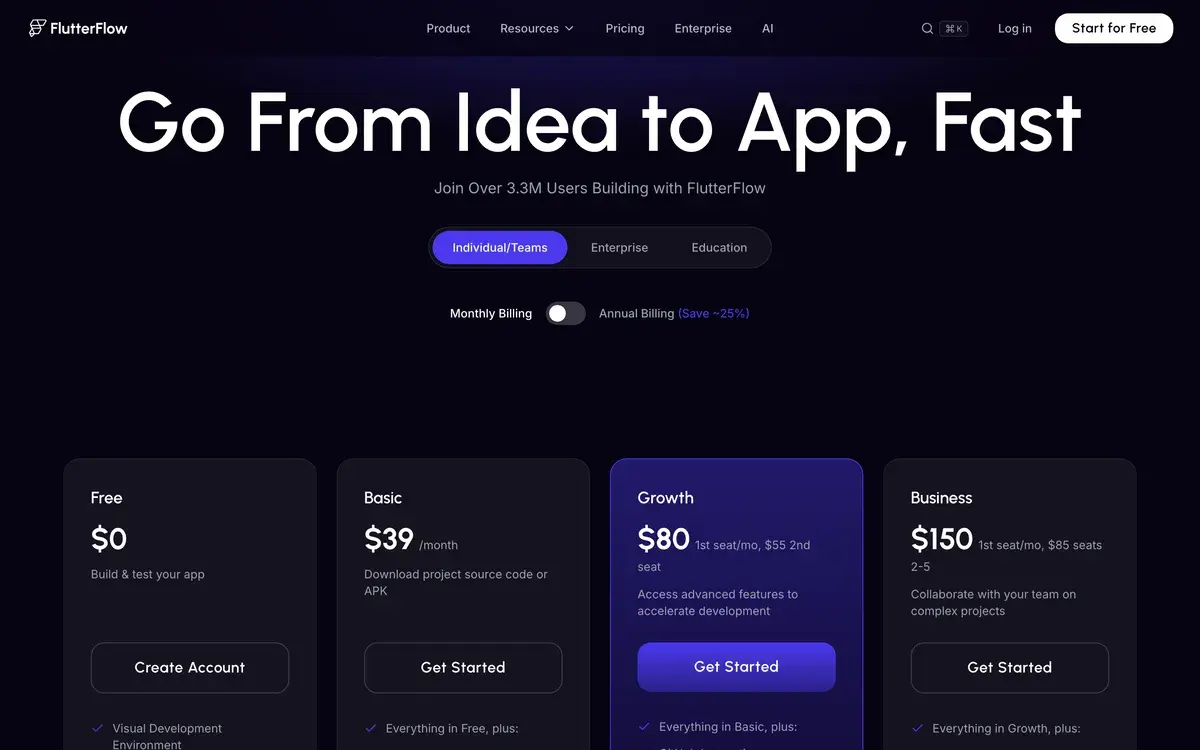
| Plan | Monthly Cost | Key Features | Best For |
|---|
| Free | $0 | Visual builder, browser preview, basic templates | Evaluation, learning |
| Standard | $30/mo | Code download, app deployment, all integrations | Solo founders, small projects |
| Pro | $70/mo | Multiple apps, advanced features, priority support | Active developers, multiple projects |
| Teams | $90/user/mo | Team collaboration, shared projects, admin controls | Agencies, small teams |
| Enterprise | Custom | Custom features, advanced security, dedicated support | Large organizations |
Pricing verified April 2026 from flutterflow.io/pricing. Annual billing offers ~20% discount.
The Free plan is sufficient for evaluation and learning. Browser preview lets you build complete apps and test functionality without paying. Code download and app deployment require Standard plan ($30/mo).
The Standard plan at $30/mo is the practical entry point for actually shipping apps. Includes everything needed to build, customize, deploy, and maintain production apps. Most solo founders settle here. Reasonable price for the development capability provided.
Pro at $70/mo unlocks multiple app management and advanced features. Useful for users actively building several apps simultaneously or needing features beyond Standard plan limits.
Teams at $90/user/mo enables agency and small team workflows with shared projects and collaboration features. Cost per user is reasonable compared to traditional mobile development tooling and team licensing.
Enterprise pricing handles large organizations with custom needs (advanced security review, custom integrations, dedicated support). Pricing typically starts $500+/mo and scales with organization size.
The pricing structure is reasonable for the capability delivered. Compare to traditional mobile development costs (Apple Developer Program $99/year + Google Play Developer $25 one-time + development time at $100+/hour) — FlutterFlow's pricing is dramatically lower for non-developers building apps that would otherwise require contracting developers.
What I think about FlutterFlow
I evaluated FlutterFlow for AIVario research as part of competitive analysis in no-code platforms. AIVario is web-based and won't use FlutterFlow directly, but the platform deserves coverage as a leading no-code option.
What works well based on research and customer reports: the code generation quality is genuinely good. Customer testimonials consistently mention that generated Flutter code is clean and suitable for further development by traditional engineers. This addresses the historical no-code complaint of "can't take your work elsewhere when needs grow."
The visual builder is well-designed. Reviews consistently mention the learning curve is manageable for non-developers and the workflow is faster than manual Flutter development for routine UI work. The template marketplace accelerates common app types substantially.
The community ecosystem (templates, tutorials, Discord communities) has matured into meaningful resource for users learning the platform. New users can find guidance for most common questions and challenges.
What I would honestly flag based on coverage: FlutterFlow is mobile-only. Users wanting web apps need different tools. Users wanting both mobile and web typically build separately on different platforms (FlutterFlow + Bubble combination is common).
The pricing structure is reasonable but creates clear upgrade path that some users find frustrating. Standard plan limits become meaningful as projects grow; Pro and Teams plans add cost. Annual planning with growth in mind helps avoid mid-project budget surprises.
For complex apps requiring deep platform-specific features, native development or hybrid approaches may fit better. FlutterFlow handles 80% of typical app use cases excellently; the 20% with specialized needs may push beyond its capabilities.
For AIVario specifically, FlutterFlow could be relevant if we ever build a mobile companion app for our content. AI tool comparison interface or saved tool stacks accessed via mobile would fit FlutterFlow's capabilities. For now, web-only AIVario doesn't need FlutterFlow but the option exists if mobile becomes priority.
For someone evaluating today: if you're a non-developer building a mobile app idea, try FlutterFlow's free tier with a small project to assess fit. If the visual workflow accelerates your development meaningfully, Standard at $30/mo is reasonable. If you find yourself fighting the platform's patterns, traditional development may suit your style better.
Use Cases
Solo founder building mobile MVP. Standard at $30/mo. Builds initial product version using visual builder and templates. Connects to Firebase backend for authentication and data. Deploys to App Store and Google Play. Replaces $30k-100k traditional development cost for MVP validation.
Agency serving non-technical client. Teams plan with collaboration features. Builds custom mobile app for client without committing to expensive custom development. Generates code for client ownership. Replaces "reject mobile project as too expensive" with viable client offering.
Restaurant chain building loyalty app. Standard plan. Builds branded mobile app with order ahead, loyalty rewards, and location finder. Deploys to both app stores. Cost: $30/mo plus development time. Replaces $50k-100k custom mobile development quote.
Indie developer learning Flutter. Free or Standard plan. Uses FlutterFlow as accelerated learning environment for Flutter development. Generates code, studies patterns, builds skills. Eventually transitions to manual Flutter development with strong foundation.
Internal company app for field workers. Standard plan. Builds simple mobile app for technicians logging service calls and accessing customer data. Deploys via internal distribution rather than public app stores. Replaces "field workers using personal devices and email" with proper mobile workflow.
My Verdict
FlutterFlow is the leading mobile no-code platform in 2026, particularly for non-developers building production-quality apps and developers wanting to accelerate UI development. The combination of visual builder, code ownership, and reasonable pricing makes it the right answer for most mobile no-code use cases.
For users wanting web applications, FlutterFlow doesn't apply — Bubble or traditional web development fit web-first products. For mobile-first products, FlutterFlow is generally the strongest no-code option available, particularly versus simpler alternatives like Adalo or Glide which serve different positioning.
The honest limitation is platform-specific feature depth. Apps requiring deep iOS or Android integrations, complex audio/video processing, or specialized hardware features may push beyond FlutterFlow's capabilities. For these specialized needs, native development with experienced developers fits better despite higher cost.
For solo founders building MVP mobile products, the economics are dramatically favorable. Custom mobile development typically costs $30,000-$100,000+ for MVP-scale apps. FlutterFlow Standard at $30/mo plus your time delivers similar product quality for fraction of cost. The trade-off is your time investment vs hired development time.
The free tier removes evaluation friction. Try FlutterFlow free with a small project before committing to Standard plan. Most users either fall into productive workflow within 1-2 weeks or determine the platform doesn't fit their working style.
Note: FlutterFlow has an affiliate program. AIVario application status pending. Our rating reflects evaluation based on platform features, market positioning, and competitive analysis.
Best for: Indie hackers and solo founders building mobile MVPs, non-technical entrepreneurs with mobile app ideas, agencies serving non-technical clients, startup teams validating mobile product ideas, existing Flutter developers wanting accelerated UI workflow, internal mobile tools development
Not ideal for: Web application builders (use Bubble), apps requiring deep platform-specific features, performance-critical mobile games, enterprise apps with strict security needs, developers preferring pure code workflows
Bottom line: The leading mobile no-code platform with code ownership advantages over pure no-code alternatives. Right choice for non-developers shipping production mobile apps and accelerated workflow for developers. Free tier removes evaluation friction; Standard at $30/mo is reasonable for active development.
Related Tools
- Bubble — web application alternative with similar no-code positioning
- Cursor — AI code editor for users transitioning to manual Flutter development
- Lovable — AI app builder, alternative for web-first products
- Bolt.new — AI app generation, complementary or alternative
- Supabase — backend platform that pairs well with FlutterFlow apps
Frequently Asked Questions about FlutterFlow
Is FlutterFlow free?
Yes, FlutterFlow has a Free plan that includes the visual builder, basic templates, and ability to test apps in the browser preview. The free plan does not include code download, app deployment, or paid integrations. For evaluation and learning, free is sufficient. For shipping production apps, Standard at $30/mo is the practical entry point.
How does FlutterFlow compare to Bubble?
Different platforms entirely. Bubble builds web applications; FlutterFlow builds mobile applications (iOS and Android). For users wanting web apps, Bubble. For mobile apps, FlutterFlow. Some users build both — Bubble web app plus FlutterFlow mobile companion. The two tools complement rather than compete directly. Both produce production-ready output.
Does FlutterFlow generate real code?
Yes. FlutterFlow generates production-ready Flutter (Dart) code that can be downloaded, modified by developers, and deployed independently. This is FlutterFlow's distinguishing feature versus pure no-code platforms. The generated code is clean and follows Flutter best practices, suitable for handoff to developer teams for further customization.
Can I deploy FlutterFlow apps to App Store and Google Play?
Yes. Standard plan and above support direct app deployment to Apple App Store and Google Play. FlutterFlow handles build configuration, signing, and submission process. Approval requires meeting standard app store guidelines just like any iOS or Android app. Most users successfully deploy on first or second submission.
Is FlutterFlow good for indie founders?
Yes. The platform is particularly popular among solo founders building MVPs and small SaaS mobile apps. The combination of visual development speed and code ownership (you get the actual Flutter code) provides flexibility most no-code tools lack. Indie hackers building mobile apps without engineering background are FlutterFlow's primary audience.
What integrations does FlutterFlow support?
FlutterFlow integrates with Firebase (default backend), Supabase, REST APIs, GraphQL, Stripe payments, RevenueCat subscriptions, Google Maps, push notifications, OneSignal, Algolia search, OpenAI APIs, and many others. Backend flexibility is strong — most app architectures can be supported through available integrations.
Does FlutterFlow support AI features?
Yes. FlutterFlow added AI features in 2024-2025 including AI-powered app generation from descriptions, AI page builder for individual screens, AI-generated component variations, and integration with OpenAI APIs for AI-powered features within built apps. Quality is competitive with other AI-powered no-code tools but Flutter-specific.