Yes, Bolt.new has a free plan: 1 million tokens a month, capped at 300,000 a day, with public and private projects, hosting and unlimited databases, plus Bolt branding on published sites. Pro costs $25 a month, or $18 billed yearly, for 10 million tokens with no daily cap, custom domains and rollover; Pro 50 gives 26 million tokens for $50 and Pro 100 gives 55 million for $100. Teams costs $30 per member, or $27 yearly, and each member's tokens are separate. A $9 Lite plan builds only with Bolt Forge's open-source models; sign-ups close on October 14, 2026, and people already on it keep the price.
✓Best for: People who want a working web app or prototype from a description and don't mind seeing, and sometimes editing, the code
✗Skip if: You need a predictable monthly bill for heavy daily building, or you're maintaining a large production codebase with reviews and tests
This analysis is based on documentation, public user reports, and vendor materials — not yet on our own hands-on testing. How we rate
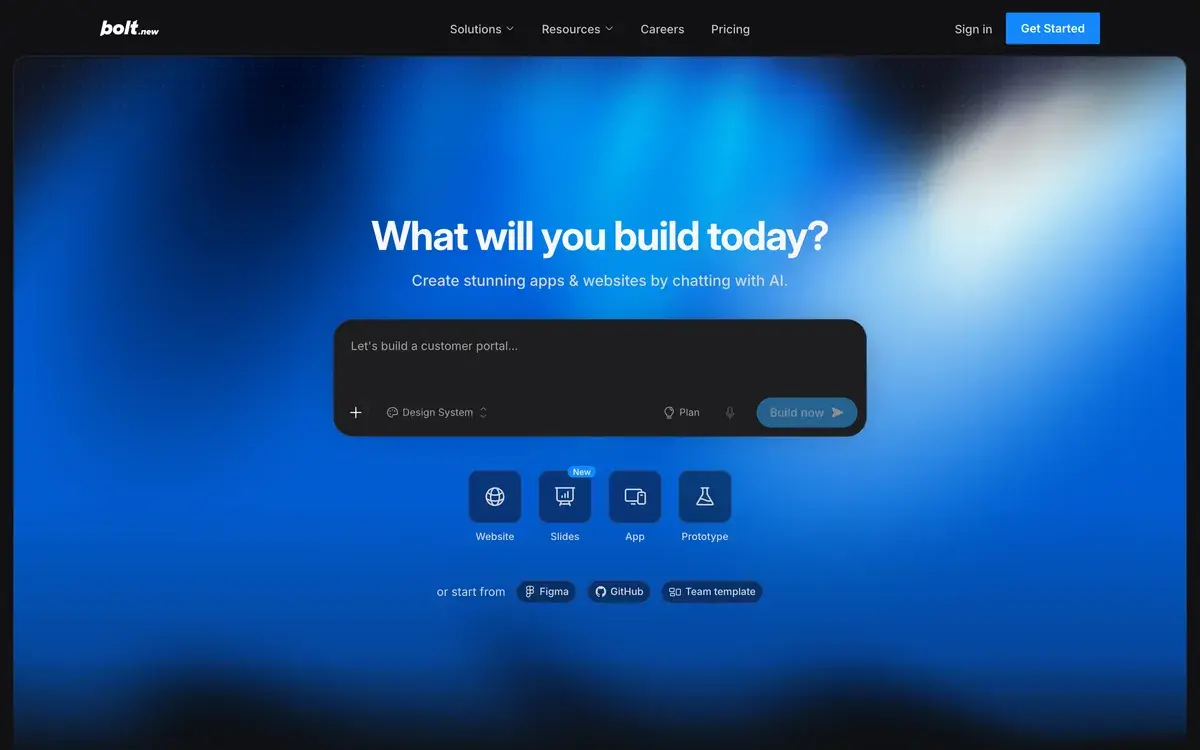
Bolt.new homepage, captured Oct 3, 2026.
Yes, Bolt.new is free to start, and its free plan is more useful than most. You get a million tokens a month, plus hosting and databases, without paying anything. The number that actually limits you is smaller: only 300,000 tokens can be spent in a day, so a long building session can hit the wall before evening.
Bolt turns a description into a working web app in your browser. You can watch it write the code, change files yourself and publish to a Bolt address or your own domain. Every request is paid for in tokens, and that meter matters more than which plan you pick.
Free, Pro, Teams and Enterprise
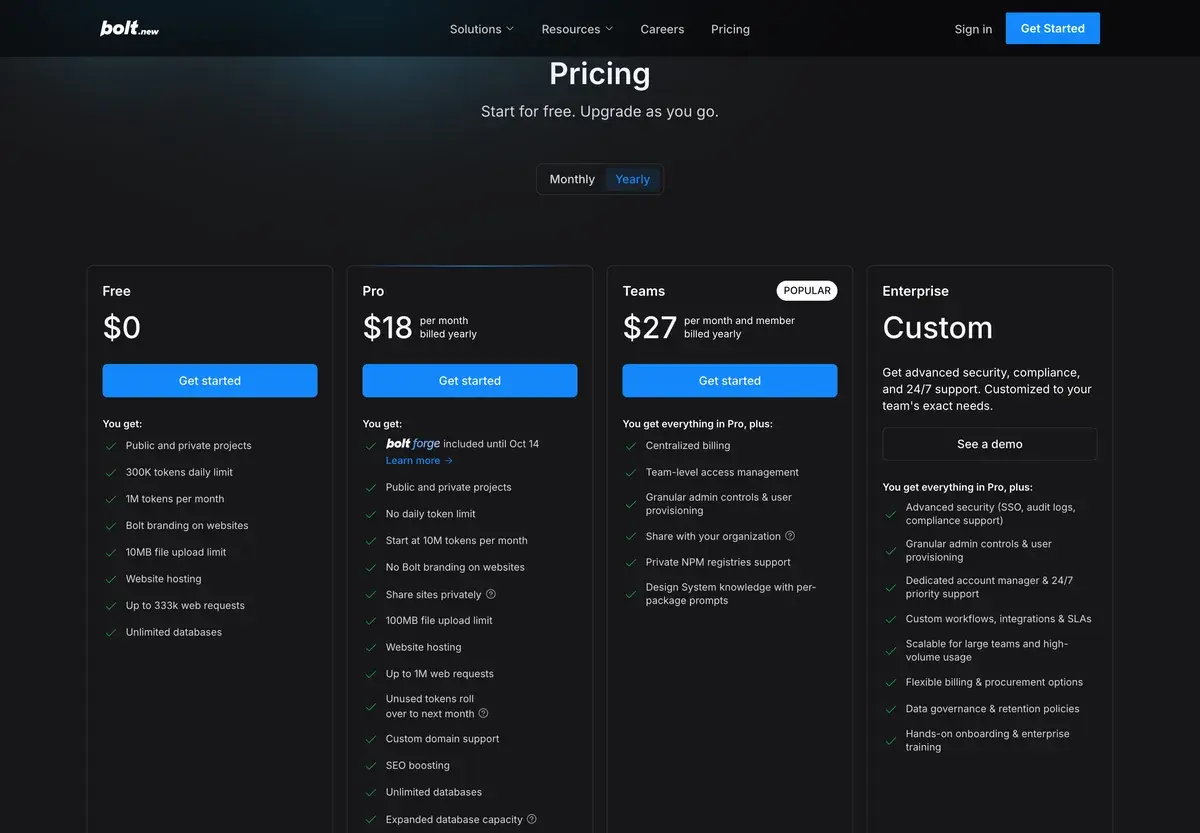
Bolt's pricing page with yearly billing on October 3, 2026. Billed monthly, Pro is $25 and Teams $30 per member.
Free
Pro
Teams
Enterprise
Billed monthly
$0
$25
$30 per member
Custom
Billed yearly, per month
$0
$18
$27 per member
Custom
Tokens
1M a month, 300K a day
From 10M a month, no daily cap
A Pro allowance for each member
Custom
Hosting
Up to 333K web requests, Bolt branding
Up to 1M web requests, custom domains
As Pro
Custom
File uploads
10 MB
100 MB
100 MB
Custom
Also included
Unlimited databases
Rollover, SEO boosting, AI image editing, a choice of database provider
Central billing, admin controls, private NPM registries
SSO, audit logs, 24/7 support
The $25 Pro plan is only the smallest size. Bolt's billing help describes bigger ones: Pro 50 brings 26 million tokens for $50 a month, and Pro 100 brings 55 million for $100. Yearly billing saves the most on the base plan, which comes to $216 a year instead of $300. On the bigger tiers the saving is closer to 10%.
The $9 Lite plan, open until October 14
Lite is the newest plan. It costs $9 a month and builds only with Bolt Forge, the open-source model mode covered below. Bolt says its most efficient Forge model gives 50 times the usage of Standard mode. The Lite page compares the plan only with Free and doesn't list tokens, hosting limits or custom domains, so think of it as cheap Forge access, not a small Pro.
Sign-ups close on October 14, 2026. Bolt is clear that this is a deadline for joining, not the end of the plan: anyone already on Lite keeps paying $9 for as long as they stay.
Bolt Forge and what it asks in return
Forge launched on September 14, 2026 as a research preview. It's a third agent in Bolt's picker, next to Standard and Max, and it runs only on open-source models: GLM 5.3 Flash, GLM 5.3, Kimi K3 and DeepSeek v4 Pro. On Bolt's own build benchmark, the open models score 92.2 against 101 for the best paid model.
The extra usage is paid for with data. Before you build in Forge, you agree that your prompts, code, project files and edit history can be de-identified and used by Bolt's partners to train open models. Arcee AI is the first partner. Sessions from the EEA, the UK and Switzerland aren't used for training.
Forge usage appears as one monthly bar with no daily limit. Pro plans get up to 50 times more Forge usage at no extra cost, though only until October 14. After that, Bolt's help center says Pro users lose Forge, while their Standard and Max usage stays as it was. Lite subscribers keep it.
Where the tokens go
Most of Bolt's token use comes from reading and syncing your project files on every message, its help center explains. So the same small request costs more as the project grows. Restyling a button on a five-file landing page is cheap, and the same change in a forty-file app with logins and a database costs noticeably more.
A few habits keep the bill down. Specific prompts help most, because a vague request can take several rounds and each round is billed. Small fixes are cheaper to make yourself in the code view, which doesn't use tokens at all. Once a project gets big, many people connect it to GitHub and continue in an editor such as Cursor, keeping Bolt for the next prototype.
Rollover and reloads
Unused tokens on paid plans stay valid for two months from the start of the billing cycle that granted them. You need an active subscription to use them, so cancelling means losing whatever is left. Free tokens never carry over. The monthly million resets on the 1st, and the daily cap resets every day.
Running out on a paid plan leaves three choices: wait for the renewal date, move up a tier or buy a reload. Reloads are sold to annual Pro subscribers and to people on the top monthly tier, with better rates on annual plans. Reload tokens don't expire.
Hosting, domains and databases
Every plan can publish. Free sites live on a bolt.host address with a Made in Bolt badge, and the account gets 10 GB of bandwidth and 333,333 requests a month. Bolt puts that at roughly 10,000 to 15,000 visits. Paid plans raise the limits to 30 GB and a million requests, enough for 100,000 or more visits in most cases. Above that you pay as you go, under a spending cap you set. The limits apply to the whole account, not to each project.
Pro also adds custom domains and lets you choose a database provider instead of Bolt's own. If an app might outgrow Bolt, keeping its data in an account you control, such as Supabase, makes a later move easier.
When Bolt stops being the right place
Bolt is at its best in the first weeks of a project, when speed matters more than structure. Projects can sync with GitHub, which commits changes automatically and supports branches, though merging happens on GitHub itself. That makes the hand-off to a normal development workflow straightforward.
The case for moving grows with the app. Token costs rise with project size, and a product with real users needs code review, tests and someone who understands its security. Bolt can generate logins and databases in minutes. Checking that one user can't read another user's data is still your job.
Bolt next to Lovable, v0 and Replit
Lovable suits people who'd rather never look at code, and one credit balance pays for both building and hosting. v0 is strongest when the interface is the product and the app will run on Vercel. Replit puts an agent, hosting and databases in one workspace with effort-based pricing. Our Lovable vs Bolt and v0 vs Bolt comparisons go into more detail, and the vibe coding guide explains the approach itself.
Bolt's own place among them comes down to visibility. It shows the code and the running app side by side, so you always know what's being built. That suits people who expect to take over the code themselves one day.
Yes. The free plan includes 1 million tokens a month with a daily cap of 300,000, public and private projects, hosting for up to 333,000 web requests a month and unlimited databases. Published sites show Bolt branding, uploads are limited to 10 MB, and free tokens don't roll over.
Why does Bolt use more tokens as a project grows?
Bolt's help center says most token use comes from reading, understanding and syncing your project files with each message. A larger project sends more context, so even a small change costs more. Edits you make yourself in the code view don't use tokens.
What is Bolt Forge?
A Bolt agent that runs only on open-source models: GLM 5.3, GLM 5.3 Flash, Kimi K3 and DeepSeek v4 Pro. It launched on September 14, 2026 as a research preview. Using it means agreeing that de-identified sessions can train open models, except sessions from the EEA, the UK and Switzerland. Pro includes it until October 14, 2026; the $9 Lite plan keeps it after that.
What happens to unused Bolt tokens?
On paid plans they roll over and stay valid for two months from the start of the billing cycle that granted them, as long as your subscription is active. Free tokens reset instead: the monthly allowance on the 1st and the daily cap every day. Tokens bought as reloads don't expire.
How does Bolt charge a team?
Per member: $30 a month, or $27 billed yearly. Every paid member gets a separate token allowance, so a heavy user can't borrow from a light one. Teams adds central billing, admin controls, private NPM registries and design-system knowledge. Forge isn't available on Teams or Enterprise.