Supabase is a backend platform built on Postgres, with authentication, file storage, realtime, edge functions and vector search. The free tier allows two active projects, each with a 500 MB database, plus 50,000 monthly active users, 1 GB of file storage and 5 GB of egress, and it pauses projects after a week without activity. Pro starts at $25 a month and includes $10 of compute credits, enough for one Micro instance; every extra project adds compute from $10 a month. A spend cap is on by default. Team starts at $599 a month for SSO, SOC 2 and ISO 27001, and longer backups.
✓Best for: Developers and AI app builders who want a real Postgres database with logins, storage and APIs, without running servers
✗Skip if: Your free project would sit idle for weeks at a time, or you don't want to think about database security policies and compute sizes
This analysis is based on documentation, public user reports, and vendor materials — not yet on our own hands-on testing. How we rate
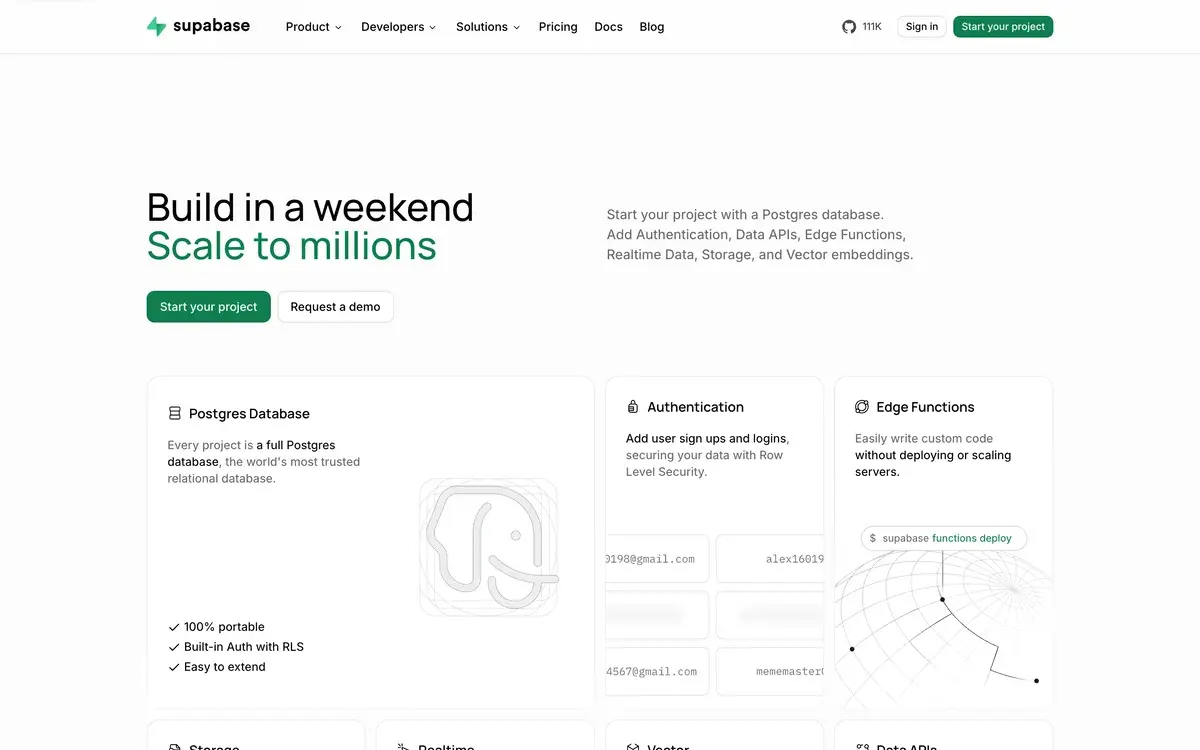
Supabase homepage, captured Oct 3, 2026.
Most people meet Supabase through something else. An AI app builder asks where your data should live, a tutorial needs a login system, or a side project outgrows its spreadsheet. Behind the name is a full Postgres database with logins and file storage built in, plus realtime updates and serverless functions. A friendly dashboard makes it feel smaller than it is.
The pricing page looks simple, with a free tier and Pro at $25. What you actually pay depends on compute and add-ons, and on what you do with the spend cap.
Free tier limits
The free plan includes:
two active projects, each with a 500 MB database on shared CPU and 500 MB of RAM
50,000 monthly active users
1 GB of file storage
5 GB of egress, plus 5 GB of cached egress
500,000 edge function invocations and 2 million realtime messages a month
unlimited API requests
a day of logs, community support and no automatic backups
The limit most people hit first is pausing. A free project with no activity for a week is paused and stays offline until someone restores it from the dashboard. For a prototype, that's harmless. For a portfolio site or a side project with occasional visitors, it means the occasional visitor finds it down.
The 500 MB database is the next wall. It holds a lot of rows if images and files go to storage, which has its own gigabyte.
Pro: $25, then compute
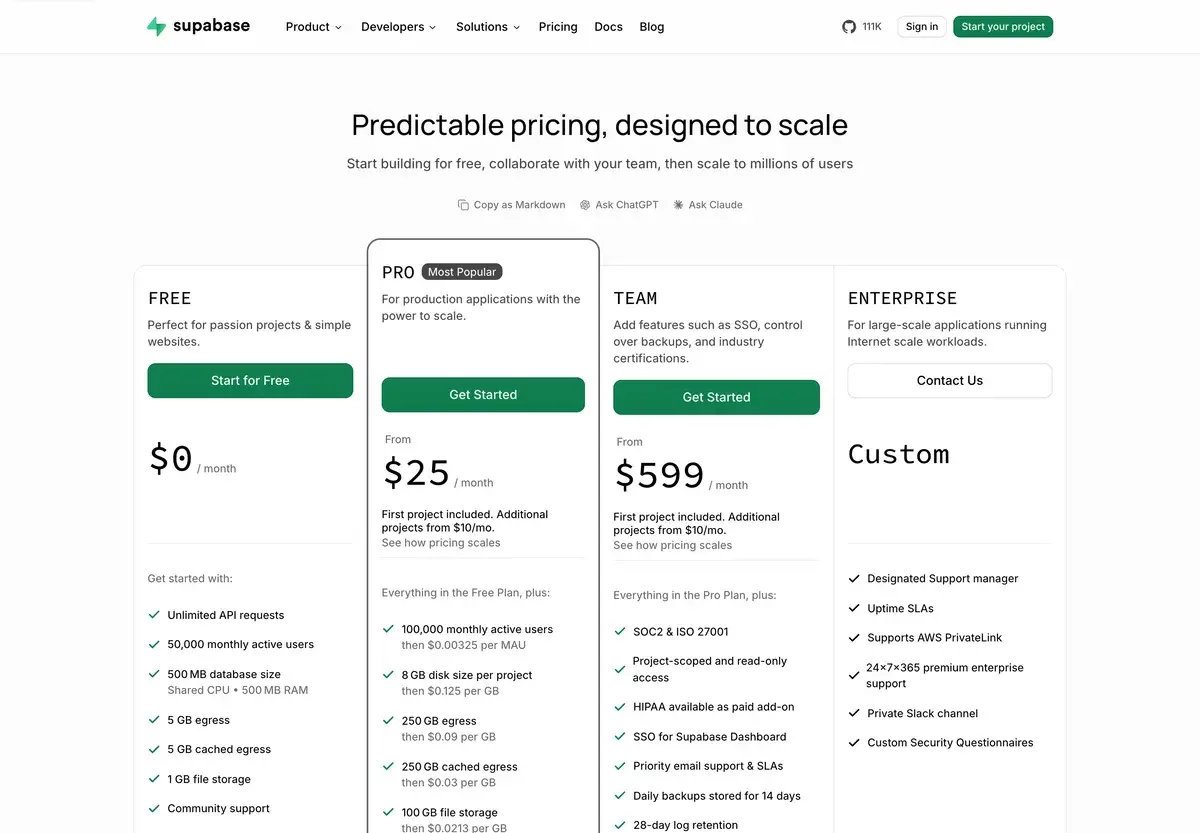
Captured October 3, 2026. Pro and Team prices are starting points before compute.
Pro costs $25 a month and includes $10 of compute credits. One project on the smallest Micro instance costs exactly $10, so a single small project comes to $25. Each extra project needs its own compute, from $10 a month, and that's where bills start to grow.
Compute size
Price a month
CPU
Memory
Micro
$10
Shared
1 GB
Small
$15
Shared
2 GB
Medium
$60
Shared
4 GB
Large
$110
2 dedicated vCPUs
8 GB
XL
$210
4 dedicated vCPUs
16 GB
4XL
$960
16 dedicated vCPUs
64 GB
16XL
$3,730
64 dedicated vCPUs
256 GB
Compute is billed by the hour, and you can resize whenever you like. It also runs around the clock. A paid project doesn't scale down to zero when nobody is using it, so an idle second project still costs at least $10 a month.
Pro's quotas are far bigger than Free's: 100,000 monthly active users, 8 GB of disk per project, 250 GB of egress and 100 GB of file storage. Past them you pay $0.00325 per extra user, $0.125 per GB of disk, $0.09 per GB of egress and $0.0213 per GB of storage. Backups and logs are kept for seven days.
What the spend cap covers
Pro ships with a spend cap switched on. While it's on, Supabase doesn't bill you for going past the included quotas. Further use of that item is blocked until the next billing cycle instead, and projects that keep going over can be restricted. Switch the cap off and the overage rates above apply.
Several charges sit outside the cap because you opt into each of them. Compute and branching are billed whether the cap is on or not, and so are custom domains and point-in-time recovery. Log drains, IPv4 addresses and phone-based MFA work the same way.
Add-ons that change the bill
Custom domain: $10 a month
Point-in-time recovery: $100 a month for each 7 days of retention
Branching: $0.01344 per branch per hour, about $10 a month for a branch left running
Log drains: $60 per drain a month, plus $0.20 per million events and egress
Image transformations: 100 origin images included on Pro, then $5 per 1,000
Point-in-time recovery is the one serious apps tend to need. Daily backups can lose up to a day of data, while PITR lets you roll back to a specific second.
Team at $599
Team is a big step up from $25, and it doesn't add resources: its quotas match Pro's. What it adds is control and paperwork. You get SSO for the dashboard and project-scoped, read-only access for teammates. Compliance comes with it too: SOC 2 and ISO 27001, with HIPAA as a paid add-on. Support gets priority and SLAs, backups are kept for 14 days, and logs for 28. It's a plan for companies whose security reviews ask for those things.
Enterprise is priced on request and adds a named support manager and uptime SLAs. It also supports AWS PrivateLink and comes with round-the-clock support in a private channel.
Row-level security decides whether your app is safe
Supabase exposes your database through an API the browser can call, using a public key that ships with your frontend. That's convenient, and it's also why row-level security matters so much. RLS policies decide which rows each user can read or change. A public table without them can be read by anyone who has the key.
This is the classic mistake in apps built with AI tools. In 2025 a researcher scanned 1,645 apps made with Lovable and found 170 with data anyone could read, because RLS had been left off. Supabase's Security Advisor checks for exactly this. It flags public tables without RLS, sensitive columns such as passwords or API keys left exposed, and functions anyone can call without signing in. A Performance Advisor sits next to it and points out missing indexes. Run both before launch, then sign in as a second user and try to read the first user's data.
Supabase or Firebase
The choice usually comes down to the shape of your data and how much lock-in you accept. Supabase is Postgres, so you get relational tables and plain SQL. You can export the database or run the open-source stack yourself. Firebase's main databases (Firestore and the Realtime Database) store JSON-style documents, and they tie you more closely to Google Cloud.
For relational data such as users, orders and products, Supabase is usually easier to reason about. For hosting the front end it pairs well with Vercel or Netlify, and our guide to building a SaaS with AI walks through a full stack.
Supabase and AI coding tools
Many people arrive through an AI app builder. Lovable can use your own Supabase project instead of its built-in cloud, which keeps the data in an account you control, and Bolt lets Pro users pick their database provider.
Coding assistants can go further. Supabase runs a hosted MCP server that lets them work with your projects directly. Supported clients range from Cursor and Claude to ChatGPT and GitHub Copilot. An assistant connected this way can query tables and read logs, or run the advisors for you.
Supabase's own guidance is cautious, and worth following. Connect to production only when a task really needs production data. Use read-only mode for anything that runs unattended, and scope the server to one project. The docs also warn about prompt injection: a model reading user content can be tricked by instructions hidden in it. Keep an assistant with write access away from real customer data.
Frequently Asked Questions about Supabase
What are the Supabase free tier limits?
Two active projects with a 500 MB database each, on shared CPU with 500 MB of RAM. The plan also includes 50,000 monthly active users, 1 GB of file storage, 5 GB of egress plus 5 GB cached, 500,000 edge function invocations and 2 million realtime messages. API requests are unlimited. Logs last one day, there are no automatic backups, and projects pause after a week of inactivity.
How much does Supabase Pro cost in practice?
$25 a month, which includes $10 of compute credits. That covers one project on a Micro instance, so a single small project costs $25. Each extra project adds at least $10 for its own compute, and bigger instances cost more: Small is $15 a month, Medium $60 and Large $110. Usage above the included quotas is billed only if you turn the spend cap off.
Do paid Supabase projects pause?
No. Only free projects pause, after a week without activity. Pro, Team and Enterprise projects never pause, and their compute is billed hourly whether anyone uses the app or not.
Is Supabase secure enough for production?
The platform can be, but your setup decides it. Data in public tables is reachable through an API, so row-level security policies have to control who reads what. Supabase's Security Advisor flags tables without RLS, exposed sensitive columns and functions anyone can call. Team adds SOC 2 and ISO 27001, and HIPAA is a paid add-on.
Should I pick Supabase or Firebase?
Pick Supabase if your data is relational, such as users, orders and products, and you want SQL, an exportable Postgres database and the option to self-host. Firebase's main databases store JSON-style documents and keep you closer to Google Cloud, which some mobile teams prefer.