Pitch

Pitch

★ Top rated
AI Presentation Tool

Modern collaborative presentation tool — strong design system, excellent team workflow, AI features as supplement rather than core.

Free · $10/seat
📖 10 min read
Try Pitch for free

Affiliate link — we may earn a commission

Ready to try it?
Pitch
Free · $10/seat
Get started →
Affiliate link — we may earn a commission
Our rating
4.5/ 5
AIVario Editor's rating →

What is Pitch?

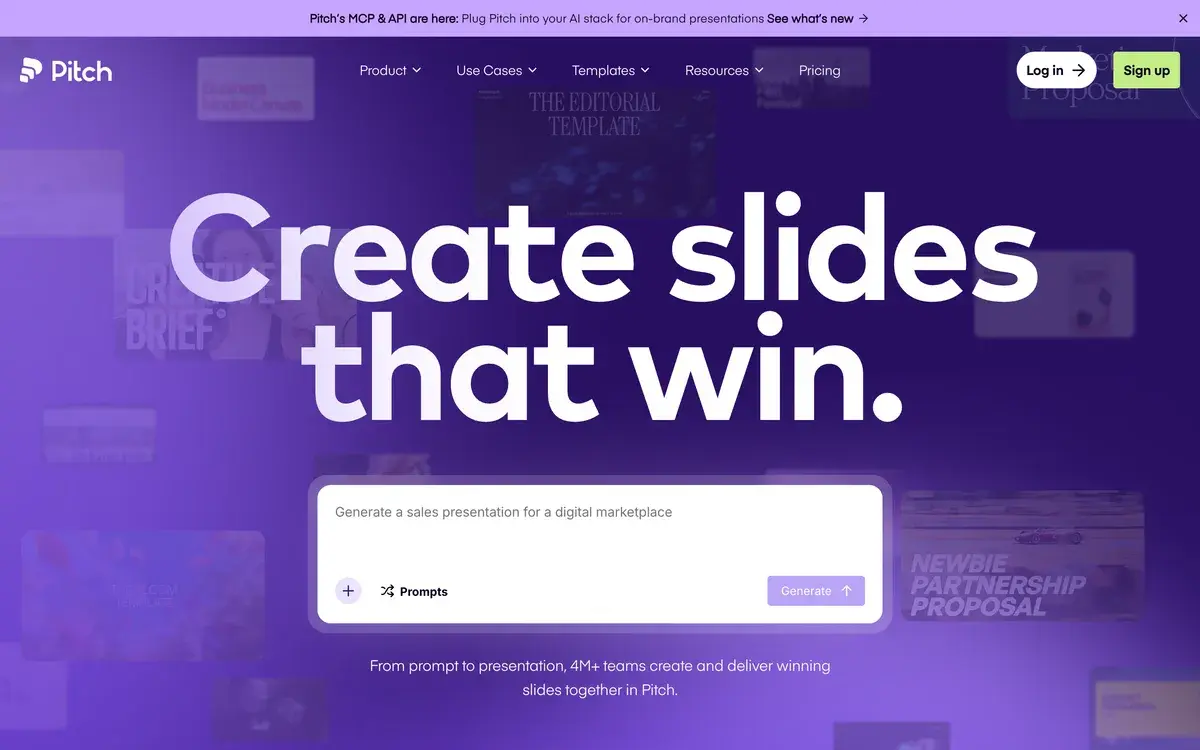
Pitch is a modern collaborative presentation tool built around real-time team editing, strong design templates, and supplementary AI features. The free tier is genuinely useful with paid plans starting at $10/seat per month. Used primarily by startups (especially for investor decks), design teams, marketing organizations, and modern companies that have moved beyond Keynote and PowerPoint for collaborative work.

The presentation tool category in 2026 has split into three rough camps. Legacy tools (Keynote, PowerPoint, Google Slides) own the installed base but feel dated for collaborative team work. AI-first tools (Gamma, Tome, Beautiful.ai) generate decks fast from prompts but treat collaboration as secondary. Pitch sits in the middle: design and collaboration as the primary value, with AI added as a productivity layer rather than the headline feature. For teams that prefer Figma-style collaborative workflows over solo AI generation, this positioning fits well.

Who is it for?

Startups creating investor decks, all-hands presentations, and pitch materials are the canonical Pitch audience — the tool's name reflects its origin in this use case. The template library, design quality, and analytics features are well-suited to startup presentation work, and Pitch has become the default choice across many YC, Techstars, and accelerator portfolios.

Design teams and design-led marketing organizations use Pitch when presentation design quality matters and presentations are produced collaboratively rather than by a single owner. The real-time editing model fits how design teams actually work; the design system features support brand consistency across multiple presenters and presentations.

Modern marketing teams use Pitch for client decks, sales presentations, campaign reviews, and internal communications. The analytics on shared decks let marketing teams iterate on what actually drives engagement; the collaboration features handle the multi-stakeholder review cycles that define agency and in-house marketing work.

Distributed companies use Pitch for cross-team presentations where contributors need to edit together asynchronously. Replacing the "everyone edit your section then we'll combine it" pattern in Keynote with native collaborative editing eliminates a category of busywork that distributed teams know painfully well.

It is not the right pick for: solo creators who want pure AI generation (Gamma is more focused), users in legacy enterprise environments where PowerPoint is mandatory, presentations requiring complex animations or offline reliability, or anyone working primarily in the Apple ecosystem who prefers Keynote's polish for solo work.

Key Features

  • Real-time collaborative editing — Figma-style multi-user simultaneous editing with cursor tracking and commenting
  • Design templates — professionally designed templates across investor decks, marketing presentations, sales decks, and internal communications
  • AI generation — generate slide content from prompts, expand outlines into slides, create images, suggest designs
  • Analytics — viewer engagement data on shared decks (time per slide, drop-off points, total view time)
  • Workspace organization — folders, tags, and search across team presentation libraries
  • Custom branding — fonts, colors, and brand elements that propagate across team templates
  • Video recording — record yourself presenting any deck and share as an embedded video
  • Smart blocks — pre-built slide layouts that maintain consistency across presentations
  • Native integrations — Figma, Google Drive, Notion, Slack, Loom, Unsplash, and 30+ other tools
  • Mobile and desktop apps — full editing on iOS, Android, macOS, Windows alongside the primary web experience

Pitch vs Competitors 2026

ToolCollaborationAI generationDesign qualityFree tierPrice/seat
Pitch✅ Best in class⚠️ Good✅ Strong✅ Generous$10
Gamma⚠️ Decent✅ Best in class✅ Strong✅ Limited$10
Tome⚠️ Decent✅ Strong✅ Strong✅ Limited$16
Beautiful.ai⚠️ Decent✅ Good✅ Strong❌ Trial$12
Canva Presentations⚠️ Decent✅ Good✅ Template-driven✅ Generous$12.99
Google Slides✅ Good (multi-edit)⚠️ Gemini integration⚠️ Templated✅ FreeWorkspace
PowerPoint⚠️ Limited⚠️ Copilot integration⚠️ VariableM365
Keynote❌ Limited multi-edit✅ Strong✅ Free with AppleFree

Data verified April 2026 from each provider's pricing pages.

The clearest comparison is Pitch vs Gamma. Gamma is the AI-first option — type a prompt, get a complete deck in under a minute, refine through chat-like iteration. Pitch is the collaboration-first option — design with your team in real time, with AI features available when useful. Solo users producing presentations quickly often prefer Gamma; teams producing presentations together often prefer Pitch. The honest split is about working style rather than feature parity.

Against Tome and Beautiful.ai, Pitch's collaboration depth is the differentiator. Both alternatives produce strong individual outputs but treat team work as a secondary feature. For team-driven presentation work, Pitch is meaningfully more capable.

Google Slides remains the budget-friendly choice for organizations already in Google Workspace. The collaboration is solid; the design quality and template library are weaker. For teams that prioritize design polish, Pitch is the upgrade. For teams focused on pure functional collaboration, Slides is fine.

Pricing 2026

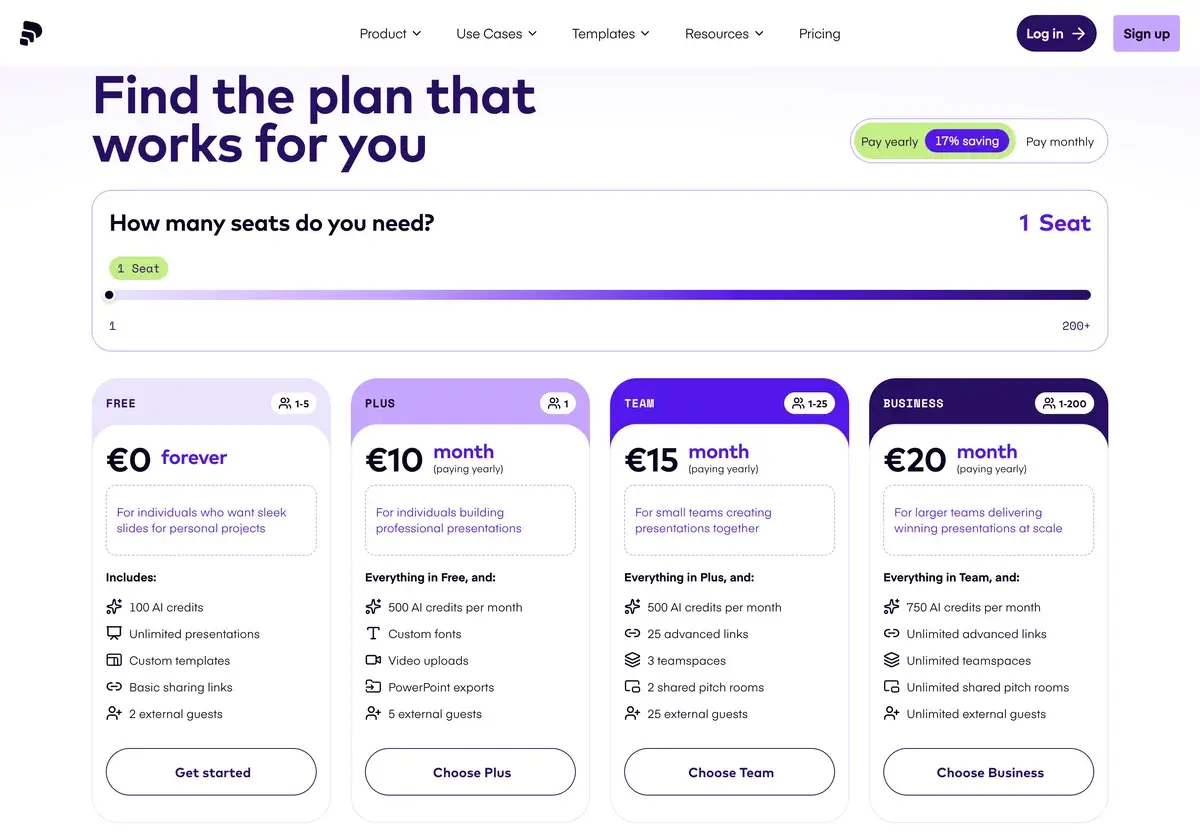
PlanPriceEditorsBest for
Free$0UnlimitedSolo users, evaluation, small teams
Pro$10/seat/moPer editorTeams using analytics and full AI features
Business$25/seat/moPer editorOrganizations with custom domain and workspace needs
EnterpriseCustomCustomLarger organizations with security and compliance requirements

Prices verified April 2026 from pitch.com/pricing. Free tier is genuinely usable for many teams — most users do not need to upgrade immediately.

The pricing is well-structured: the free tier has enough capability that small teams can evaluate Pitch properly before committing, Pro at $10/seat is the right tier for teams using analytics and full AI features, and Business at $25/seat unlocks custom domains and advanced workspace features that matter for organizations with brand presence requirements. Annual billing offers ~20% off across all tiers.

Hands-on Notes

The first thing that stands out about Pitch is the design quality of templates. Where most presentation tools either force template-driven monotony (Canva) or expect you to design from scratch (Keynote, PowerPoint), Pitch's templates are starting points that look like they were designed by people who care about typography and composition. Modifying them does not break the design integrity. For teams that lack a dedicated designer, this template foundation produces presentations that look meaningfully better than the default outputs of competing tools.

Real-time collaboration is the feature that earns Pitch its place over alternatives. Multiple team members editing different slides simultaneously, with cursor tracking and commenting, fits how distributed teams actually produce presentations. The "send a Keynote file around and merge changes" workflow becomes obviously archaic after a few months of Pitch use. For solo creators this advantage is invisible; for teams it is the reason to choose Pitch.

AI generation is competent but feels like a checkbox feature in a product whose primary value is elsewhere. The generated slide content is decent — grammatically correct, on-brand, structurally sound — but generic in the way most AI presentation content tends to be. For users who want AI to be the primary creation method, Gamma's purpose-built focus produces better outcomes. For users who want AI as one tool among many in a collaborative workflow, Pitch's implementation is fine.

Analytics on shared decks is the underrated feature. Seeing that an investor spent 4 minutes on the financial projections slide and 12 seconds on the team slide is the kind of feedback that informs the next iteration of the deck. For sales presentations and customer-facing decks, the analytics inform genuine improvement. The granularity is good without being creepy.

The honest weaknesses: complex animations and transitions are still better in Keynote and PowerPoint. Charting capabilities are functional but not at Excel-or-dedicated-tool level. Offline editing is limited compared to native desktop tools. And while the AI features are useful, they are not differentiated enough to win over users who specifically want AI-driven generation as the primary workflow.

Use Cases

A Series A startup uses Pitch for the investor deck during fundraising. The founder, designer, and lead investor advisor edit together in real time during prep sessions; the analytics on shared decks reveal which slides drive engagement during investor follow-ups. The deck iterates through 30+ versions over the fundraising cycle without the version-management chaos of file-passing.

A B2B SaaS marketing team uses Pitch for sales enablement materials. Customer-facing decks live in shared workspaces; sales reps customize for specific prospects; the analytics show which sections drive conversion. Brand consistency holds across the team because templates and brand elements are centralized.

A design agency uses Pitch for client presentations across 8-10 active client engagements. Multi-disciplinary team members (design, strategy, account) co-edit on each presentation; client review cycles happen in shared decks with comments rather than emailed PDFs. The design quality reflects the agency's brand standards even on quick-turn deliverables.

A distributed startup runs all-hands presentations in Pitch. Multiple leaders contribute their sections asynchronously throughout the week; the deck is finalized live before each all-hands without emergency merge work. The all-hands archive in Pitch becomes the persistent record of company milestones.

Our Verdict

Pitch is one of the better presentation tools in 2026 for teams that produce presentations collaboratively and care about design quality. The combination of real-time editing, strong templates, and useful analytics earns its place against both legacy tools (Keynote, PowerPoint) and AI-first alternatives (Gamma, Tome). For collaborative team work, Pitch is often the right answer.

For solo users who primarily want AI to generate decks fast, Gamma is more focused. For users in legacy enterprise environments where PowerPoint is mandatory, Pitch is not the choice to make. For users primarily working in Apple's ecosystem who prefer Keynote's polish for solo work, that preference is reasonable.

The free tier is generous enough to evaluate properly, the Pro tier at $10/seat is well-priced for what it offers, and the team workflow advantages compound over time in ways individual feature comparisons miss.

Note: Pitch does not currently have an active affiliate program with AIVario. AIVario earns no commission from sign-ups. Our rating reflects ongoing use of the paid Pro tier across team presentation work.

Best for: Startups creating investor decks, design teams, modern marketing organizations, distributed companies producing presentations collaboratively Not ideal for: Solo users wanting pure AI generation (use Gamma), legacy enterprise environments mandating PowerPoint, complex animation needs, Apple-ecosystem users committed to Keynote Bottom line: The team-collaboration choice in a presentation category dominated by AI-first quick generation. If your decks are made by people working together, Pitch is the right tool. If they're made by you alone, Gamma may be a better fit.

Related Tools

  • Gamma — closest AI-first competitor for solo users wanting fast generation
  • Figma — design tool that integrates with Pitch and shares similar collaboration philosophy
  • Notion — common companion tool for the documents that inform Pitch presentations
  • Loom — video tool that pairs with Pitch for async presentation delivery
  • Canva — template-driven alternative with broader graphic design capability beyond presentations

Frequently Asked Questions about Pitch

How much does Pitch cost?

Pitch has a generous free tier with unlimited presentations and basic templates. Paid plans start at $10/seat per month for Pro (analytics, premium templates, advanced AI), $25/seat for Business (custom domains, advanced workspace features), and Enterprise custom pricing for larger organizations. Annual billing offers ~20% off.

Is Pitch better than Gamma?

They serve different jobs in the modern presentation space. Gamma is faster for AI-driven generation — type a prompt, get a complete deck. Pitch is stronger for collaborative team work and design control. For solo users wanting fast AI-generated decks, Gamma usually wins. For teams designing presentations together with brand consistency, Pitch is more capable.

Does Pitch work for investor pitch decks?

Yes, investor decks are one of Pitch's most common use cases — the tool name reflects this origin. The template library includes well-designed deck structures used by funded startups, the collaboration features support founder-team-advisor iteration, and the analytics show which slides investors actually engage with. Many YC and accelerator-backed startups standardize on Pitch for fundraising materials.

Can Pitch replace Keynote or PowerPoint?

For most modern team use, yes. Pitch handles the collaborative scenarios where Keynote and PowerPoint require file passing or careful version management. For complex animations, advanced charting, and offline reliability, traditional tools may still fit better. The honest split: web-native team work belongs in Pitch; complex offline presentation work may still belong in Keynote.

Does Pitch have AI generation?

Yes, Pitch includes AI features for generating slide content from text prompts, expanding outlines into full slides, suggesting designs, and creating images. The AI is competent but not as central to the product as in dedicated AI-first tools like Gamma or Tome. For users wanting AI as the primary creation method, Gamma is more focused. For users wanting AI as one tool among many in a collaborative workflow, Pitch fits better.

Can multiple people edit a Pitch deck simultaneously?

Yes, real-time multi-user editing is one of Pitch's core strengths. Multiple team members can work on different slides simultaneously with cursor tracking, commenting, and conflict resolution. The collaboration UX is closer to Figma's model than to traditional presentation software. For team presentation work this is genuinely valuable; solo users get less benefit from this capability.

Does Pitch include analytics on viewer behavior?

Yes, Pro and higher tiers include analytics on shared decks — which slides viewers spent time on, where they dropped off, total view time per recipient. For sales decks, investor materials, and any presentation where viewer engagement signals matter, this data is genuinely useful. The granularity is good without being creepy; viewers see the standard 'this presentation is being viewed' indicator.

Is Pitch good for marketing presentations?

Yes, marketing teams are a primary audience. The design system supports brand consistency across multiple presenters, the collaboration features handle multi-stakeholder review cycles efficiently, and the analytics inform iteration on customer-facing decks. For agency and in-house marketing teams producing regular client and internal presentations, Pitch's team workflow is meaningful.