Lindy is an AI teammate that works in Slack threads, email, calendars and iMessage: it answers questions about your company, runs scheduled routines, takes meeting notes, triages inboxes and drafts replies, using thousands of integrations, MCP and computer use. It costs $29.99 per user a month on Plus with 3,000 credits, $99.99 on Pro with 15,000 and $199.99 on Max with 35,000, and every seat's credits go into one shared pool. Credits don't roll over, and when the pool runs out Lindy pauses instead of billing more. Anything with outside impact, such as sending an email, waits for approval. Enterprise adds SSO, audit logs and HIPAA with a signed BAA.
✓Best for: Small and mid-sized teams that live in Slack and want one assistant for meeting notes, inbox triage, research and routine updates
✗Skip if: You want a free personal assistant, need fine control over each automation step, or your team doesn't use Slack
This analysis is based on documentation, public user reports, and vendor materials — not yet on our own hands-on testing. How we rate
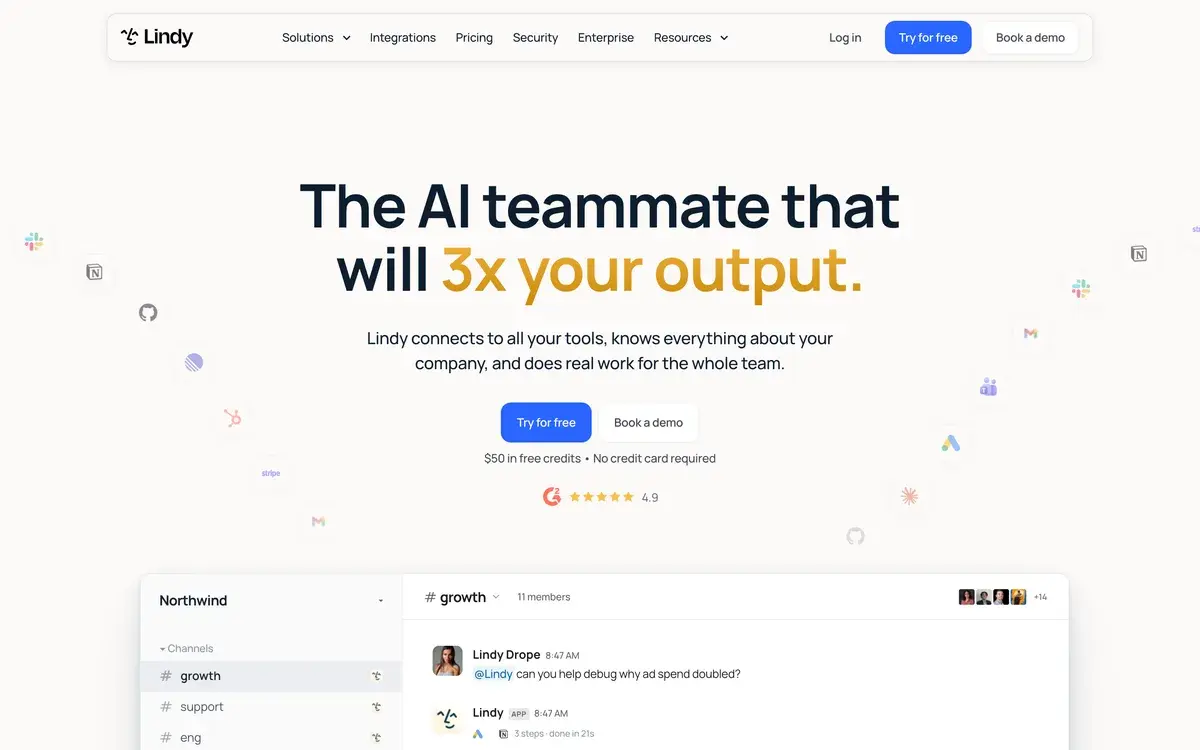
Lindy AI homepage, captured Oct 2, 2026.
Lindy has changed shape twice. It started as a no-code builder for AI agents and then became a personal AI executive assistant. In October 2026 it sells itself as an AI teammate: one assistant that sits in your team's Slack, connects to everyone's tools and works for the whole team. The pricing follows that idea, with seats that pool their credits into one balance.
Where Lindy works
The centre of Lindy is Slack. You mention it in a thread or a channel, and it reads the context it's allowed to see. Then it answers, researches or does the task, and it keeps what it learns about the workspace between conversations. Around that sit the assistant jobs it inherited. It records and summarizes meetings into a shared library, schedules them and preps you for them, and sends daily briefs and nudges. It can also manage up to five email inboxes, drafting replies in your voice, and it's reachable on iMessage around the clock. It can use computers, connect to thousands of apps and any MCP server, and lets you pick the model for each task.
Plans and the shared pool
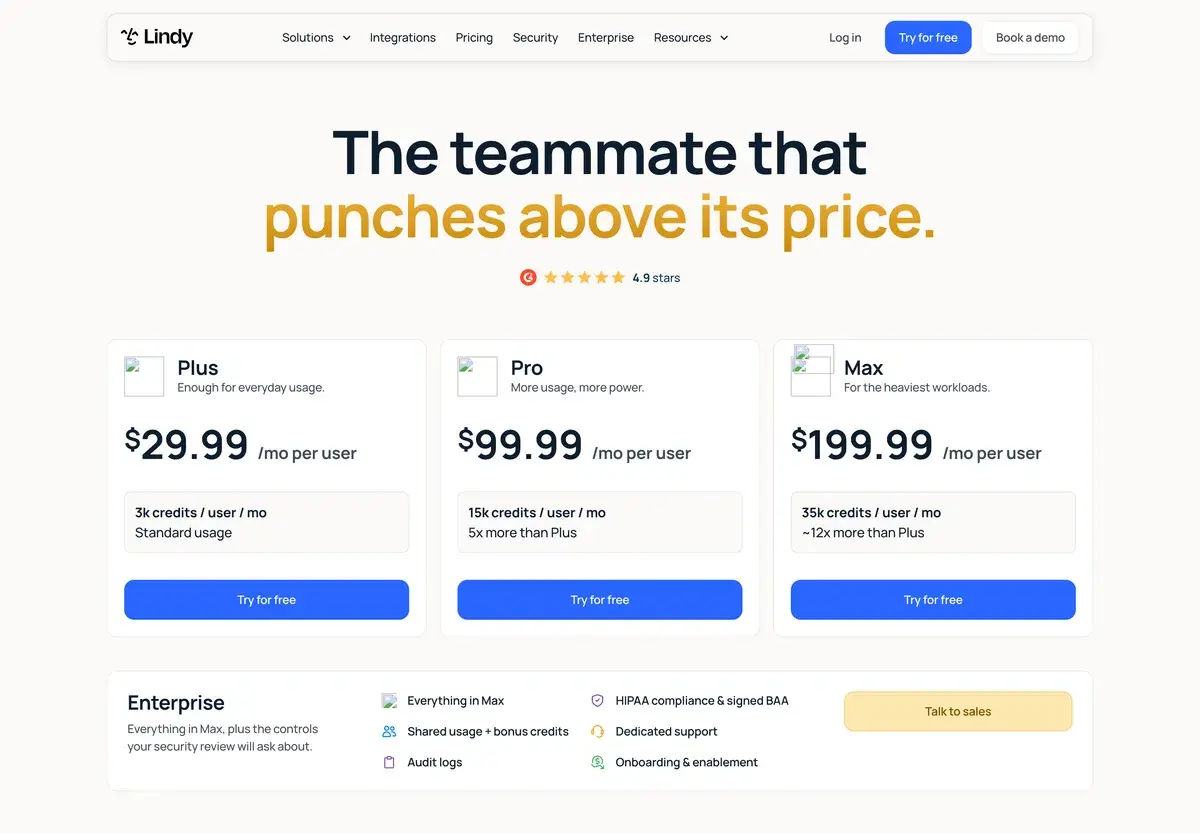
Per-user monthly prices, captured October 2, 2026.
Plan
Per user, a month
Credits per user
Relative usage
Plus
$29.99
3,000
Standard
Pro
$99.99
15,000
5x Plus
Max
$199.99
35,000
About 12x Plus
Enterprise
Custom
Shared usage plus bonus credits
SSO, audit logs, HIPAA with BAA
Every seat adds its credits to a single pool, so a heavy user can draw on what a light user doesn't spend. Credits reset each billing cycle and don't roll over. When the pool runs low, Lindy pauses credit-using actions until the next cycle instead of charging more. Admins can move the team to a bigger plan at any time. A five-person team on Plus pays about $150 a month for a 15,000-credit pool.
How far 3,000 credits go
Lindy publishes ranges rather than a price list. Everyday asks, such as a summary, a lookup or a drafted reply, take 2 to 250 credits. Deep work like a competitor report or a day's support triage takes 250 to 1,000. Big builds, such as dashboards or decks assembled from CRM data, take 1,000 to 2,500. On Plus, 3,000 credits a person is plenty for questions and meeting notes. It's tight for anyone who wants several reports a week, and that's where Pro's five-fold allowance comes in.
Approvals and data
Lindy waits for approval before anything with outside impact: sending an email, updating a ticket, posting to another channel or publishing a document. Read-only lookups from approved sources run on their own. Lindy says data is encrypted, never sold and never used to train models. It lists SOC 2, GDPR, PIPEDA and HIPAA compliance, the last with a signed BAA on Enterprise.
The seat rules deserve a careful read before rollout. Anyone who uses Lindy takes a paid seat, including someone who only @mentions it in Slack. New teammates who join through Slack get one free week before their seat is billed.
Rolling it out to a team
A sensible first month looks like this. Connect Slack and decide which channels Lindy may read, since its answers are only as good as the context it can see. Connect the tools people actually ask about, such as the CRM, the help desk and the shared drive, and leave the rest for later. Set per-seat credit allocations if a few people are likely to run big builds, so they don't drain the pool for everyone. Then start with jobs that are easy to check: meeting notes, a daily brief in a team channel, a weekly summary of support tickets.
Four things to know before buying
Credit costs are published as wide ranges. The only way to know what a report or a dashboard costs your team is to run it and watch the pool. The seat rule turns casual curiosity into cost: one @mention makes someone a paid user after their free week. Unused credits vanish at the end of each cycle, which punishes quiet months. And Lindy is built around Slack: its pricing page lists no equivalent for Microsoft Teams, so teams without Slack rely on email, meetings and iMessage alone.
Lindy or an automation tool
Lindy suits teams that want to ask for work in plain language inside Slack and approve the results. Teams that prefer to design each step should compare it with Zapier, whose Agents add-on and task-based plans favour repeatable workflows, or self-hosted n8n. People who want a general assistant for themselves get more for $20 from ChatGPT or Claude. Our AI agents guide covers the other options.
Frequently Asked Questions about Lindy AI
What does a Lindy credit buy?
Lindy groups work into three bands. Everyday asks, such as answers, summaries, lookups and drafting a reply, use 2 to 250 credits. Deep work, like researching a competitor and writing the report or triaging a day's support queue, uses 250 to 1,000. Big builds, such as dashboards, decks built from your CRM or heavy scheduled workflows, use 1,000 to 2,500. Plus's 3,000 credits a month therefore cover anywhere from a few big builds to hundreds of quick questions.
Who needs a paid Lindy seat?
Anyone who uses Lindy, whether they sign up directly, join the workspace or simply @mention Lindy in Slack. Each seat adds its credits to the team's shared pool, and admins can set allocations per seat. Removed seats stay active until the end of the paid cycle, with no mid-cycle proration.
Can I try Lindy before paying?
Partly. Teammates who join through Slack get their first week free before their seat is billed, once per person, and the homepage advertises $50 in free credits with no credit card. Lindy's pricing FAQ says direct signups are billed right away, so check which route your workspace uses.
Is Lindy AI HIPAA compliant?
On Enterprise. Lindy lists SOC 2, GDPR, HIPAA and PIPEDA compliance, and HIPAA use requires the Enterprise plan with a signed business associate agreement. It says customer data is encrypted, never sold and never used to train models.
Does Lindy act without asking?
Not for anything with outside impact. Sending an email, updating a ticket, posting to another channel or publishing a document waits for approval; read-only lookups from approved sources run without it.