What is Paperpal?
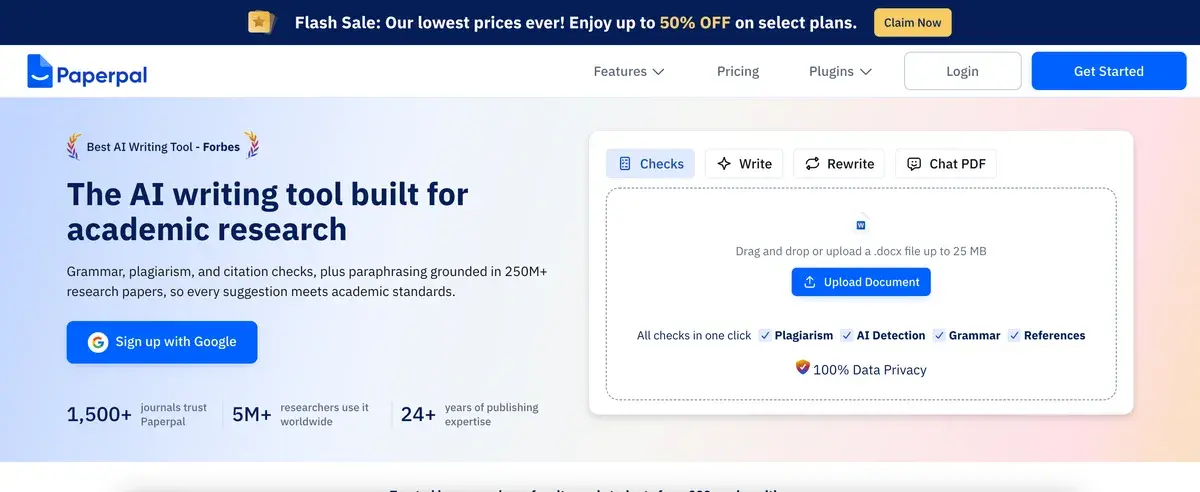
If you are a non-native English speaker writing for English-language journal submission, Paperpal is built for you specifically. The product is an AI writing assistant trained on millions of published academic papers, designed to address the specific challenges of academic writing — journal-appropriate language, technical terminology, structural completeness, submission requirements — that general writing tools handle inconsistently.
If you are a native English speaker writing journal articles, Paperpal is also useful but the value proposition is smaller. Native speakers benefit from the academic-specific suggestions and submission checks but already have the language fluency that drives much of Paperpal's value for ESL researchers. For native speakers, Grammarly with academic style settings often suffices.
If you are not writing for academic journals at all, Paperpal is the wrong tool. The product's calibration is specific to academic and scientific writing; using it for marketing copy, business writing, or general communication produces suggestions that feel oddly formal and journal-flavored rather than appropriate for the context.
This audience-specific positioning is the framing that matters most for the buying decision. Paperpal is a niche product done well for its intended audience, not a general writing tool.
The ESL academic writing problem
Published research on journal submission outcomes shows a real and persistent disadvantage for non-native English speakers. Submissions from ESL researchers face higher desk rejection rates, longer review cycles, and more revision requests partly attributable to language quality. The science can be excellent and the language can still hold the paper back.
The problem compounds at multiple levels. Grammar and spelling are the obvious surface issues. Below that, idiom and phrasing patterns specific to academic English produce smoother writing for native speakers. Below that, journal-specific conventions about hedging, citation framing, methodology language, and result reporting create an unwritten code that native speakers absorb through reading published work but ESL writers must learn explicitly. Below that, structural conventions about how findings should be framed, limitations acknowledged, and contributions positioned vary by discipline in ways that take years of journal reading to internalize.
General AI writing tools (ChatGPT, Claude, Grammarly) help with the surface levels but produce suggestions that miss the deeper journal-style patterns. Asking ChatGPT to "improve this academic paragraph" often produces output that is grammatically polished but stylistically off — too informal, too direct, missing the hedging conventions or methodology language patterns that established journals expect.
Paperpal's training corpus addresses exactly this problem. The model has learned patterns from millions of published papers across disciplines, which means its suggestions reflect what journal-published academic English actually looks like rather than what general English correction would suggest. For ESL researchers, this calibration is meaningful — the tool helps writing pass the language quality bar that journal editors and reviewers apply.
Who is it for?
PhD candidates and early-career researchers writing for first journal submissions, particularly non-native English speakers preparing dissertation chapters or initial publications. The combination of language editing, submission checks, and academic-specific calibration helps newer researchers meet quality expectations they may not yet fully understand.
Established researchers in non-English-speaking countries writing for English-language journals as part of regular publication output. The time savings on language editing — work that previously involved paid editing services or extended back-and-forth with English-speaking colleagues — produces real productivity gains across multiple papers per year.
Postdocs and research scientists at international institutions where English is the working language but not the native language of many researchers. Paperpal supports the language quality that publication-driven careers require without requiring expensive professional editing for every submission.
Research groups and labs producing collaborative papers where contributors have varying English proficiency. Institutional or shared subscriptions support team-level use; the consistency of academic-style suggestions helps multi-author papers feel cohesive in language.
Editors and reviewers in academic publishing using Paperpal to provide language feedback to authors. The academic-specific suggestions translate professional editorial guidance into actionable specific recommendations.
Translators and academic editors handling research paper editing as professional service. The platform compresses the per-paper editing work from hours to minutes for the language-quality dimension, with the editor focused on higher-level structural and argumentative work.
Paperpal is not the right pick for: native English speakers (Grammarly with academic settings often suffices), non-academic writing (the academic calibration produces oddly formal suggestions in other contexts), creative or narrative writing (academic style is not appropriate), or researchers writing in non-English languages without translation needs.
Key Features
- Academic language editing — suggestions calibrated to journal-published English rather than general English usage
- Microsoft Word add-in — native integration into Word where most academic writing happens
- Submission Readiness checks — analyzes papers against common journal requirements (language, structure, formatting, completeness)
- Plagiarism detection — comparison against billions of web pages and academic databases (Prime tier)
- Journal style guides — formatting and language calibration for specific journal styles (APA, MLA, Chicago, journal-specific)
- Technical terminology — handles scientific and field-specific vocabulary that general grammar tools sometimes flag incorrectly
- Structural feedback — suggestions on paper structure, section completeness, and argumentative flow
- Translation features — bridge non-English drafts to English (limited language support)
- Reference checks — citation format verification and consistency
- Tone calibration — academic-appropriate tone for different paper types (research articles, reviews, perspective pieces)
- Web app — full editor accessible without Word for users who prefer browser-based writing
- Confidentiality — academic-grade privacy practices appropriate for unpublished research
Paperpal vs Competitors 2026
| Tool | Academic specialization | Submission checks | Plagiarism detection | Free tier | Price/mo |
|---|
| Paperpal | ✅ Best in class | ✅ Built-in | ✅ Built-in (Prime) | ✅ 200 suggestions/mo | $19 |
| Grammarly | ⚠️ General with academic settings | ⚠️ Limited | ✅ Pro tier | ✅ Generous | $12 |
| ProWritingAid | ⚠️ Strong for long-form | ❌ | ✅ Premium | ✅ Limited | $10 |
| Turnitin | ❌ Plagiarism focus | ⚠️ Institutional | ✅ Best in class | ❌ Institutional | Custom |
| iThenticate | ❌ Plagiarism focus | ❌ | ✅ Best in class | ❌ | Custom |
| Trinka.ai | ✅ Academic-focused | ✅ Strong | ⚠️ Add-on | ✅ Limited | $20 |
| Wordvice AI | ✅ Academic-focused | ✅ Decent | ⚠️ Limited | ✅ Limited | $19 |
| ChatGPT (Pro) | ⚠️ General with prompting | ⚠️ Manual | ❌ | ✅ With ChatGPT | $20 |
Data verified April 2026 from each provider's pricing pages.
The clearest comparison is Paperpal vs Grammarly. Both are AI writing assistants but with different specializations. Grammarly's broader audience produces suggestions optimized for general English; Paperpal's academic-specific training produces suggestions optimized for journal-published English. For users writing primarily academic work, Paperpal's specialization produces better outcomes; for users writing across academic and non-academic contexts, Grammarly's broader applicability often wins on practicality.
Trinka.ai is the closest direct competitor in the academic writing AI category. Both target ESL academic writers; both offer Word integration and submission checks. The capabilities are roughly comparable; choice often comes down to UX preference and specific feature priorities. Trinka has slightly stronger handling of certain technical fields; Paperpal has more polished UX overall. Both deserve evaluation for users specifically choosing academic writing AI.
Wordvice AI is similar in positioning — academic-focused AI writing assistant, comparable pricing, similar feature set. The three (Paperpal, Trinka, Wordvice) compete in the same niche; differences are primarily UX and specific feature implementation rather than fundamental capability gaps.
Against ChatGPT or Claude with academic-prompted output, dedicated academic writing tools have a real but narrowing advantage. General AI tools have improved substantially at academic writing when given good prompts; they still produce occasional stylistic missteps that academic-specific training catches. For users comfortable with AI prompting and willing to verify outputs carefully, ChatGPT may suffice. For users wanting reliable academic-calibrated suggestions without prompt engineering, Paperpal's specialization is meaningful.
Pricing 2026
| Plan | Price | Suggestions | Plagiarism | Best for |
|---|
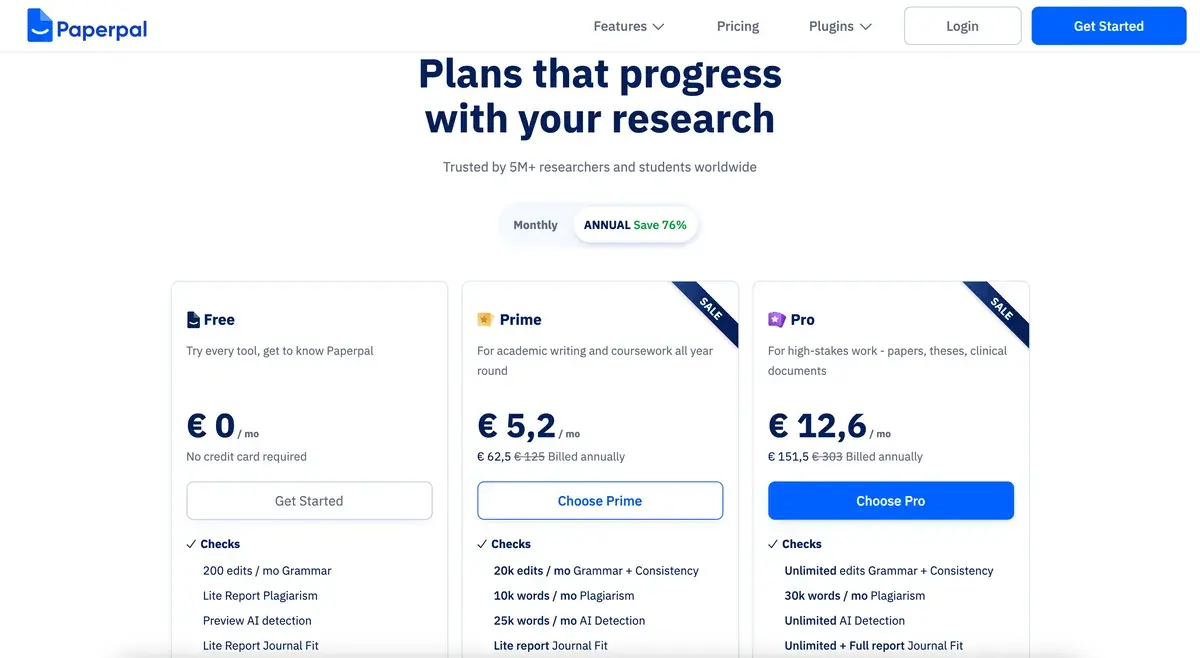
| Free | $0 | 200/mo | ❌ | Casual users, evaluation |
| Prime | $19/mo (or $99/yr) | Unlimited | ✅ Included | Active researchers, students |
| Institutional | Custom | Custom | ✅ Included | Universities, research organizations |
Prices verified April 2026 from paperpal.com/pricing. Annual billing at $99/year is meaningfully cheaper than monthly; student discounts available with verified academic email.
The pricing is reasonable for the academic writing audience. Free tier (200 monthly suggestions) is adequate for occasional use — undergraduate writing assignments, occasional papers, light academic correspondence. Prime at $19/month or $99/year covers active researchers writing multiple papers; the annual pricing is the practical choice for users who write regularly. Institutional pricing supports university and research organization deployments at scale.
The plagiarism detection inclusion on Prime is genuinely useful for users who would otherwise pay for separate Turnitin or iThenticate access; for institutional contexts where dedicated plagiarism services are already in place, this feature is bundled benefit rather than primary value driver.
Hands-on Notes
The first thing that distinguishes Paperpal from Grammarly in actual use is how the suggestions feel for academic writing. Grammar tools sometimes flag academic constructions — passive voice in methods sections, hedging language in discussion sections, technical jargon in field-specific contexts — that are appropriate for journal writing. Paperpal's training corpus means these constructions are recognized as appropriate rather than flagged for change. The reduction in false-positive friction matters across hours of academic writing.
The submission readiness check is the feature most users underestimate before using and find valuable in actual practice. Catching missing ethical statements, incomplete author affiliations, citation format inconsistencies, and other technical submission requirements before submission saves the desk-rejection cycle. Many papers get desk-rejected on technical grounds (missing required statements, formatting issues) rather than scientific merit; this check addresses exactly that failure mode.
The Word add-in is the integration that defines daily use. Most academic writing happens in Word (or LaTeX, which Paperpal does not directly support); the Word integration means Paperpal lives where the writing actually happens. Users who write in alternative environments (Google Docs, Notion, plain text) get less benefit from the integration depth, though the web app serves these users.
The translation features are functional for bridging non-English drafts to English-language journals. Translation quality is competitive with modern translation tools (Google Translate, DeepL); the integration into the academic editing workflow handles the post-translation language polishing that translation alone leaves rough. For researchers who draft in their first language and translate for English submission, this workflow is meaningful.
Where Paperpal gets weaker: support for LaTeX-based writing is limited compared to Word integration. STEM researchers who write primarily in LaTeX may find Paperpal less useful than Word-based humanities or social science researchers. Some technical fields (mathematics, theoretical physics, certain computer science domains) have writing conventions that Paperpal handles less reliably than mainstream biomedical and social science writing.
The other practical observation: like all AI writing tools, Paperpal's suggestions are not always correct. Academic style varies by discipline, journal, and research tradition; suggestions appropriate for biomedical writing may be inappropriate for humanities work. Treating Paperpal as guidance rather than authoritative correction produces better outcomes; the user's disciplinary judgment matters more than blindly accepting suggestions.
The free tier (200 monthly suggestions) is adequate for occasional use but fills quickly during active paper writing. A typical research paper might consume 50-150 suggestions for full editing; users writing multiple papers monthly will move past free quickly. Prime at $19/month or $99/year is the realistic operational tier.
Use Cases
A PhD candidate at a non-English-speaking university writes their dissertation in English and prepares papers for international journal submission. Paperpal Prime ($99/year) handles language polishing across thesis chapters and submitted papers; the submission readiness checks catch technical issues before submission; the academic-specific calibration produces language quality that English-speaking advisors notice and appreciate. Annual cost is meaningfully less than professional academic editing services.
A research scientist at a European institution writes 4-6 journal papers per year as primary or co-author. Paperpal Prime supports the consistent language quality required across regular publication output without requiring per-paper professional editing. Time savings compound across multi-paper years; quality improvement reduces revision cycles with reviewers.
A research lab in Asia uses institutional Paperpal for the entire team — postdocs, graduate students, and research assistants. Consistency of academic English across the lab's collaborative papers improves; multi-author papers feel cohesive rather than uneven; the institutional license supports the team without per-user budget overhead.
A non-native English-speaking professor reviewing journal submissions uses Paperpal to provide language feedback to authors. The academic-specific suggestions translate the reviewer's editorial guidance into specific actionable recommendations; the workflow accelerates the constructive feedback the reviewer wants to provide.
A native English speaker at a US research university uses Paperpal occasionally for submission readiness checks and final language polish before journal submission. The native-speaker user gets less value from the language editing than ESL users would, but the submission checks and academic-specific suggestions still catch issues general grammar tools would miss. The Prime subscription is justified by the avoidance of desk rejections more than by daily writing productivity gains.
Our Verdict
Paperpal is a focused tool that addresses a real and underserved problem — academic writing quality for non-native English speakers writing for English-language journals. The academic-specific training, submission checks, and Word integration produce a workflow that general writing tools cannot match for the specific use case Paperpal is designed for. For ESL researchers, it earns its place as a permanent part of the academic writing toolkit.
For native English speakers writing primarily academic content, Paperpal is useful but the value proposition is smaller. Grammarly with academic settings handles much of the same work; the marginal value of Paperpal's specialization narrows when language fluency is not the bottleneck. For users writing across academic and non-academic contexts, Grammarly's broader applicability often wins on practicality.
For non-academic writing, Paperpal is the wrong tool. The academic calibration produces suggestions that feel oddly journal-flavored in other contexts. Match the tool to the writing context.
The pricing is reasonable for the value at the right scale. Free tier is adequate for evaluation; Prime at $19/month or $99/year is the realistic operational tier for active researchers. The annual pricing is the meaningful difference; users who write regularly should default to annual.
Note: Paperpal does not currently have an active affiliate program with AIVario. AIVario earns no commission from sign-ups. Our rating reflects evaluation of the Prime tier across academic writing workflows.
Best for: Non-native English speaker researchers, PhD candidates writing for English journals, postdocs and research scientists at international institutions, research groups with multilingual contributors, academic editors providing language feedback
Not ideal for: Non-academic writing (use Grammarly), users writing primarily in LaTeX, native English speakers without specific submission concerns (Grammarly often suffices), researchers writing in non-English languages
Bottom line: A focused tool done well for its specific audience. Match the buying decision to whether you are writing academic English regularly; if yes, Paperpal earns its place. If not, simpler alternatives serve better.
Related Tools
- Elicit — research literature tool that pairs with Paperpal across the academic writing workflow
- Scite — citation analysis tool for verifying references in Paperpal-edited papers
- ResearchRabbit — discovery tool for the literature that informs Paperpal-written papers
- Grammarly — general writing alternative for non-academic contexts
- Notion — common organizing tool for academic research and notes alongside Paperpal-edited papers
Frequently Asked Questions about Paperpal
How much does Paperpal cost?
Paperpal has a free tier with 200 monthly suggestions covering basic language editing. Paid plans start at $19/month for Prime (unlimited suggestions, all features), with annual billing at $99/year for Prime. Institutional pricing is available for universities and research organizations. Student discounts apply with verified academic email.
Is Paperpal better than Grammarly for academic writing?
For academic writing specifically, yes. Paperpal's training corpus is millions of published academic papers, which means its suggestions reflect actual journal-published language patterns rather than general English usage. Grammarly is a general writing assistant; Paperpal is academic-specific. Paperpal handles technical terminology, citation conventions, and journal-style language that Grammarly sometimes flags incorrectly. For non-academic writing, Grammarly is better.
Does Paperpal help with non-native English academic writing?
Yes, this is the core use case Paperpal is designed for. Non-native English speakers writing for English-language journals face a real disadvantage — published research shows submissions from non-native English speakers face higher desk rejection rates partly due to language quality. Paperpal addresses this directly with academic language suggestions calibrated to journal standards rather than general English.
Can Paperpal check my paper before journal submission?
Yes, the Submission Readiness check analyzes papers against common journal requirements — language quality, structural completeness, citation format, ethical statements, conflict of interest disclosures, and other submission elements that journals require. The check catches issues that would otherwise lead to desk rejection on technical grounds rather than scientific merit.
Does Paperpal include plagiarism detection?
Yes, plagiarism detection is included on Prime plans, comparing submissions against billions of web pages and academic databases. The check is comparable to Turnitin and iThenticate at consumer pricing. For institutional use, dedicated plagiarism detection services (Turnitin, iThenticate) remain the industry standard for editorial review; Paperpal's check is appropriate for author self-checking before submission.
Is Paperpal good for non-English academic writing?
Paperpal supports primarily English academic writing. Some translation features bridge other languages to English, but the core language editing and journal-style features are calibrated for English-language journals specifically. For researchers writing in other languages, the value proposition is weaker — the tool's specific advantage is its English academic language calibration.