Dia is the AI browser from The Browser Company, the makers of Arc, now owned by Atlassian. It builds a chat assistant into a Chromium browser that reads your open tabs and connected tools such as Gmail, Google Calendar, Slack, Notion, GitHub and Microsoft apps, writes morning briefs and reports, and prepares meeting pages. Dia is a free download for macOS; its $20-a-month Pro plan was retired on May 31, 2026, and a Windows version is due this fall. For companies it offers SAML single sign-on, MDM controls and a SOC 2 Type II report.
✓Best for: Mac users whose workday runs through browser apps such as Gmail, Calendar, Slack, Notion and GitHub, and who want an assistant that sees all of them
✗Skip if: You use Windows or Linux today, prefer a browser without AI, or want Arc's manual organization rather than an assistant-led workflow
This analysis is based on documentation, public user reports, and vendor materials — not yet on our own hands-on testing. How we rate
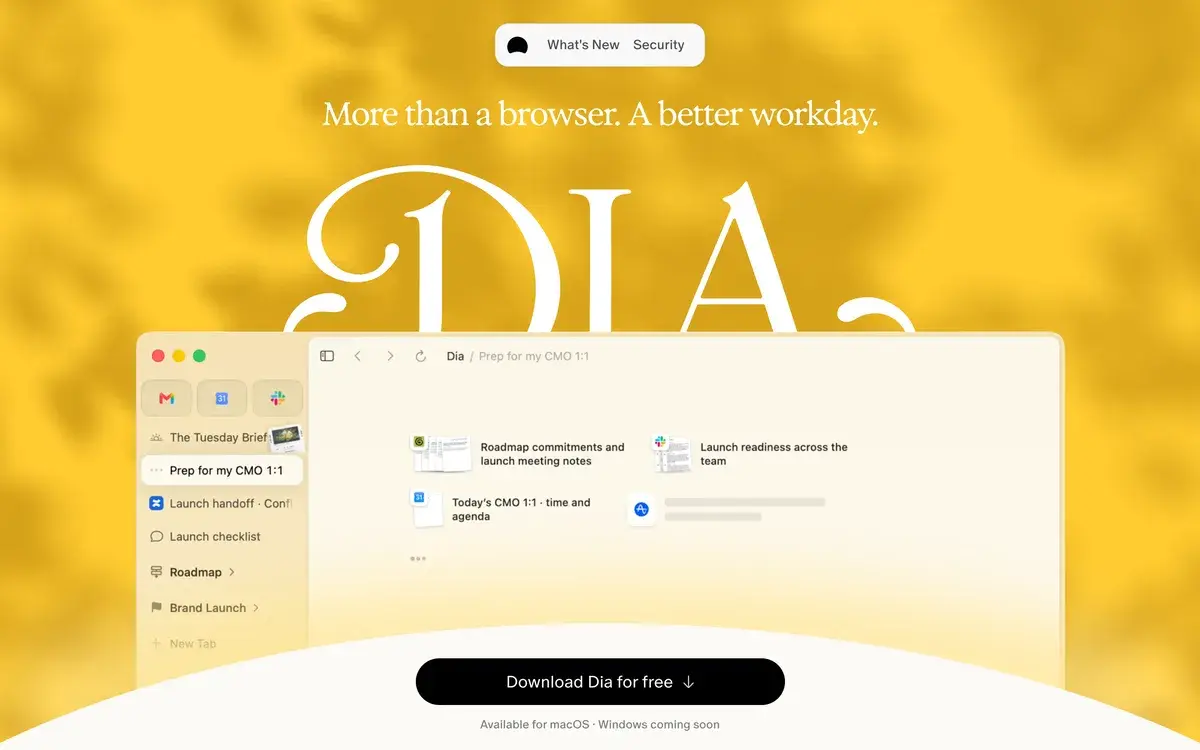
Dia Browser homepage, captured Sep 29, 2026.
The Browser Company's second act
Dia is what The Browser Company built after Arc. Announced in December 2024 and opened to Mac users during 2025, it takes the opposite approach to its predecessor. Arc reorganized the browser's interface and asked users to learn new habits; Dia looks like a conventional browser and puts an AI assistant at the center, one that can read your tabs and the work apps you have open.
In May 2025 the company stopped building new Arc features to focus on Dia, and in September 2025 Atlassian agreed to buy The Browser Company for $610 million in cash, completing the deal on October 21. Arc's own homepage now introduces Dia as "the next evolution of Arc", and Dia's site pitches it as "More than a browser. A better workday."
That pitch is aimed at knowledge workers, which fits the new owner. Dia's recent releases, from meeting preparation to connections with Notion, GitHub and Microsoft apps, are about the office day rather than general browsing.
What Dia does with your tabs and tools
The assistant is the product. Dia's homepage lists what it does: a Morning Brief that lays out your calendar, inbox and key links before the day starts; synthesis that gathers what is scattered across Slack, Notion, Teams and other tools into a report you can share; and answers drawn from Google Workspace, Teams and your tabs, "like someone who's seen every thread".
Around the assistant sit browser features built for the same audience. Profiles separate work, freelance and personal browsing, each with its own tabs, logins and AI. Live Work pulls active pull requests, specs and drafts from tools such as GitHub and Notion into the tab bar. Meeting pages open with the agenda, notes and related documents and a countdown to the call. Splits show two pages side by side and remember layouts for recurring meetings, Decks turns your context into presentable slides, and organized tabs group related pages under readable names.
The weekly release notes show where it is heading. In September 2026 alone, Dia added connections with Notion, Microsoft apps and Figma, a tool kit release, the ability to stop and resume AI responses, search across past chats and collapsible pull-request stacks in GitHub folders, alongside a brand refresh with hand-painted icons.
Free for everyone after Pro was retired
Dia costs nothing. The Browser Company introduced a $20-a-month Pro plan in August 2025, which lifted limits on the chat assistant and its Skills. In May 2026 subscribers were told Pro was being retired by May 31, "making room for what's next", with refunds for the May billing cycle and an automatic move to the free tier.
That leaves Dia without a paid plan in September 2026, and with a clear hint that one will return. For now, the free version includes the full browser and the assistant with usage limits that Dia does not publish. Anyone planning around Dia for a team should budget for the possibility of a paid tier later.
Built for work: SSO, MDM and data controls
Dia's work page answers the questions an IT team asks first. The Browser Company completed a SOC 2 Type II examination covering Dia's security, confidentiality and privacy for calendar year 2025, with the report issued in 2026 and available through its trust center. Dia supports SAML single sign-on with identity providers including Google, Okta and Microsoft Entra ID, and admins can restrict sign-ins to company email domains.
For device management, Dia accepts standard Chromium enterprise policies, including Google Chrome Cloud Management, plus Dia-specific policies for managed updates and AI controls, such as switching off AI features on particular websites. On data, Dia says it keeps your data on your device, encrypted, sends only what each AI request needs through its servers, and has zero-data-retention agreements with all its AI partners. Users can opt out of sharing content to improve Dia, and companies can turn that off for everyone.
Mac only until the Windows version lands
The biggest limitation is platform. Dia runs on macOS only, and its Windows page says the browser is "coming to Windows this fall", with a waitlist. The Browser Company's chief executive has described the Windows version as being in active beta testing with hundreds of testers, but no date or feature list has been published.
For mixed teams this matters more than any feature. A company where half the staff use Windows laptops cannot standardize on Dia yet, and Linux users have no announced version at all.
Dia or Arc, Comet and Brave
Arc is still available and free, with its sidebar and Spaces intact, but it no longer gets new features and its site points users who want active security patches to Dia. Choose Arc only if you already rely on it.
Among AI browsers, Comet from Perplexity leads with agents that carry out tasks on websites and is tied to Perplexity's assistant. OpenAI closed its own browser, ChatGPT Atlas, on August 9, 2026, and now offers a built-in browser inside the ChatGPT desktop app instead. Dia's focus is different: the workday, meetings and the apps a team uses together. Privacy-minded users who want AI without accounts or logs should look at Brave Leo instead, inside a browser that runs on every platform.
Related Tools
Arc Browser: The Browser Company's first browser, now in maintenance
No. Dia is a free download for macOS. The Browser Company launched a $20-a-month Pro plan in August 2025 with unlimited AI use, then retired it by May 31, 2026, refunding subscribers for May and moving everyone to the free version. The company said it was making room for what's next, so a new paid tier may appear, but none was listed in September 2026.
Is Dia available for Windows?
Not yet. Dia's Windows page says the browser is coming to Windows this fall and offers a waitlist, and The Browser Company's chief executive has said the Windows version is in active beta testing. Until it ships, Dia runs only on macOS.
How is Dia different from Arc?
Arc reorganized the browser around a sidebar, Spaces and manual tidiness, and stopped getting new features in May 2025. Dia keeps a few Arc ideas, such as profiles, split views and tab grouping, but centers on an AI assistant that reads your tabs and apps, writes briefs and reports, and prepares meetings. It is a simpler browser with a chat at its core.
What can Dia's assistant do?
It answers questions using your open tabs and connected tools, such as Gmail, Google Calendar, Slack, Notion, GitHub, Figma and Microsoft apps. It writes a Morning Brief from your calendar and inbox, turns scattered context into reports or slide decks, opens meeting pages with the agenda and related documents, and can search your past chats. Weekly updates keep adding connections.
Is Dia safe to use at work?
Dia is built with companies in mind. The Browser Company completed a SOC 2 Type II examination of Dia for calendar year 2025, Dia supports SAML single sign-on with Google, Okta and Microsoft Entra ID, it works with standard Chromium enterprise policies and Chrome Cloud Management, and admins can switch off AI features on specific websites.
Does Dia use my data to train AI?
Dia says it has zero-data-retention agreements with all of its AI partners, and that it sends only what a request needs, such as your prompt and relevant page content, through its servers. Users can opt out of sharing content to improve Dia, companies can disable that sharing for everyone, your data is never sold or used for ad profiles, and Sync is end-to-end encrypted.
Who owns Dia?
Atlassian, the company behind Jira and Confluence. It bought The Browser Company of New York for $610 million in cash, announcing the deal on September 4, 2025 and completing it on October 21, 2025. Dia is Atlassian's bet on an AI browser for knowledge work, and Arc remains available in maintenance mode.
Can I move from Chrome or Arc to Dia?
Yes. Dia is built on Chromium, so Chrome extensions work, and its work FAQ says it supports standard import flows from all major browsers for bookmarks, extensions, profiles, tabs, passwords and history. People leaving Arc should expect a different style of browser rather than a copy of Arc's sidebar and Spaces.