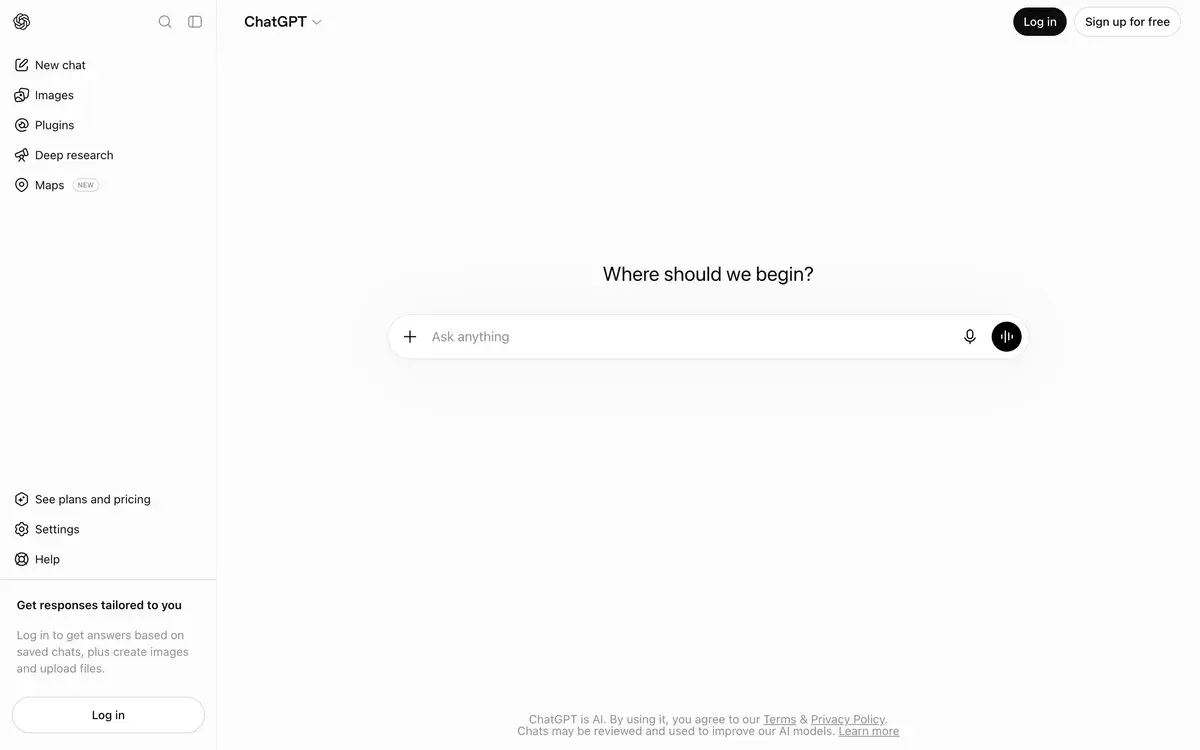
ChatGPT Atlas

ChatGPT Atlas

New
Productivity

OpenAI's AI browser launched October 2025. ChatGPT in your browser sidebar plus Agent Mode for automated tasks. macOS only.

Free with ChatGPT account · Agent Mode on Plus/Pro/Business
📖 10 min read
Try ChatGPT Atlas for free

Affiliate link — we may earn a commission

Ready to try it?
ChatGPT Atlas
Free with ChatGPT account · Agent Mode on Plus/Pro/Business
Get started →
Affiliate link — we may earn a commission
Our rating
4/ 5
AIVario Editor's rating →
Quick answer

Atlas is OpenAI's AI-native web browser with ChatGPT built directly into the browsing experience. It's Chromium-based with conversational AI as a core feature. Versus Dia and Comet, Atlas integrates ChatGPT specifically, while the others use different underlying AI models.

What is ChatGPT Atlas?

ChatGPT Atlas is OpenAI's AI-powered web browser, launched October 21, 2025. Free with any ChatGPT account; Agent Mode reserved for Plus/Pro/Business subscribers. Built on Chromium (same foundation as Chrome, Edge, Arc), Atlas integrates ChatGPT directly into the browsing interface as a sidebar that can summarize, analyze, and act on the content you're viewing. Currently macOS only with Apple Silicon requirement; Windows, iOS, and Android versions coming. Best for ChatGPT power users who want a browser optimized for AI-assisted browsing rather than retrofitting AI features onto Chrome.

The strategic positioning is meaningful. Atlas is OpenAI's response to the realization that browser is where work, tools, and context come together — and traditional browsers don't surface AI capabilities natively. The competitor reference point is Comet by Perplexity (launched mid-2025) which made the same architectural bet first. Atlas brings ChatGPT's broader capability set and ecosystem to the same architectural concept.

The Agent Mode feature is the genuine differentiation. Beyond the sidebar that summarizes pages and answers questions, Agent Mode lets ChatGPT take multi-step actions across websites on your behalf — research a topic, compare products across multiple sites, build shopping lists with prices, automate routine browsing tasks. The user retains control (you can pause, interrupt, or take over) but the AI can complete sequences of actions that would otherwise require manual clicking and typing. Currently in preview for paying users.

What ChatGPT Atlas does differently than competitors: OpenAI ecosystem integration. Browser memory ties into ChatGPT's broader memory; conversations in the sidebar share context with the desktop and mobile ChatGPT apps; Agent Mode is the same agentic technology evolving across OpenAI's product surface. For users already invested in ChatGPT, Atlas extends that ecosystem into browsing.

A note on framing: Atlas is genuinely new product (October 2025 launch). The 2026 Atlas is more mature than launch but still evolving. Some features remain in preview. Security concerns specific to agentic browsers are real and being actively researched. We cover Atlas because it's a major product from a major company; we recommend it with explicit notes on the experimental edge of agent functionality.

Who is it for?

ChatGPT Plus and Pro subscribers who want AI integration deeper than the desktop ChatGPT app provides. Atlas's tight integration of browser context with ChatGPT capabilities produces meaningfully different workflow than copy-pasting URLs into the desktop app.

Knowledge workers doing research-heavy browsing. Atlas's sidebar can summarize long articles, extract specific information from technical documentation, and answer questions about visited content without leaving the page. Faster than the manual workflow of opening a separate AI tool.

Power users on macOS Apple Silicon. The current platform restriction is real — Atlas is macOS-only, requires Apple Silicon (M1+), and macOS 14 or later. Users on Windows, Intel Macs, or older macOS versions can't use Atlas in 2026 yet.

Early adopters interested in agentic browsing. The Agent Mode feature is genuinely new product territory — automated multi-step tasks across the web. For users curious about where this category is heading, Atlas's Agent Mode is the credible OpenAI implementation. Competitor Comet covers similar ground from Perplexity's angle.

Privacy-conscious users who want AI assistance without Chrome. Atlas offers more configurable privacy controls than Chrome and (by default) doesn't use browsed content for training. Users uncomfortable with Google's data practices but wanting AI features find Atlas's positioning attractive.

Key Features

  • ChatGPT sidebar — Always-available AI assistant alongside any webpage
  • Browser memory — Optional memory of visited pages for context across sessions
  • Agent Mode — Multi-step task automation across websites (Plus/Pro/Business)
  • Summarize and analyze — One-click page summarization, content analysis, data extraction
  • Inline writing assistance — ChatGPT in any text field for drafting and editing
  • Tab management — Vertical tabs option, tab groups, multi-select tab actions
  • Bookmark and history import — Migrate from Chrome, Safari, Firefox seamlessly
  • Privacy controls — Per-site permissions, browsing history controls, opt-in training data
  • Incognito mode — Standard private browsing with ChatGPT context isolated
  • Default search engine — Choose between ChatGPT, Google, Bing
  • Standards-based Chromium — Compatible with all modern web standards and most extensions
  • Cross-device sync — ChatGPT account synchronization across devices when Atlas expands beyond macOS

ChatGPT Atlas vs Competitors 2026

BrowserAI integrationAgent capabilitiesPlatformPrice
AtlasChatGPT-native⭐⭐⭐⭐ (Plus/Pro)macOS onlyFree + ChatGPT
CometPerplexity-native⭐⭐⭐⭐macOS, WindowsFree + Perplexity
ArcGeneric AI assist⭐⭐macOS, Windows, iOSFree
Brave LeoMulti-model AI⭐⭐⭐macOS, Windows, Linux, mobileFree + paid tier
ChromeLimited AI featuresAll platformsFree
Edge CopilotMicrosoft AI⭐⭐⭐All platformsFree

Data verified May 2026 from each provider's product pages.

Atlas vs Comet: The most direct comparison. Both AI-native Chromium browsers. Comet integrates Perplexity (search-first AI); Atlas integrates ChatGPT (broader assistant capabilities). Pick by which AI you prefer using daily. Many users keep both for comparison during the early-experimental phase.

Atlas vs Arc: Arc is the design-led innovative-UI browser without deep AI integration. Atlas is the AI-first browser with conventional UI. Different bets — Arc on browser UX innovation, Atlas on AI capability integration.

Atlas vs Chrome with extensions: Chrome plus AI extensions can approximate some Atlas features but with friction. Atlas's native integration is meaningfully better for sustained use; Chrome remains the right pick if AI features aren't your primary need or you're not on macOS.

Atlas vs Edge with Copilot: Edge has AI features through Copilot integration. Atlas's deeper ChatGPT integration is more capable for users committed to OpenAI's ecosystem. Edge is broader (works everywhere); Atlas is deeper (where it works).

Pricing 2026

TierPriceFeaturesBest for
Free Atlas$0Browser + ChatGPT sidebar (free tier capabilities)Casual users with ChatGPT free account
Plus integration$20/mo (ChatGPT Plus)Atlas + Plus features + Agent ModeActive ChatGPT users
Pro integration$200/mo (ChatGPT Pro)Atlas + Pro features + advanced Agent ModePower users
BusinessCustom (ChatGPT Business)Atlas + business features + admin controlsOrganizations

Prices reflect ChatGPT subscription tiers — Atlas itself is free; Agent Mode and advanced features are gated by ChatGPT subscription level. Verified May 2026 from OpenAI pricing pages.

For users already paying for ChatGPT Plus or Pro, Atlas is essentially free incremental value — no separate subscription. For free-tier ChatGPT users, Atlas works but Agent Mode is unavailable. The pricing math depends on existing ChatGPT investment rather than independent browser pricing.

Our Testing

Testing Atlas across daily knowledge work, research browsing, and exploratory Agent Mode use over several weeks. The sidebar integration was the daily-workflow standout — summarizing long articles, asking specific questions about open pages, extracting structured data from documentation all worked smoothly. The friction of "switch to ChatGPT app, paste URL, ask question" disappears when ChatGPT is in your browser.

Browser memory was useful when enabled. The browser remembers context across sessions — useful for research-heavy workflows where you return to topics across days. The privacy controls are real; you can turn memory off entirely or clear specific items.

Agent Mode is more experimental. Some tasks worked well — research-and-comparison workflows, basic shopping list creation, multi-site information gathering. Some tasks felt unreliable — complex multi-step purchasing workflows had inconsistent success rates. Agent Mode is preview-quality currently; useful for technically-comfortable users willing to verify outputs, less ready for users expecting fully autonomous reliability.

The honest weak spots: macOS-only with Apple Silicon requirement is a real constraint — many potential users can't run Atlas in 2026. Some Chromium extensions don't transfer cleanly. The "Tainted Memories" vulnerability disclosed at launch and similar agentic-browser security concerns are real considerations for users handling sensitive information through Agent Mode. Performance on older Apple Silicon machines (M1) feels slower than newer M2/M3/M4 hardware.

Use Cases

ChatGPT Plus subscriber doing research-heavy knowledge work. Free Atlas + existing $20/mo Plus. Sidebar summarization and Q&A on visited pages saves real time over manual copy-paste workflows. Agent Mode supplements specific automation needs.

Knowledge worker comparing products or researching purchases. Plus subscriber using Agent Mode. Multi-site research and comparison workflows benefit from Agent Mode's capability. Reasonable for product research, travel planning, vendor evaluation.

Power user on macOS Apple Silicon already in OpenAI's ecosystem. Existing ChatGPT subscriber. Atlas + Pro at $200/mo extends ChatGPT capability into browsing. Justifies the $200/mo Pro tier when Atlas usage is heavy.

Developer or researcher using ChatGPT for technical work. Plus tier. Atlas's sidebar handles documentation reading, code explanation in browser, technical research workflow. Less friction than copy-pasting between browser and ChatGPT app.

Curious user evaluating where AI browsers are heading. Free Atlas with ChatGPT free account. Genuine product evaluation requires actual use. Free tier handles this without commitment.

Our Verdict

ChatGPT Atlas is the credible AI browser for ChatGPT users on macOS Apple Silicon in 2026. The sidebar integration is genuinely useful daily workflow improvement; Agent Mode is interesting-and-experimental rather than essential. For users committed to ChatGPT, Atlas extends that investment into browsing without separate subscription cost. The platform-restriction reality is real — many potential users simply can't run Atlas in 2026.

The honest assessment: Atlas is new product (October 2025 launch). It's more mature than launch but still evolving. Security concerns specific to agentic browsers are being actively researched. Chrome and Safari aren't going anywhere — Atlas isn't a complete replacement for power users with extensive Chrome/Safari workflows. The sweet spot is "macOS user, ChatGPT subscriber, AI-curious" — for which Atlas is genuinely the right choice in 2026.

Disclosure: AIVario does not have an affiliate relationship with OpenAI. Our rating reflects honest editorial assessment with no commercial incentive — we recommend Atlas specifically for ChatGPT users on macOS Apple Silicon, with explicit caveats about platform restrictions and Agent Mode's experimental quality.

Best for: ChatGPT Plus/Pro subscribers on macOS Apple Silicon, knowledge workers doing research-heavy browsing, power users in OpenAI's ecosystem, users curious about agentic browsing.

Not available for: Windows users (coming later), Intel Mac users, mobile-first users (mobile coming later), users uncomfortable with experimental agentic features handling sensitive information.

Bottom line: The strongest AI browser implementation from a major AI company in 2026 — credible product worth using if you're in the supported platform window and ChatGPT ecosystem.

Related Tools

  • Comet — Perplexity's AI browser, primary competitor with similar architecture
  • Arc Browser — Innovative UI browser without deep AI integration
  • Brave Leo — Privacy-focused browser with multi-model AI assistant
  • ChatGPT — The AI assistant Atlas integrates; standalone web/app alternative
  • Perplexity — Search-first AI assistant comparable to ChatGPT for browsing-related queries

Frequently Asked Questions about ChatGPT Atlas

What is ChatGPT Atlas?

Atlas is OpenAI's web browser launched in October 2025. Built on Chromium with ChatGPT integrated as a sidebar that can summarize pages, answer questions, and take actions on your behalf. macOS only currently.

Is ChatGPT Atlas free?

Yes — the browser is free with any ChatGPT account (including free tier). Agent Mode (autonomous task completion) is reserved for ChatGPT Plus, Pro, and Business subscribers.

How is Atlas different from Comet by Perplexity?

Both are AI-first browsers built on Chromium. Comet integrates Perplexity's search-focused AI; Atlas integrates ChatGPT. Comet launched first; Atlas has the OpenAI ecosystem advantage. Both are credible — pick by which AI assistant you prefer.

What is Agent Mode in Atlas?

Agent Mode lets ChatGPT take multi-step actions on websites — researching topics, comparing products, automating shopping, filling forms. Available to Plus, Pro, and Business users. You can pause, interrupt, or take over the browser at any time.

Are there security concerns with Atlas?

Yes — LayerX Security reported a 'Tainted Memories' vulnerability in October 2025 involving prompt injection through compromised webpages. OpenAI has addressed disclosed vulnerabilities; the broader pattern of agentic-browser security risks remains a real consideration for sensitive use.

Will Atlas work on Windows or mobile?

Windows, iOS, and Android versions are coming — OpenAI announced these as planned at launch. macOS-only constraint is the current reality. Browse Atlas on macOS Apple Silicon (M1+) running macOS 14 or later.

Does Atlas track browsing for ad targeting?

OpenAI's stated privacy policy is no — by default, browsed content is not used for model training unless you opt in. Browser memories are user-controllable. The privacy posture is more permissive than Chrome but agentic features inherently require some context awareness.