Beautiful.ai is a web presentation app built around Smart Slides, templates that rearrange their own layout as you add or remove content, plus AI that drafts a deck from a prompt, a file or a link. Pro costs $14.50 a month billed annually for one person, and a single month of Pro for a one-off project costs $45. Teams costs $40 per user a month billed annually or $50 monthly for 2 to 20 seats, and Enterprise adds SSO, SCIM and audit logs at a custom price. There is no free plan: the 14-day trial needs a credit card and bills automatically unless you cancel.
✓Best for: Sales teams, consultants and marketers who rebuild similar branded decks every week and want slide layouts that fix themselves
✗Skip if: You make a deck a few times a year, want a permanent free plan, or need freeform control over every element on every slide
This analysis is based on documentation, public user reports, and vendor materials — not yet on our own hands-on testing. How we rate
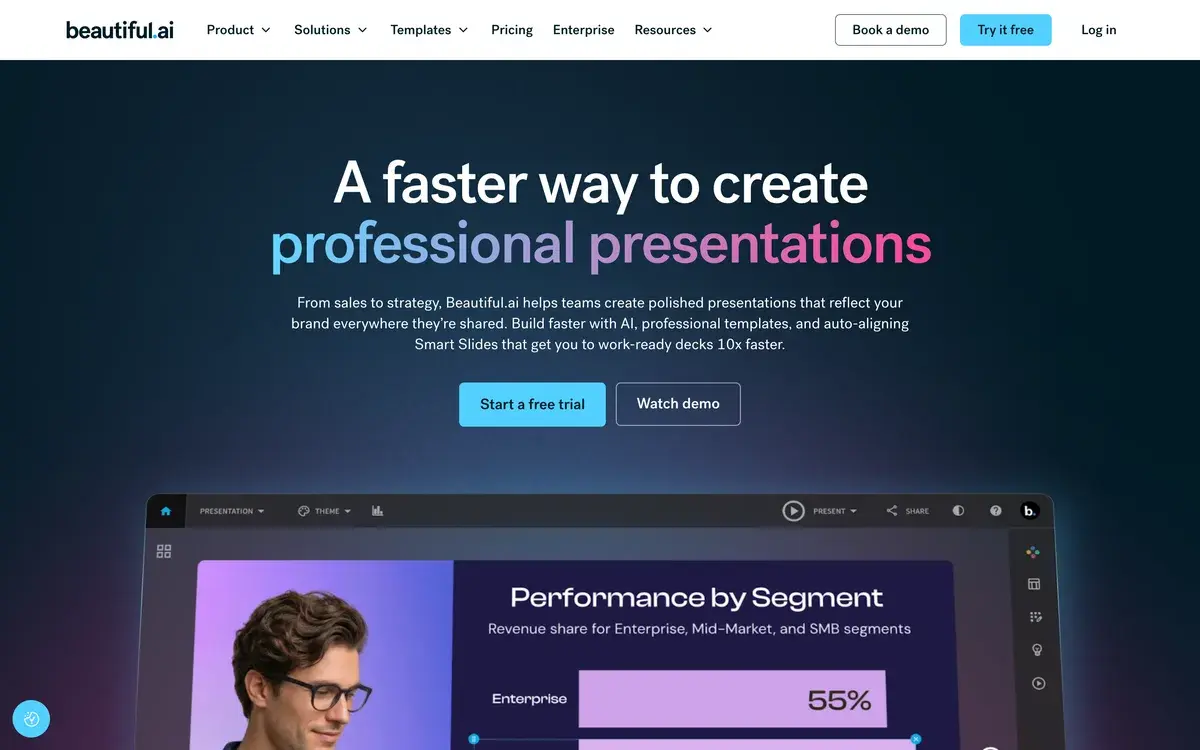
Beautiful.ai homepage, captured Sep 29, 2026.
Slides that rearrange themselves
Most presentation software leaves layout to you. Add a fifth point to a four-point slide in PowerPoint and you resize boxes, nudge text and fix the spacing yourself. Beautiful.ai is built on the idea that the slide should do that work. Its Smart Slides are templates with rules: a timeline, a comparison, a team grid or a chart knows how it should look, so adding a milestone, a face or a data series makes the whole slide re-space itself instead of breaking.
The library now holds more than 300 Smart Slide layouts, and themes control colors, fonts, logos, icons and footers across a deck, switchable in one click. When a slide needs to break the rules, a Classic Slide gives you a blank canvas without the guardrails. The homepage pitch is aimed at business users, from sales to strategy: polished, on-brand presentations and work-ready decks 10x faster.
That focus explains both the appeal and the limits. The constraints keep a sales rep's twentieth deck of the quarter looking like the first. They also mean designers who want every element exactly where they put it spend part of their time working around the system.
Where the AI fits in
Beautiful.ai started as a layout tool and added generative AI on top. Every paid seat includes unlimited AI content generation: describe a presentation, or feed it extra context from files and links, and it drafts the deck on Smart Slides so the output starts out aligned. An AI writing assistant helps with the copy, image generation fills visual gaps, and AI translation converts slides into other languages.
Unlimited is the important word. Gamma and several other AI deck tools meter generation by credits, charged per slide or per image, so iterating on a long deck costs more each time. On Beautiful.ai the subscription price is the whole cost, which suits people who regenerate and rewrite often. The AI is still a starting point: expect to rewrite the content, because the design is the part it gets right more reliably than the argument.
Pro, Teams, the $45 month and Enterprise
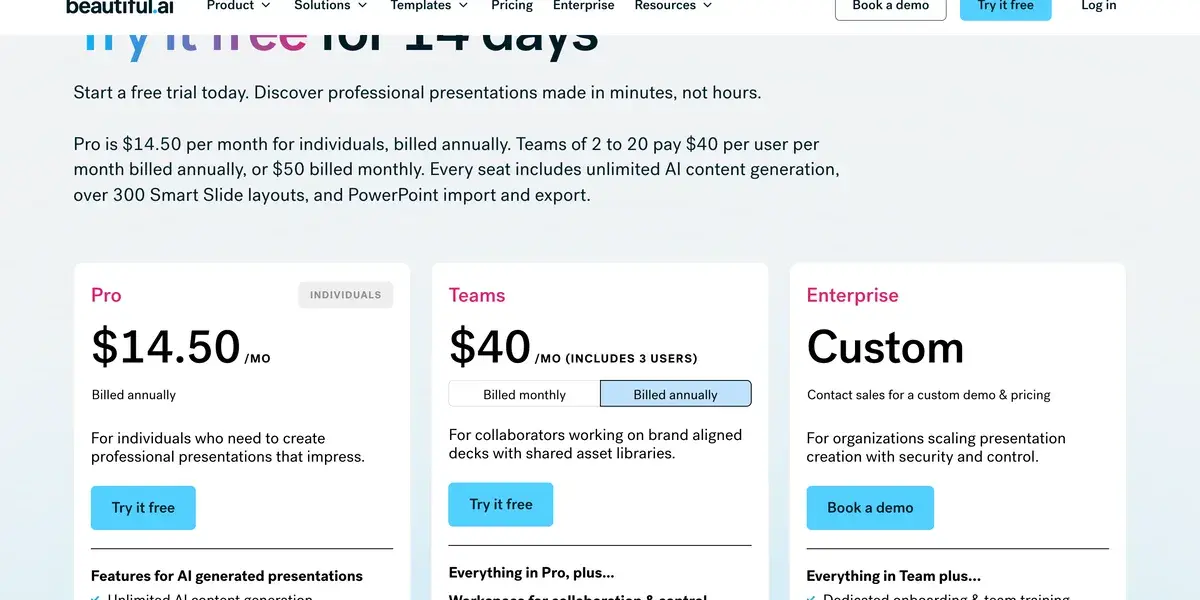
Beautiful.ai's pricing page, screenshot taken September 29, 2026. The summary line at the top and the Teams card describe team pricing differently.
Plan
Price
Who it is for
What it adds
Pro
$14.50 a month, billed annually
One person
Unlimited slides and AI generation, 300+ Smart Slide layouts, custom brand themes, viewer analytics, PowerPoint import and export
Pro, one month
$45, billed monthly
A single project
Everything in Pro; cancel any time
Teams
$40 per user a month billed annually, $50 monthly, 2 to 20 seats
Shared brand decks
Live co-editing, shared slide and template library, locked slides and version control, live data links, engagement alerts, 100+ languages
SMB
Flat rate, by quote
Smaller companies
Access for every employee at one price
Enterprise
Custom
Larger organizations
SSO, SCIM provisioning, audit and change logs, brand guardrails, SOC 2 Type II, onboarding and priority support
The Teams price needs a second look before you buy. The page's summary line and its FAQ say $40 per user a month billed annually, while the plan card reads "$40/mo (includes 3 users)" with fixed pricing for up to three users. For a team of three that is either $40 or $120 a month, so check the number at checkout, and ask sales about the SMB plan if you are pricing more than a handful of seats.
The $45 month is the option most reviews skip. For a founder building one investor deck or a speaker preparing one talk, a single month of Pro costs less than a year and includes the same features.
Read the trial and refund terms first
Beautiful.ai has no free plan, and the trial terms are stricter than most in this category. The 14-day trial asks for a credit card at signup and charges the full price automatically if you do not cancel before day 14; your billing cycle begins that day. Canva, Gamma and Pitch all let you keep working on a free plan, so the pressure to decide within two weeks is specific to Beautiful.ai.
Refunds are narrow too. An annual plan may be partly refunded if you ask within 24 hours of the purchase or renewal, monthly plans are non-refundable, and every refund carries a processing fee. Cancelling stops the next renewal and leaves Pro working until the end of the period you paid for.
Two groups get a better deal. Students with a .edu address get a year free through the education plan, and the $45 month lets anyone with a single project avoid an annual commitment altogether.
Who gets their money's worth
The best fit is anyone producing the same kind of deck over and over. A sales team sending discovery decks, proposals and quarterly business reviews to dozens of accounts changes logos, numbers and names on every copy, and Smart Slides absorb those changes without anyone re-spacing slides. Consultants reusing frameworks across engagements and marketing teams running monthly performance reports are in the same position.
Teams adds what those groups need at scale: a shared library so everyone starts from approved slides, locked slides so the legal footer and pricing table stay untouched, live data links that update charts and tables, and viewer and slide analytics with alerts when someone opens a deck you shared. Enterprise brings the controls IT departments ask for, including SSO, SCIM and audit logs.
People who present a few times a year get far less from it. The layout automation pays off over volume, and with no free plan, occasional users pay for capacity they rarely touch.
When a different deck tool makes more sense
Gamma is the better starting point if you want a draft from a single prompt and a free plan to try it on; it also builds documents and simple websites. Pitch suits startups and teams collaborating on one deck, with a free plan and strong presenting and sharing features. Canva covers presentations as part of a wider design suite and is the cheapest route for teams already paying for it. If your company lives in Google Slides or PowerPoint and will not leave, Plus AI adds AI generation inside those apps, so files never change format.
Beautiful.ai earns its price when layout consistency across many similar decks is the problem you are paying to solve. For anything else, one of the tools above will usually be cheaper or more flexible.
Frequently Asked Questions about Beautiful.ai
Does the Beautiful.ai free trial need a credit card?
Yes. Beautiful.ai's pricing FAQ says the 14-day trial of Pro or Team requires a card, which is charged in full if you do not cancel before the trial ends, and your billing cycle starts on that day. During the trial you get everything in the plan, including unlimited slides, AI generation, analytics, custom fonts and the desktop player. Put a reminder in your calendar the day you sign up.
What does a Beautiful.ai Teams seat cost?
The pricing FAQ puts Team at $40 per user a month billed annually, or $50 per user billed monthly, for 2 to 20 seats. The plan card on the same page reads $40 a month and 'includes 3 users', with fixed pricing for up to three, so the checkout total is the figure to trust. Smaller companies can also ask about the SMB plan, which charges a flat rate for every employee.
Can I pay for just one month of Beautiful.ai?
Yes. Beautiful.ai sells everything in Pro, billed monthly, for $45, and positions it for ad hoc projects such as a single pitch or conference talk. You can cancel at any time and keep access until the end of the month. Monthly subscriptions are non-refundable, so start it when the deck work actually begins.
What are Smart Slides, and can I turn them off?
Smart Slides are Beautiful.ai's layout templates: add a fifth bullet, a new logo or another chart series and the slide resizes and re-spaces everything to stay balanced. There are more than 300 of them. When you want to place things freely, you can start from a blank Classic Slide, which drops the design guardrails and behaves like a conventional slide.
Can Beautiful.ai open and save PowerPoint files?
Every plan includes PowerPoint import and export. An exported deck becomes ordinary PowerPoint slides, so the automatic layout stops once the file lives in PowerPoint, and anyone editing it there adjusts spacing by hand again. Teams that present from Beautiful.ai and export only for sharing lose the least.
What is Beautiful.ai's refund policy?
Annual subscriptions may get a partial refund if you ask within 24 hours of the initial purchase or a renewal. Monthly subscriptions are non-refundable, a cancellation after a trial converts is charged the full monthly rate for that period, and all refunds carry a processing fee. Requests go to support@beautiful.ai.
Is Beautiful.ai free for students?
Students with a valid .edu email address get a year free through Beautiful.ai's education plan, according to its pricing FAQ. There is no general non-profit discount listed on the pricing page; other organizations have to ask sales.
Should I choose Beautiful.ai or Gamma?
Gamma if you want the fastest possible first draft and a free plan to start on: it generates whole decks, documents and web pages from a prompt and charges credits per slide. Beautiful.ai if your decks follow the same structure every week and the time goes into keeping layouts tidy as content changes. Its AI generation is unlimited on every paid seat, so heavy iteration costs nothing extra.