Krisp

Krisp

Free tier
AI Productivity
Quick answer

Krisp is AI noise cancellation and a meeting assistant that processes audio on your device — nothing goes to a server, and no bot joins your call. Free covers 60 minutes a day of noise cancellation plus 2 AI notes. Pro is $8/month on annual billing, $16 monthly. It works as a virtual mic across 800-plus apps, so no integrations are needed.

Best for: Privacy-sensitive professionals and anyone taking calls from genuinely noisy places
Skip if: You want CRM-synced meeting intelligence — Krisp is an audio layer, not a revenue tool
Try Krisp for free

Affiliate link — we may earn a commission

Ready to try it?
Krisp
Free · $8/mo (annual)
Get started →
Affiliate link — we may earn a commission
Our rating
4.4/ 5
AIVario Editor's rating →
Researched

This analysis is based on documentation, public user reports, and vendor materials — not yet on our own hands-on testing. How we rate
What is Krisp?

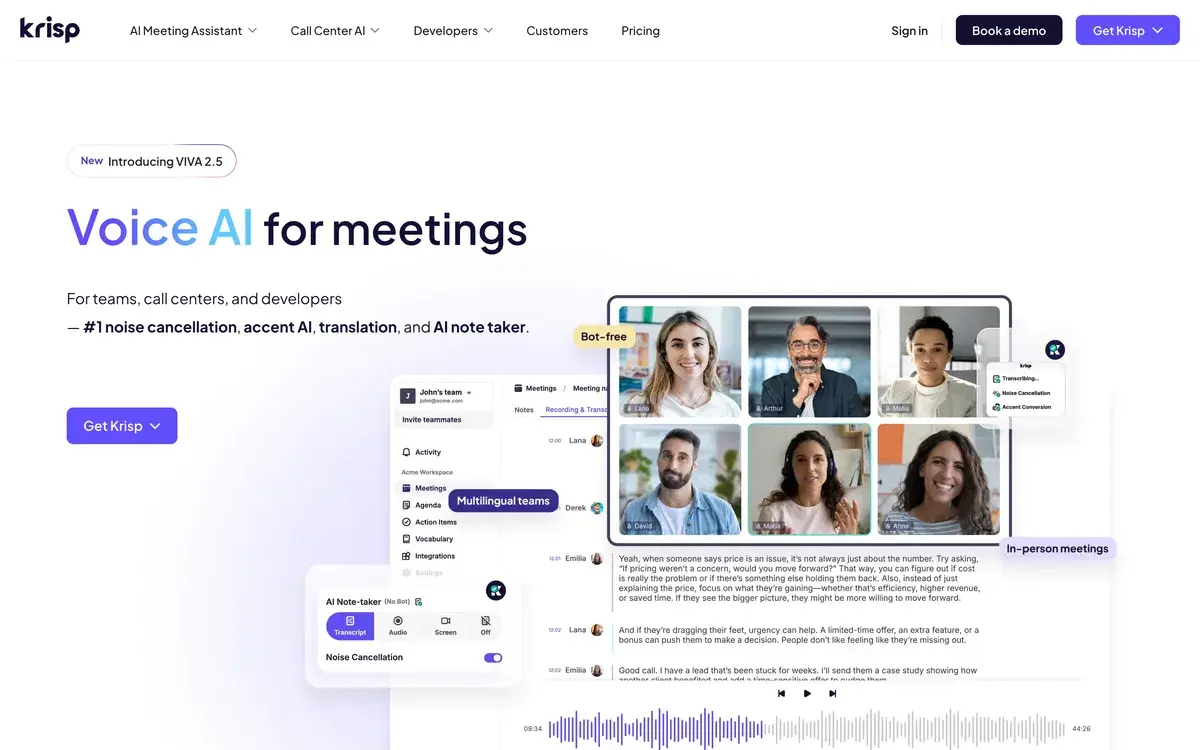
Krisp sits between your microphone and whatever app you're calling from, stripping out background noise in real time. It also transcribes your meetings and writes notes. Both of those things exist elsewhere — what's different is how.

The audio never leaves your machine. Noise cancellation runs on-device. And no bot joins your call — Krisp captures at the system level, so there's no AI participant announcing itself to your client.

That combination puts it in a different category from Fireflies, Fathom, or Otter, which all send a visible bot into the room and process in the cloud. If you've ever hesitated before letting a notetaker into a sensitive call, Krisp is the answer to that hesitation.

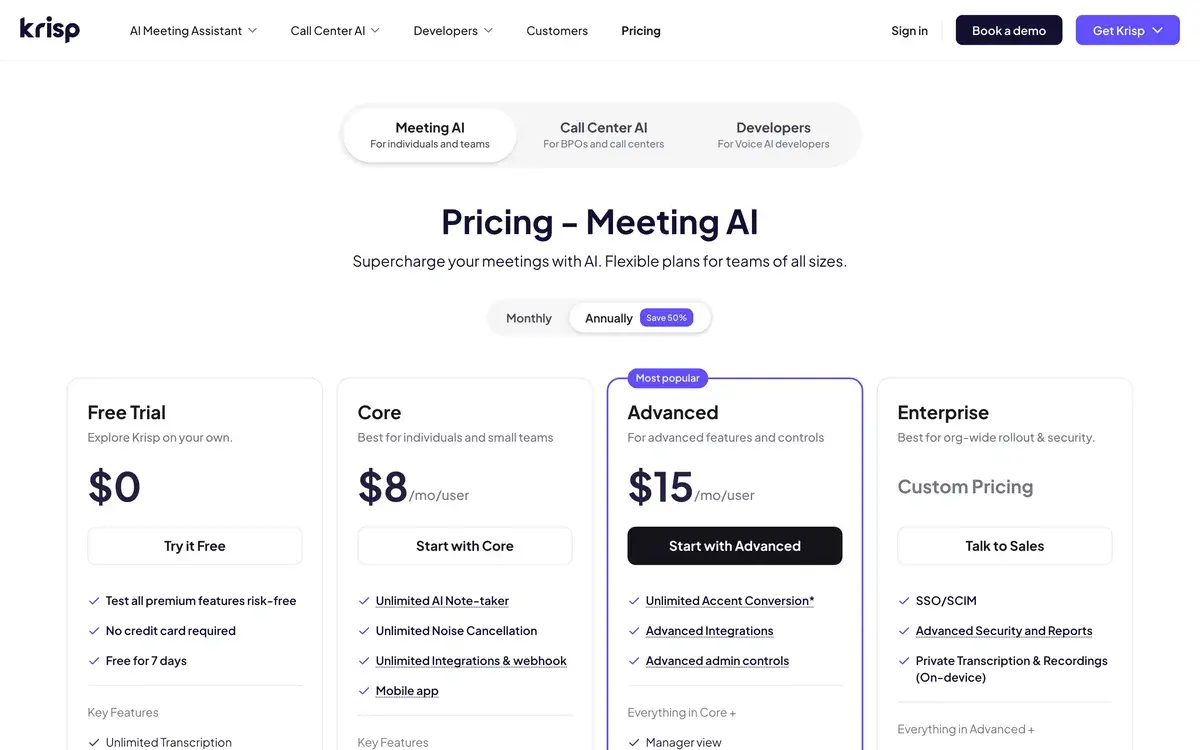
Free gives you 60 minutes a day of noise cancellation. Pro is $8/month annually, $16 if you pay monthly.

Who is it for?

Krisp fits two groups cleanly.

People in noisy places. Remote workers in cafes, airports, shared apartments, or anywhere with a barking dog. The VIVA model does 40dB-plus reduction and reviewers consistently rate it the best available. At $8/month it costs less than one decent headset and works better.

People in sensitive conversations. Lawyers, consultants, healthcare workers, therapists, recruiters — anyone whose calls shouldn't have a visible recorder in them, or whose audio shouldn't route through a third-party server. On-device processing plus bot-free capture is a genuinely different privacy posture, not a marketing angle.

It's the wrong tool if: you want CRM-synced meeting intelligence and coaching analytics (that's Fireflies or Gong territory), you need deep team collaboration features around your notes, or you only take calls from a quiet home office — in which case the noise cancellation, the main event, solves a problem you don't have.

Key Features

  • VIVA noise cancellation — 40dB-plus reduction, bidirectional (your mic and incoming audio), fully on-device
  • Bot-free transcription — no AI participant joins the meeting
  • AI meeting notes — summaries and action items, 2/day free, unlimited on paid
  • Echo cancellation — prevents feedback loops in speaker mode
  • Virtual microphone architecture — works across 800-plus apps with zero integrations
  • Accent conversion — real-time neutralization, 60 min/day Pro, 4 hrs Business
  • Multilingual transcription — 17-19 languages on paid tiers
  • Ask Krisp — AI co-pilot over your meeting history
  • Audio and video recording — paid tiers
  • HIPAA and GDPR compliance — paid; SOC 2 reports and BAAs at Enterprise
  • Call Center plans — from around $10/agent annually with real-time monitoring

Krisp vs Competitors 2026

ToolBot in meetingProcessingNoise cancellationEntry paid
Krisp❌ None✅ On-device✅ Category best$8/mo annual
Fireflies✅ Visible botCloud$10/seat annual
Otter✅ Visible botCloud~$8.33/mo
Granola❌ NoneCloud~$10/mo
RTX Voice❌ None✅ On-device✅ GoodFree (needs RTX GPU)

Pricing checked August 2026 from each provider's pages. Competitor prices are approximate and change frequently.

Krisp vs Fireflies: Almost opposite designs. Fireflies sends a bot, processes in the cloud, and gives you a deep searchable archive with CRM sync and conversation intelligence. Krisp stays invisible, processes locally, and adds the best noise cancellation in the business. For meeting intelligence at team scale, Fireflies; for privacy and audio quality, Krisp. They're not really substitutes — plenty of people run one for notes and the other for audio.

Krisp vs Granola: Granola also avoids the bot, enhancing notes you type yourself rather than transcribing passively. Krisp does the audio layer plus notes. For deliberate note-taking on Mac, Granola; for noise cancellation with notes attached, Krisp.

Krisp vs RTX Voice: NVIDIA's RTX Voice is free and processes locally, but it needs an RTX GPU and does noise only — no transcription, no notes, no Mac. Krisp works on any Mac or Windows machine and bundles the meeting features. If you happen to have the hardware and only want noise removal, RTX Voice costs nothing.

Pricing 2026

PlanAnnualMonthlyKey limits
Free$0$060 min/day noise cancellation, 2 AI notes/day, 7-day history, English only
Pro / Core~$8/mo~$16/moUnlimited noise cancellation and notes, 19 languages, 60 min/day accent conversion, 5GB
Business / Advanced~$15/mo~$30/mo4 hrs/day accent conversion, 30GB, SSO/SCIM, admin controls, CRM
Call Center~$10/agentVoice isolation, after-call summaries, real-time monitoring
EnterpriseCustomSOC 2 reports, BAAs, device auth, dedicated support

Pricing checked August 2026. Tier names vary across sources (Pro/Core, Business/Advanced) and Krisp has restructured, so confirm on krisp.ai. The 50% annual discount is consistent across every source.

The pricing is refreshingly uncomplicated for this category — no credit pools, no per-seat AI add-ons, no usage meters to forecast. You pay a flat rate and the limits are stated in plain minutes.

Free at 60 minutes a day genuinely works if you take one or two calls. The 7-day history and English-only transcripts are the sharper constraints for anyone who'd rely on the notes.

At $8/month annually, Pro is easy to justify against the alternative — reviewers repeatedly point out it costs a fraction of a noise-cancelling headset or acoustic treatment and works better than either. If you've ever repeated yourself three times because a truck went past, the math takes about a week.

Business at $15 is worth it specifically for accent conversion at 4 hours daily, SSO, and CRM integration. Without one of those, Pro covers a solo professional completely.

Use Cases

Calls from anywhere: A remote worker takes client calls from a cafe or airport with 40dB-plus noise reduction handling the environment.

Sensitive conversations without a bot: A lawyer or consultant gets transcripts and summaries of client calls without a visible recorder changing how the client talks.

Regulated work: A healthcare professional relies on on-device processing plus HIPAA compliance for calls that can't route through third-party servers.

Multilingual sales: A rep uses accent conversion on customer calls where comprehension affects the outcome, with 19-language transcription for the notes.

Call center quality: A support operation deploys Krisp per agent for voice isolation and after-call summaries with real-time monitoring.

Our Verdict

Krisp does two things better than anyone: it removes noise, and it stays out of the way. The VIVA model's 40dB-plus reduction genuinely rescues calls from environments that would otherwise be unworkable, and on-device processing plus bot-free capture gives it a privacy posture no cloud notetaker can match. For lawyers, consultants, healthcare workers, and anyone whose calls shouldn't have a recorder announcing itself, that's not a preference — it's often a requirement. At $8/month annually with flat, legible pricing and no credit system to decode, it's one of the easier recommendations in this category.

The limits are about scope rather than quality. Krisp is an audio and notes layer, not a revenue platform — no CRM-synced conversation intelligence, no coaching analytics, no team meeting archive at the depth Fireflies offers. The free tier's 60 minutes a day and 7-day history bind quickly for daily use. Very loud sudden noises can break through and briefly robotise your voice. And accent conversion, while genuinely useful for some, is a feature reasonable people will feel differently about.

For noisy environments or privacy-sensitive work, strongly recommend. For team meeting intelligence, a cloud notetaker fits better — and there's no reason not to run both.

Note: Krisp does not currently have an active affiliate program with AIVario. We earn no commission, and this rating carries no commercial incentive.

Best for: Remote workers in noisy environments, lawyers and consultants needing bot-free notes, regulated professions requiring on-device processing, multilingual sales teams, call centers Not ideal for: Teams wanting CRM-synced meeting intelligence, deep collaborative note workflows, users in quiet offices who don't need the core feature Bottom line: The best noise cancellation available, bundled with notes that don't announce themselves. Flat pricing, on-device processing, and $8 a month annually — an easy yes if either half of that matters to you.

  • Fireflies — cloud meeting intelligence with CRM sync; opposite design
  • Granola — bot-free note enhancement for deliberate note-takers
  • Zoom AI Companion — native Zoom summaries if you live in one platform
  • Adobe Podcast — post-production audio cleanup for recordings
  • Riverside — studio-quality remote recording for published content

Frequently Asked Questions about Krisp

How much does Krisp cost?

Annual billing roughly halves the price, so the number you see depends heavily on which you're quoted. Pro (sometimes listed as Core) runs about $8/month annually or $16 monthly. Business or Advanced is around $15 annually, $30 monthly. Call Center plans start near $10 per agent annually, and Enterprise is quoted. Tier names vary across sources, so check krisp.ai directly — but the 50% annual discount is consistent everywhere.

What does the free plan include?

60 minutes a day of noise cancellation — enough for one or two typical meetings — plus 2 AI notes per day, unlimited transcription, and audio recording. The limits that bite beyond the daily cap are 7-day meeting history and English-only transcripts. It's a genuinely usable free tier for light use, and the 60-minute ceiling is the thing that pushes most people to upgrade.

Why does bot-free transcription matter?

Because most meeting assistants join your call as a visible participant, announcing to everyone that a recorder is present. Krisp captures audio at the system level instead, so there's no AI attendee in the room. For lawyers, consultants, therapists, and anyone in sensitive conversations, that's a meaningful difference — you get notes without changing the social dynamic of the call or explaining a bot to a client.

Is my audio sent to Krisp's servers?

The noise cancellation runs entirely on your device, so that audio never leaves your machine. That's the core of Krisp's privacy positioning and why it's popular in regulated professions. Paid tiers add HIPAA and GDPR compliance, and Enterprise offers SOC 2 reports and BAAs. If you're evaluating for a regulated context, confirm which specific features process locally versus in the cloud, since transcription and AI summarization involve different pipelines.

How good is the noise cancellation actually?

It's the best in the category by most accounts — the VIVA model achieves 40dB-plus reduction and holds up in genuinely hostile environments like airports and cafes. TIME named it one of the Best Inventions of 2020 and it's since processed over a billion minutes monthly across roughly 5 million users. The honest caveat reviewers raise: very loud sudden noises can break through and briefly make your voice sound slightly robotic.

What is accent conversion?

A real-time feature that neutralizes accents during calls, available at 60 minutes a day on Pro and up to 4 hours on Business. It's aimed squarely at multilingual sales teams and call centers where comprehension affects outcomes. It's also the most debatable thing Krisp sells — useful if you've experienced being misunderstood on calls, and uncomfortable if you think the burden should sit elsewhere. Worth trying before deciding how you feel about it.

Does Krisp need integrations?

No, and that's part of the appeal. It installs as a desktop app and presents itself as a virtual microphone and speaker, so it works with 800-plus communication apps — Zoom, Teams, Meet, Slack, phone calls, anything — without app-specific integrations. Change your audio device in settings and you're done. Nothing to configure per platform, nothing to break when a vendor updates their API.

View all →