Zoom AI Companion

Zoom AI Companion

★ Top rated
AI Meeting Assistant

AI bundled into paid Zoom plans at no extra cost — best AI meeting tool deal for existing Zoom customers, irrelevant for non-Zoom users.

Included in Zoom plans
📖 15 min read
Try Zoom AI Companion for free

Affiliate link — we may earn a commission

Ready to try it?
Zoom AI Companion
Included in Zoom plans
Get started →
Affiliate link — we may earn a commission
Our rating
4.5/ 5
AIVario Editor's rating →

What is Zoom AI Companion?

Zoom AI Companion is an interesting case in the AI tools landscape because the buying decision is unusual: most users do not actually buy it. They buy Zoom Pro or Business for video conferencing, and AI Companion comes bundled as a feature at no additional cost. The dedicated AI meeting tools category — Otter, Fathom, Fireflies, Read, and others — charges $10-25/user per month for similar functionality as a separate subscription. Zoom AI Companion provides comparable functionality bundled into the existing video subscription.

This bundling produces unusual economics. For existing paid Zoom users, AI Companion is essentially free additional capability that competitive AI meeting tools charge separately for. The marginal cost is zero; the marginal value is whatever the AI summaries, action items, and meeting analysis produce in time savings and follow-up efficiency. For users matched to this scenario — already paying for Zoom paid tiers — AI Companion is among the most obviously good deals in AI tooling. The buying decision is essentially "should I enable this feature I'm already paying for" rather than "should I subscribe to this product."

For non-Zoom users, AI Companion is irrelevant. The product exists within Zoom's video conferencing platform; using AI Companion requires using Zoom for meetings. Switching video platforms specifically to access AI Companion does not make sense — Google Meet has Gemini, Microsoft Teams has Copilot, and each platform's AI is bundled with the broader platform investment. Choose video conferencing platform based on broader factors; AI Companion follows from that choice.

The competitive landscape question that matters: should existing Zoom users supplement AI Companion with dedicated meeting AI tools (Otter, Fathom, Fireflies) for stronger capability? For most users, no. AI Companion's quality is sufficient for typical meeting documentation needs; the additional cost of dedicated tools rarely justifies the marginal capability gain.

The bundled-feature economics

Most AI tools require evaluation as standalone purchases — what does this product cost, what does it provide, does the value justify the price. Zoom AI Companion bypasses much of this analysis because it is included rather than purchased. The buying decision moved upstream to Zoom platform choice; AI Companion is an enabled feature rather than a subscription.

This bundling has real implications for how AI Companion competes against dedicated alternatives. Consider a 50-person organization on Zoom Business at $18/user. The organization is already spending $900/month on Zoom regardless of AI use. Adding Otter ($16.99/user) for the same team would add $850/month. Switching from Otter to AI Companion saves the entire $850 with comparable capability for typical meeting use.

The marginal capability difference between dedicated meeting AI tools and Zoom AI Companion exists but is small enough to not justify $850/month for most teams. Otter has slightly stronger transcript editing capabilities; Fathom has better customer-call analysis features for sales orgs; Fireflies has stronger CRM integration. For specialized use cases where these differentiation matter, dedicated tools earn their place. For typical meeting documentation, AI Companion's capability is sufficient.

This pattern applies across the major video conferencing platforms in 2026. Each platform has bundled AI; each platform's bundled AI is reasonably competitive with dedicated alternatives; the dedicated alternatives win on specific advanced features but lose on bundled-economics.

For Zoom users specifically, the practical advice is: enable AI Companion, use it for standard meeting documentation, and evaluate dedicated tools only when specific capability gaps matter for specialized use cases (sales call analysis, multi-language transcription, complex compliance workflows).

Where AI Companion earns its place

Existing Zoom paid plan users (Pro or above) wanting AI meeting documentation without separate subscriptions. The bundling produces cost savings of $10-25/user per month versus dedicated alternatives.

Sales teams running customer calls in Zoom who benefit from automatic summarization, action item extraction, and follow-up email drafting. While dedicated sales-focused tools (Gong, Chorus) provide deeper sales-specific analysis, AI Companion handles routine sales call documentation adequately at no additional cost.

Customer success and account management teams documenting customer interactions. The summary and action item extraction support post-meeting follow-up workflows; the AI Companion fits within the existing Zoom infrastructure most CS teams use anyway.

Internal teams running recurring meetings (standups, planning, reviews) where consistent documentation supports team coordination. The bundled positioning makes adoption frictionless; teams can use AI Companion without procurement overhead.

Educators and trainers using Zoom for online classes and workshops. AI Companion handles class summarization and action item extraction; participants can review summaries asynchronously.

Hybrid and remote teams where meeting documentation matters more than in office-centric work. The bundled AI supports the documentation discipline that distributed work requires.

Solopreneurs and small business owners on Zoom Pro who handle all roles personally. AI Companion compresses post-meeting follow-up work that would otherwise consume meaningful solo-business time.

AI Companion is not the right primary tool for: organizations on Google Meet (use Gemini integration), Microsoft Teams users (use Copilot integration), users on Zoom Free tier (AI Companion is paid-tier-only), specialized sales call analysis needs (dedicated tools like Gong, Chorus, Modjo serve better), multi-language meeting transcription needs (dedicated multi-language tools may serve better), or organizations with strict compliance requirements that AI Companion cannot satisfy.

Key Features

  • Meeting summary — automatic summary generated after every meeting
  • Action item extraction — AI identifies and lists next steps from meeting content
  • Smart recording — AI-generated chapters in recordings with searchable timestamps
  • Catch me up — late joiners get AI summary of meeting content already discussed
  • Meeting Q&A — ask questions about meeting content after it ends
  • AI whiteboard — generate diagrams, mind maps, and content in Zoom Whiteboard
  • Email drafting — AI drafts follow-up emails from meeting summaries
  • Chat composition — AI assistance for chat messages within Zoom
  • Schedule assistance — AI-powered meeting scheduling suggestions
  • Transcript editing — edit and refine AI-generated transcripts
  • Multi-language support — AI features available in multiple languages
  • Admin controls — IT administrative controls for AI Companion governance
  • Privacy controls — settings for restricting AI use in sensitive meetings
  • Integration with Zoom Phone — AI features for Zoom Phone calls and voicemails

Zoom AI vs Competitors 2026

ToolBundled costOutput qualitySpecialized featuresFree tierStandalone price
Zoom AI Companion✅ Bundled✅ Good⚠️ General❌ Paid Zoom requiredBundled with Zoom Pro $13.32+
Microsoft Copilot Teams✅ Bundled✅ Strong✅ M365 integration❌ M365 requiredBundled with M365 Copilot $30
Google Meet + Gemini✅ Bundled✅ Strong✅ Workspace integration✅ LimitedBundled with Workspace
Otter.ai❌ Standalone✅ Strong✅ Cross-platform✅ Limited$16.99
Fathom❌ Standalone✅ Strong✅ Customer call analysis✅ Generous$24
Fireflies.ai❌ Standalone✅ Strong✅ CRM integration✅ Limited$10-19
Read AI❌ Standalone✅ Decent✅ Multi-platform✅ Limited$20
Gong❌ Standalone✅ Best (sales calls)✅ Sales-specificCustom enterprise
Modjo❌ Standalone✅ Strong (sales calls)✅ Sales-specificCustom

Data verified April 2026 from each provider's pricing pages.

The clearest competitive picture: bundled AI from major video conferencing platforms (Zoom, Microsoft Teams, Google Meet) competes against standalone meeting AI tools (Otter, Fathom, Fireflies). The bundled options usually win on economics for users already paying for the underlying platform; the standalone tools win on cross-platform support, specialized features, or specific use cases where the additional capability matters.

For sales-specific use cases, Gong and Modjo provide deeper sales call analysis (deal scoring, objection tracking, talk-to-listen ratios, sales methodology coaching) that bundled platform AI does not match. For sales orgs where these features matter, dedicated tools earn their place despite the bundled-AI alternatives.

Otter and Fireflies are the most direct standalone competitors. Both work across multiple video platforms (useful for users who switch between Zoom, Google Meet, and Microsoft Teams) and provide somewhat more polished transcript editing experiences. For users on a single video platform, the bundled AI usually wins; for users on multiple platforms, cross-platform tools may justify the cost.

Fathom is positioned as a free or freemium meeting AI tool with reasonable feature breadth. For users on Zoom Free tier or wanting to evaluate meeting AI without subscription overhead, Fathom is a credible option; for users on Zoom paid tiers, AI Companion typically suffices.

Pricing 2026

PlanZoom priceAI CompanionBest for
Free$0❌ Not includedCasual personal use without AI
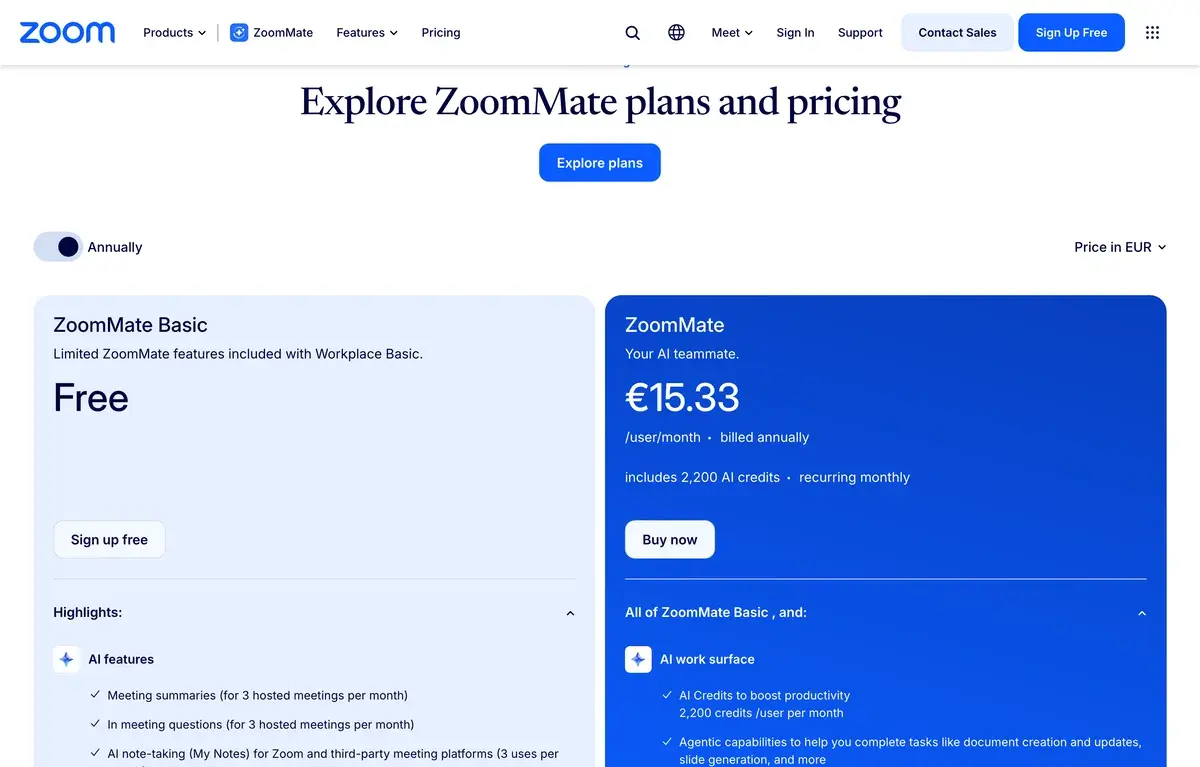
Pro$13.32/user/mo✅ IncludedSolo professionals, small teams
Business$18.32/user/mo✅ Included + advanced featuresMid-market organizations
Business Plus$22.49/user/mo✅ Included + Zoom PhoneOrganizations needing integrated voice
EnterpriseCustom✅ Included + admin featuresLarge organizations

Prices verified April 2026 from zoom.com/pricing. Annual billing offers ~17% off monthly pricing.

The pricing structure that matters: AI Companion is included at no additional cost on all paid Zoom tiers from Pro upward. There is no separate "AI add-on" fee that increases per-user cost beyond the underlying Zoom subscription. This is unusual in enterprise software, where AI features typically come with substantial price premiums.

For organizations evaluating Zoom against alternatives (Microsoft Teams, Google Meet) primarily on AI capabilities, the bundled-AI approach makes Zoom's pricing competitive. Microsoft Teams with Copilot adds $30/user on top of M365 ($23-57); Zoom with AI Companion is $13.32-22.49/user total. For organizations where AI is a meaningful factor in video platform choice, Zoom's bundling produces favorable economics.

The free Zoom tier lacking AI Companion creates the practical floor for AI use. Users wanting AI meeting documentation must move to Zoom Pro at minimum; this is the entry point for AI Companion access regardless of meeting volume.

Hands-on Notes

The first thing that affects practical use is how unobtrusively AI Companion integrates into existing Zoom workflows. Enabling AI Companion in meetings requires a single setting toggle; the AI works in the background; outputs appear automatically after meetings end. For users already comfortable with Zoom, no new tool to learn — the existing workflow gains AI assistance.

Meeting summaries produced by AI Companion are generally accurate for clear single-topic meetings. Status updates, project reviews, focused discussions, and similar structured meetings produce summaries that capture the meeting's key points reliably. For chaotic multi-thread meetings, brainstorming sessions, or meetings with substantial cross-talk, summary quality degrades — the AI may miss nuance or flatten complex discussions.

Action item extraction works reasonably reliably for explicit action items ("Sarah will send the proposal by Thursday"). Less reliable for implicit action items embedded in discussion, conditional commitments, or items requiring interpretation about who is responsible. Most action item extraction misses some items that humans would identify; treating extracted items as starting points for human review produces better outcomes than relying on extraction alone.

The "catch me up" feature is one of the more genuinely useful AI Companion capabilities. Joining a meeting late and getting an AI-generated summary of what was discussed before you joined is meaningful productivity for distributed teams across time zones; for users who frequently join in-progress meetings, this feature is valuable.

Email drafting from meeting content produces reasonable starting points for follow-up emails. The output requires editing and customization but compresses the from-scratch phase of follow-up email writing. For users with high meeting volume and consequent high follow-up email volume, the time savings compound.

AI Whiteboard generation handles diagrams, mind maps, and structured content reasonably well. The output quality is competitive with dedicated diagramming tools for the simple use cases that fit collaborative meetings; for complex technical diagrams, dedicated tools serve better.

Where AI Companion gets weaker: specialized analysis. Sales call analysis (deal progression, objection tracking, methodology coaching), multi-language meeting transcription edge cases, and complex compliance documentation all benefit from dedicated tools beyond AI Companion's general-purpose meeting documentation.

The other practical observation: AI quality has improved meaningfully through 2024-2025 and continues to improve. The current AI Companion experience is more capable than the version that launched; ongoing improvements arrive without separate subscription upgrades. This continuous improvement is a real benefit of bundled-feature positioning — Zoom invests in AI Companion regardless of user pressure to upgrade.

For users coming from dedicated meeting AI tools (Otter, Fathom, Fireflies) hoping AI Companion produces dramatically better outputs, the experience is roughly comparable rather than dramatically better or worse. The capability is competitive; the bundling is the actual differentiation. Calibrating expectations to "comparable AI included with Zoom" rather than "best AI" produces better evaluation outcomes.

Use Cases

A 200-person company on Zoom Business uses AI Companion across the organization for meeting documentation. Estimated savings versus separate Otter subscription: $850-1,500/month depending on tier. Output quality is sufficient for typical documentation needs; the bundling makes adoption frictionless across the team.

A B2B SaaS sales team uses AI Companion for routine customer call documentation alongside Gong for advanced sales analytics. AI Companion handles the meeting summary and action item extraction that would otherwise consume rep time; Gong provides the deeper sales-specific analysis that AI Companion cannot match. The two-tool approach combines bundled efficiency with specialized capability.

A solo consultant on Zoom Pro uses AI Companion for client meeting documentation. The bundled AI cost is essentially free; the time savings on post-client-meeting follow-up email writing are meaningful for solo practice economics. No additional subscription needed.

A distributed team across time zones uses AI Companion's catch me up feature heavily. Team members joining meetings late get AI summary of preceding discussion; the friction of asynchronous-friendly meeting participation drops meaningfully. The feature handles real coordination value for distributed work.

A teacher using Zoom for online classes uses AI Companion for class summaries and action items. Students get AI-generated summaries of class content; the teacher avoids manual summary creation. The bundled positioning fits teacher economics better than separate subscriptions.

A team evaluating standalone meeting AI tools (Otter, Fathom, Fireflies) versus AI Companion concludes AI Companion's bundled positioning makes the choice obvious. The team is already on Zoom; the standalone tools would require parallel subscriptions; AI Companion produces sufficient capability for the team's needs. This use case reveals AI Companion's strongest competitive position — bundled economics for existing Zoom users.

Our Verdict

Zoom AI Companion is among the best deals in AI meeting tools for organizations and users already on paid Zoom plans. The bundled positioning produces meaningful cost savings versus standalone alternatives (Otter, Fathom, Fireflies) at comparable capability. For typical meeting documentation needs, AI Companion is sufficient and the price comparison is unambiguous.

The honest considerations: AI Companion is not the strongest AI meeting tool in absolute terms. Specialized sales call analysis (Gong, Modjo), cross-platform meeting AI (Otter), and customer-success-focused tools (Read AI, Fathom) all have specific feature advantages over general AI Companion. For users where these specialized features matter, dedicated tools earn their place despite the additional cost.

For users on Google Meet or Microsoft Teams, the bundled AI from those platforms (Gemini for Workspace, Copilot for Teams) covers similar use cases. The platform choice usually drives the AI choice rather than the reverse.

The pricing math is clear and favorable. AI Companion comes free with paid Zoom; switching from a paid Zoom plan to a less expensive video tool to save money typically involves losing AI capability that the alternative would charge separately for. For existing Zoom paid users, AI Companion is essentially mandatory enablement; for non-Zoom users, AI Companion is irrelevant to broader video platform choice.

For Zoom paid plan users, enable AI Companion — there's no economic reason not to. For users evaluating dedicated meeting AI tools, evaluate whether specialized features justify the additional cost beyond bundled capabilities; usually they don't except for specific use cases where dedicated capabilities matter.

Note: Zoom does not currently have an active affiliate program with AIVario. AIVario earns no commission from sign-ups. Our rating reflects evaluation of AI Companion across meeting documentation workflows alongside parallel use of Otter, Fathom, and Fireflies for comparison.

Best for: Existing Zoom paid plan users (Pro or above), distributed teams using Zoom as primary video platform, sales teams documenting customer calls, solo professionals on Zoom Pro, educators using Zoom for online classes, organizations valuing bundled AI economics Not ideal for: Users on Google Meet or Microsoft Teams (use respective bundled AI), Zoom Free tier users (AI Companion not included), specialized sales call analysis needs (Gong, Chorus, Modjo serve better), users requiring cross-platform meeting AI (Otter or Fireflies work across platforms) Bottom line: Best AI meeting tool deal for existing Zoom paid users. For non-Zoom users, the broader platform choice determines the AI choice. Match the buying decision to existing platform commitment rather than evaluating AI Companion as a standalone product.

Related Tools

  • Otter.ai — cross-platform alternative for users wanting standalone meeting AI across multiple video platforms
  • Fathom — alternative with stronger free tier and customer-call analysis features
  • Fireflies.ai — alternative with stronger CRM integration features
  • Microsoft Copilot — bundled AI for Microsoft Teams users
  • Notion — common destination for meeting notes and action items captured by AI Companion

Frequently Asked Questions about Zoom AI Companion

Is Zoom AI Companion really free?

Free for users on paid Zoom plans (Pro at $13.32/user, Business at $18.32/user, Enterprise custom). Zoom Free tier does not include AI Companion. The 'free' framing is accurate within the context of being a bundled feature on paid plans rather than a separate subscription — there is no additional charge for AI Companion beyond the underlying Zoom subscription. This bundling is the actual differentiation against alternatives like Otter, Fathom, and Fireflies that charge separately.

Is Zoom AI better than Otter or Fireflies?

Different competitive frame. For users already on paid Zoom plans, AI Companion is included at no marginal cost while Otter ($16.99/user), Fathom ($24/user), and Fireflies ($10-19/user) are separate subscriptions. The output quality is comparable — Zoom AI Companion produces solid meeting summaries and action items competitive with dedicated tools. The honest framing: dedicated tools may produce slightly more polished outputs in specific areas (Otter on transcript accuracy, Fathom on engagement analytics) but the bundling economics make Zoom AI Companion the clear winner for existing Zoom paid users.

Does Zoom AI Companion work in all Zoom meetings?

Yes, on supported Zoom plans. AI Companion is enabled per-host and per-meeting; hosts can choose which meetings to enable AI features for. Internal meetings, external meetings with consent, and recurring meetings all support AI Companion when properly configured. Some compliance-sensitive contexts may have IT-mandated restrictions on AI use; check your organization's specific configuration if AI Companion appears unavailable.

What does Zoom AI Companion actually do?

AI Companion provides automatic meeting summarization, action item extraction, smart recording with searchable AI chapters, 'catch me up' summaries for late joiners, AI whiteboard generation, email follow-up drafting from meeting content, and meeting Q&A (ask questions about the meeting after it ends). The feature breadth is competitive with dedicated meeting AI tools; the bundled positioning is the differentiation.

Is Zoom AI worth switching to from Google Meet or Microsoft Teams?

Generally no, switching video platforms specifically for AI Companion is unjustifiable. Google Meet has Gemini integration; Microsoft Teams has Copilot integration. Each platform's AI is bundled with the broader platform investment. The decision about which video conferencing platform to use depends on broader factors (organizational ecosystem, integration needs, feature preferences) rather than AI features specifically. Within the platform you use, the bundled AI is generally worth using; but AI is rarely the deciding factor in platform choice.

How accurate are Zoom AI summaries?

Generally accurate for clear single-thread meetings (status updates, project reviews, focused discussions). Less reliable for chaotic multi-thread discussions, meetings with multiple simultaneous speakers, or meetings with specialized terminology the AI may misinterpret. The summaries should be treated as starting points for review rather than authoritative final documentation; verification matters for high-stakes meeting content.

Does Zoom AI Companion have privacy implications?

Standard cloud AI privacy considerations apply. Meeting content is processed through Zoom's AI infrastructure for summarization; users should evaluate this against organizational privacy policies. Zoom provides admin controls for managing AI Companion deployment across organizations and configuration options for restricting AI use in sensitive contexts. For regulated industries with strict data handling requirements, evaluate Zoom's specific compliance posture against your needs.