Submagic is an AI editor for short-form video: it adds animated captions, B-roll, auto-zooms, sound effects and cuts silences and bad takes, turning raw footage into TikToks, Reels and Shorts. Plans are priced per member: Starter $12 a month billed yearly for 15 videos of up to 2 minutes, Pro $23 for 40 videos of up to 5 minutes with brand kit and publishing, and Business $41 for 100 videos of up to 30 minutes in 4K. Each plan also includes AI credits for generated videos and images.
✓Best for: Creators and social teams who film short vertical videos and want captions, zooms and B-roll added automatically
✗Skip if: You need to find clips inside long recordings, where OpusClip or Vizard fit better, or you edit long-form video
This analysis is based on documentation, public user reports, and vendor materials — not yet on our own hands-on testing. How we rate
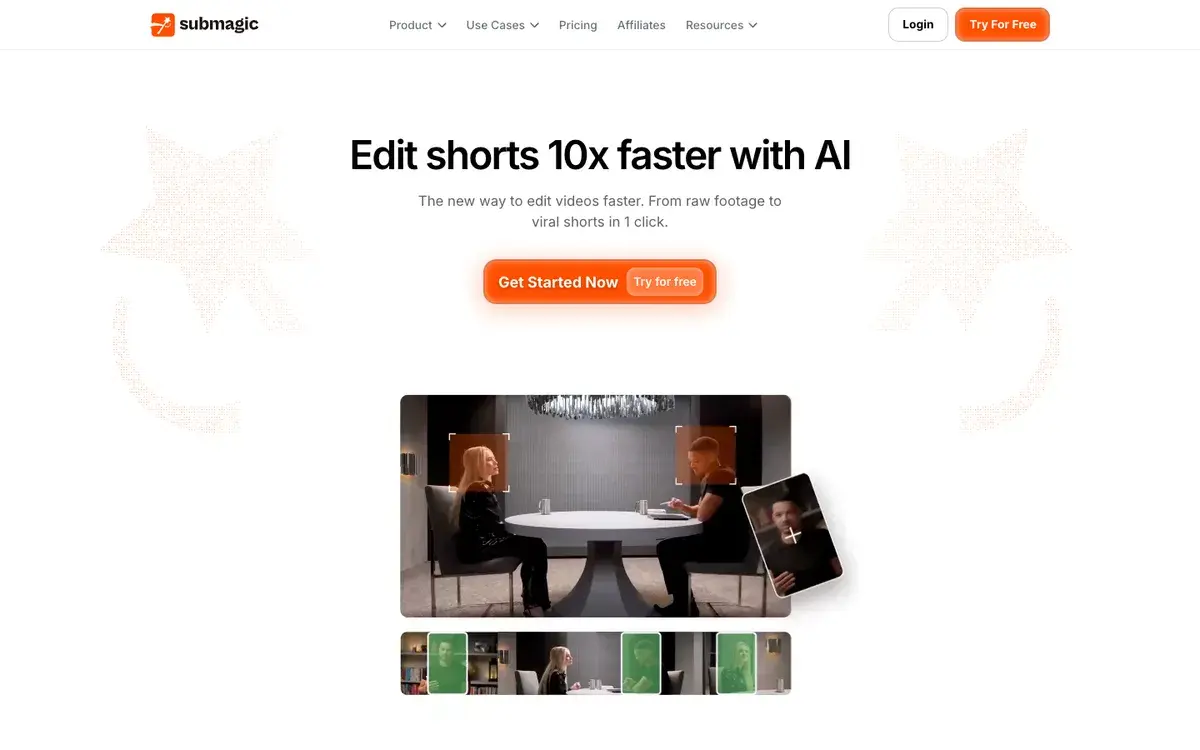
Submagic homepage, captured Sep 26, 2026.
A finisher for short vertical video
Submagic is a short-form finisher. Drop in a vertical video, a talking-head clip, a product demo or a podcast snippet, and it adds the things that make shorts watchable: animated captions in a choice of styles, auto-zooms on key moments, B-roll and music, sound effects and transitions. It also cuts what slows a video down, silences, filler words and bad takes, cleans up audio and corrects eye contact. The homepage pitch is simple: edit shorts ten times faster with AI, from raw footage to viral shorts in one click.
Submagic says more than 4 million people use it. It is a French company, and its caption engine handles many languages, which makes it popular with creators outside the English-speaking market.
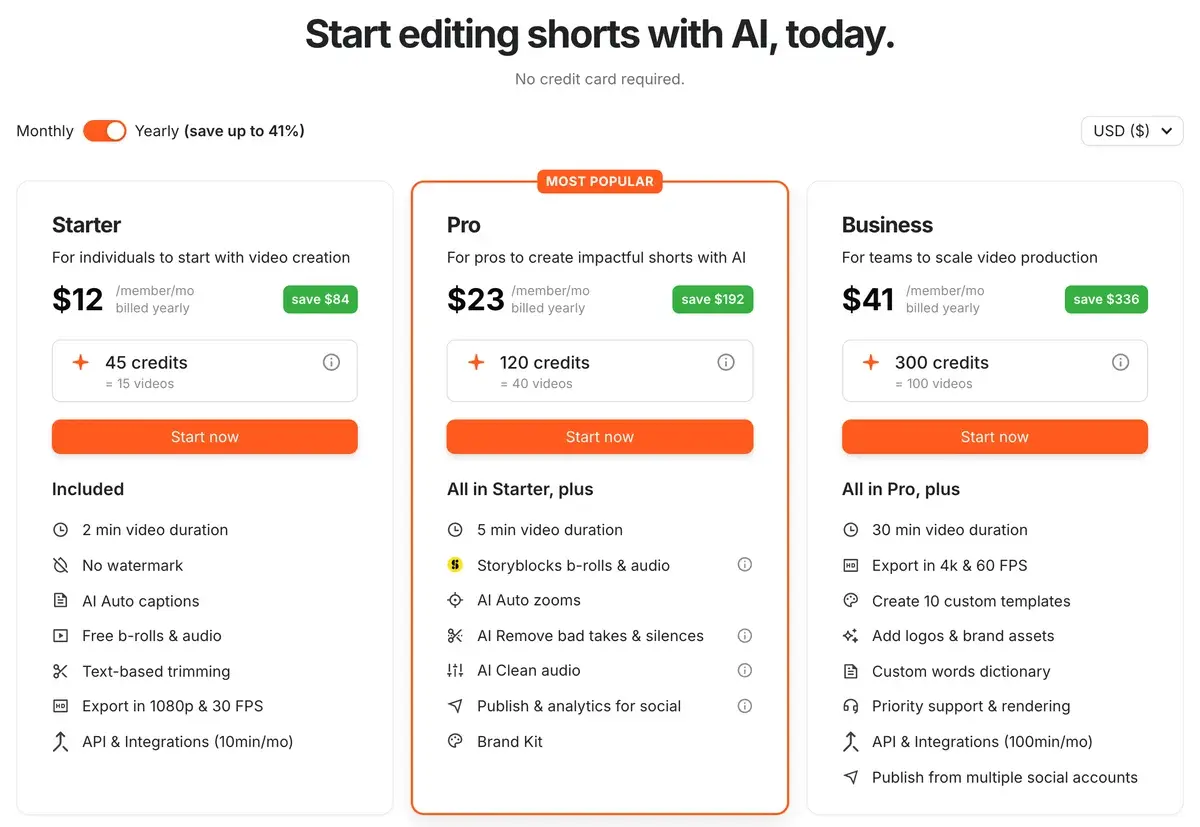
Starter, Pro and Business per member
Submagic's plans on yearly billing on September 26, 2026.
Plan
Yearly (per member, per month)
Videos per member a month
Max length
Export
Highlights
Starter
$12
15
2 minutes
1080p, 30 fps
Auto captions, free B-roll, text-based trimming, no watermark
Pro
$23
40
5 minutes
1080p, 2K
Premium captions and Storyblocks B-roll, auto-zooms, silence and bad-take removal, brand kit, publishing
Business
$41
Up to 100
30 minutes
4K, 60 fps
Custom templates and dictionary, priority rendering, 100 API minutes, multiple social profiles
Submagic says yearly billing saves $84, $192 and $336 a year, which implies about $19, $39 and $69 a month on monthly billing.
Each plan also includes AI credits for generating new videos and images: 45 on Starter, 120 on Pro and 300 on Business, which Submagic equates to 15, 40 and 100 generated videos.
Priced by videos, not minutes
Unlike clippers that charge per minute of uploaded footage, Submagic counts finished videos per member per month and caps their length. That suits short-form work well: a creator posting a 60-second video every other day fits inside Starter's 15 videos, and a daily poster needs Pro's 40.
The limits bite in two places: Starter's 2-minute cap rules out longer YouTube Shorts compilations and short tutorials, and per-member pricing means a team of three pays three times the plan price, each with their own allowance.
Posting pattern
Plan that fits
Yearly cost per member
3 to 4 shorts a week, under 2 minutes
Starter
$144 a year
1 short a day, up to 5 minutes
Pro
$276 a year
Several a day, longer videos, 4K
Business
$492 a year
The API
Submagic offers an API for automated captioning and editing. Starter and Pro include 10 minutes a month and Business 100; beyond that, monthly packs run from 250 minutes for $57 to 10,000 minutes for $1,000, or 23 cents down to 10 cents a minute. It is aimed at agencies and apps that caption large volumes of short video.
Styled captions and cleanup, but no clip finding
Creators pick Submagic for its captions: the templates, emoji and keyword highlighting, zooms and B-roll are the core of the product. Removing silences, filler words and bad takes and cleaning the audio fixes most of what makes phone-recorded talking-head clips feel amateur, and Starter at $12 a month billed yearly is one of the cheaper ways to get watermark-free, styled captions.
It does not find your clips, though. For long podcasts and webinars, a clipper such as OpusClip or Vizard should come first, with Submagic finishing the results. The features most creators want, auto-zooms, bad-take removal, premium B-roll and publishing, sit on Pro rather than Starter, per-member pricing adds up for teams, and 4K is reserved for Business.
Submagic against Captions, OpusClip and CapCut
Captions goes further in automatic full edits and AI actors, at $24.99 a month for Max. OpusClip and Vizard find clips in long videos; Submagic polishes short ones. CapCut offers more manual control and a large free tier, but adding styled captions, zooms and B-roll takes longer by hand.
Pro is where most regular posters land
Creators, coaches and social media managers who record short vertical videos and want them captioned, tightened and dressed up quickly are the audience. Start with the no-card trial on your own footage; if the caption styles suit your brand, Pro billed yearly is the plan most regular posters end up on.
Related Tools
Captions: AI editing of talking-head videos with curated styles
Billed yearly, Starter costs $12 per member a month, Pro $23 and Business $41. Submagic says yearly billing saves $84, $192 and $336 a year, which puts month-to-month prices at about $19, $39 and $69. A Custom plan is priced by sales. You can start without a credit card.
How many videos can I make with Submagic?
Plans are counted in videos per member each month: 15 on Starter, 40 on Pro and up to 100 on Business. Video length is capped too: 2 minutes per video on Starter, 5 on Pro and 30 on Business. For a team, each member gets their own allowance, and the price is per member.
What are Submagic's AI credits?
They pay for generated AI videos and images, separately from captioning your own footage. Starter includes 45 credits, which Submagic equates to 15 generated videos, Pro 120, or 40 videos, and Business 300, or 100 videos. Captioning and editing footage you upload counts against the monthly video allowance instead.
Does Submagic export in 4K?
Only on Business, which exports in 4K at up to 60 frames per second. Starter exports at 1080p and 30 fps, and Pro adds 2K. Every paid plan exports without a watermark.
Does Submagic have an API?
Yes. Starter and Pro include 10 API minutes a month and Business 100. More minutes come in monthly packs added to a plan: 250 minutes for $57, 500 for $75, 1,000 for $150 and up to 10,000 for $1,000, which works out to 10 to 23 cents a minute.
Can Submagic cut clips from long videos?
It has a Magic Clips feature for that, with limits set on custom plans, but Submagic's strength is polishing short videos rather than mining long ones. For turning a one-hour podcast into a batch of clips, OpusClip and Vizard are built for the job, and many creators finish those clips in Submagic.
Is Submagic better than Captions?
They overlap. Submagic is cheaper at entry level and strong on caption styles, zooms and B-roll for clips you already have. Captions' AI Edit goes further in producing a finished edit in a chosen style and in generating video with AI actors, at $24.99 a month for its Max plan.