Captions is an AI video editor for talking-head and social video: upload footage and AI Edit cuts it with captions, B-roll and music in a chosen style, or generate new videos, AI actors and digital twins from a prompt. Plans are credit-based: Max costs $24.99 a month for 500 credits and Frontier $69.99 for 1,400, with 2x and 4x tiers up to $279.99. Prompt-to-video costs 16 credits per 6 seconds, and unused credits roll over up to three months' worth.
✓Best for: Creators and small businesses who film talking-head videos on a phone and want them edited, captioned and scored automatically
✗Skip if: You edit long-form video on a timeline, or you want generative video models at the lowest price per clip
This analysis is based on documentation, public user reports, and vendor materials — not yet on our own hands-on testing. How we rate
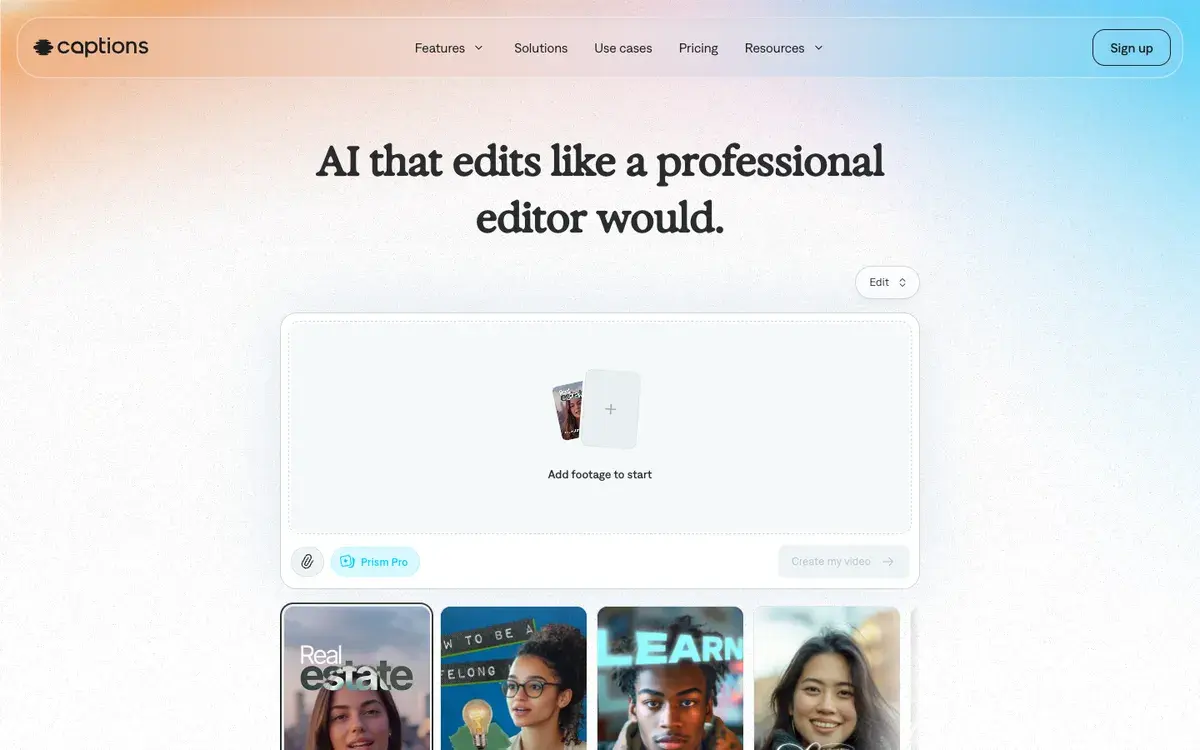
Captions AI homepage, captured Sep 26, 2026.
From caption app to AI editor
Captions started as an iPhone app that added animated captions to talking-head videos, and captions are still in the name. The product has since become a full AI video editor. Its homepage promise is AI that edits like a professional editor: upload footage, choose one of dozens of curated edit styles, and AI Edit returns a cut video with captions, zooms, B-roll and music, which you can refine by chatting with the editor or on a timeline.
Generation sits alongside editing. Captions can create videos from a prompt or script, with AI actors or a digital twin of you, generate B-roll, images, music and sound effects with a range of outside models, translate and lip-dub videos into other languages, correct eye contact and clean up audio. In 2026 the company folded its separate Mirage Studio product, built around AI actors, into Captions. The company behind it is NOCAP, Inc.
Plans and credits
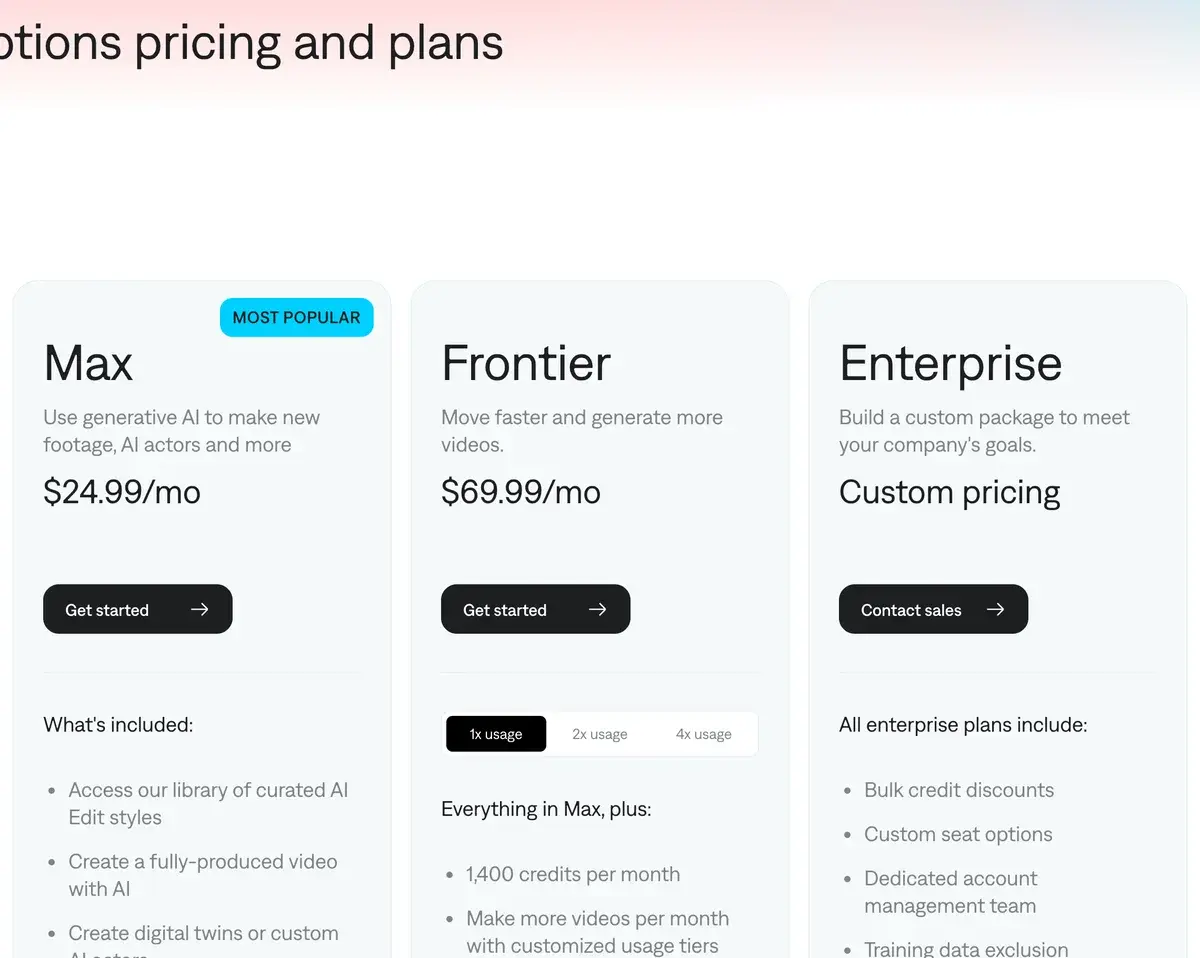
Captions' plans on September 26, 2026. The page notes that prices reflect iOS plans.
Plan
Price per month
Credits per month
What it adds
Free
$0
60 to 200, once
Basic editing, teleprompter, one caption template
Basic
$9.99
200
Listed in the help center, not on the main pricing page
Max
$24.99
500
AI Edit styles, AI Creator, AI actors and digital twins, chat editor, clips, generative B-roll and music
Frontier
$69.99
1,400
Everything in Max, the most advanced model tier
Frontier 2x / 4x
$139.99 / $279.99
2,800 / 5,600
More usage, top-ups on 4x
Enterprise
Custom
Custom
Bulk credit discounts, seats, training data exclusion, onboarding
Yearly plans bill 12 months upfront at a discount, and the pricing page says its prices reflect iOS subscriptions, so web and Android prices can differ.
What Max's 500 credits make
Captions publishes credit costs in its help center, last updated September 21. The main ones:
Feature
Credits
What Max's 500 credits make
Prompt to video
16 per 6 seconds
about 3 minutes
AI Edit of your footage
10 to 40 per edit
about 12 to 50 edits
Chat-based editing
2 per message, 1 per action
many small changes
Images
1 to 6 per image
about 80 to 500 images
Veo 3.1, 4 seconds
64
about 7 clips
Seedance 2.0
61
about 8 clips
Hailuo 2.3 Fast
8
about 62 clips
The pattern matters for how you use it. Editing your own footage is cheap in credits; generating video with premium models is not. At Max rates, a credit costs 5 cents, so a 4-second Veo 3.1 clip costs about $3.20 of credits, roughly double what Google charges for the same clip on its own API. The value of Captions is the editing layer, not a discount on models.
Rollover and top-ups
Captions is generous with unused credits. On Basic and above they roll over, and your balance can grow to three times your monthly allowance, the current month plus two months saved. Downgrading trims the balance to the new plan's cap, and cancelling forfeits whatever is left at the end of the billing period.
Extra credits are harder to get: one-off top-ups are sold only to Teams and Business customers and Frontier 4x subscribers. Everyone else upgrades to a bigger plan when they run out.
Built for talking heads, not for long-form or heavy generation
The people who get the most from Captions record themselves on a phone: creators, coaches, founders and small businesses. For them, AI Edit turns a raw take into a captioned post with music and B-roll in minutes, the curated styles keep a feed consistent, and the app records with a teleprompter, edits and exports without leaving the phone, while the web version picks up the same projects. AI Translate and AI Lipdub add another audience by re-voicing videos into other languages.
The boundaries are clear too. Captions is built around short social formats, so podcasts, interviews and long tutorials belong in Descript or a desktop editor. Premium video models such as Veo cost more in Captions credits than from their makers, which makes a dedicated generator such as Kling, or Google's Veo itself, the cheaper route for heavy generation. And the free plan's one-off credits do not refresh, so there is no ongoing free tier for the AI features.
CapCut, VEED or Submagic instead
CapCut is the stronger manual editor with a much larger free tier; Captions is more automatic for talking-head posts. VEED suits teams that want brand kits, translation and a browser workspace. Submagic focuses narrowly on animated captions and short-form polish at a lower price, while Opus Clip is the choice for cutting long videos into clips.
Max covers most regular posters
Coaches, founders, real estate agents, educators and creators who publish talking-head videos every week, and want them edited without learning to edit, usually need Max at $24.99 a month; the rollover means a slow month is not wasted. People who mostly generate footage rather than edit their own, or who edit long-form content, get more for their money elsewhere.
Frequently Asked Questions about Captions AI
What do Captions' Max and Frontier plans cost?
Max costs $24.99 a month for 500 credits and Frontier $69.99 for 1,400 credits, with Frontier 2x at $139.99 for 2,800 and Frontier 4x at $279.99 for 5,600. Captions' help center also lists Basic at $9.99 for 200 credits. Yearly plans bill 12 months upfront at a discount. The pricing page notes that its figures reflect iOS plans.
How far do Captions credits go?
It depends on the feature. Prompt-to-video costs 16 credits per 6 seconds, so Max's 500 credits make about three minutes of generated video. An AI Edit of your own footage costs 10 to 40 credits depending on length and settings, and chat-based editing costs 2 credits per message plus 1 per action. Images cost 1 to 6 credits depending on the model.
Do Captions credits roll over?
Yes, on Basic and above. Unused credits carry into the next month, and your balance can hold up to three times your monthly allowance. Downgrading cuts the balance to the new plan's cap, and cancelling forfeits remaining credits at the end of the billing period. Extra top-up credits are sold only to Teams and Business customers and Frontier 4x subscribers.
Is there a free version of Captions?
Yes. The free plan includes basic editing such as trimming, transitions, a teleprompter and some media library assets, with one caption template. It comes with a one-off allowance of 60 to 200 credits that does not refresh, so generative features such as AI Edit, AI actors and AI video need a paid plan for regular use.
What is AI Edit in Captions?
AI Edit takes footage you recorded and produces a finished video in one of Captions' curated styles, adding captions, cuts, zooms, B-roll and music. You can then change details through the chat-based editor or the timeline. It is the feature that sets Captions apart from generators that start from a blank prompt.
What happened to Mirage Studio?
Captions merged Mirage Studio, its separate product for AI actors and generated video, into Captions. Former Mirage Studio subscribers now sign in to Captions online and find their projects and actors there, along with Captions' editing features.
Is Captions better than CapCut?
For phone-first creators who want an AI to do the whole edit of a talking-head video, Captions is more automatic. CapCut is the stronger manual editor with a far larger free tier, and its Pro plan costs $19.99 a month. Many creators use CapCut for hands-on edits and Captions for fast, polished talking-head posts.