PixVerse is an AI video generator best known for its free tier: 60 credits every day, refilled at midnight UTC, enough for short TikTok and Reels clips without paying. Its current model, PixVerse V6, renders 1080p video with native audio. Paid plans start at $10 a month to remove watermarks and add credits.
✓Best for: Daily short-form clips for TikTok, Reels and Shorts on a free or $10 budget
✗Skip if: You need cinematic, long-form or complex multi-character video
PixVerse is an AI video generator for short-form social content, free to use with paid plans from $10 a month. TikTok creators, Reels producers and Shorts makers use it for three reasons: one of the most generous free tiers in AI video (60 credits a day, refilled at midnight UTC), native audio including soundtracks and lip sync, and fast rendering at 30 to 60 seconds per clip. It is best for creators publishing daily who need volume and low cost more than cinematic polish.
The current model is PixVerse V6, which PixVerse describes as 1080p video with native audio, high-fidelity portraits and cinematic control with physics simulation. My account was already generating on V6 in August 2026.
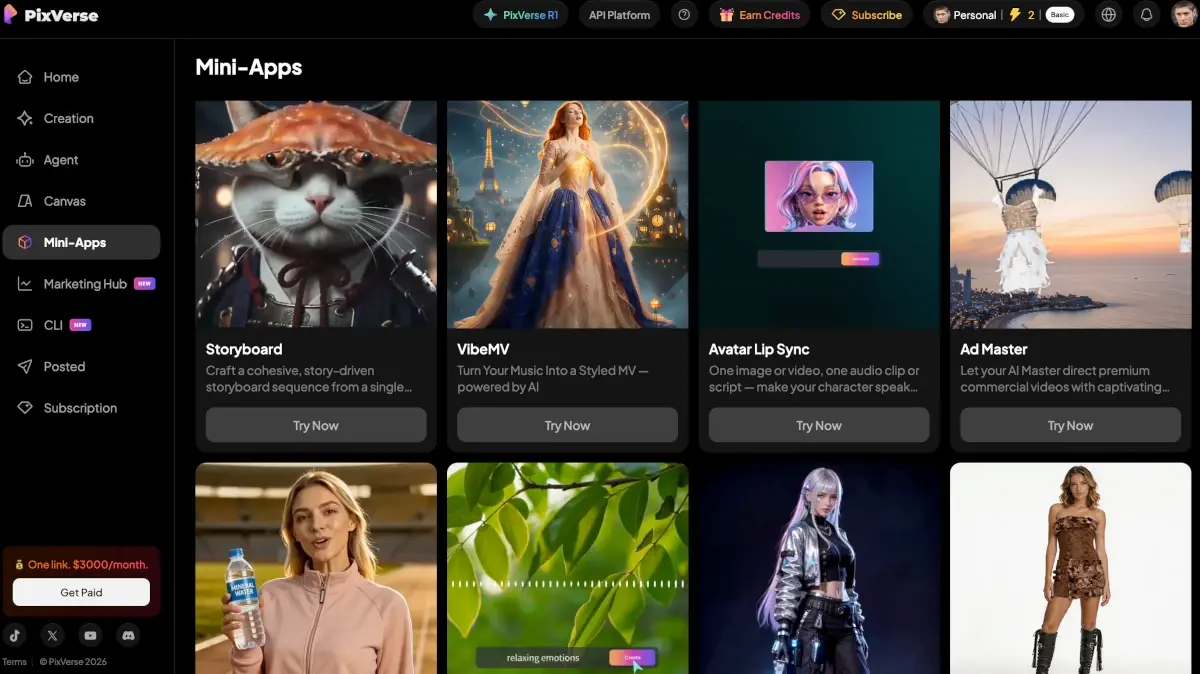
PixVerse has also grown into a platform. Next to video, the app has image generation, an Agent, a Canvas, a Marketing Hub, a CLI and a library of Mini-Apps, and it offers third-party models such as Seedance, MiniMax H3, Flux 3 and GPT Image 2.5 alongside its own.
Where it differs from Runway, Kling and Sora: it is built for volume. The free tier works as a real production tool for creators posting several clips a day.
Daily social posting, not cinematic production
PixVerse is for TikTok creators, Instagram Reels producers, YouTube Shorts makers, social media managers and marketing teams producing ad variations. It is the right tool when you need several clips a day on a budget: the free tier alone works for casual creators, and $10 a month is among the lowest entry points for watermark-free commercial AI video in 2026.
It is not the right fit for professional cinematic production, long-form YouTube without manual stitching, narrative video with complex multi-character scenes (Sora or Runway do better there), or work where realism matters more than speed and cost.
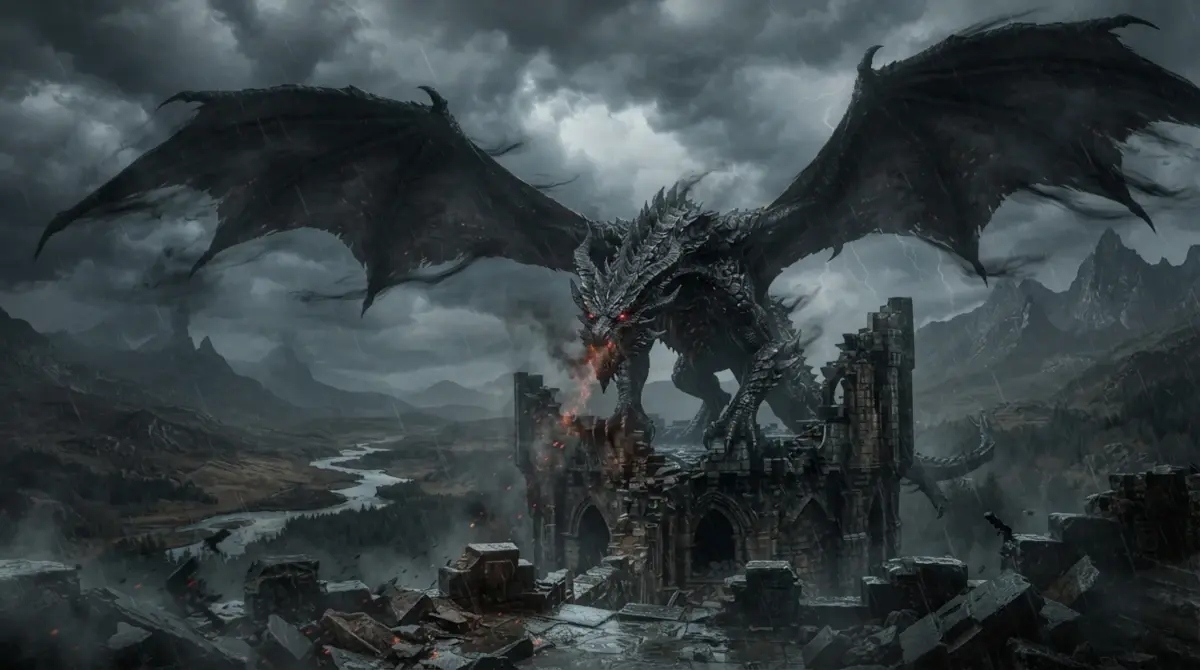
An image I generated in PixVerse in August 2026 (Nano Banana 2 Lite, 1080p, 16:9).
V6, Mini-Apps and third-party models
PixVerse V6 with native audio: soundtracks, sound effects and lip sync generated in the same pass, no separate audio tool
60 free credits a day: refilled at midnight UTC and expiring at the end of the day, plus 90 credits at signup
Fast rendering: 30 to 60 seconds per generation, fast enough for real iteration
Multi-shot, motion control and extend: chain shots in one generation, direct movement and lengthen a clip
Visual styles: Realistic, Anime, Clay and 3D modes, selectable per generation
Agent mode: conversational prompting, so you describe what you want in plain language
Image-to-video: animate a still image, useful for product shots and photos
Mini-Apps: Storyboard, VibeMV (music videos), Avatar Lip Sync, Ad Master and more
Image generation and third-party models: Nano Banana 2 Lite, Seedance, MiniMax H3, Flux 3 and GPT Image 2.5
4K upscaling on paid plans
No watermark and a commercial license on all paid plans
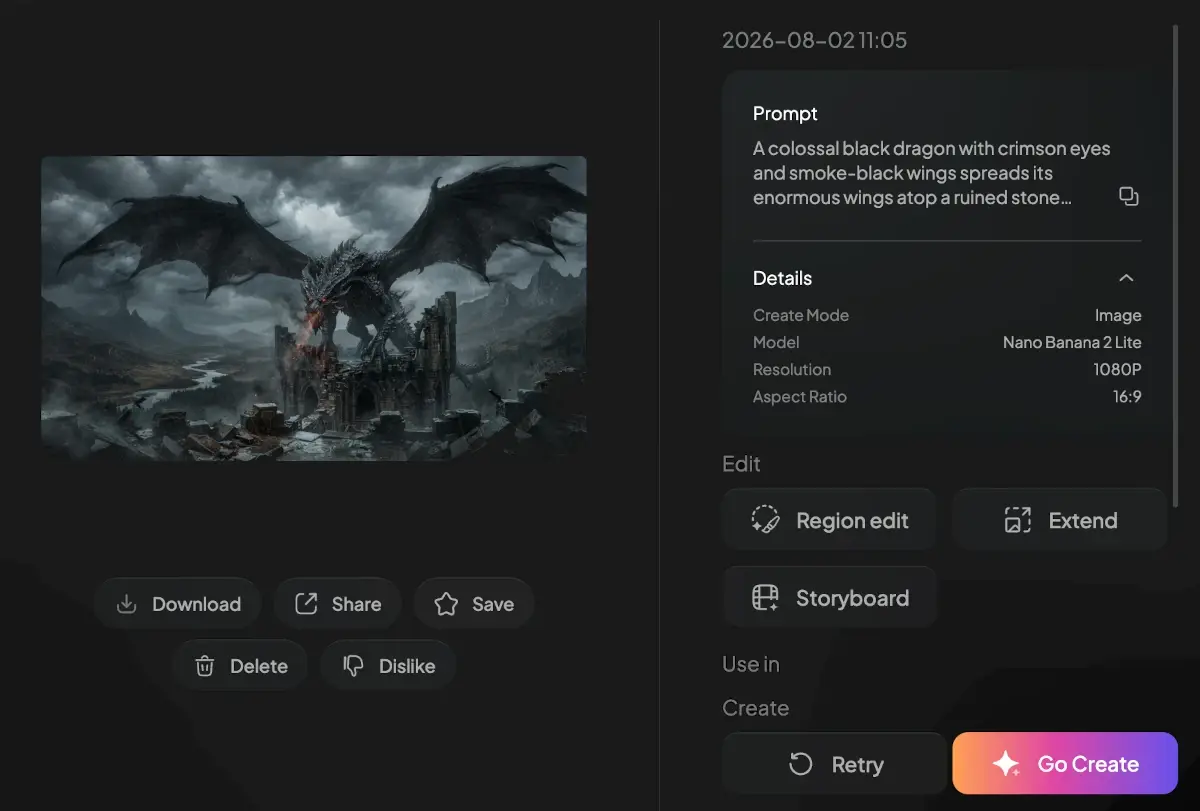
The same image in the PixVerse editor, with the model and settings used.
PixVerse against Kling, Hailuo, Runway, Vidu and Veo
Tool
Clip length
Native audio
Free tier
Rendering speed
Entry price/mo
PixVerse V6
Up to ~12 sec
✅ Yes
✅ 60 credits/day
30-60 sec
$10
Kling 3.0
5-10 sec (multi-shot up to 6 shots)
✅ With lip sync
✅ 66 credits/day
2-5 min
$10 (from $6.99 first month)
Hailuo (MiniMax H3)
4-15 sec
✅ Native stereo
⚠️ One-time trial
Fast
$10.50
Runway Gen-4
10-16 sec
❌
⚠️ Limited trial
2-4 min
$15
Veo 3.1 (via Gemini)
8 sec
✅ Yes
⚠️ 3/day free
1-2 min
$19.99 (Google AI Pro)
Pika Labs
3-10 sec
❌
✅ Limited
30-90 sec
$10
Luma Dream Machine
5 sec
❌
⚠️ Limited
1-2 min
$9.99
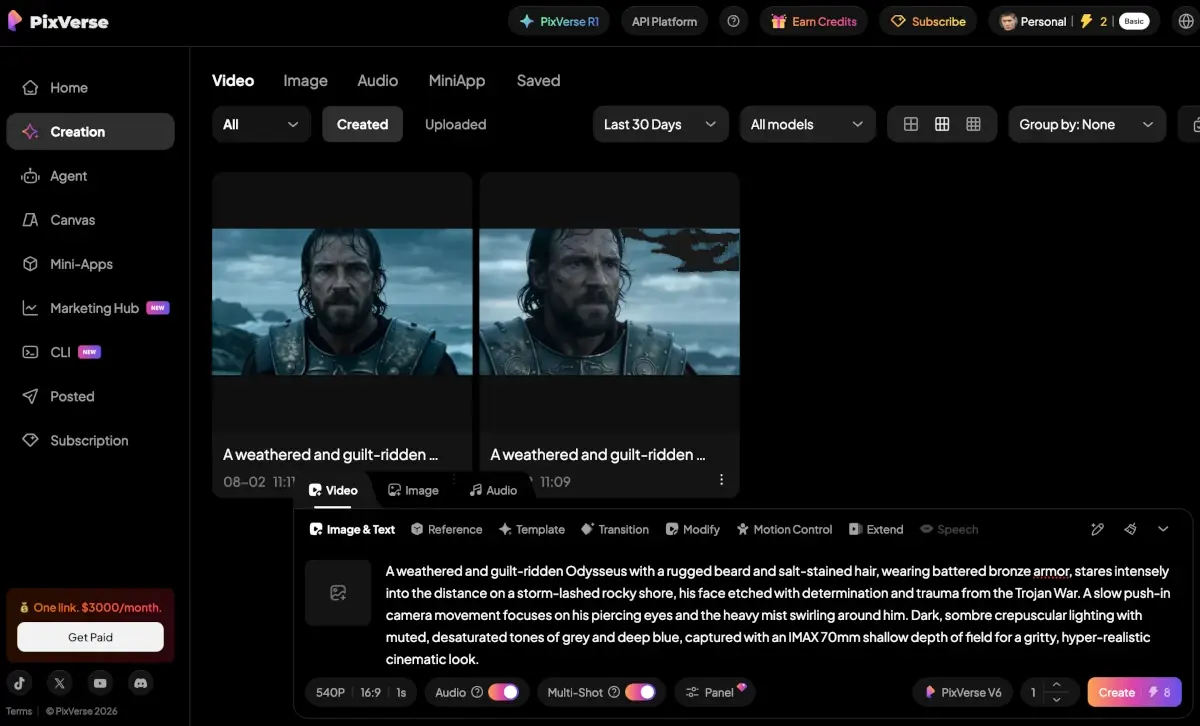
My PixVerse workspace in August 2026: V6 at 540p with audio and multi-shot on, 8 credits per generation.
Kling and Hailuo checked September 2026; other rows compiled April 2026 from each provider's pricing page.
PixVerse vs Runway Gen-4: Runway produces higher-quality output with better camera control and professional editing tools, but costs much more (effectively $30 or more a month for serious use). PixVerse is 50 to 70% cheaper and several times faster per generation. For social content volume, PixVerse; for professional production with editing, Runway.
PixVerse vs Kling: Kling produces more realistic motion, especially for people and physics-heavy scenes, and bills credits per second. PixVerse renders faster and its free credits stretch further on short drafts. For realism-critical work, Kling; for volume production of stylised social content, PixVerse. See PixVerse vs Kling.
PixVerse vs Hailuo: Hailuo renders the most realistic faces in this price range and, with MiniMax H3, generates audio too; PixVerse is faster, better suited to viral formats and templates, and its free credits refill daily where Hailuo offers a one-time trial. More in Hailuo vs PixVerse.
PixVerse vs Vidu: Vidu keeps up to seven referenced elements consistent across shots, which suits narrative work; PixVerse is the quicker tool for single clips. Details in Vidu vs PixVerse.
PixVerse vs Veo 3.1 (Gemini): Veo 3.1 comes with Google AI Pro ($19.99 a month) and produces high-quality 8-second clips with native audio. Veo allows 3 generations a day on its free tier. If you already pay for Google AI Pro, Veo is effectively free; for a standalone video workflow, PixVerse.
PixVerse plans from Basic to Ultra
Plan
Monthly
Annual
Credits
Resolution
Concurrent Gens
Best For
Basic
$0
$0
90 initial + 60/day
720p (watermarked)
1
Evaluation, casual use
Standard
$10
$8/mo
1,200/month
720p, no watermark
3
Social creators
Pro
$30
$24/mo
6,000/month
1080p
5
Regular content producers
Premium
$60
$48/mo
15,000/month
1080p
8
Heavy daily use
Ultra
$149 (annual only)
$149/mo
25,000/month
1080p + 4K
Priority
Agencies, power users
Enterprise
$100+/mo
Custom
Custom
1080p + API
Custom
API access, custom config
Plan prices last verified in April 2026 from PixVerse's billing page. The page now blocks automated checks, so confirm current prices in the app before subscribing. Daily credits refill at midnight UTC; membership credits refresh every 30 days from your subscription date. Credit packs are sold separately from $10 (1,000 credits).
For most social creators, Standard at $10 a month is the right tier: 1,200 credits cover roughly 5 to 10 videos a month depending on model, resolution and length. Watermark removal alone justifies it for monetized content. Move to Pro ($30) only if you keep hitting Standard's limit; its five times larger credit pool supports daily production. Premium and Ultra are for 30 or more videos a month, typical of agencies and high-volume creators.
Iteration has a real cost with credits. Budget several generations per usable clip when you prompt for something specific, so a 1,200-credit Standard plan realistically yields three to six finished videos rather than the ten or more the raw number suggests.
PixVerse Mini-Apps: ready-made workflows for storyboards, music videos, lip sync and ads.
What 60 free credits actually get you
The free tier is PixVerse's headline feature, and the arithmetic decides whether the tool is usable without paying.
Free accounts receive 90 credits at signup plus 60 credits that refill at midnight UTC and expire at the end of the day. Short drafts are cheap: in August 2026, a 1-second 540p V6 clip with audio cost 8 credits in my account, so the daily allowance covers several quick tests. A longer 1080p clip costs much more, which brings sustainable free output closer to one finished clip a day.
Daily refills are no longer unique to PixVerse. Kling gives 66 credits a day, but at 30 credits for a 5-second 720p clip that is two clips. Hailuo, Runway and Luma issue one-time trial credits, so their free tiers are evaluation windows rather than ongoing allowances.
The constraint that matters more than the daily cap is iteration. Text-to-video is probabilistic, and the more precisely a prompt describes a scene, the more attempts it takes. Complex multi-character scenes and directed camera moves are the hardest. In practice, a refill that looks like one clip a day is closer to one usable clip every two or three days once failed attempts count against it.
Native audio changes the workflow rather than the credit maths. Because V6 generates soundtracks, sound effects and lip sync in the same pass, there is no separate audio tool and no manual sync step. For TikTok and Reels that removes a post-production stage; for broadcast-grade sound it does not replace a real audio workflow. The output is publishable rather than polished.
Five ways creators use it
TikTok and Reels content at scale
A creator uses the free tier for one or two short clips a day alongside other content. The daily credits sustain it indefinitely, and the $10 Standard plan removes the watermark for monetized posts.
Marketing ad variations
A brand manager generates ten ad variations for A/B testing on Pro ($30), testing Realistic, Anime and Clay styles to see which converts best, at roughly $0.50 in credits per variation.
AI music videos
A musician uses the VibeMV Mini-App and Pro credits to build visuals for a three-minute song from 30 or more short clips, for about $30 in one month of Pro instead of a $2,000 traditional shoot.
Product explainers
A SaaS startup makes feature animations in the Clay style and stitches six 5-second clips into a 30-second explainer, cheaper and faster than commissioning animation.
Learning AI video
An indie creator spends two or three months on the free tier learning the workflow before paying for anything.
Is PixVerse worth it?
I mostly use PixVerse for short videos for YouTube, Instagram and TikTok, and it works great, even on the free plan. I can knock out 10‑12 second clips and actually use them to grow my socials.
PixVerse is AIVario's top pick for AI video when volume, affordability and a free tier you can keep using matter most. Kling now refills free credits daily too, but PixVerse's allowance stretches furthest on short drafts, and combined with V6's native audio, fast rendering and a platform built around social formats, it is the right entry point for TikTok, Reels and Shorts.
The limitations: PixVerse is not a professional production tool. Clips top out at around 12 seconds, so anything longer needs stitching. Consistency on complex prompts is weaker than Runway or Kling. Audio is good enough for social, not studio grade. For cinematic pieces, long-form YouTube or polished brand video, other tools produce better results.
Disclosure: AIVario earns a commission if you sign up through our link. This does not affect our rating or review.
Related Tools
Runway: professional AI video with longer clips and advanced editing, at a higher price
Kling AI: more realistic motion for people and physics-heavy scenes
Hailuo AI: the most realistic faces in the short-form price range
When last verified in April 2026: Standard at $10 a month ($8 billed yearly) with 1,200 credits, Pro at $30 with 6,000, Premium at $60 with 15,000 and Ultra at $149 a month on annual billing with 25,000. Standard suits most social creators. PixVerse's plan page blocks automated checks, so confirm current prices in the app before subscribing.
Is PixVerse free, and how far do 60 daily credits go?
Yes. Free accounts get 90 credits at signup plus 60 daily credits that refill at midnight UTC and expire at the end of the day. Kling also refills free credits daily, while Hailuo's free plan is now a one-time trial. PixVerse's credits stretch far on short drafts: in August 2026 a 1-second 540p V6 clip with audio cost 8 credits. Free videos carry a watermark.
Is PixVerse better than Runway?
For short social clips, PixVerse is faster and much cheaper. Runway offers more advanced camera control, longer clips and professional editing tools. For TikTok, Reels and Shorts, where speed and cost matter, PixVerse. For professional production that needs precision, Runway.
What is PixVerse V6?
PixVerse V6 is the current flagship model. PixVerse describes it as 1080p video with native audio, high-fidelity portraits and cinematic control with physics simulation. In the app it works with multi-shot generation, motion control, extend and speech tools. Native audio arrived earlier, with V5 in 2025.
How long can PixVerse videos be?
Clips run up to about 12 seconds per generation depending on the model and settings, and multi-shot mode chains several shots in one generation. For longer videos you combine clips in an editor such as CapCut. That makes PixVerse ideal for TikTok, Reels and Shorts and less suited to long-form YouTube.
Can I use PixVerse commercially?
Yes. All paid plans include commercial usage rights. Free videos carry a watermark and are limited to personal use, so monetized social content, ads and client work need at least the Standard plan.
What else can PixVerse do besides text-to-video?
Quite a lot in 2026. The app includes image generation (Nano Banana 2 Lite among the models), an Agent for conversational prompting, a Canvas, a Marketing Hub, a CLI, and Mini-Apps such as Storyboard, VibeMV for music videos, Avatar Lip Sync and Ad Master. Third-party models including Seedance and MiniMax H3 are also available inside PixVerse.