OpusClip turns long videos into short, captioned clips for TikTok, Reels and Shorts: it finds the moments, reframes them to vertical, adds animated captions and scores each clip's viral potential. It charges 1 credit per minute of source video, whatever it produces. Free gives 60 credits a month with a watermark, Starter costs $15 a month for 150, and Pro costs $29 monthly or $14.50 billed yearly for 300 credits per pack with a team workspace, B-roll and a scheduler.
✓Best for: Podcasters, streamers, educators and marketers who turn long recordings into a steady stream of short clips
✗Skip if: You want to generate videos from scratch or edit long-form content in depth; OpusClip only cuts what you give it
This analysis is based on documentation, public user reports, and vendor materials — not yet on our own hands-on testing. How we rate
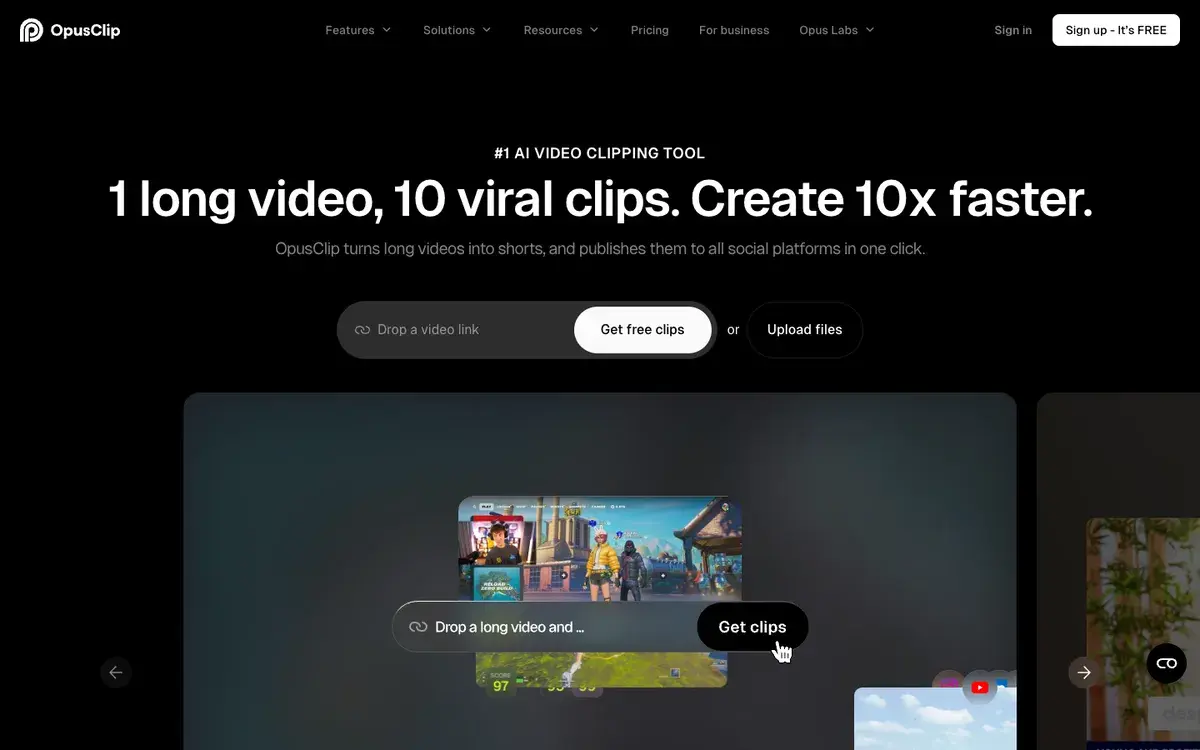
Opus Clip homepage, captured Sep 26, 2026.
What OpusClip does
OpusClip solves one specific problem: you have a long video, a podcast, a webinar, a livestream or an interview, and you need a dozen short vertical clips for TikTok, Instagram Reels and YouTube Shorts. Paste a link or upload the file and OpusClip finds the moments worth clipping, reframes them to vertical with speaker tracking, adds animated captions, ranks each clip with a virality score and can publish them straight to your channels. Its homepage pitch is one long video, ten viral clips.
Around the clipper, OpusClip has added editing tools: text and timeline editing, filler-word and silence removal, AI B-roll from images, stock footage and, on higher tiers, generated video, AI voice-over, speech enhancement, dubbing, brand templates and export to Premiere Pro and DaVinci Resolve. A newer product, Agent Opus, generates video B-roll and powers the high-volume Max plan.
Starter, Pro and Business
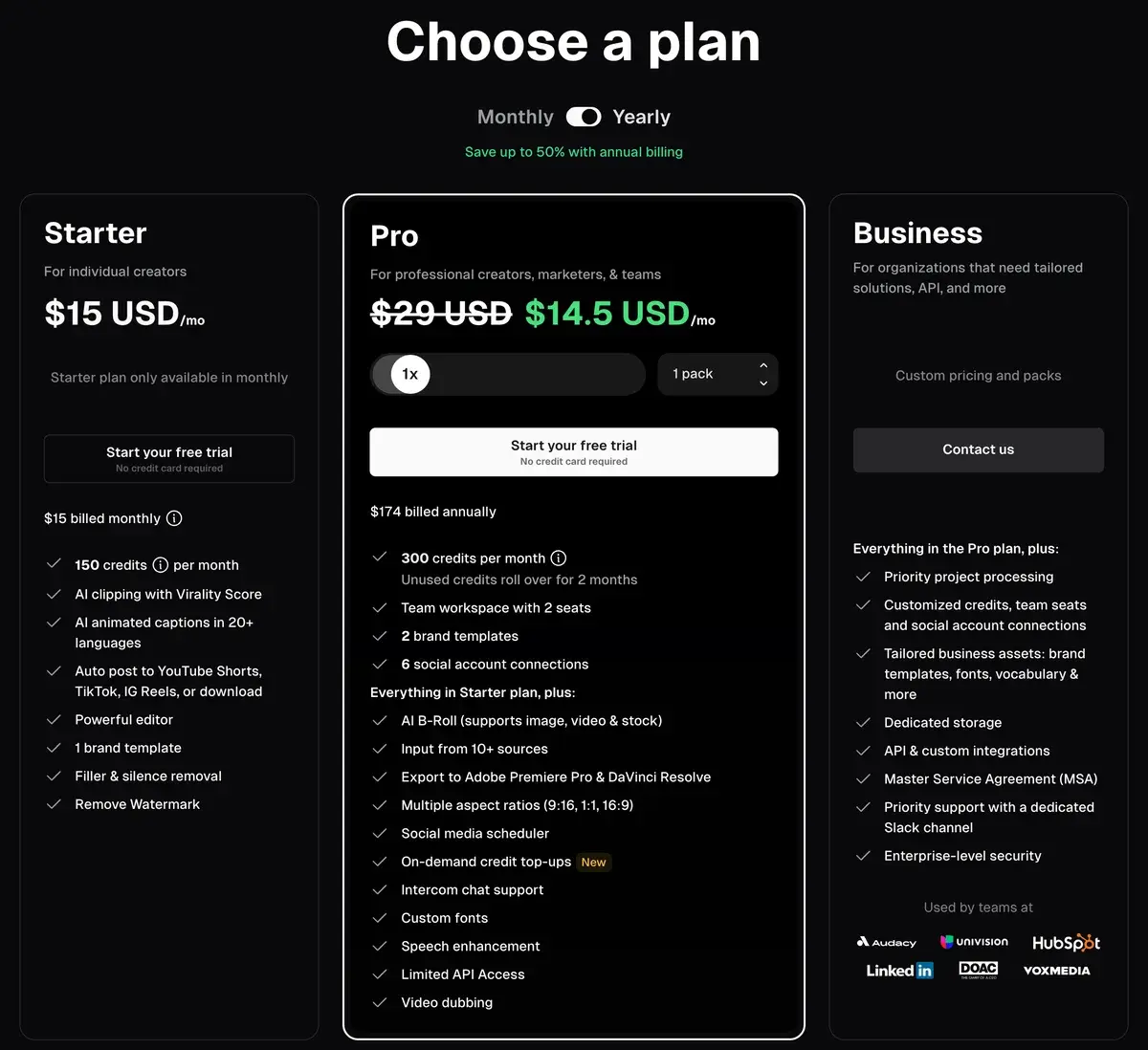
OpusClip's plans on yearly billing on September 26, 2026.
Plan
Price
Credits (minutes of source video)
Highlights
Free
$0
60 a month
Watermark, no editing, clips exportable for 3 days
Starter
$15 a month, monthly only
150 a month
No watermark, editor, filler removal, auto-post, 1 brand template
Pro
$29 a month, or $14.50 billed yearly
300 a month per pack, up to 15 packs
2-seat team workspace, B-roll, scheduler, Premiere and DaVinci export, top-ups, dubbing, limited API
Max
Via Agent Opus
1,500 a month per pack
Credits usable on OpusClip
Business
Custom
Custom
Priority processing, API, SSO, SOC 2 Type 2, MSA
Pro is the plan to look at first. Billed yearly, it costs less per month than Starter while doubling the credits, and yearly subscribers get the whole year's 3,600 credits up front, valid for 12 months. Starter only makes sense for someone who wants to pay month to month with no commitment.
Credits are minutes of what you upload
OpusClip's pricing unit is simple once you see it: 1 credit is 1 minute of source video processed. A 60-minute podcast costs 60 credits whether OpusClip returns five clips or twenty, and videos under a minute count as one. Partial minutes round down, so a 4.5-minute file costs 4.
That makes the plans easy to size by your recording schedule:
Plan
Credits a month
Hours of source video
Cost per hour of source
Free
60
1
$0
Starter
150
2.5
$6.00
Pro, monthly
300 per pack
5 per pack
$5.80
Pro, yearly
300 per pack
5 per pack
$2.90
A weekly one-hour podcast fits in Starter; a daily show or several shows need Pro with extra packs. Two habits cut credit use: trim the processing timeframe to skip intros and outros, and avoid re-uploading the same file for a second pass.
Credits do expire. Monthly credits last 60 days, which means one month of rollover; yearly credits last 12 months from purchase. Cancelling does not wipe them, since they keep their original expiry date.
Finding and reframing clips, but only from what you upload
OpusClip saves the slowest part of repurposing: scrubbing through an hour of footage for moments that stand on their own. Its highlight detection and virality score produce a ranked shortlist, and speaker tracking, genre-specific reframing and layouts for screenshares and gameplay handle the awkward job of turning a wide shot into a 9:16 clip. With captions, B-roll, brand templates and scheduling built in, a clip can go from podcast to TikTok without another tool.
It only cuts what you give it, though. OpusClip is neither a generator nor a full editor, so long-form editing belongs in Descript or a desktop editor, and footage from scratch needs a video model such as Kling. The free plan's watermark, missing editor and three-day export window make it a trial, and a virality score cannot know your audience, so treat the output as a shortlist to review rather than a finished calendar.
OpusClip against Vizard, Submagic and VEED
Vizard is the most direct alternative for automatic clipping, and worth comparing on price per hour of source video. Submagic is better at polishing clips you already have, with animated captions and effects, than at finding them. Captions edits talking-head footage with AI styles. VEED is a broader browser editor with subtitles and translation; the two are compared in detail in Opus Clip vs VEED.
Who should use OpusClip
OpusClip is built for anyone with a regular stream of long recordings: podcasters, streamers, coaches, educators and B2B marketers with webinars. Start on the free plan with one episode to judge the clip picks; if they work for your content, Pro billed yearly is the best value, and extra packs scale it with your output.
If you don't produce long videos to begin with, a clipper is the wrong tool; look at a short-form editor or a generator instead.
Related Tools
Vizard: automatic clipping of long videos into shorts
Submagic: animated captions and effects for short clips
Processing costs 1 credit per minute of the original video you import, regardless of how many clips come back. A 30-minute video uses 30 credits. Videos under a minute round up to 1 credit and partial minutes round down, so a 4.5-minute video costs 4. You can select only part of a long video with the processing timeframe slider to spend fewer credits.
What do OpusClip's plans cost?
Free costs nothing for 60 credits a month with a watermark. Starter costs $15 a month, monthly only, for 150 credits. Pro costs $29 a month, or $14.50 a month billed yearly ($174 a year), for 300 credits per pack, and you can buy up to 15 packs. Business is priced on request, and a Max plan with 1,500 credits per pack is sold through Agent Opus.
Do OpusClip credits expire?
Yes. On monthly plans credits expire after 60 days, so they roll over for one extra month. On yearly plans you receive the whole year's credits at purchase, and they expire 12 months later. If you cancel, remaining credits keep their original expiry date rather than vanishing when the billing cycle ends.
What does the OpusClip free plan include?
Sixty credits a month, enough for an hour of source video, with clips rendered at up to 1080p, automatic reframing and AI captions with emoji and keyword highlights. Clips carry a watermark, cannot be edited and can be exported only for three days, after which media expires. It is a real trial of the clipping quality, not a publishing tool.
What does Pro add over Starter?
Twice the credits per pack, unused credits that roll over for two months, a team workspace with two seats, more brand templates and social connections, AI B-roll, more import sources, export to Premiere Pro and DaVinci Resolve, 16:9 and 1:1 formats, a social scheduler, on-demand top-ups, speech enhancement, dubbing and limited API access. Starter is the cheapest way to remove the watermark.
How many clips does OpusClip make from one video?
It varies with the length and content of the source, since credits depend on input minutes, not output. A one-hour podcast typically yields a batch of clips ranked by a virality score; you choose clip lengths from under a minute to 15 minutes, and Pro users can search by topic or prompt the clipper for specific moments.
Can OpusClip post clips automatically?
Yes. Paid plans can publish to YouTube Shorts, TikTok and Instagram Reels, and Pro adds a social media scheduler and connections for up to six accounts. Posting to X costs 1 credit per post, refunded automatically if the post fails or you delete a scheduled post.
Is OpusClip better than Vizard or Submagic?
For automatic clipping of long videos with a virality score, OpusClip is the best-known option. Vizard competes on similar clipping at its own price points, and Submagic focuses on polishing short clips with animated captions and effects rather than finding them. Many creators pair a clipper with a caption tool.