VEED.IO

VEED.IO

🔥 Hot
AI Video Editor

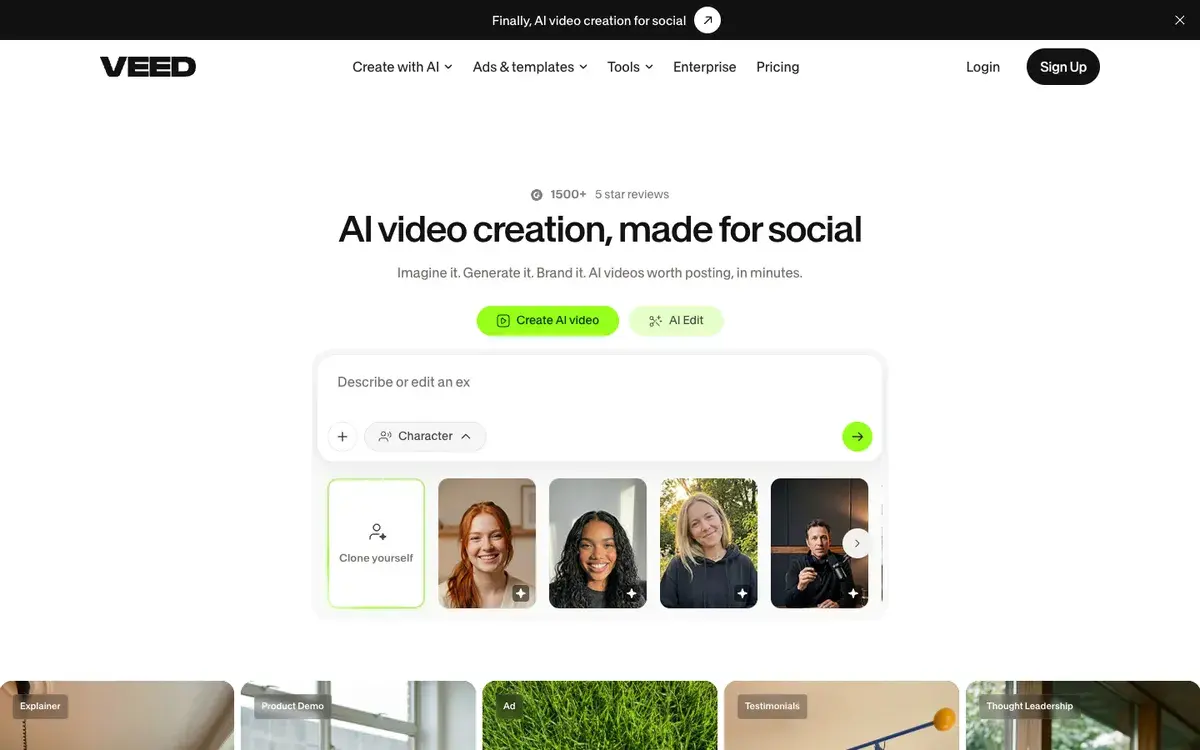
Browser-based video editor with auto-subtitles, translation, and avatars — the workhorse for content creators who need quick utility, not film production.

Free · $18/mo
📖 13 min read
Try VEED.IO for free

Affiliate link — we may earn a commission

Ready to try it?
VEED.IO
Free · $18/mo
Get started →
Affiliate link — we may earn a commission
Our rating
4.6/ 5
AIVario Editor's rating →

What is VEED.IO?

VEED is a browser-based video editor with strong AI features — auto-subtitles, video translation, eye contact correction, AI avatars, voice cloning. The free tier produces 720p exports with watermark; paid plans start at $18/month for Basic and go up to $70/month for Business. The user base is large for the category — millions of monthly users across content creators, marketers, educators, and remote teams.

The clearest way to describe VEED is as the workhorse browser video editor for people who need video work done quickly without committing to a desktop NLE workflow. It does not replace Premiere Pro for serious film editing, does not match Runway or Luma for cinematic AI generation, does not replace CapCut for pure social-format optimization. What it does is sit at the practical intersection of "quick", "powerful enough", "browser-based", and "AI-augmented" — a position that fits how a lot of content actually gets made in 2026.

A typical content creator workflow with VEED

Walk through how someone actually uses VEED for a week of content production, because the abstract feature list does not capture why the tool earns its place.

A YouTube creator records a talking-head video locally on their laptop or phone. Drag the file into VEED in the browser. AI generates subtitles in 30 seconds — accuracy good enough to need light cleanup, not a full rewrite. The eye contact correction feature subtly adjusts the recording so the creator appears to be looking at the camera even if they were reading from a script off to the side. Trim out the dead air at the start and end. Add the channel intro graphic from a saved template. Export to 1080p, upload to YouTube. Total time from raw recording to published: maybe 25 minutes.

For social-format content, the same source video gets resized to vertical 9:16 in VEED with AI auto-cropping that keeps the speaker centered. Subtitles get the bouncy animation styling that performs on TikTok. Export, upload to TikTok and Instagram Reels. Another 10 minutes.

For multilingual reach, the same content gets translated to Spanish using VEED's translation feature. Translated subtitles overlay the original English audio (or AI dubbing if the creator wants — though most creators stick with subtitles for authenticity). New export for the Spanish-speaking audience. Another 5 minutes.

This workflow — capture, polish, repurpose, translate, distribute — is the actual job VEED is designed for. Each individual step would be possible in other tools; the value is that VEED collapses all of them into one browser-based workflow without specialized skills. For solo creators and small content teams, this productivity compression is the reason to subscribe.

Who is it for?

Content creators producing video for YouTube, TikTok, Instagram, and similar platforms where production turnaround matters. The combination of AI features, browser convenience, and reasonable export quality fits the "publish often, polish efficiently" rhythm that defines successful creator economies in 2026.

Marketers producing ad creative, social content, and short-form brand videos. The translation features support multi-market campaigns; the AI avatars support explainer content without on-camera commitments; the team workspaces (Business tier) support agency and in-house team workflows.

Educators and trainers creating course videos, tutorials, and instructional content. AI subtitles meet accessibility requirements; translation expands course reach; eye contact correction polishes recordings of remote presenters.

Remote teams producing internal video communication — training videos, all-hands recordings, customer-facing webinars. The browser-based workflow works regardless of operating system; team workspaces support multi-contributor video projects.

Small businesses producing video marketing, customer testimonials, product demos, and social media content where production quality matters but professional video production is cost-prohibitive. The Pro tier ($30/month) covers most small business video needs.

VEED is not the right pick for: professional film and TV post-production (use Premiere Pro, Final Cut, DaVinci Resolve), complex multi-track audio work (use Pro Tools or Logic), advanced color grading and VFX (use DaVinci Resolve and After Effects), or content where the highest-end AI video generation matters more than editing (use Runway or Luma alongside VEED).

Key Features

  • Browser-based editing — full editor runs in Chrome, Edge, Safari, Firefox without installation
  • Auto subtitles — AI-generated captions with claimed 98% accuracy in 100+ languages
  • Video translation — translate audio and subtitles into 100+ languages with optional AI dubbing
  • Eye contact correction — AI adjusts gaze direction to make presenters appear to look at camera
  • AI avatars — computer-generated presenters that read scripts in chosen voices and appearances
  • Voice cloning — generate audio in your own cloned voice from text
  • Background removal — automatic green-screen-style background removal without physical green screen
  • Stock library — extensive royalty-free stock footage, music, and sound effects integrated into the editor
  • Templates — pre-designed templates for common formats (intros, social posts, ads, tutorials)
  • Multi-format export — vertical 9:16, square 1:1, horizontal 16:9, and custom dimensions
  • Team workspaces — shared projects, brand kits, and collaboration features (Business tier)
  • Cloud storage — projects sync across devices automatically; no local file management needed
  • Mobile apps — iOS and Android apps for editing on phones and tablets

VEED.IO vs Competitors 2026

ToolBrowser-basedAI featuresFormat rangeFree tierPrice/mo
VEED.IO✅ Native✅ Strong✅ Broad✅ Limited (720p, watermark)$18
CapCut⚠️ Web + desktop✅ Strong (social)✅ Social-focused✅ Generous$7.99 (Pro)
Descript❌ Desktop✅ Transcript-based⚠️ Talking-head focused✅ Limited$12
InVideo✅ Browser✅ AI generation✅ Broad✅ Limited$25
Canva Video✅ Browser✅ Decent✅ Template-driven✅ Generous$12.99
Adobe Express✅ Browser✅ Firefly integration✅ Broad✅ LimitedBundled CC
Runway✅ Browser✅ Generation-focused⚠️ Generation-first✅ Limited$15
Premiere Pro❌ Desktop✅ AI features✅ Professional$22.99

Data verified April 2026 from each provider's pricing pages.

The clearest comparison is VEED vs CapCut. CapCut is genuinely strong, free for most use cases, and the leader for short-form social content. VEED is more polished for non-social formats (long-form YouTube, training videos, marketing content) and has a more complete AI feature set including translation and avatars. For pure TikTok creators, CapCut is hard to beat on price and social-format optimization. For multi-format content production, VEED is the more balanced choice.

VEED vs Descript is a different question entirely. Descript's transcript-based editing (edit the video by editing the text transcript) is genuinely innovative for talking-head content. VEED uses conventional timeline editing. For podcast-to-video workflows and dialogue-heavy content, Descript is often more efficient. For broader video editing with AI features, VEED is more capable.

InVideo and Canva Video are credible alternatives at similar price points with different positioning — InVideo is more AI-generation-focused, Canva Video is more template-driven. For users committed to those platforms (already using Canva for design work, for example), the bundle math may favor sticking with the platform. For dedicated video work, VEED's editor is generally more capable.

VEED vs Premiere Pro / Final Cut is not a meaningful comparison for most users. These are different products for different audiences — professional NLEs versus creator-tier utility editors. Choose VEED when professional precision is not the bottleneck; choose desktop NLEs when it is.

Pricing 2026

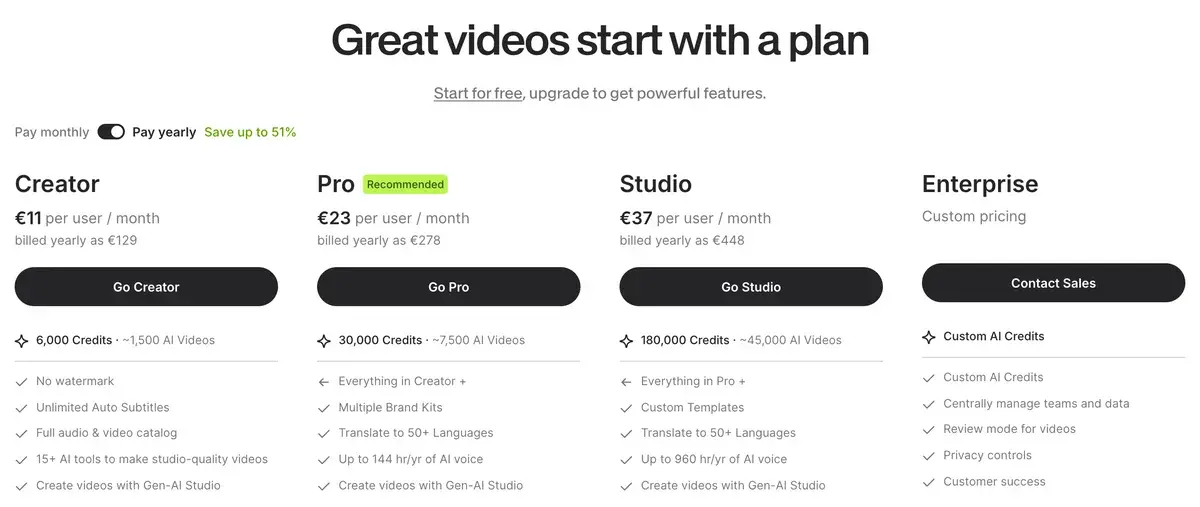
PlanPriceExport qualityWatermarkAI featuresBest for
Free$0720p✅ YesBasicCasual evaluation
Basic$18/mo1080pBasic AISolo creators starting out
Pro$30/mo4KAll AI features incl. translationActive creators, marketers
Business$70/mo4KAll + team featuresAgencies, teams

Prices verified April 2026 from veed.io/pricing. Annual billing offers ~30% off — most paying users move to annual quickly.

The pricing is reasonable for what the tool delivers. Free is genuinely a preview tier (720p with watermark) rather than a usable product — most users move past free within a few projects. Basic at $18/month is the entry point for solo creators producing video professionally. Pro at $30/month unlocks the full AI feature set including translation and avatars; this is where serious creators land. Business at $70/month is for agencies and teams that need shared workspaces and brand kits.

The free tier framing is honest — it shows you what the editor can do without trying to be the actual product. Compare this to Typeform's restrictive-by-design free tier; VEED's free tier is "evaluation" while paid tiers are "real product." The pricing logic feels fair.

Hands-on Notes

VEED's editor opens in a few seconds in a Chrome tab and feels like a desktop application. The basic editing operations — cut, trim, transitions, audio adjustment — work the way most creators expect from desktop editors. There is no major learning curve coming from CapCut, iMovie, or basic Premiere; the layout follows conventional patterns rather than reinventing the workflow.

Auto subtitles are the feature most users encounter first and the feature that most reliably impresses. The 30-second turnaround on a 5-minute video is fast. Accuracy on clearly-spoken English in good recording conditions is genuinely high — usually under 10 errors per 5-minute video, and the errors are usually fixable with a quick scan. Real-world content with accents, background noise, multiple speakers, or technical vocabulary has lower accuracy and requires more cleanup; for that content, expect to spend 5-10 minutes editing subtitles after auto-generation.

Translation pairs naturally with the subtitle workflow. Translated subtitle overlays on original-language audio work well for most content; the AI dubbing option is competent but produces audio with the slight unnatural cadence common to all current AI dubbing. For most creator content, translated subtitles + original audio is the better choice; for explainer content where the original presenter does not appear on screen, AI dubbing is workable.

Eye contact correction is the underrated feature. When a presenter records while reading from notes or a teleprompter, the gaze can drift off-camera in ways that make the video feel slightly off. VEED's AI subtly adjusts the gaze direction to make the presenter appear to be looking at the camera. The effect is convincing on most content; it occasionally produces uncanny moments on close-up shots, but for medium-distance talking-head content it just makes the video feel more polished.

AI avatars work as advertised but viewers usually identify them as synthetic within the first 10 seconds. For training and explainer content where avatar use is expected and accepted (corporate L&D content, language learning, basic explainer videos), this is fine. For brand and marketing content where authenticity matters, real recording with eye contact correction produces better results than avatars.

Where VEED gets weaker: anything requiring frame-accurate timeline precision, complex audio mixing, advanced color grading, or sophisticated visual effects. For these workflows, desktop NLEs remain the right tool. VEED is not trying to be a professional NLE; it is trying to be the practical browser editor for content creators. Within that scope, it succeeds.

The other honest critique: render queue can be slow during peak times. 1080p exports of short videos render fast; 4K exports of longer videos can take meaningful time, particularly during evenings and weekends when usage spikes. The Business tier's priority rendering helps. For solo creators on lower tiers, this is a known limitation worth planning around.

Use Cases

A YouTube creator with a 80K-subscriber channel uses VEED Pro for weekly long-form videos. Workflow: record locally, edit and subtitle in VEED, export 4K to YouTube. Total post-production time per video dropped from 4-6 hours to 90 minutes after switching from desktop editing. The translation feature opened a Spanish-language version that grew the channel meaningfully without doubling production time.

A B2B marketing team produces video case studies, product demo videos, and social content using VEED Business across 4 marketers. Brand kits ensure consistency without designer involvement; team workspaces handle multi-contributor projects. Translation supports campaigns in three European markets without per-market production teams.

An online course creator produces video lessons in VEED Pro. AI subtitles meet accessibility requirements for student audiences; eye contact correction polishes lecture recordings; translation enables course delivery in multiple languages without new recordings. The course library scales globally without proportional production costs.

A small marketing agency handles client video work for 5-6 SMB clients in VEED Business. Each client gets a brand kit; team contributors edit collaboratively; client review cycles happen through shared project links. The pricing tier supports the agency's volume; quality is sufficient for SMB client deliverables.

A remote engineering team uses VEED for internal video communication — recorded standups for time-zone-mismatched teammates, training videos for new hires, all-hands archives. The browser-based workflow works across team OS preferences; cloud storage handles the project files automatically.

Our Verdict

VEED is the right browser-based video editor for content creators, marketers, educators, and small teams who need video work done quickly with strong AI features and reasonable production quality. The combination of auto-subtitles, translation, eye contact correction, and conventional editing workflow fits how most modern content actually gets produced.

The honest framing: VEED is a utility tool, not a creative tool. It is excellent for the practical work of polishing recordings, generating subtitles, translating content, and shipping multi-format video. It is not the right choice for cinematic AI generation (use Luma or Runway), professional film editing (use desktop NLEs), or pure social format optimization where CapCut is free and equally capable.

For most working content creators in 2026, VEED earns its place at the appropriate tier. The free tier is a fair preview; the Pro tier at $30/month is well-priced for the AI feature set. For agencies and teams, Business adds the team features that justify the higher price.

Note: VEED.IO does not currently have an active affiliate program with AIVario. AIVario earns no commission from sign-ups. Our rating reflects ongoing use of the paid Pro tier across content production work.

Best for: Content creators, marketers, educators, remote teams, small businesses producing video content Not ideal for: Professional film and TV post-production (use Premiere Pro or DaVinci Resolve), pure short-form social where CapCut is free, cinematic AI generation (use Luma or Runway) Bottom line: The practical browser video editor that does the actual work most content creators need — quick, polished, AI-augmented. Not a creative tool, but a genuinely useful utility tool.

Related Tools

  • CapCut — free alternative particularly strong for short-form social content
  • Descript — complementary tool for transcript-based editing of dialogue-heavy content
  • Runway — pairs with VEED for cinematic AI-generated content edited in VEED's timeline
  • ElevenLabs — voice synthesis that integrates with VEED for higher-quality AI dubbing
  • Suno AI — AI music generation for background tracks edited into VEED projects

Frequently Asked Questions about VEED.IO

How much does VEED.IO cost?

VEED has a free tier with 720p export and watermark. Paid plans start at $18/month for Basic (1080p, no watermark, basic AI features), $30/month for Pro (4K, all AI features, translation), and $70/month for Business (team workspace, priority rendering). Annual billing offers ~30% off across all tiers.

How accurate are VEED's AI subtitles?

VEED claims 98% accuracy, which holds up well for clearly-spoken English audio in good recording conditions. Real-world accuracy varies — heavy accents, technical vocabulary, multiple speakers talking over each other, and noisy backgrounds reduce accuracy meaningfully. For professional content, expect to do an editing pass on subtitles after auto-generation. For casual content, the auto-subs ship usable with minimal cleanup.

Does VEED translate videos?

Yes, VEED translates video into 100+ languages with AI dubbing options that can preserve voice characteristics. Quality is strong for major languages (Spanish, French, German, Portuguese, Italian) and decreases for less common languages. The translation feature pairs particularly well with the subtitle workflow — translated subtitles plus original audio is often more natural than dubbed audio for most content.

Is VEED better than Descript or CapCut?

Different jobs. CapCut is the best free alternative, particularly strong for vertical/social formats. Descript specializes in transcript-based editing where you edit the video by editing the text. VEED sits between — broader feature set than CapCut, more conventional editing workflow than Descript. For multi-purpose content creation in a browser, VEED is often the most balanced choice.

Can VEED replace Premiere Pro or Final Cut?

For social-format content, marketing videos, simple cuts, and content where AI features matter more than precision editing — yes. For professional film and TV editing requiring frame-accurate timeline work, complex multi-track audio, color grading, and advanced VFX — no. The honest framing: VEED is a utility editor for content creators, not a replacement for industry-standard NLEs.

What are VEED AI avatars?

AI avatars are computer-generated presenters that read scripts in your chosen voice and appearance. You can pick from preset avatars or generate custom avatars from photos. Use cases include explainer videos, training content, and any video format where you would otherwise need to film yourself. Quality is competent but recognizably AI-generated — viewers usually identify avatar content as synthetic.

Is VEED safe for client work and commercial use?

Yes, all paid plans grant commercial usage rights to videos created in VEED. The Business tier adds team workspaces and admin controls suitable for agency client work. AI-generated elements (avatars, dubbed voices) come with usage rights covered under the subscription, though it is good practice to verify current terms at veed.io/terms before relying on commercial assumptions for any specific use case.