Tella is a screen and camera recorder for product demos, tutorials, sales videos and async updates, with AI editing that removes silences, filler words and mistakes, adds auto layouts and zooms, and hosts videos on shareable pages with analytics. Pro costs $13 per user a month billed annually for unlimited videos, 4K export and transcription in 106 languages, and Premium $19 adds a custom domain, white-labeling, 60 fps and advanced analytics. Recording runs up to 6 hours per clip.
✓Best for: Founders, product marketers, educators and support teams who record polished screen demos and tutorials without an editor
✗Skip if: You need a free plan for occasional quick messages, or you edit cinematic video rather than screen recordings
This analysis is based on documentation, public user reports, and vendor materials — not yet on our own hands-on testing. How we rate
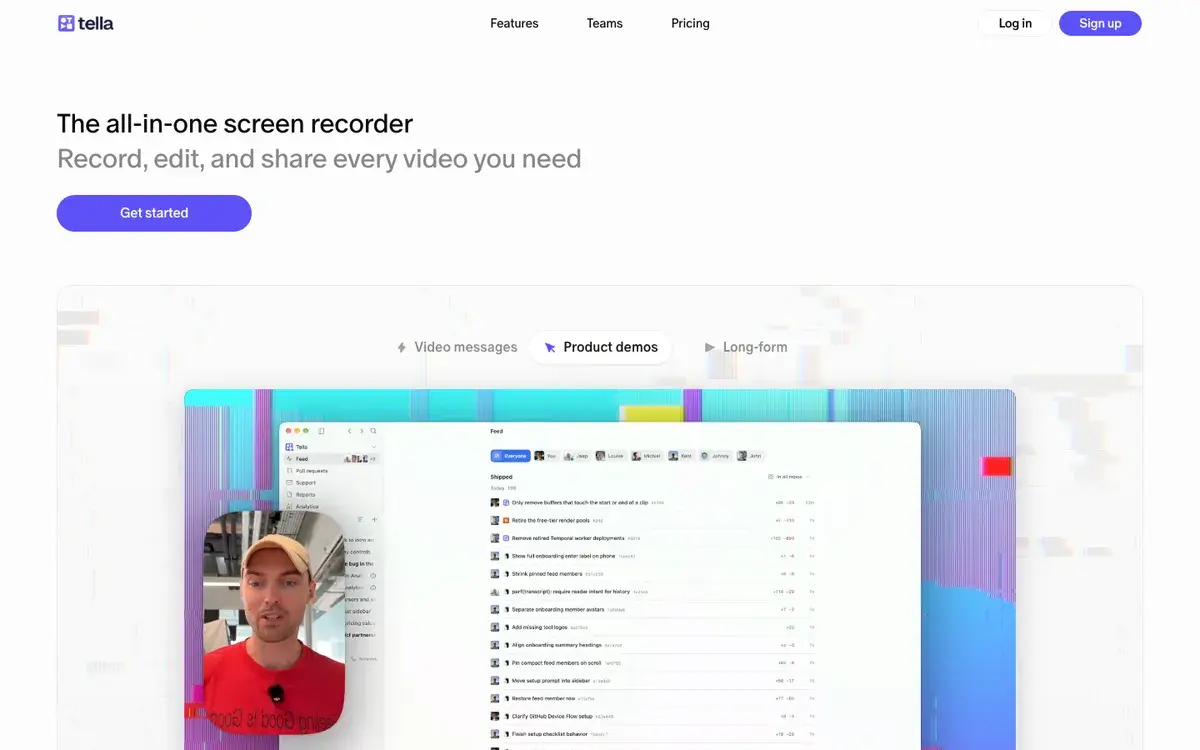
Tella homepage, captured Sep 26, 2026.
Screen recordings that edit themselves
Tella is a screen recorder built for videos that need to look finished: product demos, tutorials, sales walkthroughs, onboarding and async updates. You record your screen, camera, microphone and system audio, at up to 4K and up to six hours per clip, with a teleprompter if you need one. Then Tella does the editing most people skip: it cuts silences, filler words and mistakes, applies layouts that switch between screen and camera, zooms in on the parts of the screen that matter, and adds backgrounds, subtitles and music.
Finished videos live on shareable pages with comments, reactions, calls to action and analytics, or embed on your site. AI generates titles, descriptions and chapters, and can turn a video into a written document. Tella runs as a macOS app, a Windows app and a Chrome extension, and connects to Slack, Notion and Linear.
Pro, Premium and Enterprise
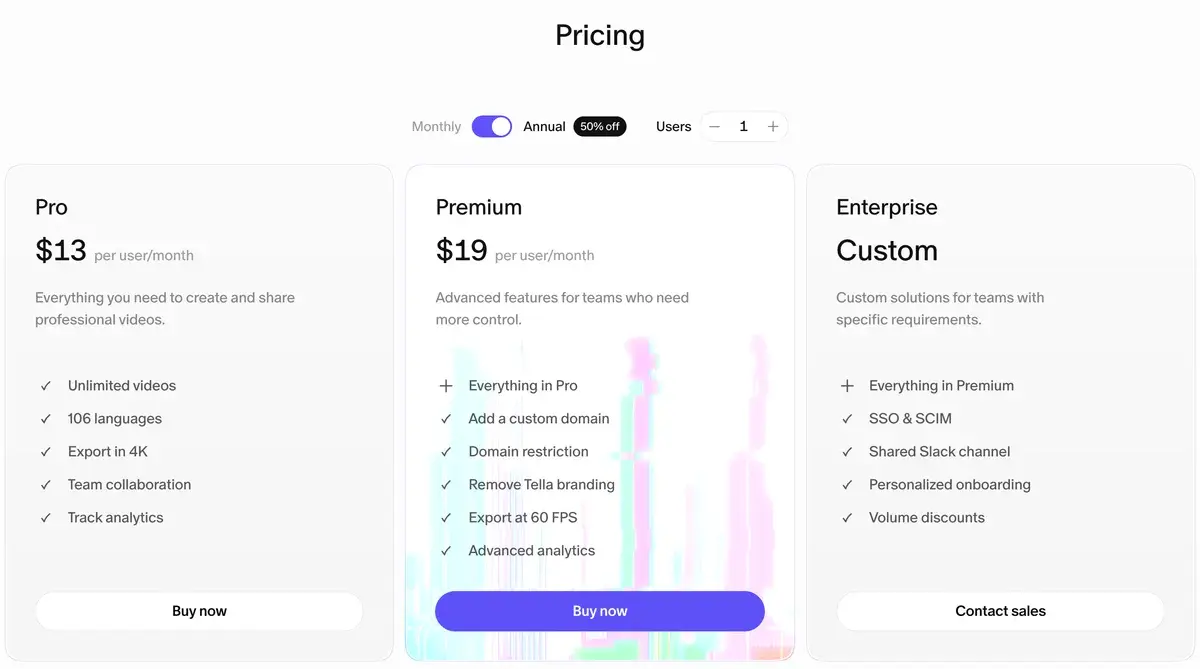
Tella's plans on annual billing, screenshot taken September 26, 2026.
Plan
Annual (per user, per month)
Highlights
Pro
$13
Unlimited videos, 4K export, 106 languages, AI editing, team collaboration, 30 days of analytics
Premium
$19
Custom domain, domain restriction, no Tella branding, 60 fps, all-time analytics with conversion funnels
Enterprise
Custom
SSO and SCIM, shared Slack channel, personalized onboarding, volume discounts
Tella says annual billing is 50% off, which implies roughly $26 and $38 per user on monthly billing. SSO and SCIM are available as add-ons on paid plans.
Unlike the AI generators and editors reviewed elsewhere on this site, Tella has no credits: videos are unlimited, and the price is simply per user. The decision is between Pro and Premium, and Tella's own advice is sensible: if you share lots of videos with customers or followers, Premium; otherwise Pro.
What a team pays
Because Tella charges per user with no usage limits, costs scale with headcount only:
Team
Pro, billed annually
Premium, billed annually
1 person
$156 a year
$228 a year
5 people
$780 a year
$1,140 a year
10 people
$1,560 a year
$2,280 a year
For a five-person product and marketing team, the jump to Premium costs $360 a year and buys a custom domain, white-labeled pages, 60 fps export and all-time analytics. It is worth it when videos go to customers under your brand, and unnecessary for internal walkthroughs. Teams moving from Loom can bring their library with Tella's migration and batch import tools, so switching does not mean starting from zero.
Polished demos without an editor, but no free tier
Tella's editing happens for you. Silence and filler removal, the AI mistakes finder, auto layouts and auto zoom turn a rough take into a watchable demo without opening an editor, which is the whole point for founders and product teams. 4K export, camera reframing, backgrounds and branded pages make recordings look like marketing assets, and hosting, embeds, calls to action and viewer analytics, with conversion funnels on Premium, show who actually watched a sales or marketing video.
It is narrower than it first looks. No free plan is listed, so quick, disposable messages are better sent with a free recorder. It is built for screen recordings: talking-head social content suits Captions or Submagic, and interviews and podcasts are recorded in higher quality by Riverside. Per-user pricing adds up for large teams, and white-labeling and custom domains require Premium.
Loom, Descript or VEED instead
Loom is the default for quick async messages; Tella is the better tool when the recording has to be polished and reused, and it offers a Loom migration tool to move libraries over. Descript also records screens and edits by transcript, with deeper editing for long content. VEED has a screen recorder inside a broader browser editor. For AI presenter videos without recording yourself, HeyGen is the alternative.
Pro for internal videos, Premium for customer-facing ones
Founders, product marketers, customer success teams, educators and course creators who record demos and tutorials regularly, and want them to look professional with minimal editing, are Tella's audience. Pro billed annually covers most individuals and internal teams; Premium earns its extra cost when videos go to customers under your own brand and domain.
Related Tools
Descript: record and edit video by editing the transcript
VEED: browser editor with a screen recorder, subtitles and translation
Riverside: remote recording for interviews and podcasts
Pro costs $13 per user a month and Premium $19 per user a month, both billed annually; Enterprise is custom. Tella's pricing page says annual billing is 50% off, which puts monthly billing at roughly $26 and $38 per user. You can cancel at any time, and the subscription stops at the end of the billing period.
Does Tella have a free plan?
The current pricing page lists only paid plans, Pro, Premium and Enterprise, with education and nonprofit discounts available through separate programs. Check the sign-up flow for any trial on offer, but do not plan on a permanent free tier for regular use.
What is the difference between Tella Pro and Premium?
Pro covers creating and sharing: unlimited videos, 4K export, transcription in 106 languages, team collaboration and basic analytics with 30 days of history. Premium adds what matters when you share videos with customers or the public: a custom domain, domain restrictions for embeds, removal of Tella branding, 60 fps export and advanced, all-time analytics.
How long can Tella recordings be?
Each clip can run up to 6 hours, and you can combine multiple clips for longer videos. Recording captures screen, webcam, microphone and system audio at up to 4K, with a teleprompter, on the macOS and Windows apps and the Chrome extension.
Can Tella replace Loom?
For polished, edited recordings, yes, and Tella offers a Loom migration tool and batch import to move libraries over. Loom remains quicker for throwaway messages. Tella's strengths are editing, 4K export, layouts and branded pages, which suit demos and tutorials that people will watch more than once.
Does Tella offer analytics?
Yes. Every plan tracks views, unique viewers, watch time and engagement, with individual viewers, traffic sources and viewer locations. Pro keeps 30 days of history and Premium all-time history with conversion funnels, which matters for sales and marketing videos.
Does Tella work with Slack, Notion and Linear?
Yes. Tella integrates with Slack, Notion and Linear, supports SSO and SCIM as add-ons on paid plans or included in Enterprise, and offers an MCP connector and developer resources for teams that want to automate video workflows.