Superhuman Mail is a keyboard-driven email app for Gmail and Microsoft 365 accounts on Mac, Windows, the web, iPhone and Android. Starter costs $25 per member a month billed yearly or $30 monthly. Business costs $33 or $40 and adds Auto Drafts, Ask AI, the Superhuman Mail MCP for Claude and ChatGPT, custom Auto Labels and CRM integrations, with 15% off for teams of five or more. Mail has no free plan. Its maker, the company formerly called Grammarly, also sells a $33 Business suite that bundles Mail with Grammarly, Superhuman Docs and the Go assistant.
✓Best for: Founders, executives, recruiters and sales teams on Gmail or Microsoft 365 who answer email for much of the day and will learn keyboard shortcuts
✗Skip if: Your mail lives in iCloud, Yahoo or another IMAP account, you answer a few dozen emails a day, or you want AI drafting without paying $300 or more a year
This analysis is based on documentation, public user reports, and vendor materials — not yet on our own hands-on testing. How we rate
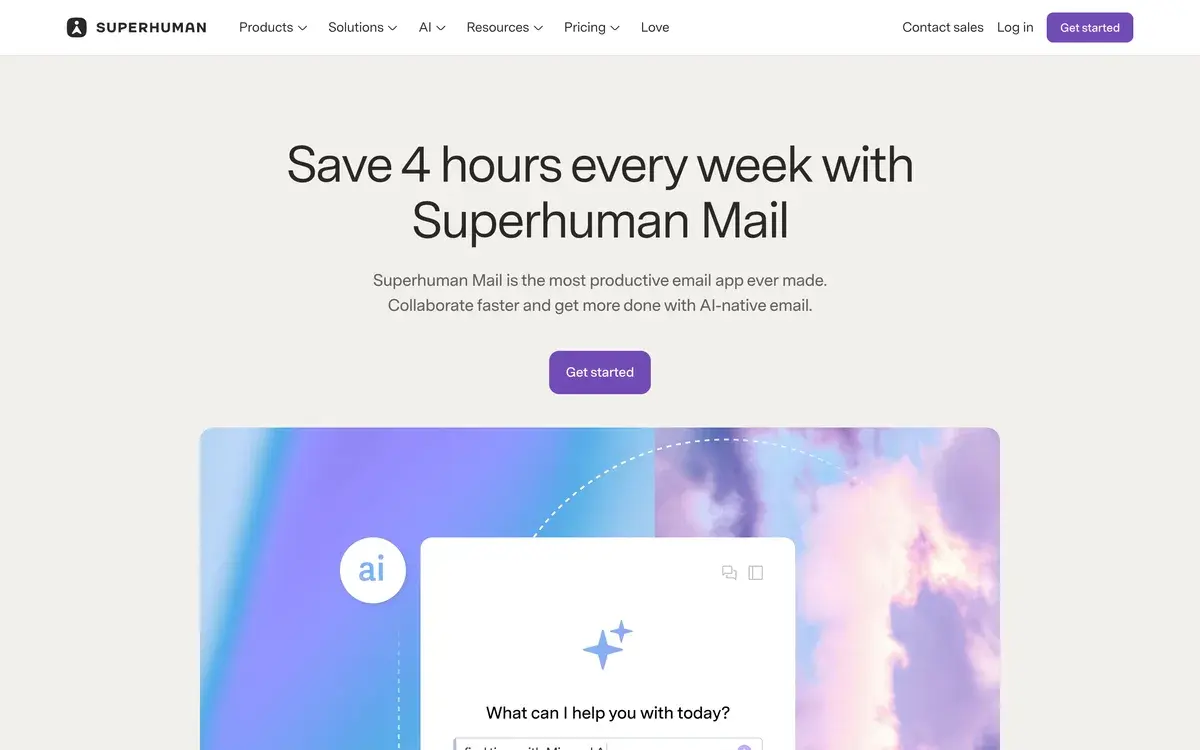
Superhuman homepage, captured Oct 1, 2026.
Which Superhuman is this?
The name now covers two things. Superhuman Mail is the email app Rahul Vohra co-founded in 2014, known for running almost entirely on keyboard shortcuts and for its inbox-zero habits. Superhuman is also a company: Grammarly bought the email startup in 2025 and in October 2025 took its name, so the maker of Grammarly is now called Superhuman.
The company's suite combines Mail, Grammarly, Superhuman Docs, which was Coda until July 8, 2026, and Superhuman Go, an assistant that works across your apps and browser tabs. It has kept buying: it announced a deal for the AI detector GPTZero in June 2026 and bought the Fathom meeting notetaker in September.
This review covers the email app. Prices quoted online often mix up the two because both have a plan called Business. Mail Business is the email app with its most advanced AI; the suite's Business plan bundles Mail with the other products, at the same price.
Starter at $25 or Business at $33
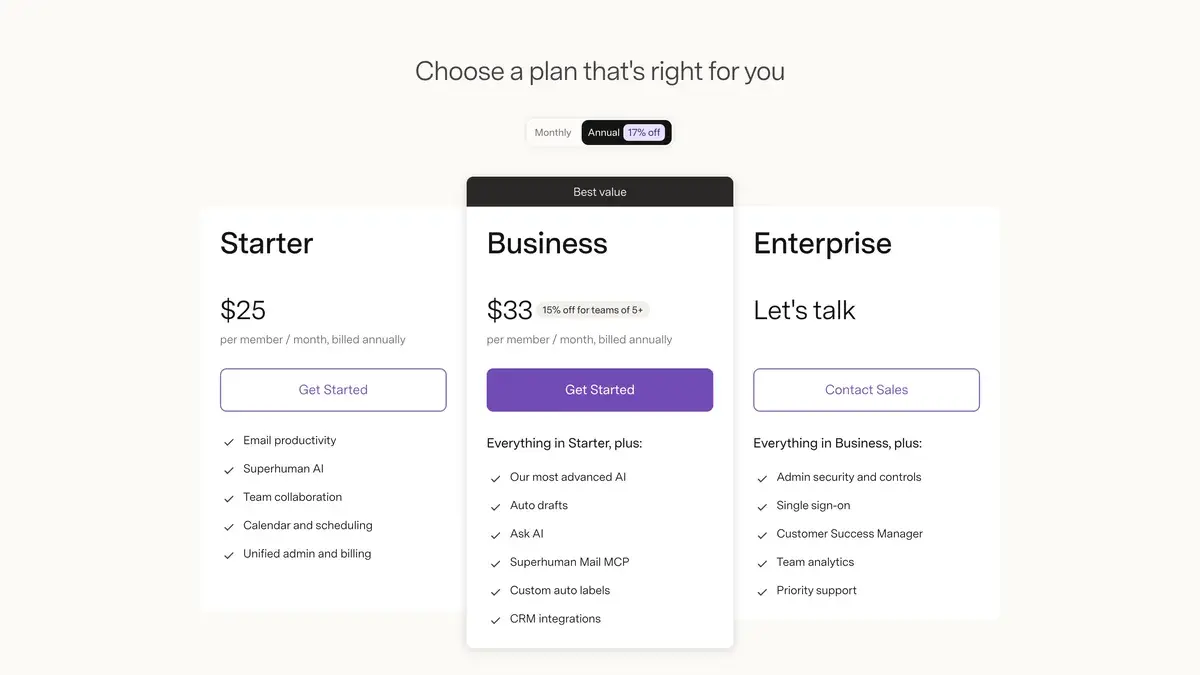
Superhuman Mail's pricing page on annual billing as of October 1, 2026. Monthly prices are in the table.
Plan
Billed yearly
Billed monthly
What it adds
Starter
$25 per member a month
$30
Shortcuts, Split Inbox, reminders, snippets, read statuses, team comments, calendar and scheduling, Superhuman AI
Business
$33 per member a month, 15% off for teams of 5+
$40
Auto Drafts, Ask AI, Superhuman Mail MCP, custom Auto Labels, Smart Send, Recent Opens, CRM integrations
Enterprise
By quote
By quote
Admin security controls, single sign-on, team analytics, a customer success manager, priority support
Yearly billing brings a Starter seat to $300 a year and Business to $396. Mail has no free plan, and the pricing page offers no trial: sign-up goes through a Google or Microsoft account and then into a paid plan.
Starter is the app most long-time users would recognize. It includes the shortcuts, Split Inbox for separating team, VIP and tool notifications, reminders when someone has not replied, snippets with attachments and CCs, read statuses, comments on shared threads, and a calendar that shows your schedule whenever you type a date. Starter also includes Superhuman AI for writing and quick replies, while Business gets what Superhuman calls its most intelligent version of Write with AI.
Business draws the line at the AI that does work for you, plus the sales features. Smart Send and Recent Opens help with timing and follow-ups, and the CRM integrations show and update HubSpot, Salesforce and Pipedrive records from the inbox.
Why Business buyers should check the suite first
Superhuman's suite page lists its own Business plan at $33 per member a month billed yearly and $40 monthly, exactly the price of Mail Business. That plan includes Mail with its inbox AI and CRM integrations, plus Grammarly, Superhuman Docs and Go. The suite's Pro plan, at $12 yearly or $15 monthly, covers Grammarly, Docs and Go but leaves Mail out.
For a new buyer who wants Business features, the suite is the better deal on paper. Existing customers should read Superhuman's billing FAQ first. Mail subscribers can convert to suite Business, but existing Mail discounts and credits do not apply to the new plan, and buying the suite with a different email address leaves the old Mail subscription billing separately.
What Business AI does: Auto Drafts, Ask AI and the MCP
Auto Drafts is the feature Superhuman pushes hardest. Version 2.0, released on July 14, 2026, prepares a draft for every message that needs a reply, using context from your inbox, your calendar and the web, and copies the tone and length you use with each person. Superhuman says 60% of Auto Drafts go out unedited and that each saves nine minutes; those are the company's own figures. Connections to Slack, CRMs and meeting notes are listed as coming next, so for now drafts draw only on your email, calendar and the web.
Ask AI answers questions from your mail, such as when a flight leaves or what a client agreed to, without building a search query. Custom Auto Labels sort incoming mail with your own rules and AI prompts.
The Superhuman Mail MCP is the newest piece. It lets Claude, ChatGPT, Perplexity and Codex search, draft, schedule and send through your Superhuman account, including Superhuman-specific actions such as triage by Split Inbox, read statuses and Smart Send. A Codex plugin with ready-made skills like /morning-briefing and /batch-draft arrived on June 25, and since July 29 the MCP can work across several Gmail and Outlook accounts at once, which Superhuman says the standard Gmail and Outlook connectors in those assistants cannot.
Gmail and Microsoft 365 only, on five platforms
Superhuman connects to Gmail and Google Workspace accounts and to Microsoft 365 accounts used in Outlook. Sign-up offers nothing else, so iCloud, Yahoo and other IMAP mailboxes are out. Apps exist for Mac, Windows, the web, iPhone and iPad with iOS 26 or later, and Android.
The mobile apps were long the weak spot, since the speed comes from shortcuts a phone cannot use. Superhuman rebuilt them on September 1, 2026, with bottom navigation for inbox, calendar and search, a dedicated view for Auto Drafts, and faster Write with AI and Write with Voice. Other recent updates are aimed at offices and Outlook users: Outlook categories became labels on September 10, and meeting rooms can be booked from the desktop calendar since September 15.
Your mail itself stays with Google or Microsoft. Superhuman is a client on top of those accounts, so leaving means going back to Gmail or Outlook with your messages intact.
Is $300 a year worth it?
Superhuman's own pitch is four hours saved per person each week. The figure is the company's, but the mechanism behind it is easy to see: triage, replies, reminders and scheduling all happen from the keyboard, and Split Inbox keeps people you work with apart from notifications.
The math works when email is the job. A founder, recruiter or account executive answering 100 messages a day can save several minutes an hour, and Business's Auto Drafts and CRM sync add up quickly in sales. It works less well for someone answering 20 or 30 emails a day, where Gemini in Gmail or Microsoft Copilot in Outlook handle drafting and summaries inside subscriptions many people already pay for.
Cheaper routes to AI email: Spark, Shortwave and Fyxer
Spark Mail has a free plan and paid tiers at roughly a third of Superhuman's price, and it works with more providers, including iCloud. Shortwave offers a free plan, Pro at $18 a month and team plans from $30 a seat, with a 14-day trial on paid plans. Fyxer takes a different route: it works inside Gmail and Outlook rather than replacing them, drafting replies and labeling mail, with paid plans from $37 a person a month billed yearly.
Superhuman's case against all of them is polish and speed for heavy users, plus team features such as shared threads and comments. Its case gets weaker the less email you handle.
Frequently Asked Questions about Superhuman
What is the difference between Superhuman Starter and Business?
Starter, at $25 per member a month billed yearly or $30 monthly, covers the email app itself: shortcuts, Split Inbox, reminders, snippets, read statuses, team comments, calendar and the basic AI writing features. Business, at $33 or $40, adds Auto Drafts, Ask AI, the Superhuman Mail MCP, custom Auto Labels, Smart Send, Recent Opens and CRM integrations with HubSpot, Salesforce and Pipedrive.
Does Superhuman have a free trial?
Not on its pricing page. Mail has no free plan, sign-up goes through a Google or Microsoft account and then into Starter or Business, and Superhuman's billing FAQ says it currently offers no free trials or discounts for its suite. Yearly billing saves about 17% against monthly, and teams of five or more get 15% off Business.
Does Superhuman work on Windows?
Yes. Superhuman Mail has native apps for Windows and Mac as well as the web, iPhone, iPad and Android, and it connects to Gmail, Google Workspace and Microsoft 365 accounts on all of them. On Windows, the keyboard shortcuts use Ctrl in place of Cmd, such as Ctrl+K for the command palette.
Is Superhuman the same company as Grammarly?
Yes. Grammarly bought Superhuman in 2025 and renamed itself Superhuman in October 2025. The company now sells Superhuman Mail, Grammarly, Superhuman Docs, which was called Coda until July 2026, and the Superhuman Go assistant. It announced a deal for GPTZero in June 2026 and bought the Fathom notetaker in September 2026. Grammarly keeps its name as a product.
Does Superhuman work with Outlook, iCloud or Yahoo?
It works with Gmail and Google Workspace accounts and with Microsoft 365 accounts used in Outlook, and sign-up offers only those two options. iCloud, Yahoo and other IMAP mailboxes cannot be connected. Outlook users gained support for their categories, shown as labels, in September 2026.
What is the Superhuman Mail MCP?
A connection that lets AI assistants such as Claude, ChatGPT, Perplexity and OpenAI's Codex search, draft, schedule, triage and send email through your Superhuman account. Since July 29, 2026 it can work across several Gmail and Outlook accounts at once. It comes with the Business and Enterprise plans, not Starter.
Should I buy Superhuman Mail Business or the Superhuman suite?
Compare them before paying. Both list $33 per member a month billed yearly or $40 monthly, and the suite's Business plan includes Mail along with Grammarly, Superhuman Docs and Go. Existing Mail subscribers can convert to the suite, but their Mail discounts and credits do not carry over.
Who gets their money's worth from Superhuman?
People who answer email for a large part of the day from a keyboard: founders, executives, recruiters, salespeople and support leads. Superhuman says its users save four hours a week. Someone answering 20 or 30 emails a day gets most of the drafting and summaries from Gemini in Gmail or Copilot in Outlook for far less.
How does Superhuman compare with Shortwave?
Shortwave is another AI-first email app, with a free plan, Pro at $18 a month for individuals and team plans from $30 a seat, each paid plan with a 14-day trial. Superhuman is built around speed from the keyboard, with Auto Drafts on Business; Shortwave puts AI search across your inbox at the center, with AI usage quotas that rise by tier.